00195374-0202_AI_LBO-D1D2_DE+EN.pdf - 第67页
Long bo ard option 2 Assembly instructions Long board op tion SIPLACE D1 / D2 06/2007 Edition 67 2.14 Position of the local component fiducials (for two fiducials per component) – The local compone nt fiducials must be a…
2 Assembly instructions Long board option SIPLACE D1 / D2 Long board option
06/2007 Edition
66
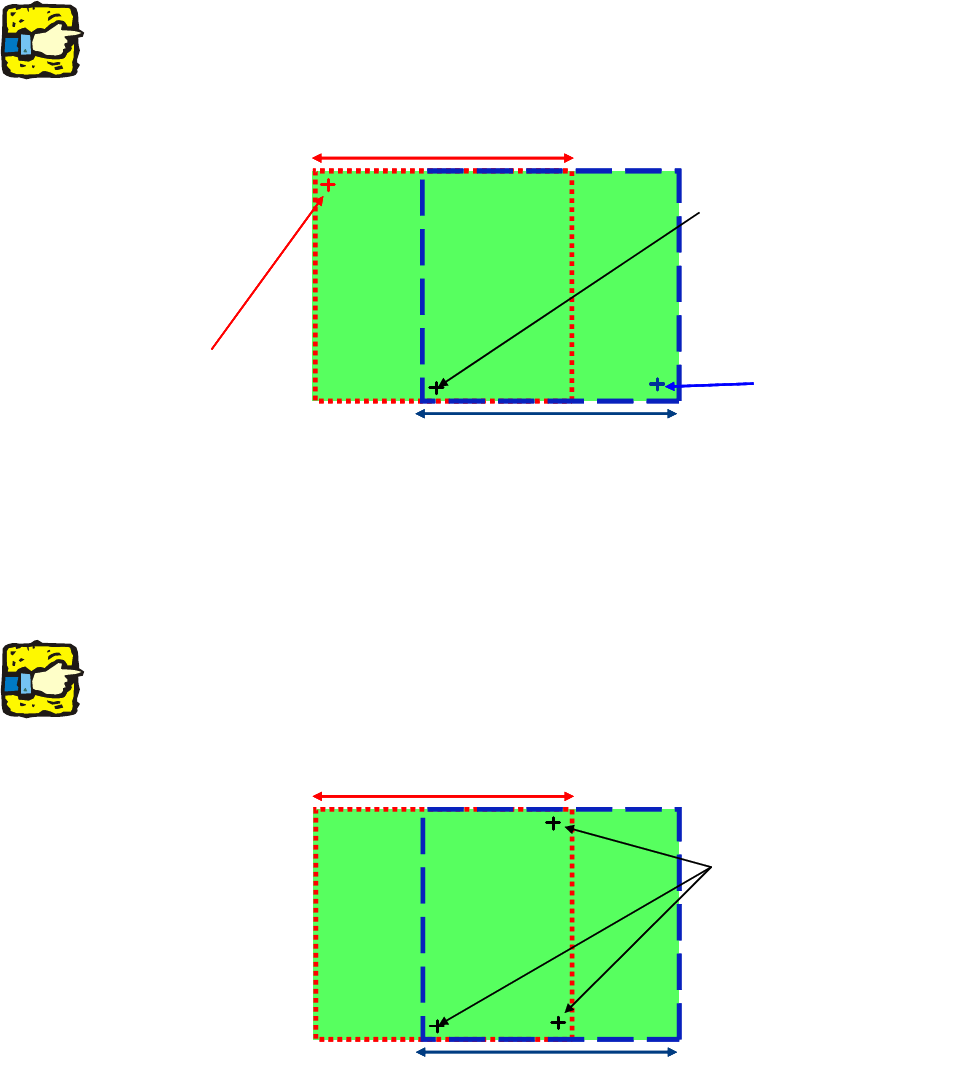
2.13.3 Sample description with 3 fiducials, 2 for each placement area
– From station SW 503 and LC 503 or SIPLACE Pro 1.4
– One set of fiducials with 2 PCB fiducial
s for each processing area.
In this case, the PCB skew is ignored.
2
Although this is possible, we do not recommend it because it can cause problems with accuracy.2
PCB fiducial PA2PCB fiducial PA2
PCB fiducial PA1
PCB fiducial PA1
Placement area 2Placement area 2
Placement area 1Placement area 1
PCB fiducial for PA1 + PA2
2
2
2.13.4 Sample description with 3 fiducials in the area of overlap
– From software version 502 onwards, only one set of fiducials is possible in the area of overlap.
– One fiducial set in the overlap area.
2
Although this is possible, we do not recommend it because it can cause problems with accuracy.
The PCB skew outside the area of overlap is interpolated. 2
Placement area 2Placement area 2
Placement area 1Placement area 1
PCB fiducial set for PA1 + PA2
2
Long board option 2 Assembly instructions Long board option SIPLACE D1 / D2
06/2007 Edition
67
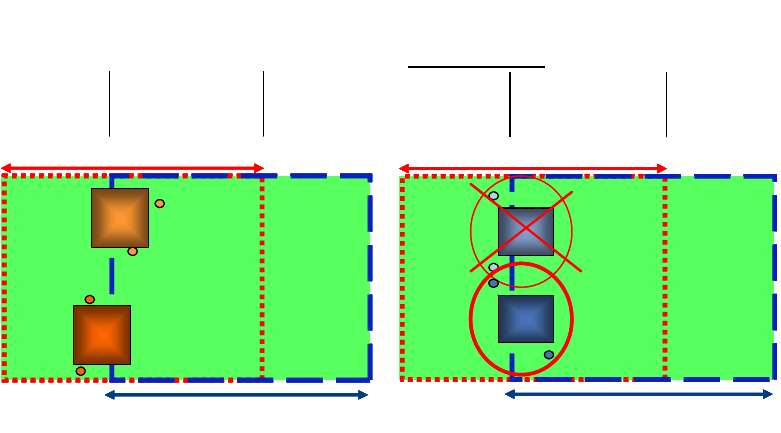
2.14 Position of the local component fiducials
(for two fiducials per component)
– The local component fiducials must be arranged so that all the fiducials occur either in stopper
area 1, in the area of overlap or in stopper area 2.
– The local fiducials must be in the same processing ar
ea as the placement position (center of
component).
– If only one local fiducial is used per processing area,
then it must occur in the same processing
area as the center of the component.
Area of
overlap
Stopper
area 1
Stopper
area 2
Placement area 2
Placement area 1
Example:
permissible comp. fiducial positions
Area of
overlap
Stopper
area 1
Stopper
area 2
Placement area 2
Placement area 1
Area of
overlap
Stopper
area 1
Stopper
area 2
Area of
overlap
Stopper
area 1
Stopper
area 2
Placement area 2Placement area 2
Placement area 1Placement area 1
Example:
permissible comp. fiducial positions
Area of
overlap
Stopper
area 1
Stopper
area 2
Placement area 2
Placement area 1
(*)
Example:
impermissible
comp. fiducial positions
Area of
overlap
Stopper
area 1
Stopper
area 2
Placement area 2
Placement area 1
(*)
Area of
overlap
Stopper
area 1
Stopper
area 2
Area of
overlap
Stopper
area 1
Stopper
area 2
Placement area 2Placement area 2
Placement area 1Placement area 1
(*)(*)
Example:
impermissible
comp. fiducial positions
2
2 Assembly instructions Long board option SIPLACE D1 / D2 Long board option
06/2007 Edition
68
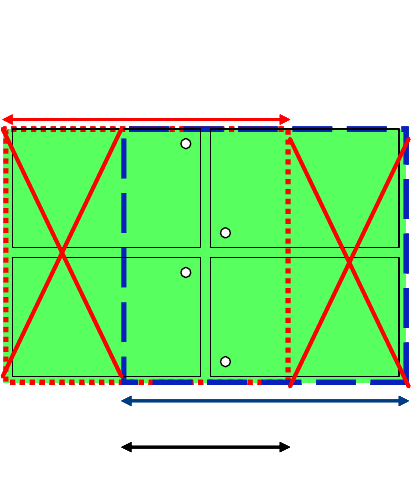
2.15 Position of the ink spots
All the ink spots must be visible in the PCB area of overlap. 2
Permitted ink spot positions: 2
Permissible ink spots positions:
Area of overlap
Placement area 1
Placement area 2
Permissible ink spots positions:
Area of overlapArea of overlap
Placement area 1Placement area 1
Placement area 2Placement area 2
2
2
2
2
2
2
2