YG200_200L_E.pdf - 第33页
1-5 1 Part names and functions 2 . O p e r a t i o n p a n e l a n d d a t a i n p u t u n i t S t a n d a r d m a c h i n e s a r e e q u i p p e d w i t h a n o p e r a t i o n d i s p l a y, o p e r a t i o n p a n e …
1-4
1
Part names and functions
n
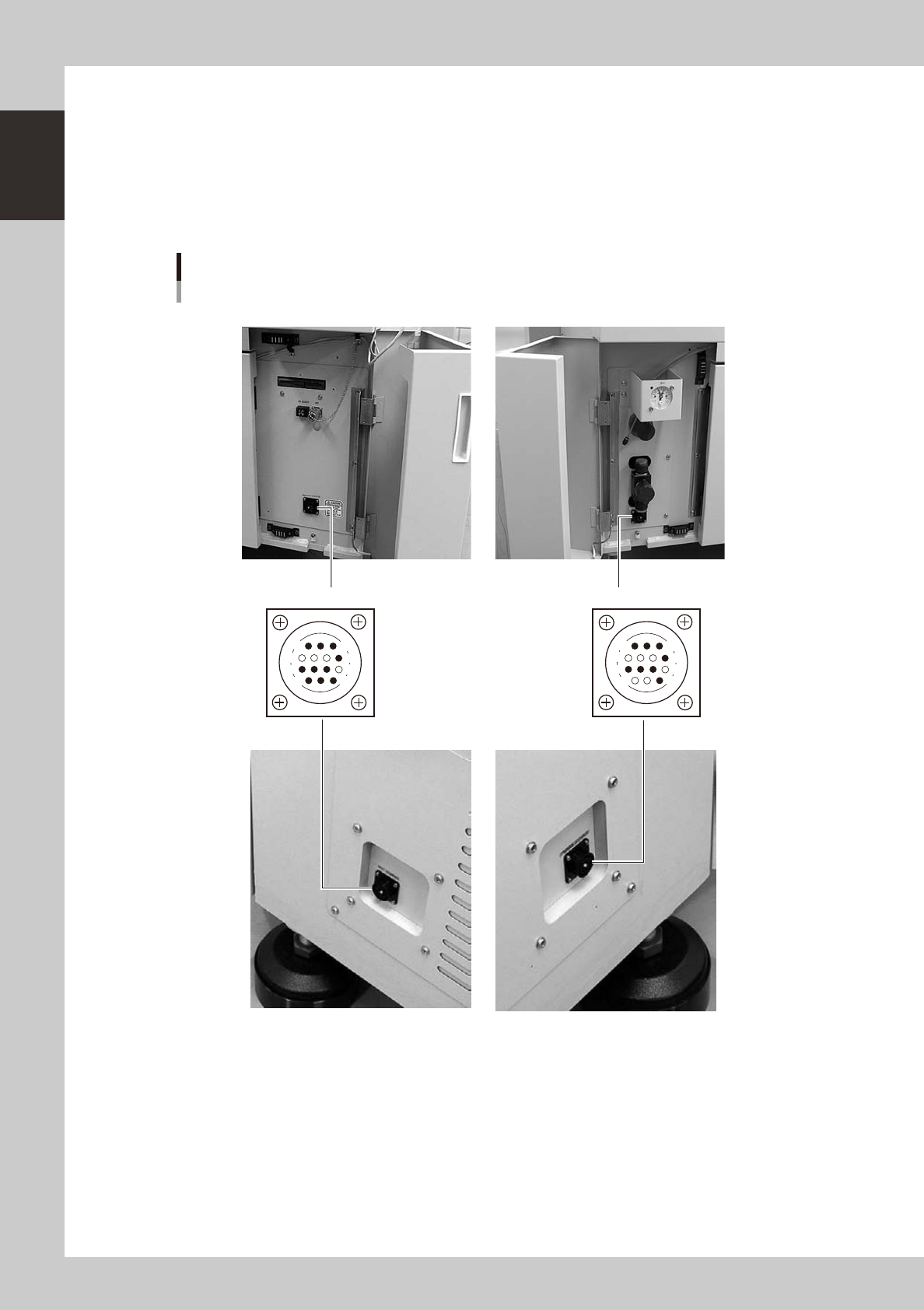
Connection between machines (input/output signals between machines)
The mounter ejects the finished board when it receives a signal from the machine in the next process, and then sends a
signal to the machine in the preceding process to request another board. The interface connector labeled "NEXT
INTERFACE" connects to the machine in the next process, and the interface connector labeled "PREVIOUS INTERFACE"
connects to the machine in the preceding process. In the case of standard right-to-left flow, the YG200 has the
PREVIOUS INTERFACE connector behind the lower left door and the NEXT INTERFACE connector behind the lower right
door, while the YG200L has the PREVIOUS INTERFACE connector on the right side of the machine and the NEXT
INTERFACE connector on the left side.
PREVIOUS INTERFACE NEXT INTERFACE
Connector : AMP 206043-1 (14-pin receptacle)
Gate signal connectors
14
11
12
7
4
8
3
1
14
11
12
7
4
8
3
1
YG200
YG200L
23116-M2-00
n
Feeder setup section
Mainly tape feeders are installed here. (See "4.1 Supplying components from feeder plates" for details.
1-5
1
Part names and functions
2. Operation panel and data input unit
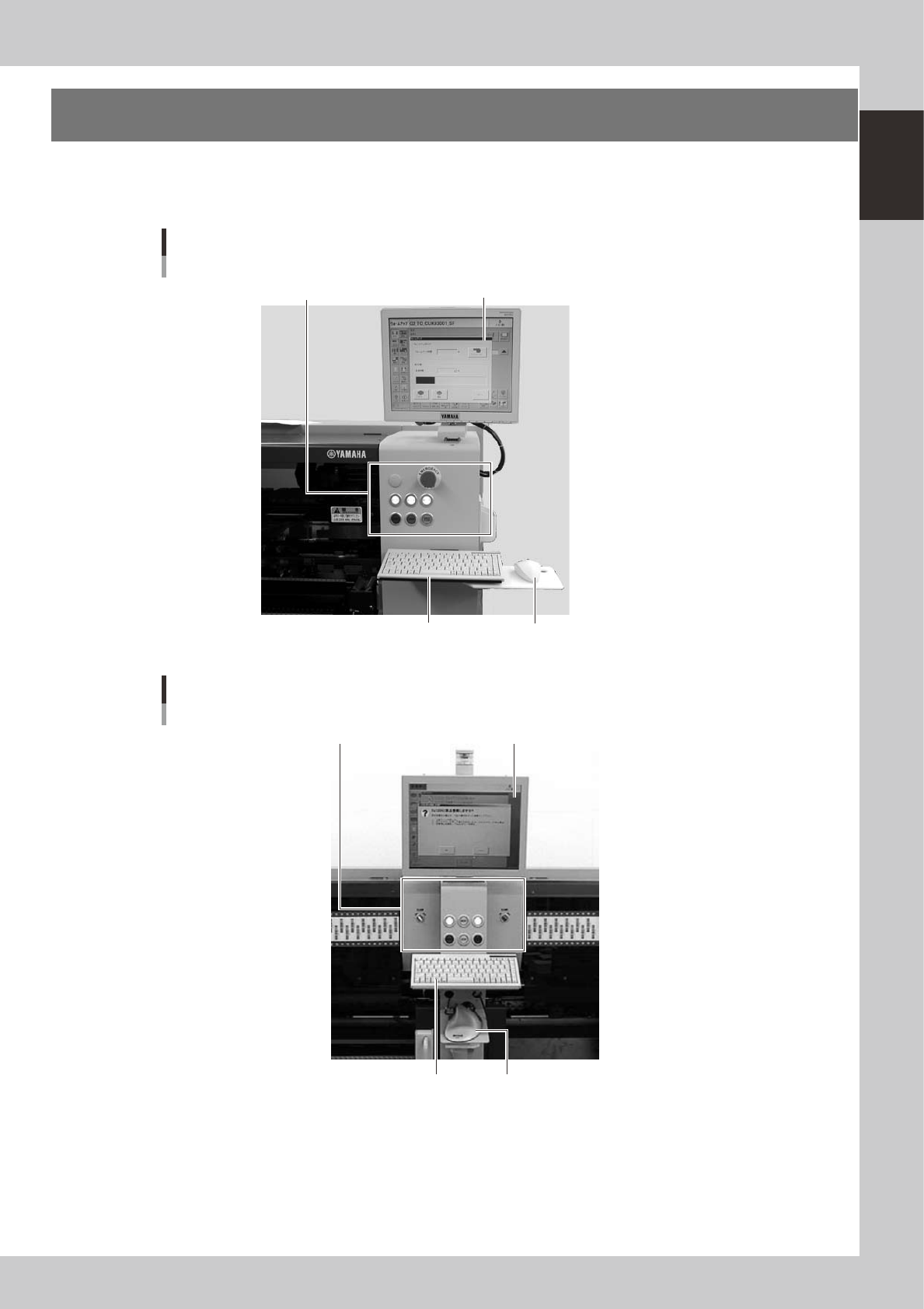
Standard machines are equipped with an operation display, operation panel buttons, a keyboard and a
mouse on the front and rear (option) of the machine, to operate the machine and make data settings. The
functions of these units are explained below.
Operation display (touch screen is optional)
Mouse
Keyboard
Operation panel button
Operation panel and data input unit
YG200
23102-M2-00
Trackball
Operation panel and data input unit
YG200L
Operation display (touch screen is optional)
Keyboard
Operation panel button
23103-M2-00
1-6
1
Part names and functions
2.1 Keyboard and mouse
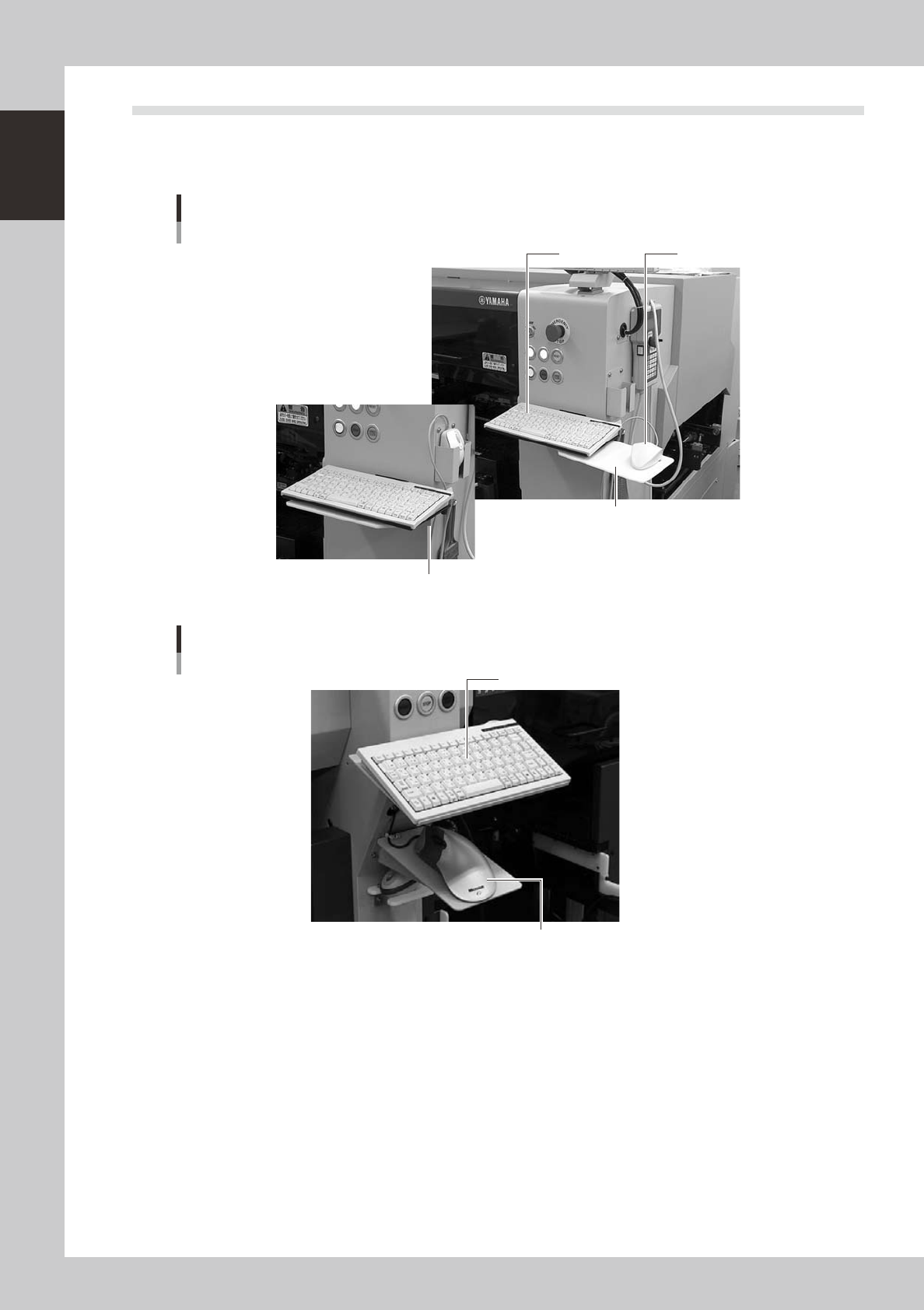
This machine is equipped with a keyboard and mouse (trackball for YG200L) as standard features to operate
the machine or edit data settings. To select a menu button or parameter item on the operation screen, click it
with the left mouse button.
Mouse and mouse pad can be retracted.
Keyboard and mouse
YG200
Keyboard Mouse
Mouse pad
23105-M2-00
Keyboard and trackball
YG200L
Keyboard
Trackball
23106-M2-00