Nordson-EFD-MC800-Operating-Manual.pdf - 第23页
MicroCoat MC800 Lubrication Systems 23 www.nordsonefd.com info@nordsonefd.com +1-401-431-7000 Sales and service of Nordson EFD dispensing systems are available worldwide. System Setup Check All Connections 1. Check that …
MicroCoat MC800 Lubrication Systems
22 www.nordsonefd.com info@nordsonefd.com +1-401-431-7000 Sales and service of Nordson EFD dispensing systems are available worldwide.
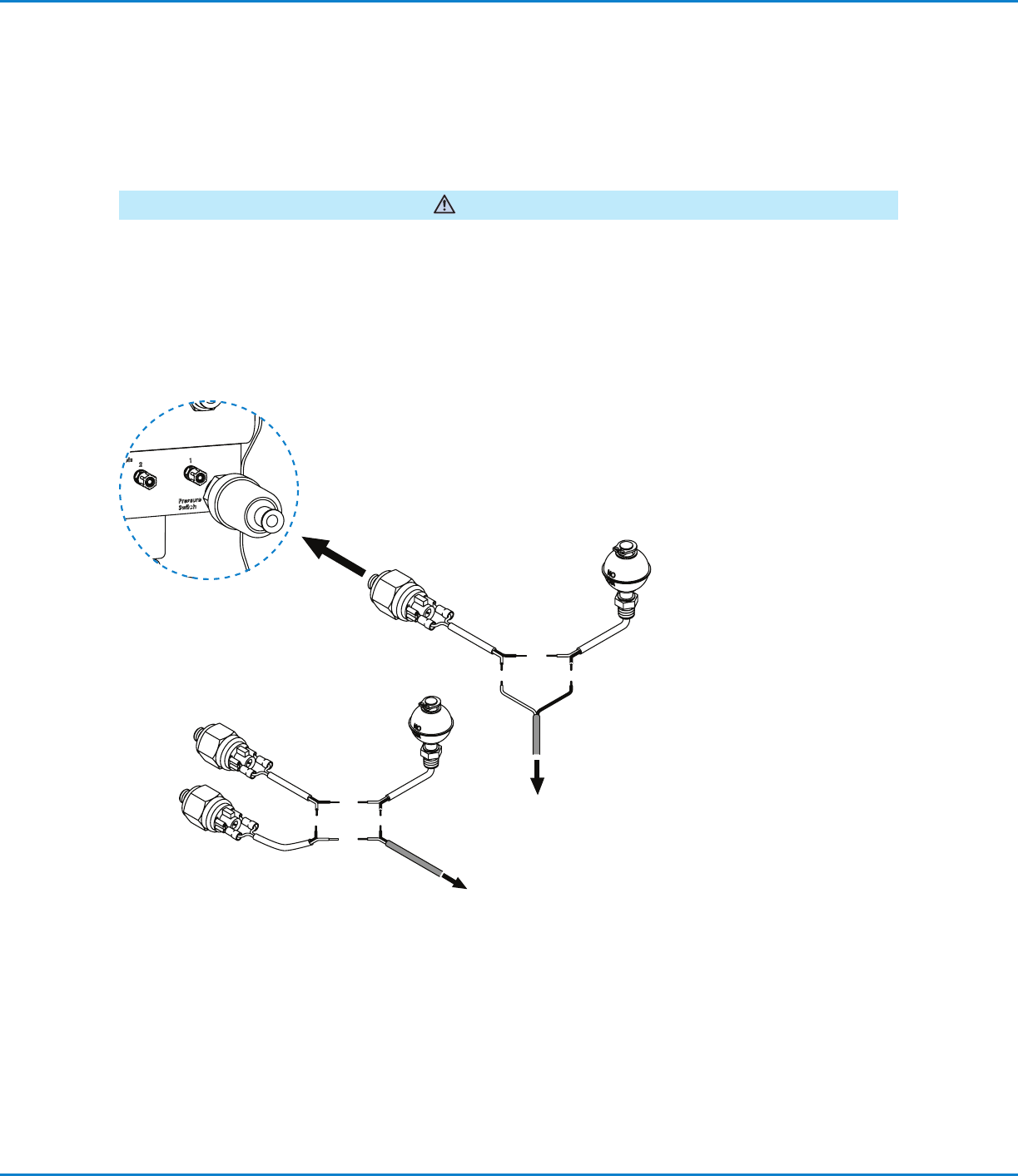
Connect the Emergency Stop Circuit
The Emergency Stop Circuit on the press must be properly wired to the MicroCoat System to prevent the press
from stamping without lubricant and to alert the operator if the lubricant pressure drops below 0.69bar (10psi).
These switches must also be wired in series with the Emergency Stop Circuit from the press. Following integration
of this circuit, the end user should review and test the fail-safe operation by turning off the MC800 system pressure
switch. The press should not be able to start with this switch in the off position.
WARNING
Connect the red and black wire to the Emergency Stop Circuit located on the press.
System Assembly (continued)
Connect to the
Emergency Stop Circuit
located on the press.
To pressure
Switch
Controller
Connect to the
Emergency Stop
Circuit located on the
press.
Pressure switch and low level
switch ratings: 20VA, 240V
Multiple switches
Review with Plant
Electrician
MicroCoat MC800 Lubrication Systems
23www.nordsonefd.com info@nordsonefd.com +1-401-431-7000 Sales and service of Nordson EFD dispensing systems are available worldwide.
System Setup
Check All Connections
1. Check that all connections are correct and secure.
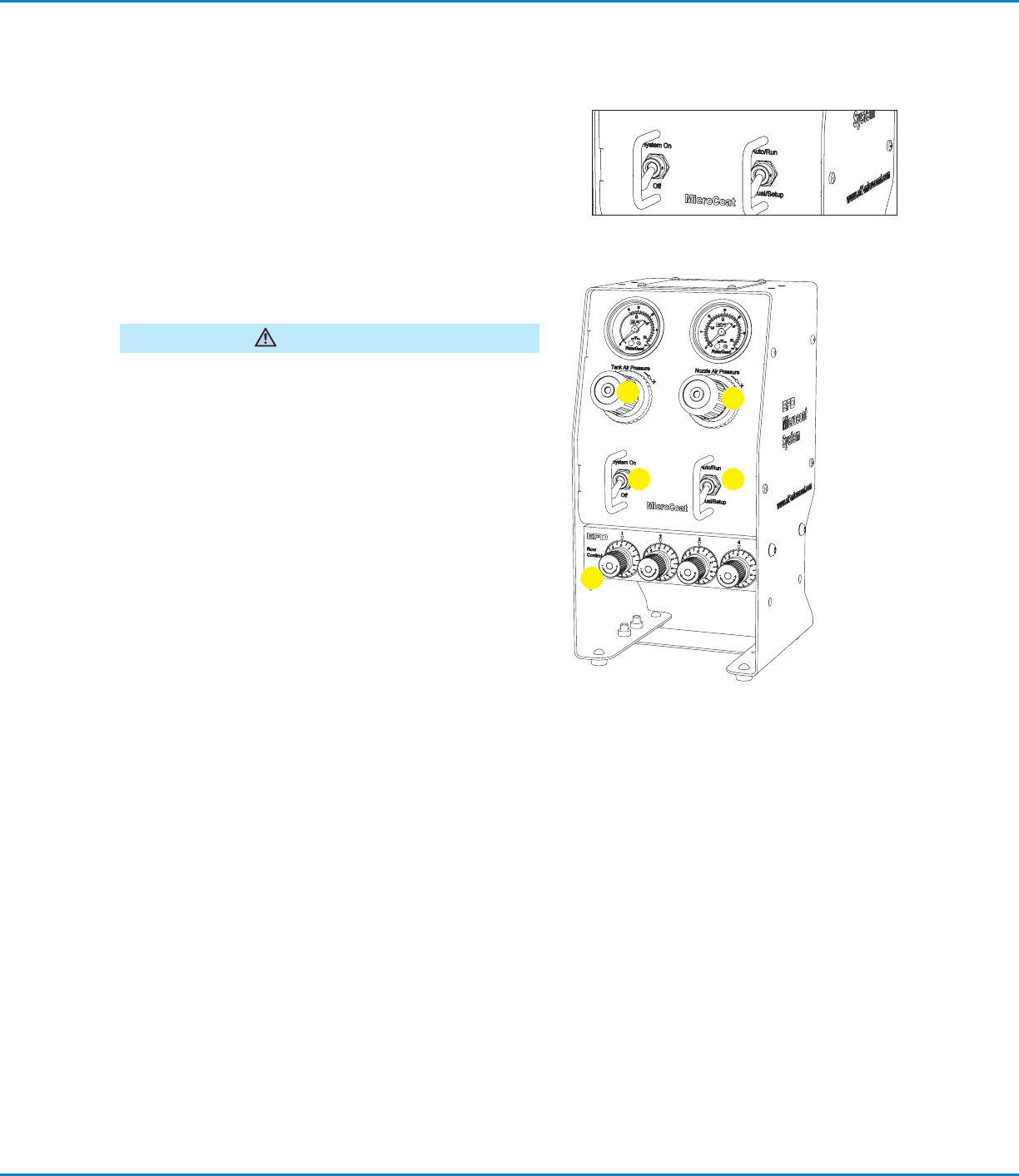
2. Verify that the System Pressure switch is set to the Off
position and the mode switch is set to the Auto/Run
position.
3. Check that the input air supply is connected and set at
4.14bar (60psi).
Fill the Tank Reservoir
Do not overfill. Overfilling may cause lubricant to flow back
into the regulator in the regulator in the controller.
CAUTION
1. Unscrew the tank cap and fill the tank reservoir with
lubricant to the level indicated on the tank label.
2. Reinstall the tank cap.
Prime the System
1. Set the System Pressure switch to On.
2. Adjust the Tank Air Pressure regulator to 1.03bar (15psi).
Do not set pressure lower than 0.83bar (12psi).
3. Turn the Nozzle Air pressure regulator knob
counterclockwise as far as it will go to prevent nozzle air
from flowing while priming the valves.
NOTE: Regulator knobs have a push-to-lock, pull-to-
unlock feature.
4. Turn all Flow Control knobs completely clockwise until
closed.
5. Set the mode switch to Manual/Setup.
6. Open the valve on the filter adapter until all the air is
removed.
7. Check for leaks around the filter and all connections
between the tank and controller.
8. Select one valve and open the appropriate Flow Control
knob about five full turns (counterclockwise) to fill the
hose and prime the valve.
9. When the lubricant flows in a steady stream, the valve is
primed. Close the Flow Control (turn clockwise).
10. Repeat steps 8 and 9 for each valve.
1
2
3
4
5
MicroCoat MC800 Lubrication Systems
24 www.nordsonefd.com info@nordsonefd.com +1-401-431-7000 Sales and service of Nordson EFD dispensing systems are available worldwide.
IMPORTANT: Each valve must be fully primed (lubricant flows
in a steady stream) before adjusting the spray.
Adjust the Spray
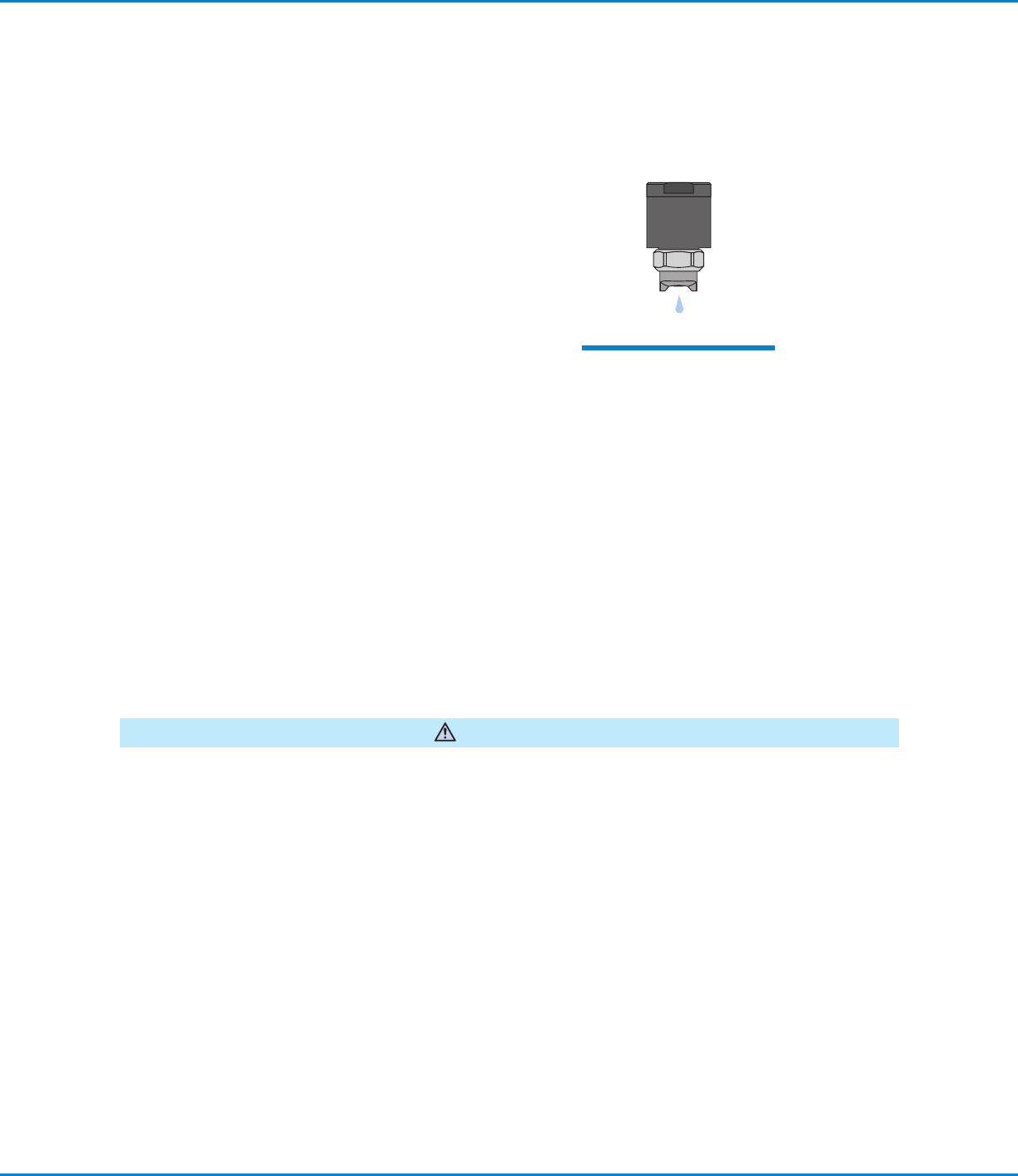
1. As a starting point, select one valve and adjust the Flow
Control knob so that lubricant flows from the valve at the
rate of approximately one drop per second.
2. Note the number set on the graduated dial of the open
Flow Control. Set the flow for each remaining valve to the
same setting.
3. Turn the Nozzle Air regulator clockwise until pressure
reads between 0.55 to 0.69bar (8 to 10psi) and the valve
begins to spray. Thicker lubricants may require 0.83 to
1.03bar (12 to 15psi). Push the knob in to lock.
4. Set the mode switch to Auto/Run. The spray will shut off.
The valves are ready to spray when the press is stamping.
5. After starting the press, adjust the Flow Control knobs as
needed to provide proper lubricant coverage.
Preventive Maintenance
The MicroCoat System is designed for long life with minimal maintenance. To ensure trouble-free performance,
follow these precautions and preventive maintenance steps.
Before performing any maintenance, set the System Pressure Switch to the Off position and depressurize the tank
reservoir by lifting the lever on the tank pressure relief valve.
WARNING
• Always use clean lubricant.
• Check for residue at the bottom of the tank reservoir and clean if necessary.
• Do not clean the MC685M or the MC686M tank with chlorinated solvents, aromatic hydrocarbons or any fluid that
will attack acrylics. Use only soap and water, or mineral spirits to clean acrylic tank surfaces.
• Operate the system with clean, dry, oil-free air. Drain the bowl on the five micron filter regulator whenever
moisture or oil is present.
• Replace lubricant filter (P/N 7017347) every 6 months or 1,000 hours of operation.
• Dispose of used oil filters in accordance with local environmental regulations.
System Setup (continued)
After priming the valve, adjust
lubricant flow to a rate of
approximately one drop per
second.