3 Stage Conveyor.pdf - 第37页
TECHNIC AL REFEREN CE ADJUS TMENT S & SETTI NGS Chapter Issue 2 May 02 High Throughput Conveyor Manual 1.31 b. Remove the sp are camera bearing from the camera rail. 10. Switch on th e machine, r emove the head prop …
TECHNICAL REFERENCE
ADJUSTMENTS & SETTINGS
1.30 High Throughput Conveyor Manual Chapter Issue 2 May 02
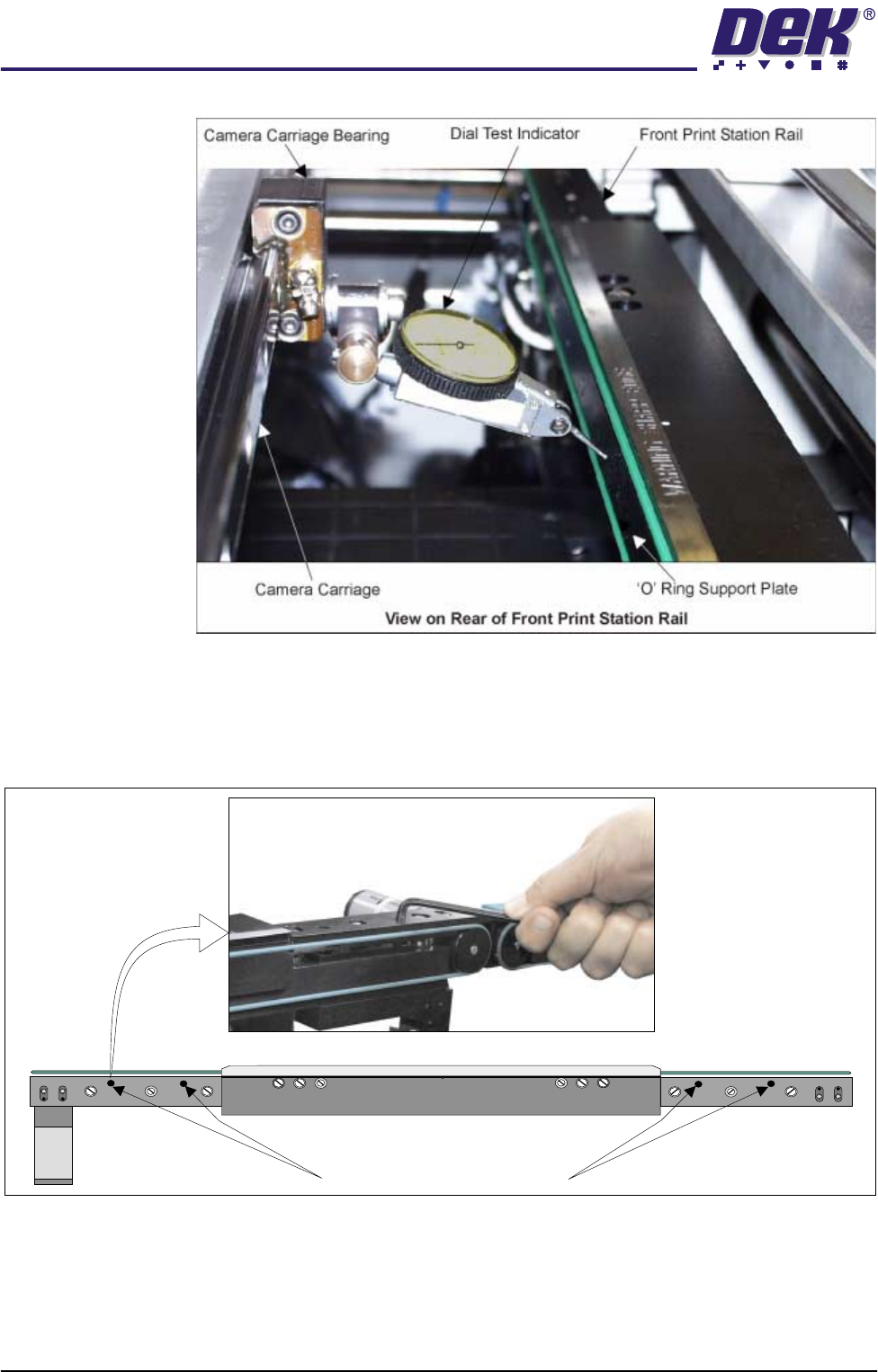
6. Using the D.T.I. check the front rail parallelism to camera carriage rail over
the length of the 'O' ring support plate to ±0.2mm.
7. If adjustment is necessary, using an Allen key, slacken the four rail securing
bolts and adjust the front rail as required. Tighten the bolts, re-check the
parallelism.
8. Remove the D.T.I.
9. Carry out either of the following:
a. Refit the camera mount and camera (see Camera and Vision Systems
Module Chapter of the Technical Reference Manual).
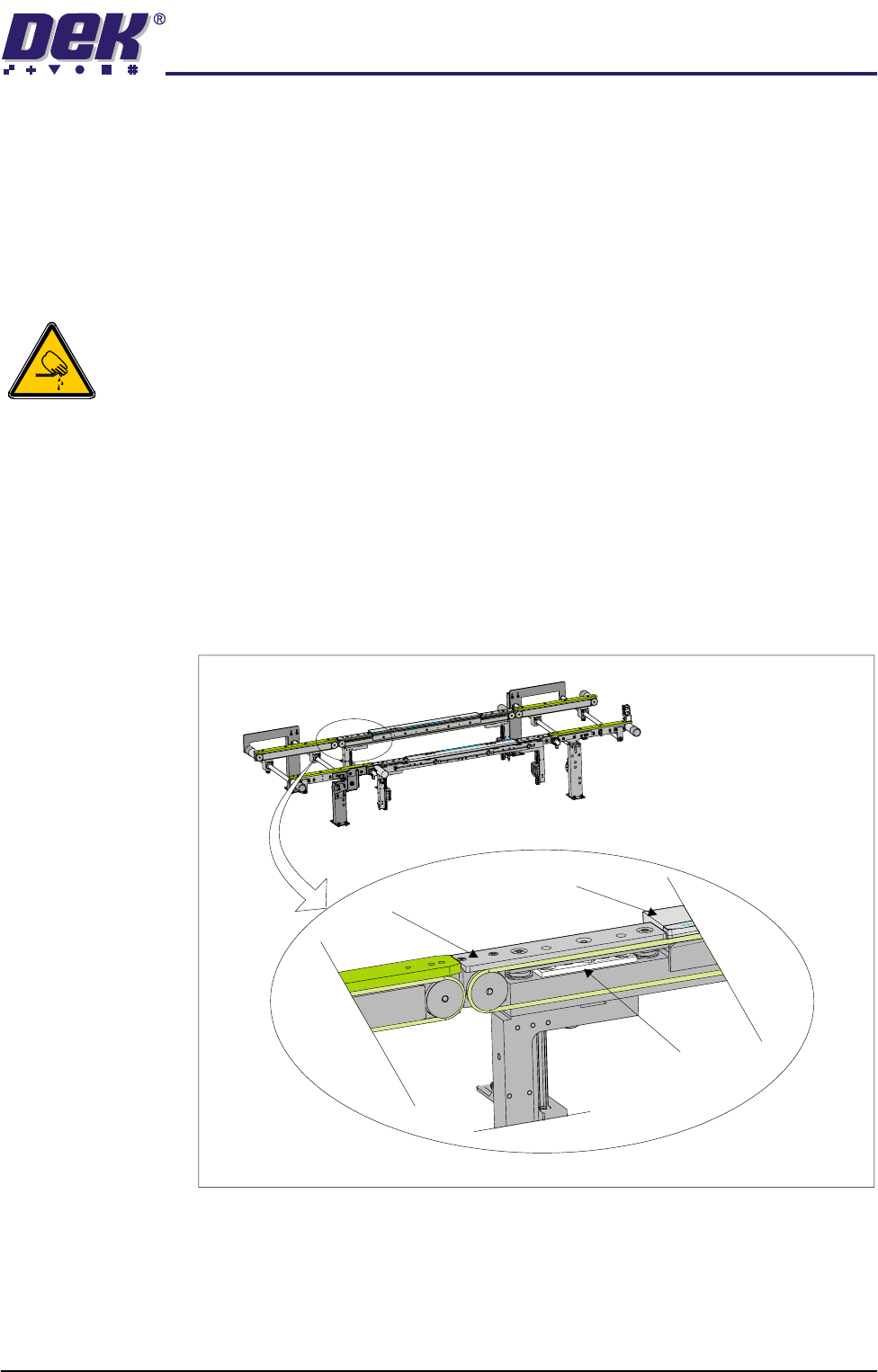
WARNING SHARP EDGE
PATENT No 5157438
Print Station Rail Securing Bolts
TECHNICAL REFERENCE
ADJUSTMENTS & SETTINGS
Chapter Issue 2 May 02 High Throughput Conveyor Manual 1.31
b. Remove the spare camera bearing from the camera rail.
10. Switch on the machine, remove the head prop and lower the head. Initial-
ize, carry out the Home Position Rail Width Check and Camera Reference
Position (see Rail System Module Chapter and Camera and Vision Systems
Module Chapter of the Technical Reference Manual).
Print Station Rear Rail Parallelism
WARNING
BOARD CLAMPS. EXTREME CARE MUST BE EXERCISED WHEN WORKING IN
THE TOOLING AREA OF THE MACHINE TO AVOID INJURY. THE FOILS ON THE
FRONT AND REAR BOARD CLAMPS ARE VERY SHARP.
NOTE
Ensure Camera X Axis (Camera and Vision Systems Module Chapter of the
Technical Reference Manual refers) and Front Rail Parallelism has been carried
out prior to commencing the following procedure.
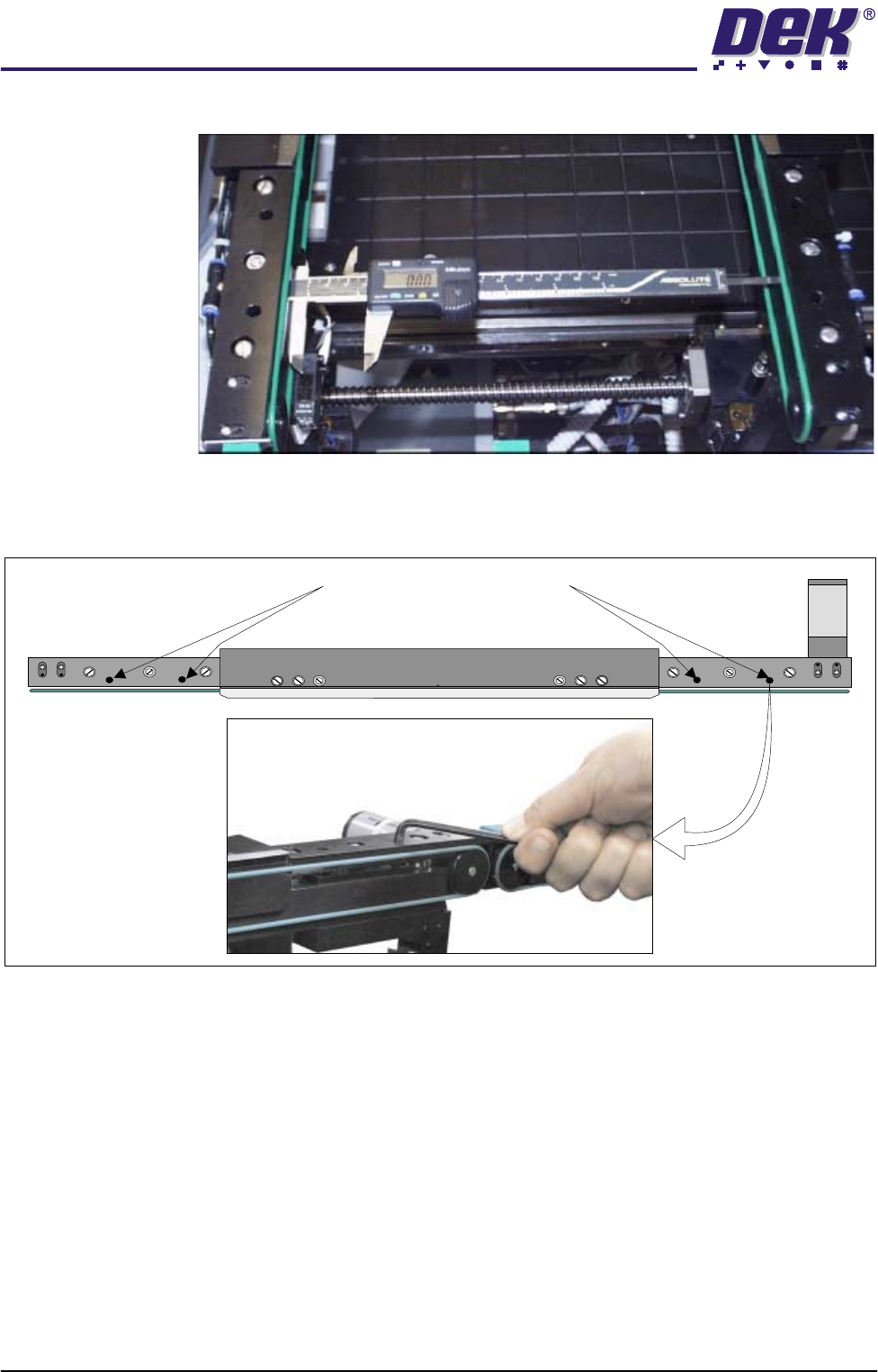
1. In Rail System Diagnostics, select Adjust and alter board width to 250mm.
2. Select Drive Rail to Board Width. The rails are driven to the board width
selected.
3. Locate all four mid rail tooling steps, two on each rail.
4. Using a suitable vernier calliper, at these points, check the rear rail to front
Mid Rail Tooling Step
Board Clamp
Mid Rail
View on Front Face of Print Station
TECHNICAL REFERENCE
ADJUSTMENTS & SETTINGS
1.32 High Throughput Conveyor Manual Chapter Issue 2 May 02
rail parallelism to within ±0.2mm.
5. If adjustment is necessary, using an Allen key, slacken the four rail securing
bolts and adjust the rear rail as required. Tighten the bolts, re-check the
parallelism.
6. On completion, carry out Home Position Rail Width check.
Auxiliary Rail to
Print Station Gap
To check and if required adjust the gaps between the print station rail and the
auxiliary conveyors carry out the following procedure:
NOTE
To carry out this procedure on the front rail, the conveyor board stops must be
removed and refitted on completion of this procedure.
1. Using feeler gauges or a 3mm allen key, ensure that the gap between the
WARNING SHARP EDGE
PATENT No 5157438
Print Station Rail Securing Bolts