00198610-01_VD_712.0_R18-2_DE_EN.pdf - 第16页
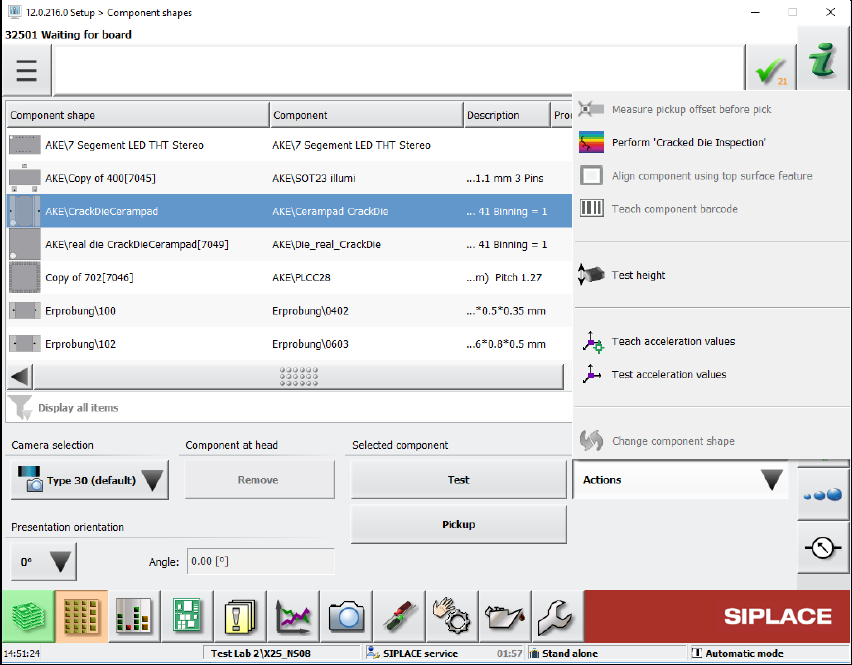
Station Software 71 2.0 (R18 - 2) / Versio n Description 11/2018 Edition 16 Figure 4-2: Perform "Cracked D ie ins pection" Cracked compone nts are marked with t he rainbow - colored ico n in the Processing opti…
Station Software 712.0 (R18-2) / Version Description 11/2018 Edition
15
4.9 Station Behavior When Using Alternative Tracks
Compatible mode: Not supported
Alternative track means that one or more feeders are set up with the same component on a feeder
table. Alternative tracks are mainly used to avoid machine stoppages caused by pickup issues on
the main track, e.g. foil torn, late splicing.
To avoid half empty reels or the mixing of components from different reels on the board, the user
can select when the machine shall switch between main and alternative track.
A new option has been introduced to control the behavior of the station if a feeder can no longer
deliver a component, but the track did not run empty. The user can select the behavior for each
component.
Alternative tracks are only supported together with ASM Setup Center.
4.10 "Cracked Die Inspection"
Compatible mode: Not supported
Cracked components can be detected with the new "Cracked Die Inspection". This option is
supported for the following component shapes:
BAREDIE
BGA
CCGA
CHIP
Non-standard
If the "Cracked Die inspection" is enabled in SIPLACE Pro, the components will be measured
with the board camera. If the component is cracked, it will be left in the tray or tape.
At the station, the inspection can be started under Setup – Component shapes – Actions –
Perform "Cracked Die inspection".
Station Software 712.0 (R18-2) / Version Description 11/2018 Edition
16
Figure 4-2: Perform "Cracked Die inspection"
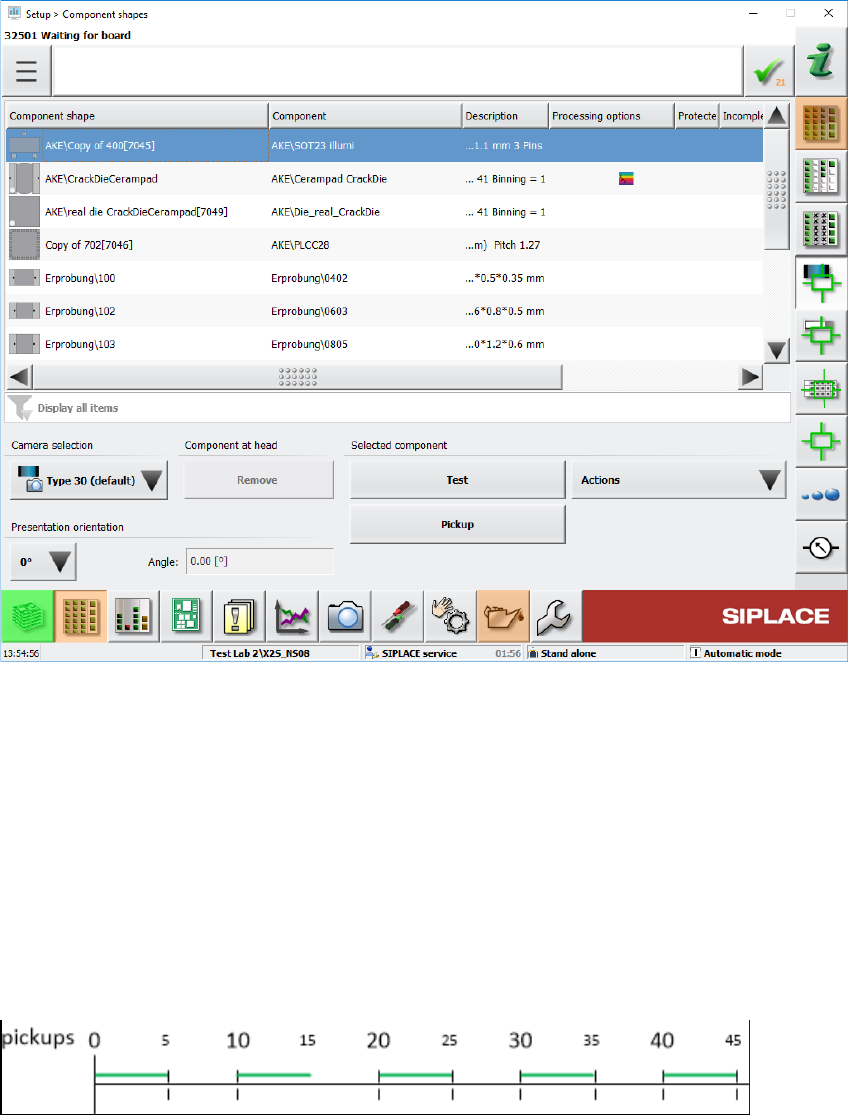
Cracked components are marked with the rainbow-colored icon in the Processing options column
of the component list.
Station Software 712.0 (R18-2) / Version Description 11/2018 Edition
17
Figure 4-3: Cracked component detected
In SIPLACE Pro, the inspection can optionally be activated for a defined period and the feeder
deactivated after a defined number of detected cracked components (see example below).
Example
– Number of measurements; x = length of measurement cycle (default = 1) – periodic
measurement
– Restart measurement after y components (default = 1)
– Stop station after z number of cracked components
x = 5; y= 10; z = 2
The "Cracked Die inspection" runs during the green phases. If two cracked components are
detected during the green phase, the feeder will be deactivated.