DEK高级培训资料.pdf - 第127页
SPC Problems • Key factors: – Chase c lamp gap – Chase c lamp fricti on during alignme nt Issue 2: July 2007 – Chase c lamp fricti on during alignme nt – Grooves in roller co unter plates – Damaged actuat ors – Faulty st…

Alignment Problems
This Message .... ....Occurs if .... ....and the solution is ......
Alignment close
to limits
(XF+XR) > +/-14mm
i.e. XF=8, XR = 7
Add / subtract 7.5 to board stop X dimension (but
remember squeegees and dedicated tooling
cannot be moved from centre!)
Alignment close
to limits
(XF-XR) > +/-7mm
i.e. XF=5, XR = -3
1. Check image position on screen.
2. Check rail width (excess skew)
3. Check Fiducials (other similar looking fiducial
in field of view?)
Alignment close Y > +/- 7 mm
Issue 2: July 2007
in field of view?)
4. Check Actuator Springs
5. Check Print Carriage home position
6. Check Print carriage belt tracking
7. Use ‘Customise Screen’ option
Alignment close
to limits
Y > +/- 7 mm
i.e. Y=8
Alignment Out of
Range
(XF+XR) > +/-18mm
i.e. XF=-9, XR = -9.5
Subtract 9.25 from board stop X
Dimension (but remember, squeegees and
dedicated tooling cannot be moved from centre!)
Alignment Out of
Range
(XF-XR) > +/-9mm
i.e. XF=-6, XR =3.5
1, 2, 3 and 4 above
Alignment Out of
Range
Y > +/- 9 mm
i.e. Y=9.5
1, 2, 3, 4, 5, 6 and 7 above

SPC Problems
•
Key factors:
– Chase clamp gap
– Chase clamp friction during alignment
Issue 2: July 2007
– Chase clamp friction during alignment
– Grooves in roller counter plates
– Damaged actuators
– Faulty stepper motor
Screen Alignment Tasks
•
Remove and replace an actuator
•
Remove and replace a chase clamp
•
Check roller counter plates for wear
•
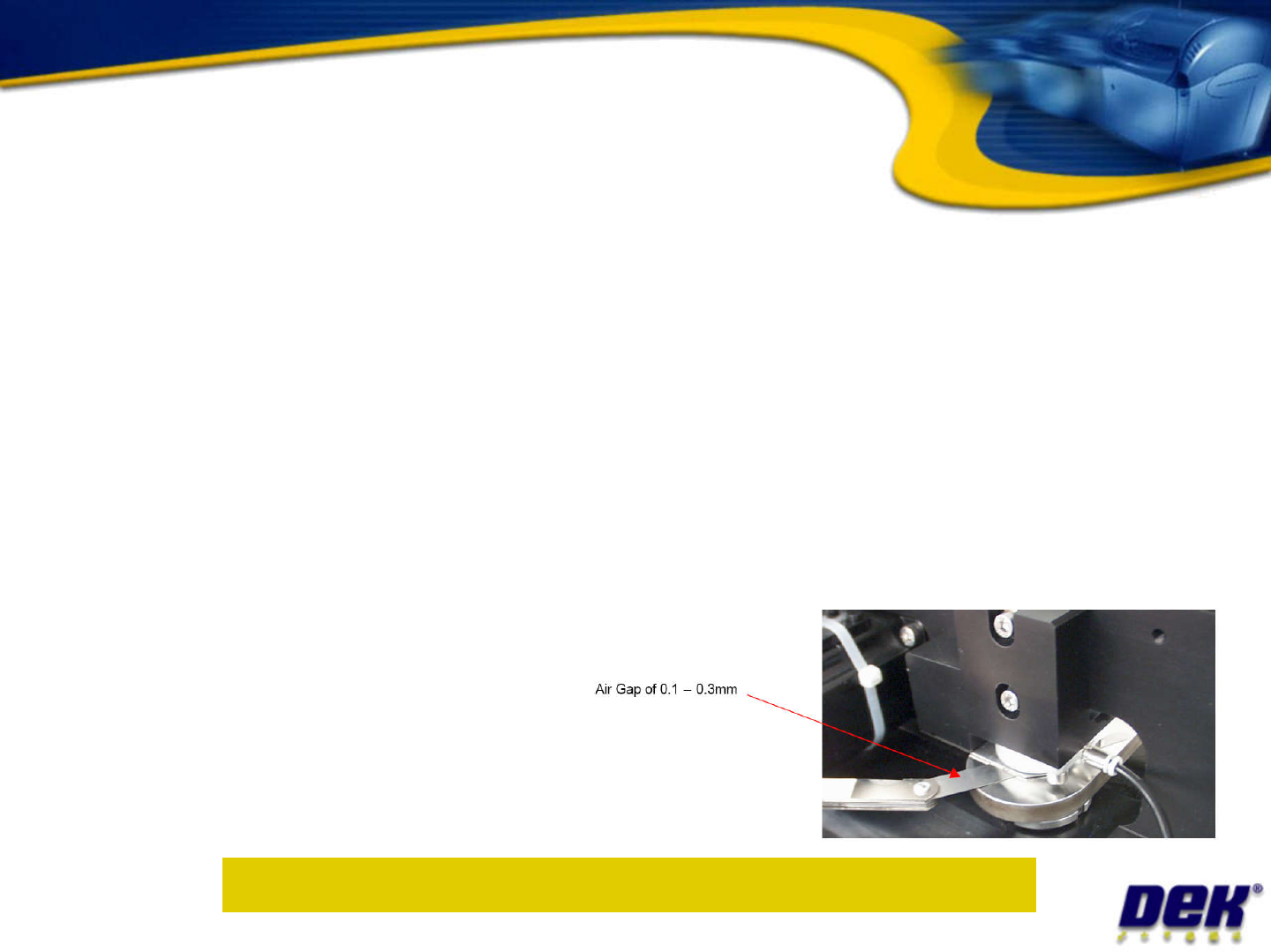
Adjust chase clamp air gap
•
Issue 2: July 2007
•
Adjust chase clamp air gap
•
Adjust chase clamp air
pressure and measure
clamp strength
Objective 24: Complete activities in your workbook