Horizon Generic Tooling.pdf - 第19页
MACHI NE PROG RAMMI NG STAGE 5 C - DE DICAT ED TOO LING User Manual 1.35 17. F i t the tooli ng tower to the manual t ooling plate. Ensure the dowels on the front edge of the tooling tower base ar e correctly seated in t…
MACHINE PROGRAMMING
STAGE 5C - DEDICATED TOOLING
1.34 User Manual
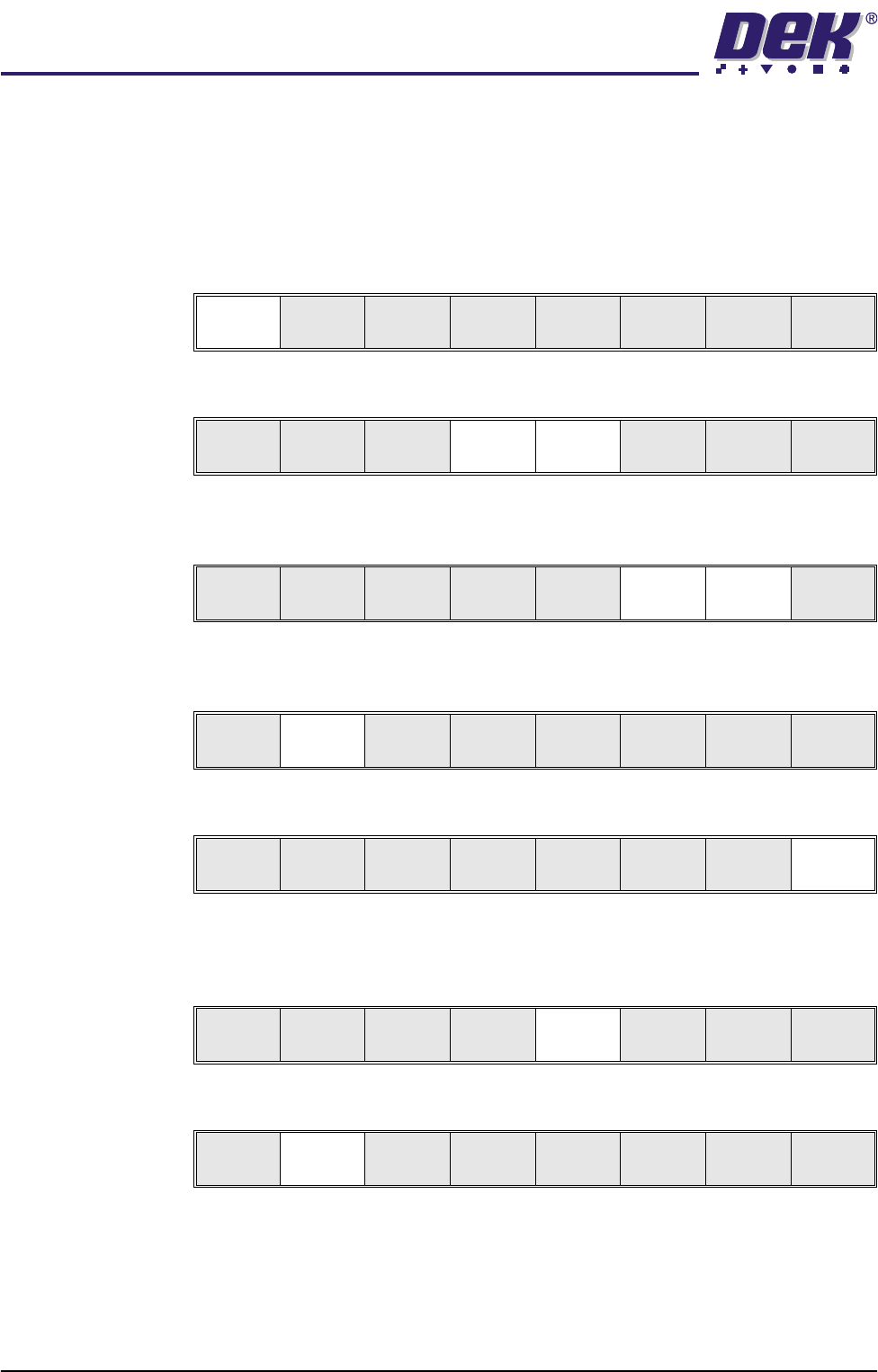
8. Setting up the board stop position is automatically done using the board
dimensions previously set in the product file. If they need adjustment to re-
position the board stop for any reason, ie any routing on the board edge or
a badly positioned image on the stencil, this can be done now. If adjustment
is necessary continue with Step 9. If adjustment is not necessary go to Step
14.
9. Select Adjust (F1).
10. Use the Next and Previous keys (F4 - F5) to highlight each parameter.
11. Use the Incr. and Decr. keys (F6 - F7), or the forward slash key (/) on the
keyboard, to change the parameter value.
12. Select Save (F2). The message ‘Saving fiducial data - Please wait Board
data file saved’ is displayed.
13. Select Exit (F8).
14. Select Full Width (F5). The message ‘Checking for a board on the belts’
is displayed. Whilst the rear rail is moving the message ‘Rail Moving...’ is
displayed.
15. Select Open Cover (F2).
16. Either:
a. Open the front printhead cover.
or
b. Raise the printhead shutter and lower the drop down panel.
Adjust
Open
Cover
Home
Cleaner
Board
Stop
Full
Width
Load
Width
Generic
Tool ing
Exit
Save Next Previous Incr. Decr. Exit
Save Next Previous Incr. Decr. Exit
Save Next Previous Incr. Decr. Exit
Save Next Previous Incr. Decr. Exit
Adjust
Open
Cover
Home
Cleaner
Board
Stop
Full
Width
Load
Width
Generic
Tool ing
Exit
Adjust
Open
Cover
Home
Cleaner
Board
Stop
Board
Width
Load
Width
Generic
Tool ing
Exit
MACHINE PROGRAMMING
STAGE 5C - DEDICATED TOOLING
User Manual 1.35
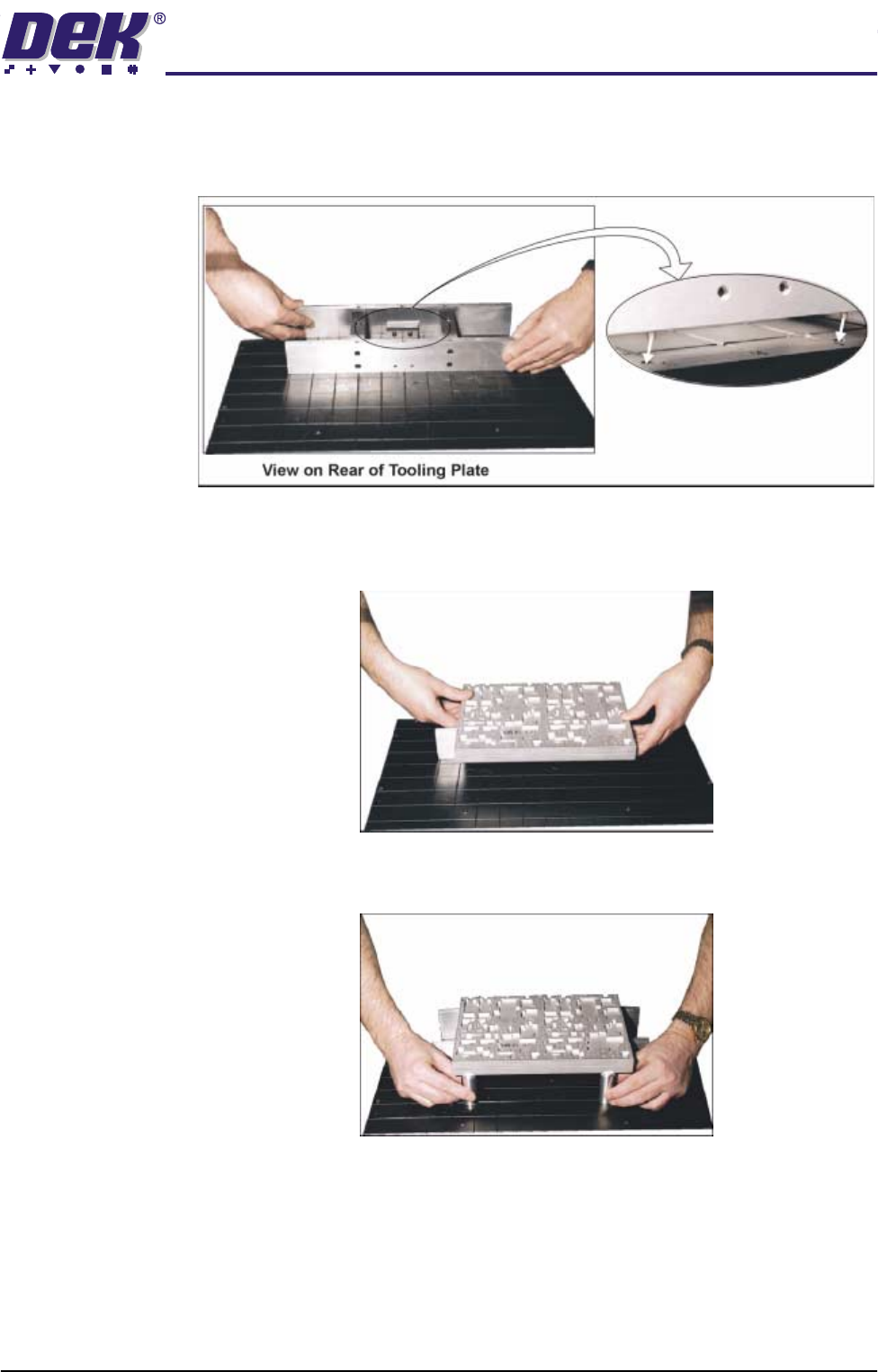
17. Fit the tooling tower to the manual tooling plate. Ensure the dowels on the
front edge of the tooling tower base are correctly seated in the holes in the
front edge of the manual tooling plate.
18. Verify the plate assembly orientation and fit the assembly to the tooling
tower. Ensure the dowels of the plate assembly are correctly seated in the
holes in the tooling tower.
19. If required, slide additional magnetic pins beneath the plate assembly to fully
support it when printing wide boards.
20. Either:
a. Close the front printhead cover.
or
b. Raise the drop down panel and lower the printhead shutter.
21. Press the System button.
22. Select Board Width (F5). The message ‘Checking for a board on the
MACHINE PROGRAMMING
STAGE 5C - DEDICATED TOOLING
1.36 User Manual
belts’ is displayed. Whilst the rear rail is moving the message ‘Rail
Moving...’ is displayed.
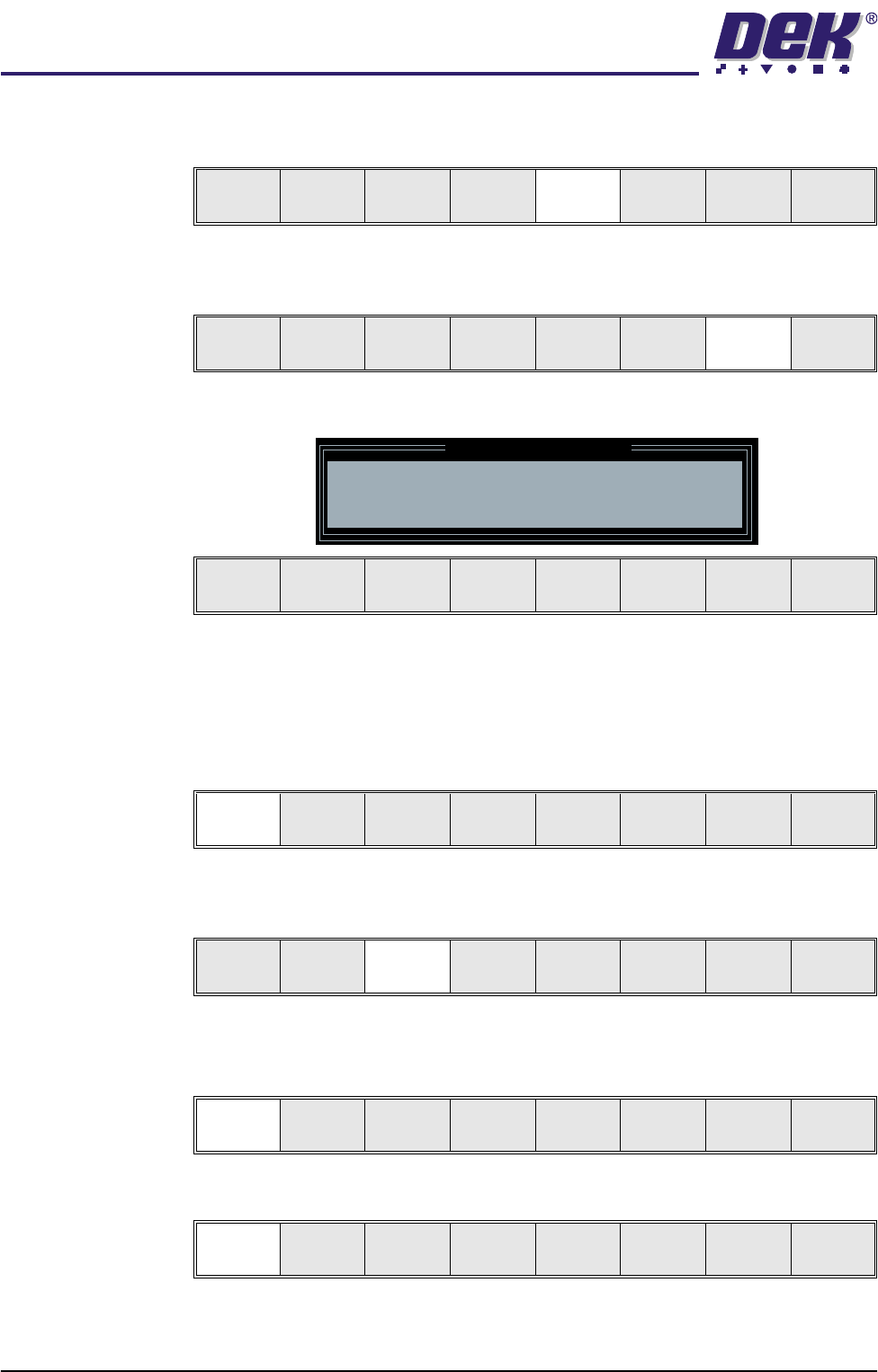
23. Select Generic Tooling (F7). The print carriage moves to the front of the
machine.
The following window and menu bar is displayed:
NOTE
If contaminated squeegees are fitted, these should be replaced at this point.
24. Select Continue (F1). Cleaner moves to the Home position and the print
carriage moves to the rear of the machine. The message ‘Table at Home
Height’ is displayed.
25. Select Transprt Height (F3). The message ‘Table at Transport Height’ is
displayed.
26. Place a board on the input sensor of the upline conveyor of the machine.
27. Select Load (F1).
28. Select Auto Board (F1).
Adjust
Open
Cover
Hpme
Cleaner
Board
Stop
Board
Width
Load
Width
Generic
Tool ing
Exit
Adjust
Open
Cover
Home
Cleaner
Board
Stop
Full
Width
Load
Width
Generic
Tooling
Exit
Generic Tooling Warning
WARNING Paste may drip into the machine
Remove Squeegees NOW
Continue
Open
Cover
Exit
Continue
Open
Cover
Exit
Load
Transprt
Height
Board
Clamps
Change
Screen
Open
Cover
Exit
Load
Vision
Height
Home
Height
Board
Clamps
Change
Screen
Open
Cover
Exit
Auto
Board
Manual
Board