Horizon Generic Tooling.pdf - 第47页
MACHI NE PROG RAMMI NG STAGE 5 E - FORMFLEX TOOLING User Manual 1.63 24. Sel ect Load (F1). 25. Sel ect Aut o Bo ard (F1). 26. Sel ect Open Cover (F7) . 27. Ei ther: a. Open the front prin thead cover . or b. Raise the p…
MACHINE PROGRAMMING
STAGE 5E - FORMFLEX TOOLING
1.62 User Manual
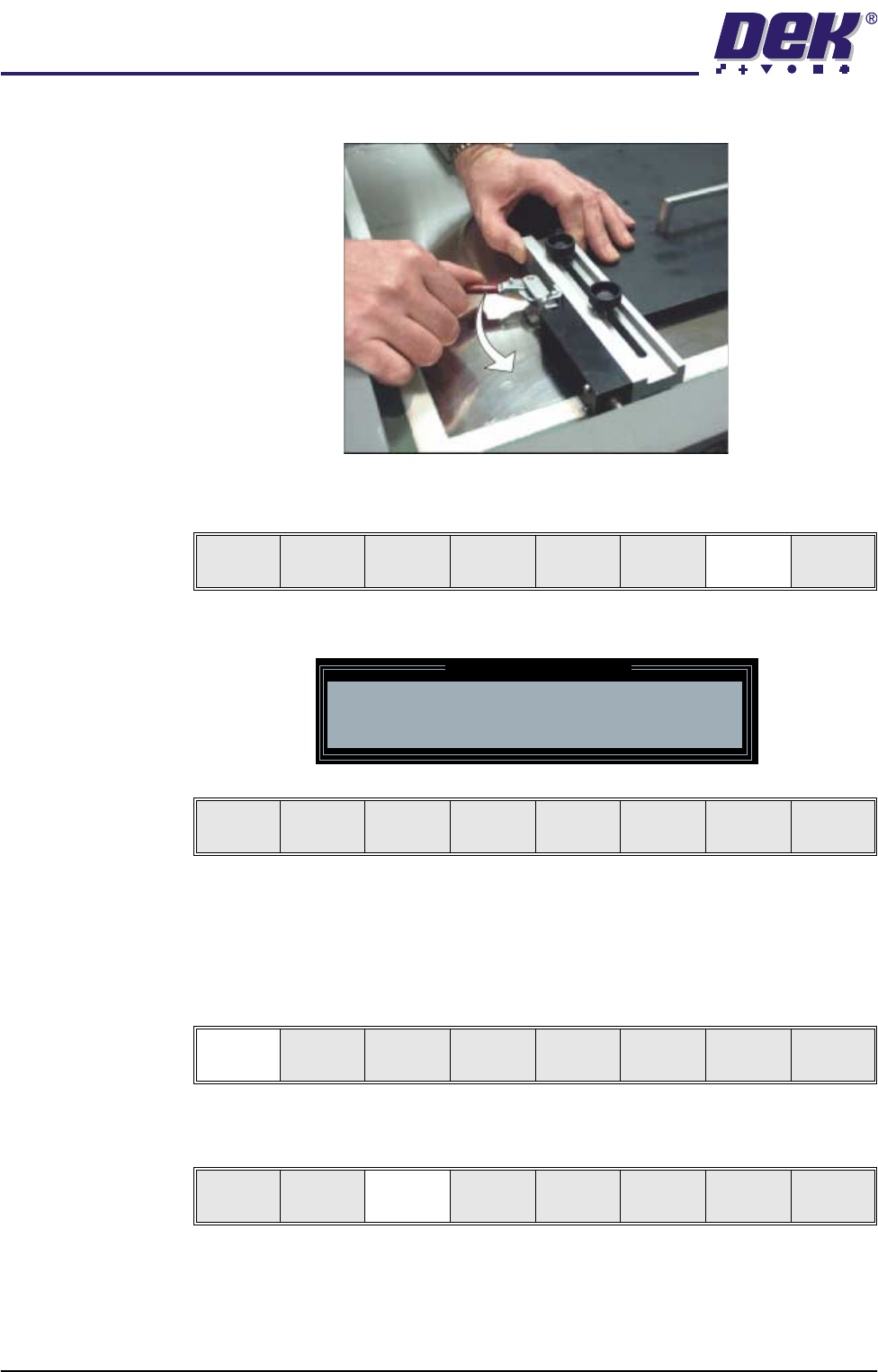
clamping the set plate to the inside of the product stencil.
20. Select Generic Tooling (F7). The print carriage moves to the front of the
machine.
The following window and menu bar are displayed:
NOTE
If contaminated squeegees are fitted, these should be replaced at this point.
21. Select Continue (F1). Cleaner moves to the Home position and the print
carriage moves to the rear of the machine. The message ‘Table at Home
Height’ is displayed.
22. Select Transprt Height (F3). The message ‘Table at Transport Height’ is
displayed.
23. Place a board at the input sensor of the upline conveyor.
Adjust
Open
Cover
Home
Cleaner
Board
Stop
Full
Width
Load
Width
Generic
Tooling
Exit
Generic Tooling Warning
WARNING Paste may drip into the machine
Remove Squeegees NOW
Continue
Open
Cover
No
Continue
Open
Cover
No
Load
Transprt
Height
Board
Clamps
Change
Screen
Open
Cover
Exit
MACHINE PROGRAMMING
STAGE 5E - FORMFLEX TOOLING
User Manual 1.63
24. Select Load (F1).
25. Select Auto Board (F1).
26. Select Open Cover (F7).
27. Either:
a. Open the front printhead cover.
or
b. Raise the printhead shutter.
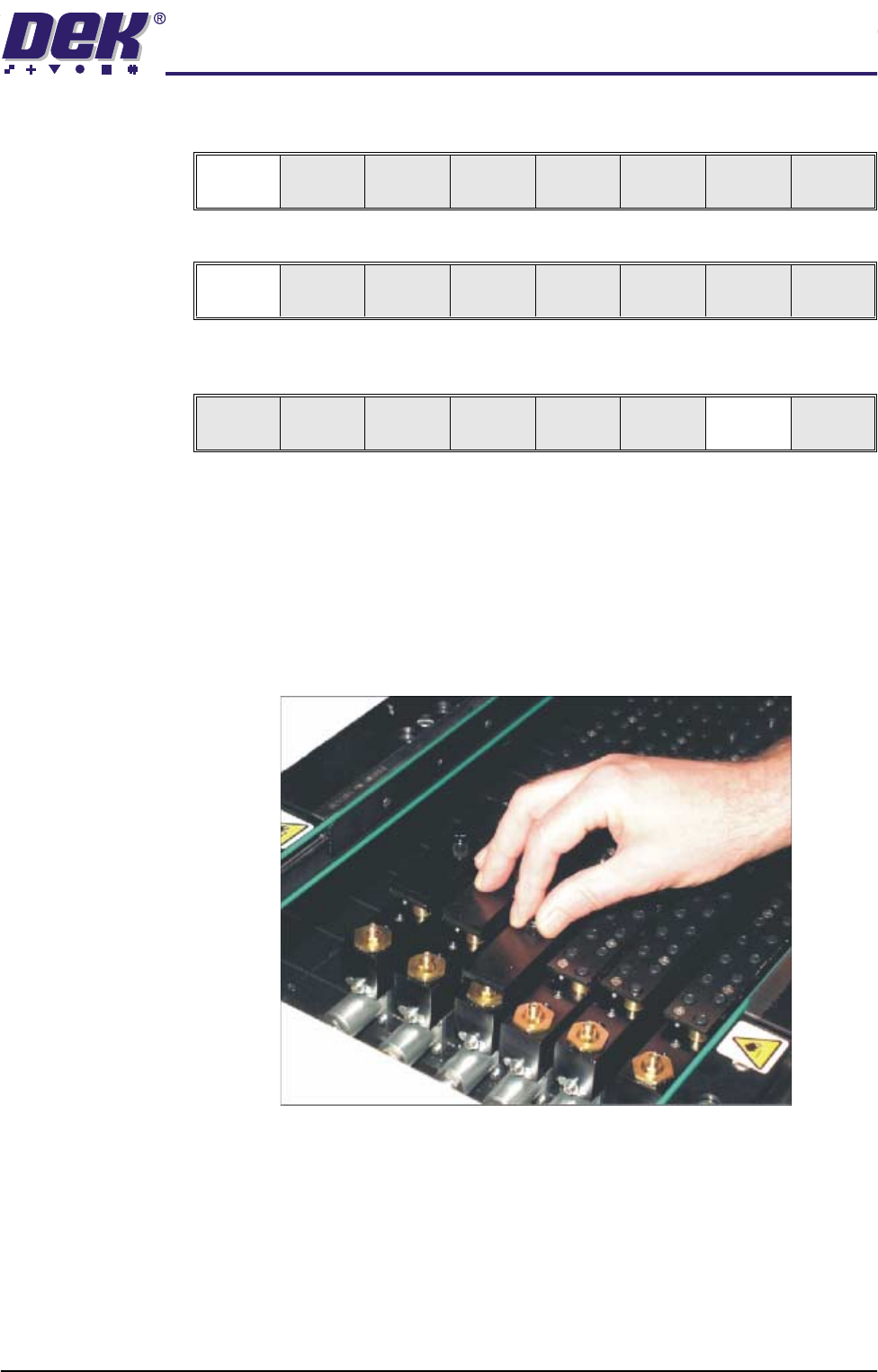
28. Slide the appropriate size and number of FormFlex blanking plates on to the
tooling modules outside the area of the squeegees/ProFlow transfer head.
Secure the plates using the thumbscrews.
Load
Vision
Height
Home
Height
Board
Clamps
Change
Screen
Open
Cover
Exit
Auto
Board
Manual
Board
Unload
Vision
Height
Home
Height
Board
Clamps
Change
Screen
Open
Cover
Exit
MACHINE PROGRAMMING
STAGE 5E - FORMFLEX TOOLING
1.64 User Manual
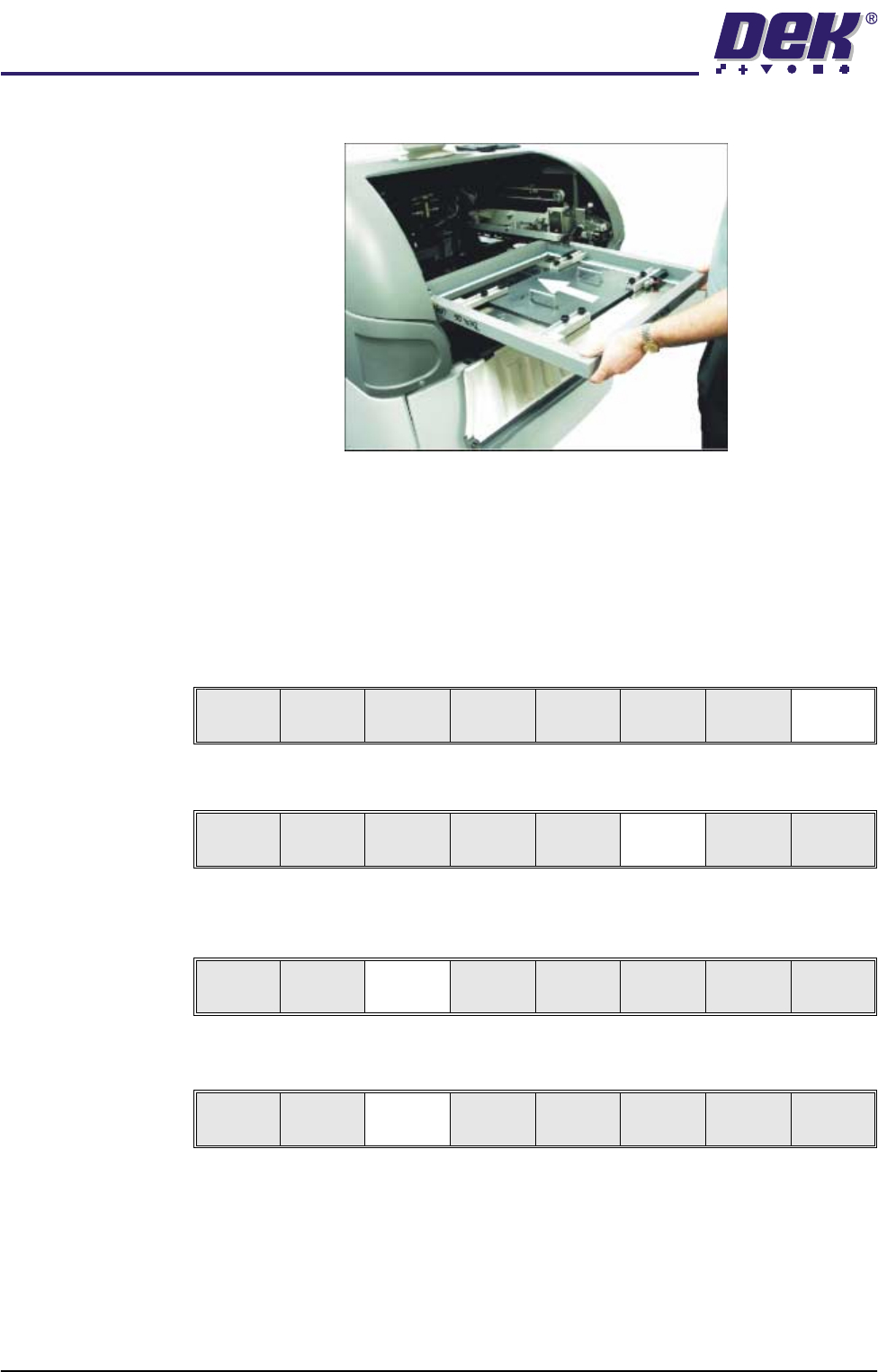
29. Ensuring correct orientation, load the product stencil into the machine.
30. Either:
a. Close the front printhead cover.
or
b. Lower the printhead shutter.
31. Press the System button.
32. Select Exit (F8).
33. Select Change Screen (F5).
34. Select Vision Height (F3). The message ‘Table at Vision Height. Check
Tooling Clearance’ is displayed.
35. Select Contact Height (F3).
Board
Clamps
Exit
Unload
Vision
Height
Home
Height
Board
Clamps
Change
Screen
Open
Cover
Exit
Unload
Vision
Height
Home
Height
Board
Clamps
Change
Screen
Open
Cover
Exit
Contact
Height
Tra nsp r t
Height
Change
Screen
Open
Cover
Exit