SM482PLUS_Operation(Eng_Ver2.3).pdf - 第24页
Operation Handbook 3-5 Chap ter 3 This chapter describes the production procedure. Pr oduction Pr eparat ion Fo r Op erati on Ⅰ > Ins tall fe eder/noz zle and ord er par ts Preparation F or Operation Ⅰ ◈ T ray F eed e…
Operation Handbook
3-4
Chapter 3
This chapter describes the production procedure.
Production
Preparation For Operation Ⅰ > Install feeder/nozzle and order parts
Preparation For Operation Ⅰ
Production
3. Install feeder/nozzle and order parts
◈ Tape Fe eder
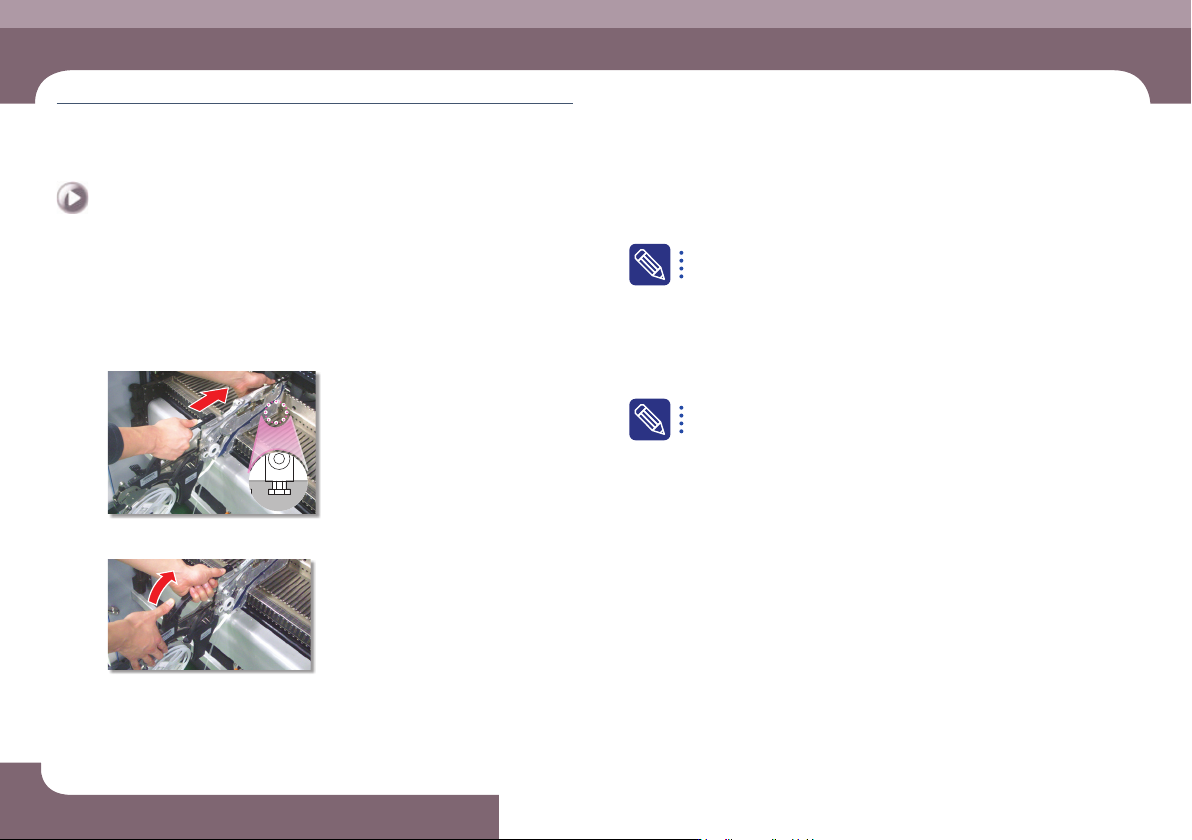
1. Check feeder arrangement and install feeders
Step 1.
Secure the feeder in the corresponding slot
Step 2.
Secure the grip
A feeder must be installed as set in the 'Feeder' of the 'PCB Edit'
menu. The method to check whether the feeder is installed correctly
is as follows.
ㆍ The user checks the slot number and part information one by one
manually.
ㆍ When using an IT feeder system, an incorrect feeder insertion can
be checked automatically.
When incorrect feeder insertion occurs, the feeder LED blinks red and
an error message is displayed in the MMI screen. For more details
about the IT feeder system, refer to the corresponding manual.
Operation Handbook
3-5
Chapter 3
This chapter describes the production procedure.
Production
Preparation For Operation Ⅰ > Install feeder/nozzle and order parts
Preparation For Operation Ⅰ
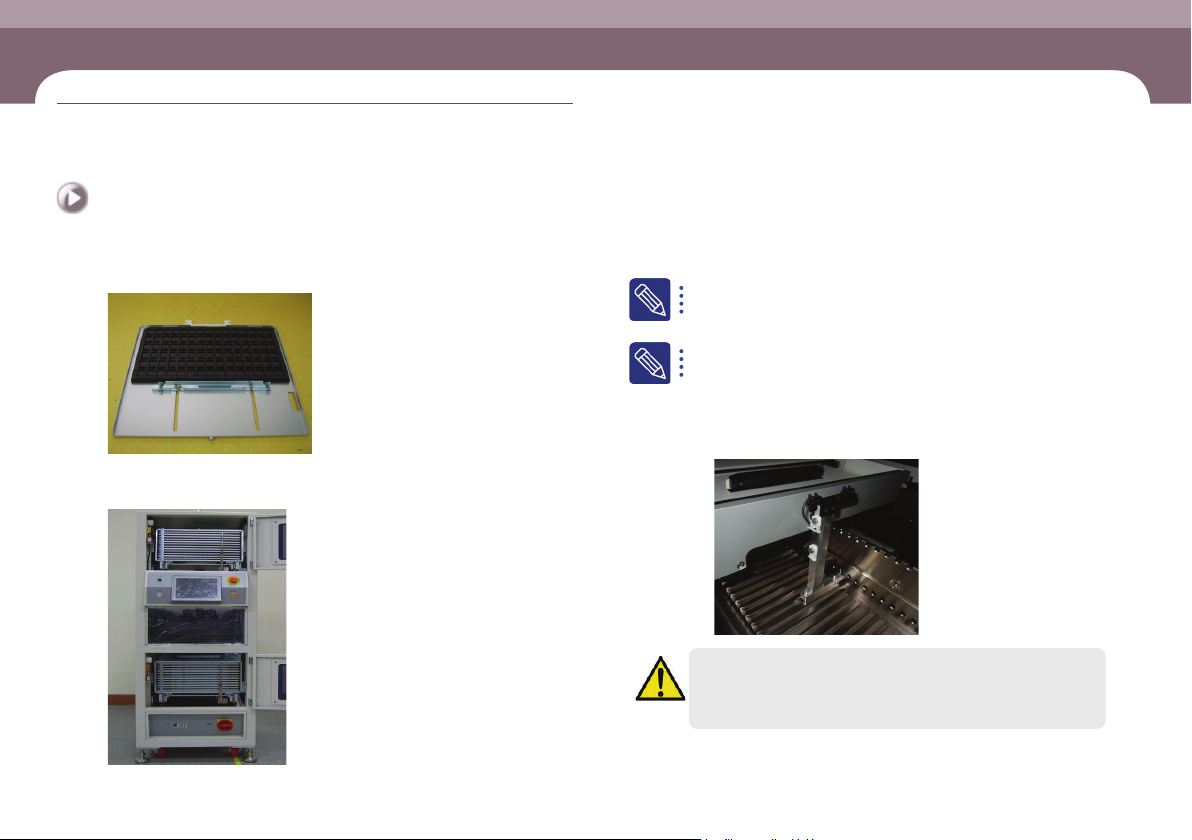
◈ Tray Feeder
Step 1.
Placing trays with parts on pallets
Step 2.
Installing the magazine into the tray feeder after placing the
pallet in the magazine
For details on tray feeder installation and operation, refer to the tray
feeder manual.
f the standard Jedec Tray is not used for the STF-100D/DL/DS/N mod-
el or because the part to be produced is high, the tray is detected by
the machine’s feeder detect sensor and production cannot proceed.
In this case, install the module below on the feeder base before
proceeding with production.
ㆍ AM03-028229A, ASSY,ETC,IMS-UNLOCK_SENSOR_TRAY
Warning
If the feeder detect sensor is forcibly turned off and production
proceeds, the head may collide with other feeders installed in the
same lane.
Operation Handbook
3-6
Chapter 3
This chapter describes the production procedure.
Production
Preparation For Operation Ⅰ > Install feeder/nozzle and order parts
Preparation For Operation Ⅰ
Production
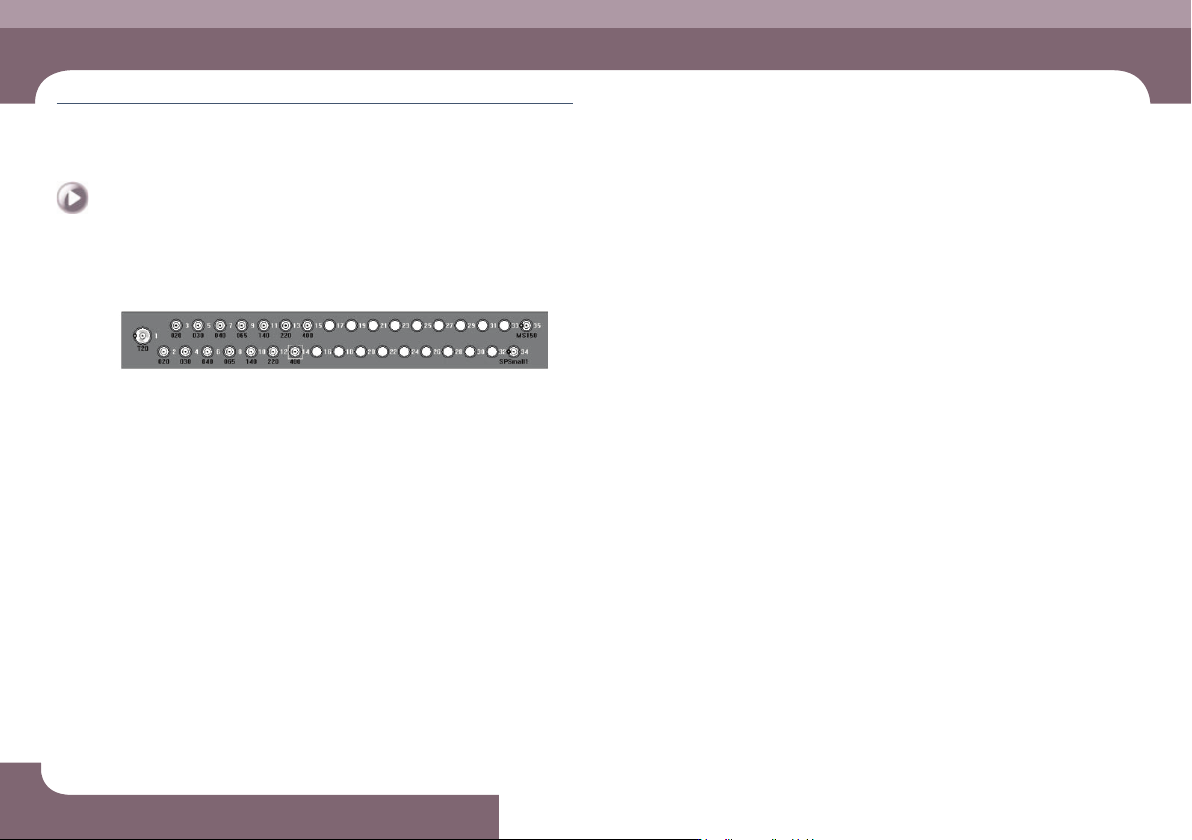
2. Check nozzle arrangement and install nozzles
Check whether the nozzle arrangement corresponds to the actual arrangement on
the ANC by referring to the nozzle arrangement shape in the ANC dialog box.
ㆍ If the nozzle arrangement is different, arrange the nozzles according to the setup
for the PCB.
3. Check for parts expected to be exhausted
Check the details of parts expected to be exhausted soon, which were checked in
the previous 'Check related works' stage, and prepare an order list.
4. Order parts
Order the corresponding parts by submitting the prepared part order form to the
part supply department (material handling department). (At this time, obtain a
confirmation certificate for parts ordered and use it to check parts when delivered.)
For companies applying an IT system, their part supply department may prepare
parts in advance by receiving information on the remaining part count from the
machine's MMI.
5. Check the dump box
Check whether the dump box is installed properly.