SM482PLUS_Operation(Eng_Ver2.3).pdf - 第39页
Operation Handbook 3 -20 Chap ter 3 This chapter describes the production procedure. Pr oduction Production > Starting produ ction (Autom atic p roduction ) Production Pr oduction 2. St ar ting p rod uc tion ( Auto ma…
Operation Handbook
3-19
Chapter 3
This chapter describes the production procedure.
Production
Production > Loading the PCB file
Production
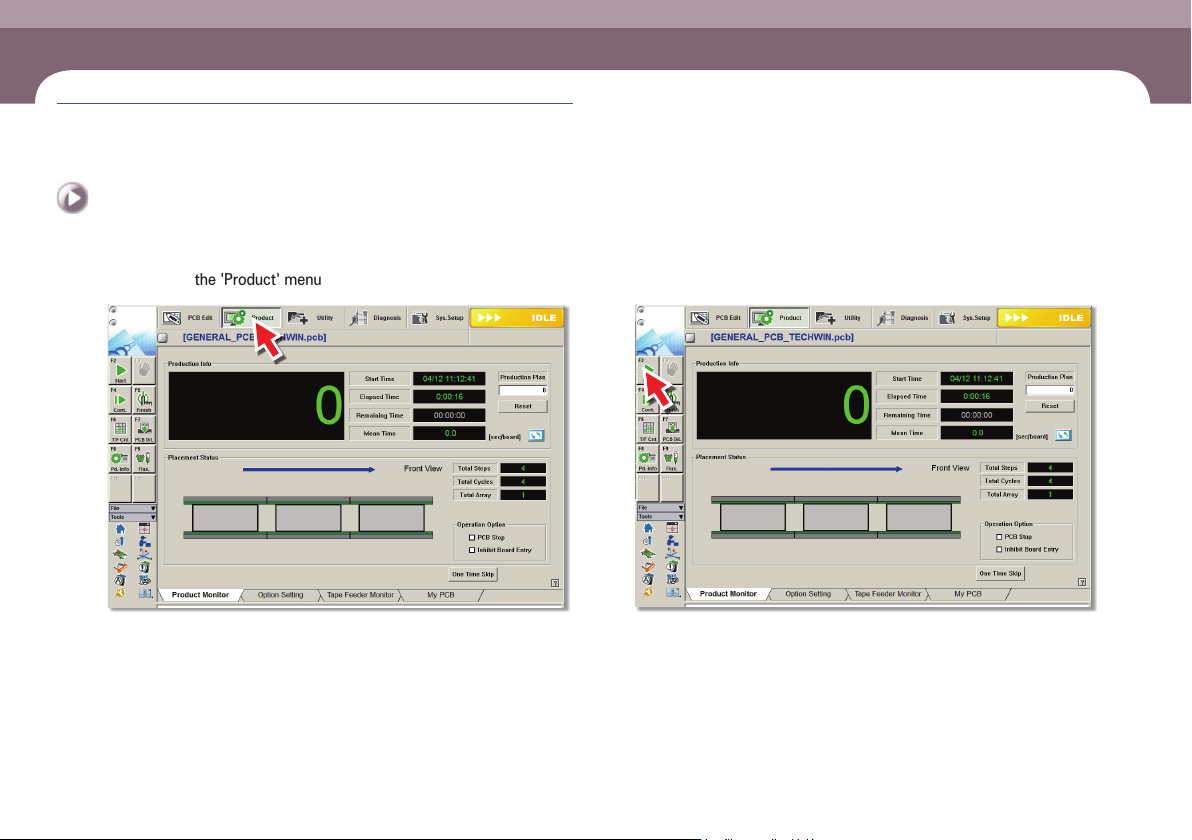
1. Loading the PCB file
Step 1.
Select the 'Product' menu
ㆍ Displays the 'Product Monitor' screen.
Step 2.
Select the 'Start' submenu (F2)
ㆍ If the 'Start' submenu is selected, the PCB program is downloaded automatically.
Production
Operation Handbook
3-20
Chapter 3
This chapter describes the production procedure.
Production
Production > Starting production (Automatic production)
Production
Production
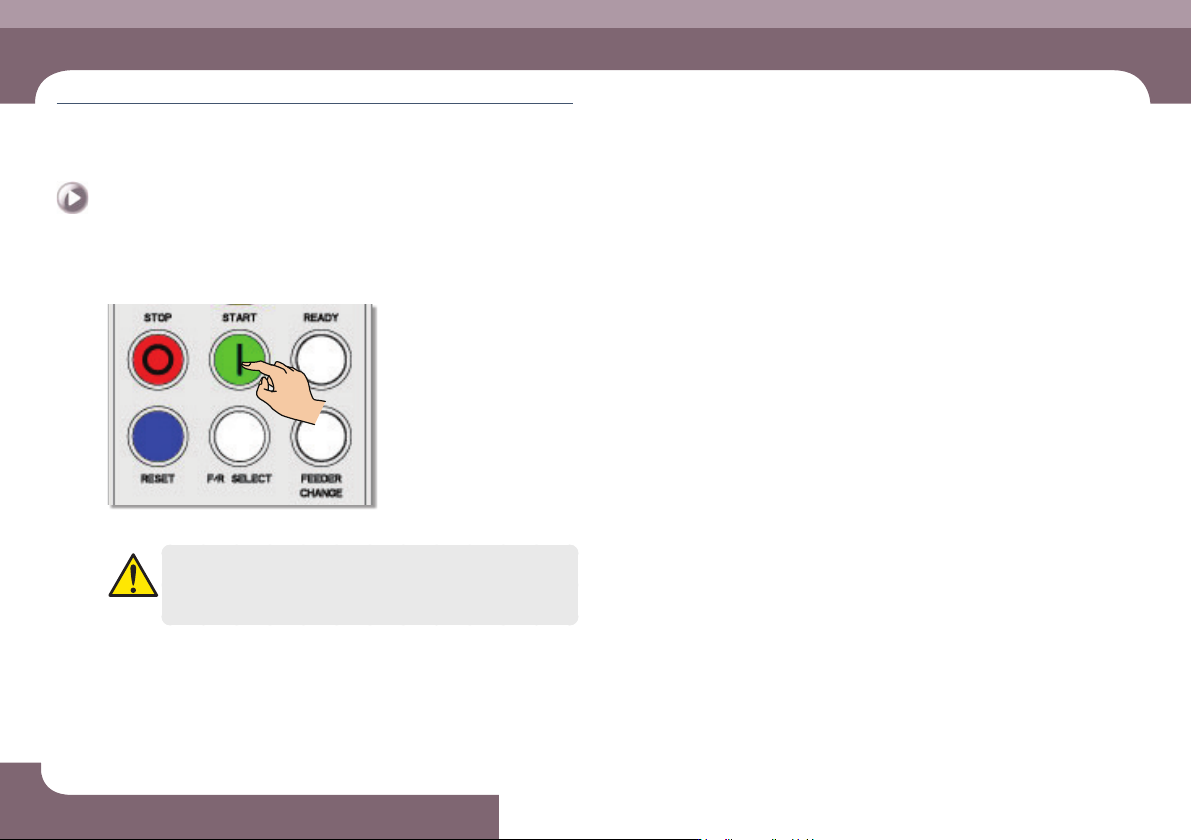
2. Starting production (Automatic production)
Step 1.
Press 'START' button in the operation pannel
ㆍ Starts production.
Warning
Check if there is a worker around the machine before starting
production.
Operation Handbook
3-21
Chapter 3
This chapter describes the production procedure.
Production
Production > Starting production (Quantity designated production)
Production
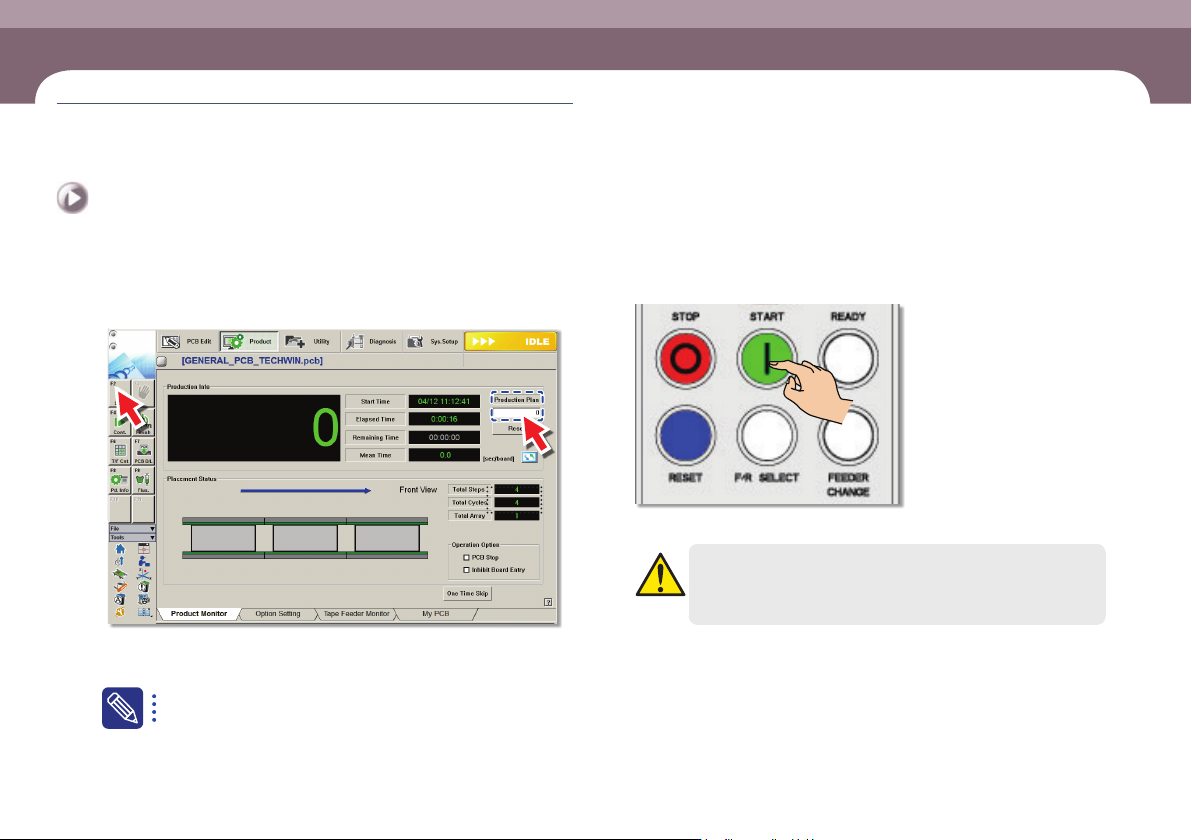
3. Starting production (Quantity designated
production)
Step 1.
Set the production quantity
ㆍ Select the 'Start' submenu after setting the total number of PCBs to be worked in
the <Production plan> edit box
Set the total number of PCBs to be worked in the <Production plan>
edit box. If the value becomes 0, the production is stopped.
Step 2.
Press 'START' button in the operation pannel
ㆍ Starts production.
Warning
Check if there is a worker around the machine before starting
production.