SM482PLUS_Operation(Eng_Ver2.3).pdf - 第27页
Operation Handbook 3-8 Chap ter 3 This chapter describes the production procedure. Pr oduction Pr eparat ion Fo r Op erati on Ⅱ > Down load th e P CB f ile Preparation F or Operation Ⅱ Pr oduction Step 3. Clic k th e …
Operation Handbook
3-7
Chapter 3
This chapter describes the production procedure.
Production
Preparation For Operation Ⅱ > Download the PCB file
Preparation For Operation Ⅱ
1. Download the PCB file
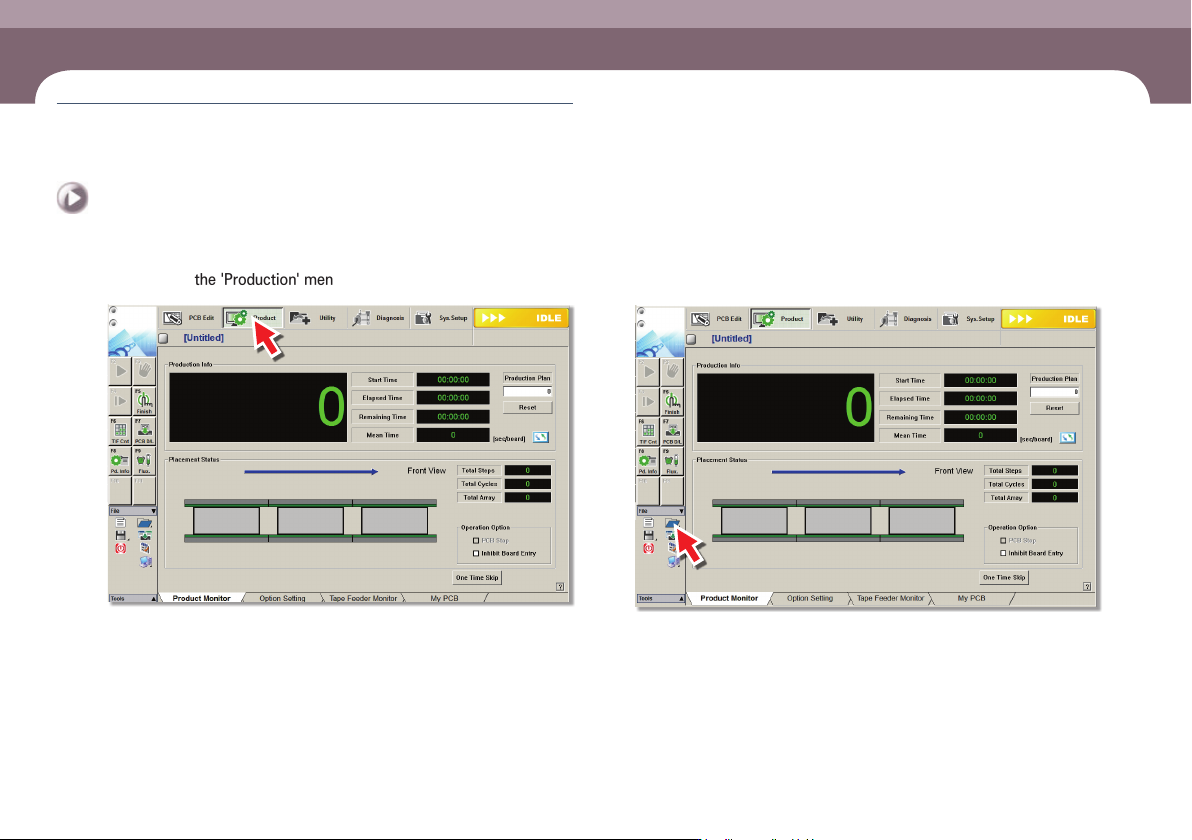
Step 1.
Select the 'Production' menu
ㆍ Displays the 'Production Monitor' screen.
Step 2.
Click the 'Open' icon
ㆍ Displays its submenu.
Preparation For Operation Ⅱ
Operation Handbook
3-8
Chapter 3
This chapter describes the production procedure.
Production
Preparation For Operation Ⅱ > Download the PCB file
Preparation For Operation Ⅱ
Production
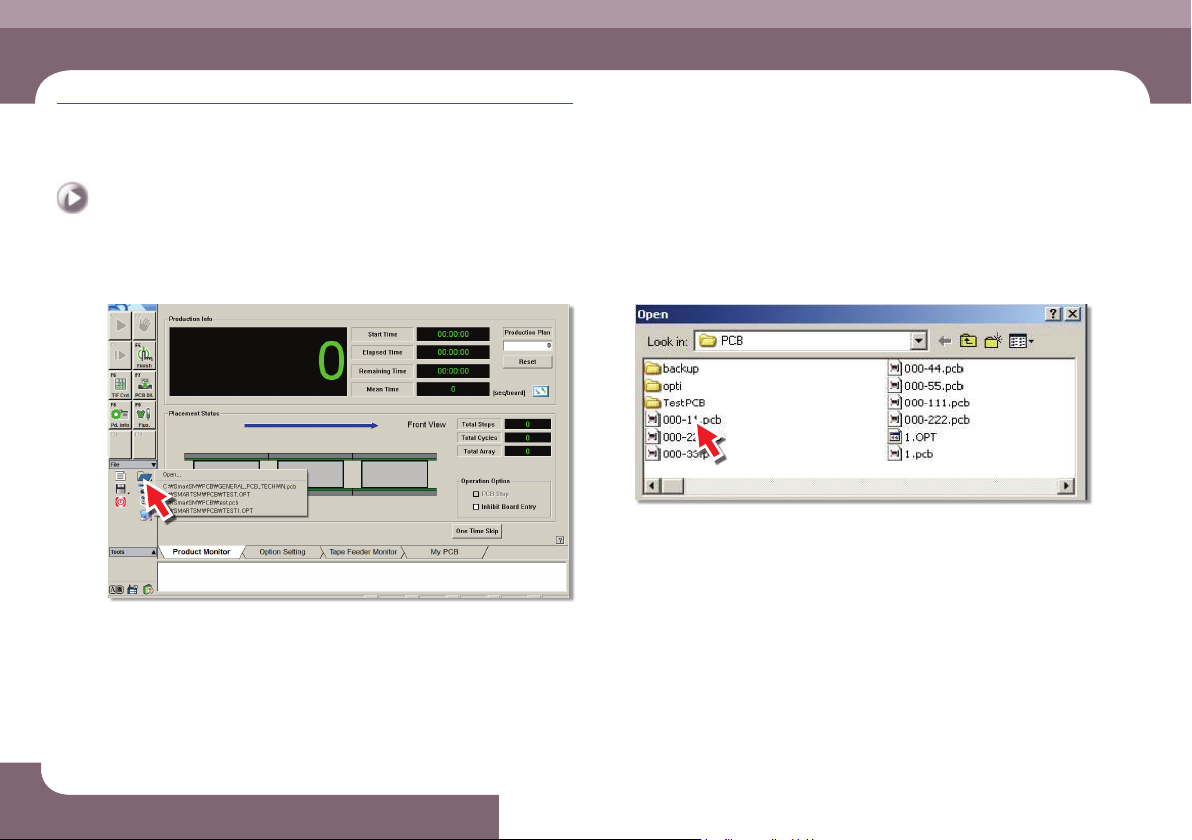
Step 3.
Click the 'Open'
ㆍ Click the 'Open'.
Step 4.
Select the PCB file
ㆍ Select the PCB file to work with.t
Operation Handbook
3-9
Chapter 3
This chapter describes the production procedure.
Production
Preparation For Operation Ⅱ > Download the PCB file
Preparation For Operation Ⅱ
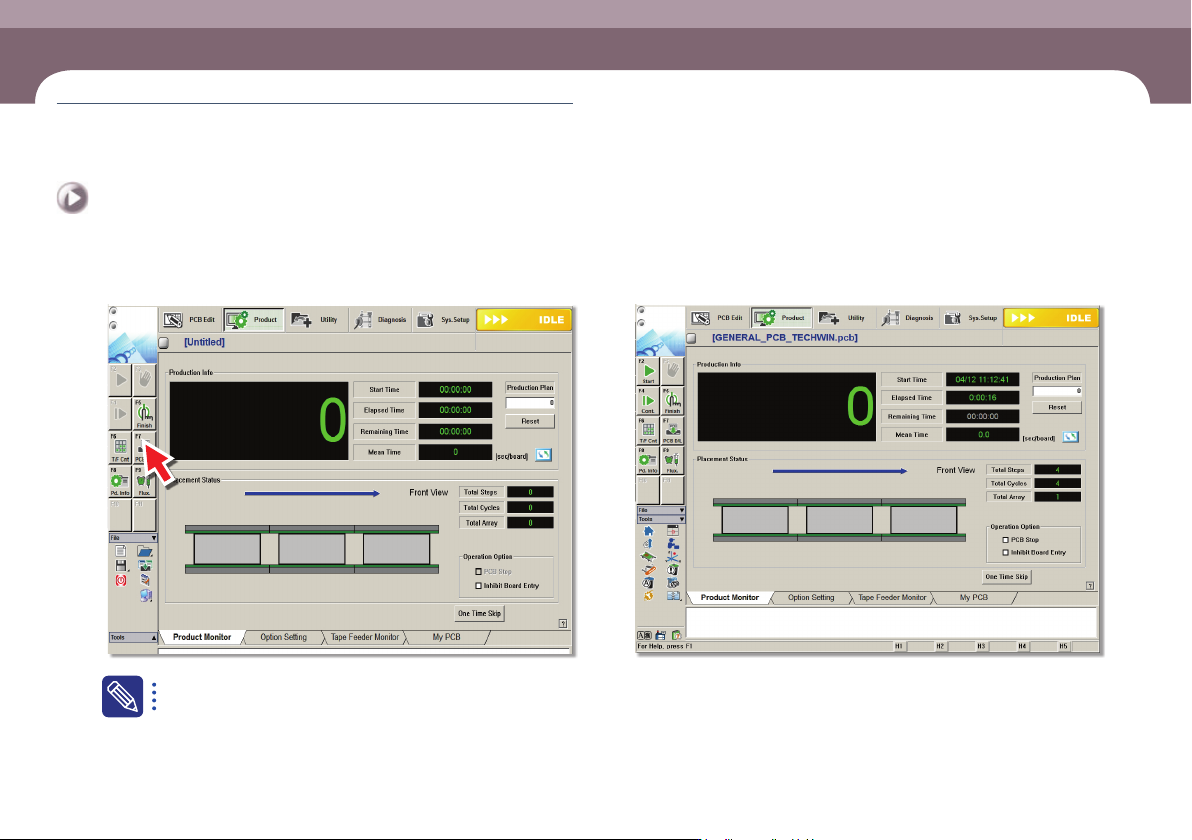
Step 5.
Select 'PCB D/L'
The file with extension of .opt is the optimization completed file.
Step 6.
The completion of Download the PCB file
ㆍ The PCB file Download is complete.