User-Manual-NeoDen-IN12-Reflow-oven.pdf - 第8页
7 4. Installatio n Instructio n 4.1 Power Supply Connection IN12 power connection is single phase 220V, please connect it against local users actual situation. Connection as below picture: Open the cover on bottom right …
6
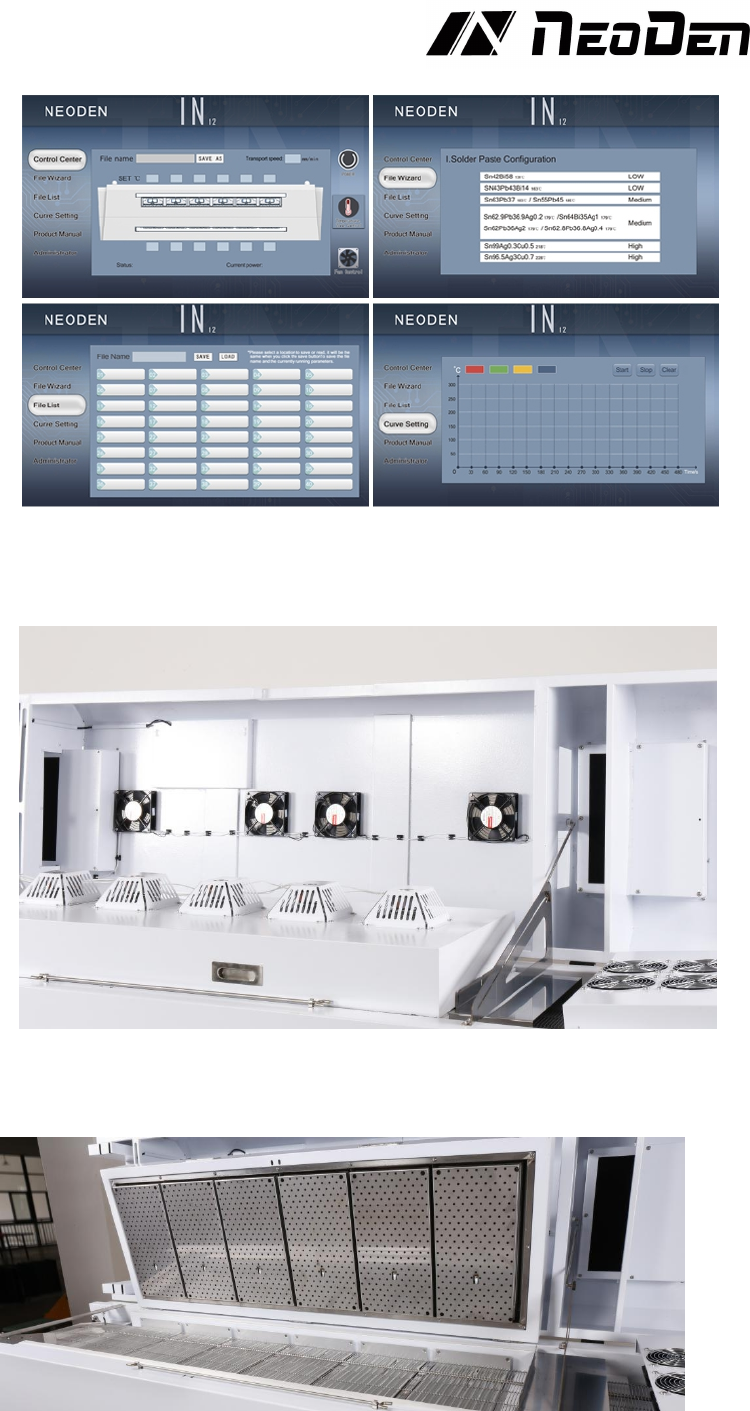
3.3 Cover and Heating Zone
3.31 Heating Zone
7
4. Installation Instruction
4.1 Power Supply Connection
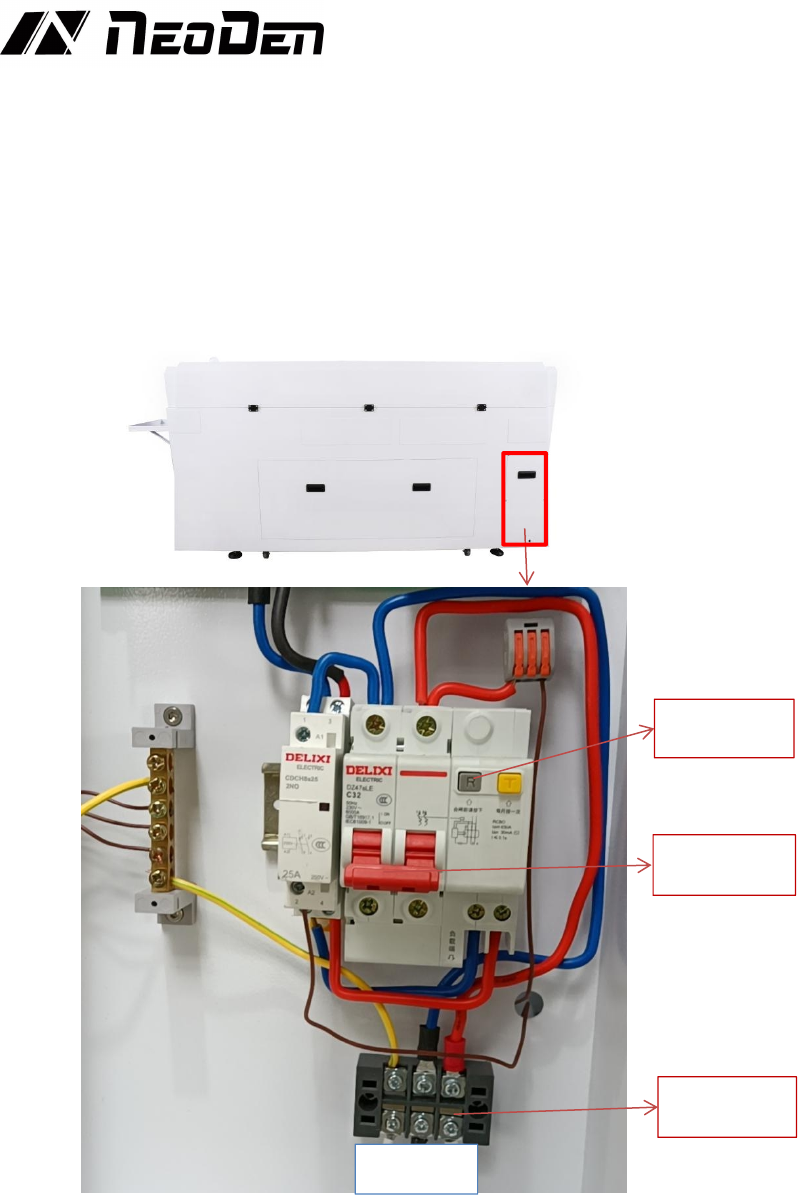
IN12 power connection is single phase 220V, please connect it against local users
actual situation. Connection as below picture: Open the cover on bottom right corner,
L stands for the live wire, N stands for the zero wire, and E stands for the ground wire,
connect to the 220V power supply. According to the wiring requirements, the L
should be connected to one live wire, and the N should be connected to one zero wire;
the E should be connected to one ground wire properly.
4.2 Installation Attentions
♦ Put down the bearing foot cup, level it and then connect it to the power supply,
voltage requirement 220V;
♦ The electricity wire need no less than 2.5mm
2
, it’s better to directly use 4mm
2
(If
2.5mm
2
, then it can only connect with one set of IN12 Reflow oven, other equipment
Will not be allowed to connect together.
♦ The machine should be set in standard SMT workshop, stay away from flammable
and explosive if couldn’t meet previous requirements.
♦ Exposed wire harness should be well protected, prohibit to expose at the passage or
flue in case of causing any accident.
E N L
Air switch
RCD (Leakage
protector)
Wire
connection
8
4.3 Status of Indicators
There’s tri-color light on top of the cover, it is used to indicate whether all zones’
temperature have reached the well-set temperature. When all temperature reach
to well-set temperature, indicator light up green; While in the heating-up status,
indicator will flash as yellow; Only when the temperature zone is closed (without
flash) or in any faulty (in flash status), it will show as red .
4.4 Operation instructions
♦ Power on
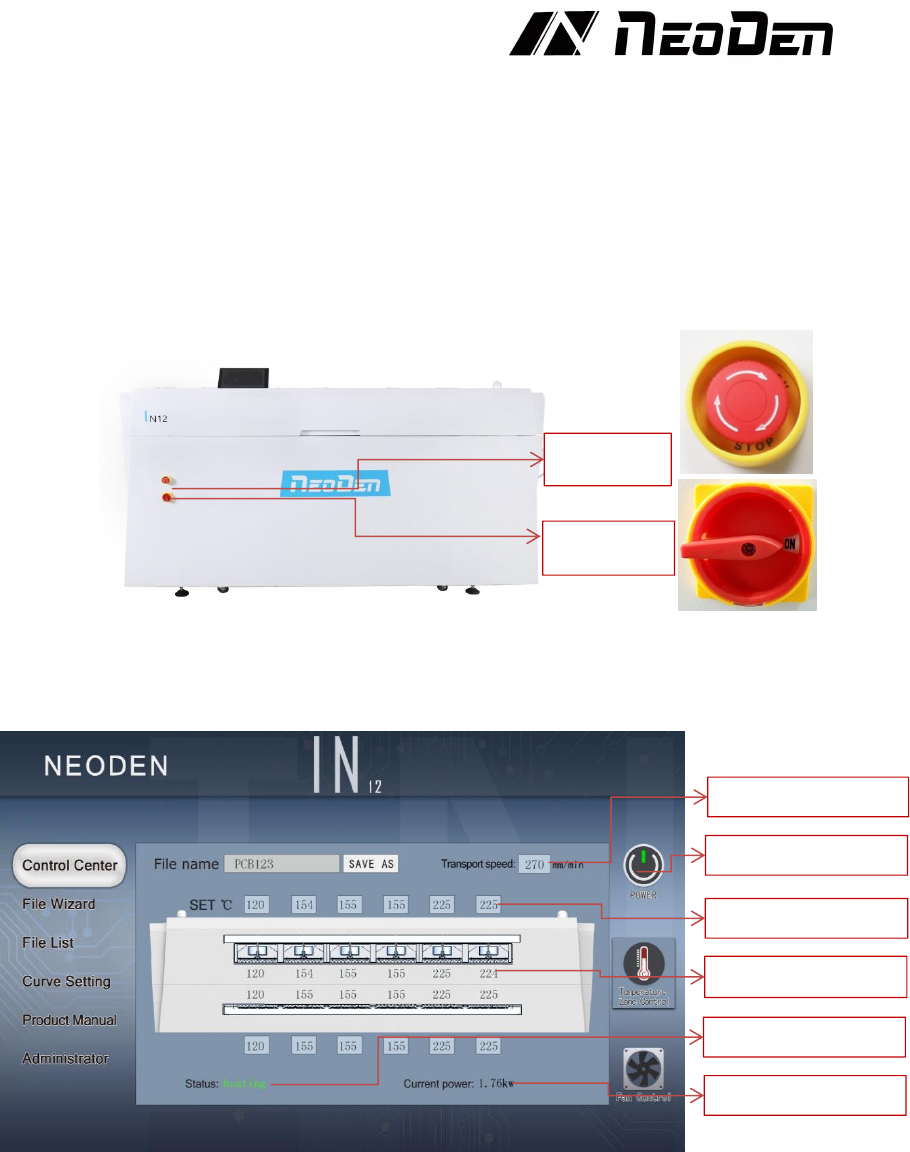
Switch the button to ON status, machine start up. Please check the emergency button,
air switch and RCD before power on the machine.
♦ Chain mesh speed setting
Click the speed parameter,a blank parameter dialog will pop out, type into the
temperature you need set. Generally suggestion 250-300mm/min (Remarks:
temperature will also be influenced once chain speed changed, please re- test the
temperature curve and adjust temperature according to the test result)
♦ Temperature setting
As above picture showed, data on upper side is well-set temperature from zone1 to
zone6; data in the middle is the real-time temperature. Click the temperature parameter
dialog, directly type into the set temperature, the heating zone will start heating and
keep it in a stable situation while temperature reached.
Setting Transport
speed setting
Set temperature
Real-time temperature
Real-time status
Real-time power
Power on/ off
Emergency
Zone power on/ off