DECAN_F2_Admin(Chi_Ver8.4).pdf - 第91页
4-13 Tools 简化操作 (shortcut) 菜单 4.5.1. PCB 进入 / 输出 功能 利用鼠标的 Drag & Drop 把 P CB 投入到输送机内的作业领域 (W orking S tation) 或从输 送机的作业领域投放到下一个工程设备。 要把 PCB 投入到装备时, 用鼠标选择左侧淡绿色 PCB 后拖 曳到操作领域。 如果要把 PCB 从装备放 出, 就 用鼠标选择操作领域 (W orking Sta…
4-12
Advanced Flexible Placer DECAN F2 Administrator’s Guide
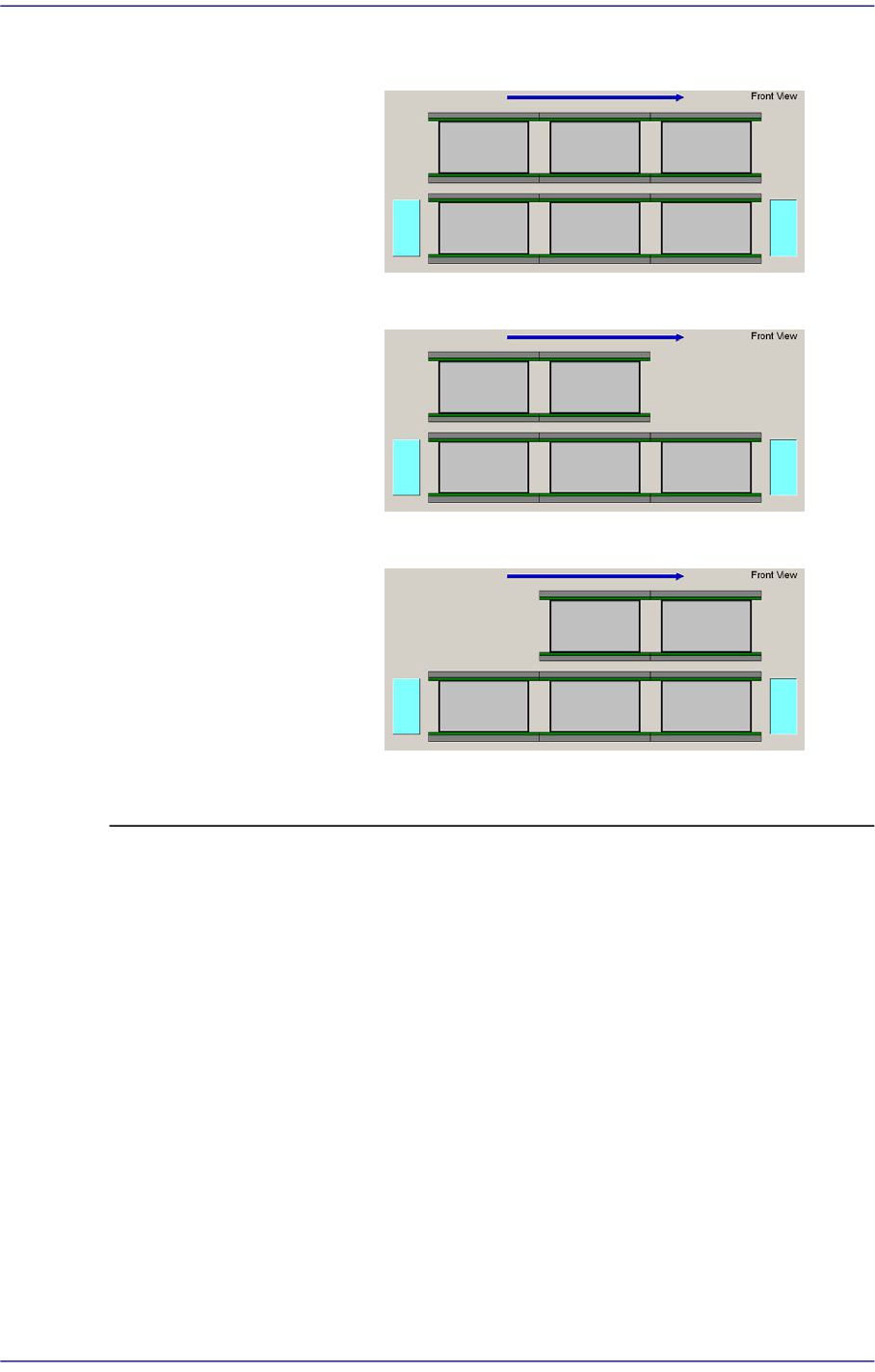
<Dual Lane>
<Full Dual Type>
<Left only Dual>
<Right only Dual>
4-13
Tools
简化操作
(shortcut)
菜单
4.5.1. PCB 进入 /输出 功能
利用鼠标的Drag & Drop把PCB投入到输送机内的作业领域(Working Station)或从输
送机的作业领域投放到下一个工程设备。
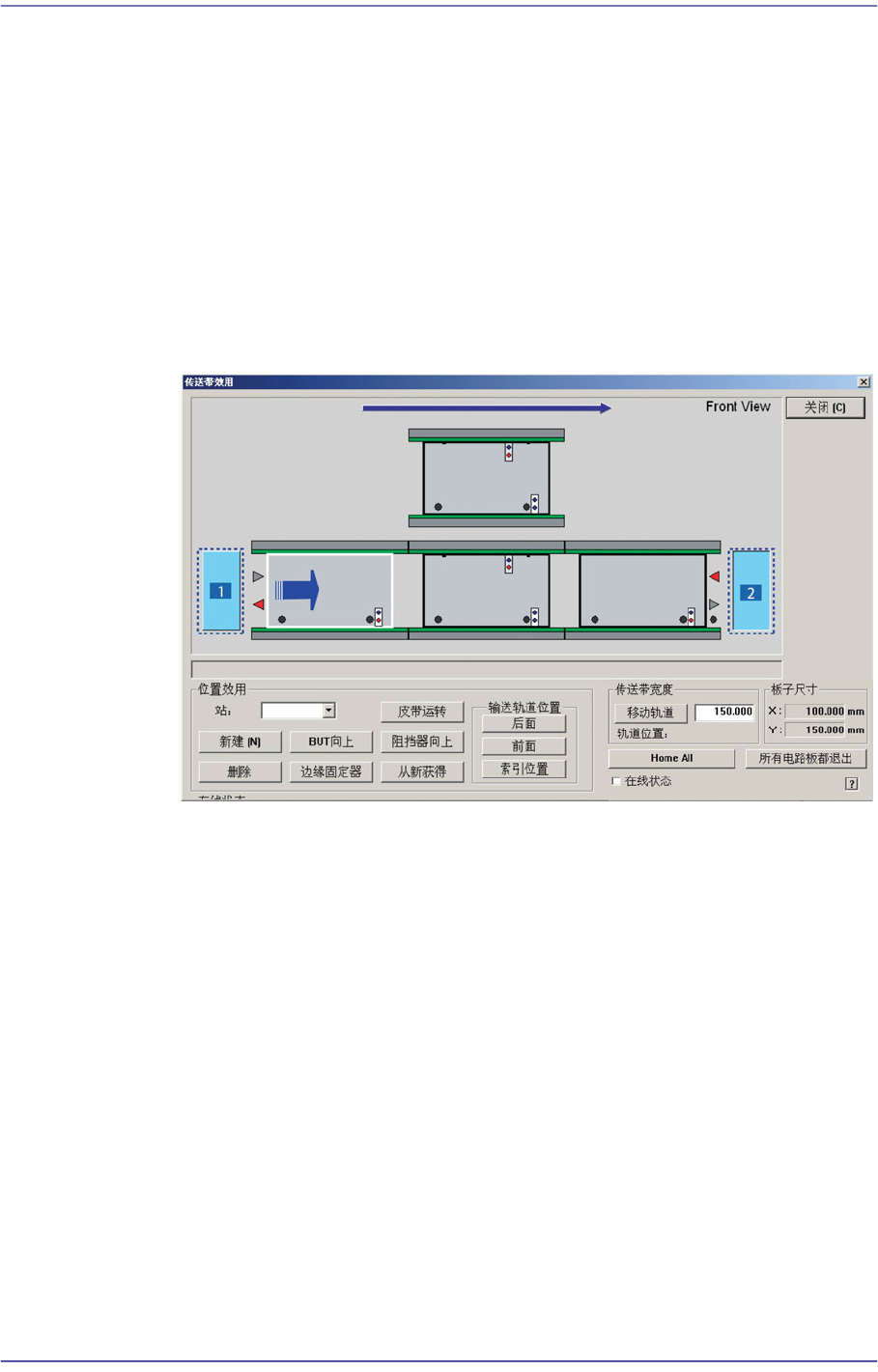
要把PCB投入到装备时,用鼠标选择左侧淡绿色PCB后拖曳到操作领域。
如果要把PCB从装备放出,就用鼠标选择操作领域(Working Station)的PCB后拖曳
到右侧的淡绿色PCB上。
Board Flow (举例说明右 左时)
把右侧作业等待中的PCB用 Drag and Drop移动到 Working Station,则PCB移
动到Working Station。
1:
作业等待中
PCB
2:
作业完成的
PCB
4-14
Advanced Flexible Placer DECAN F2 Administrator’s Guide
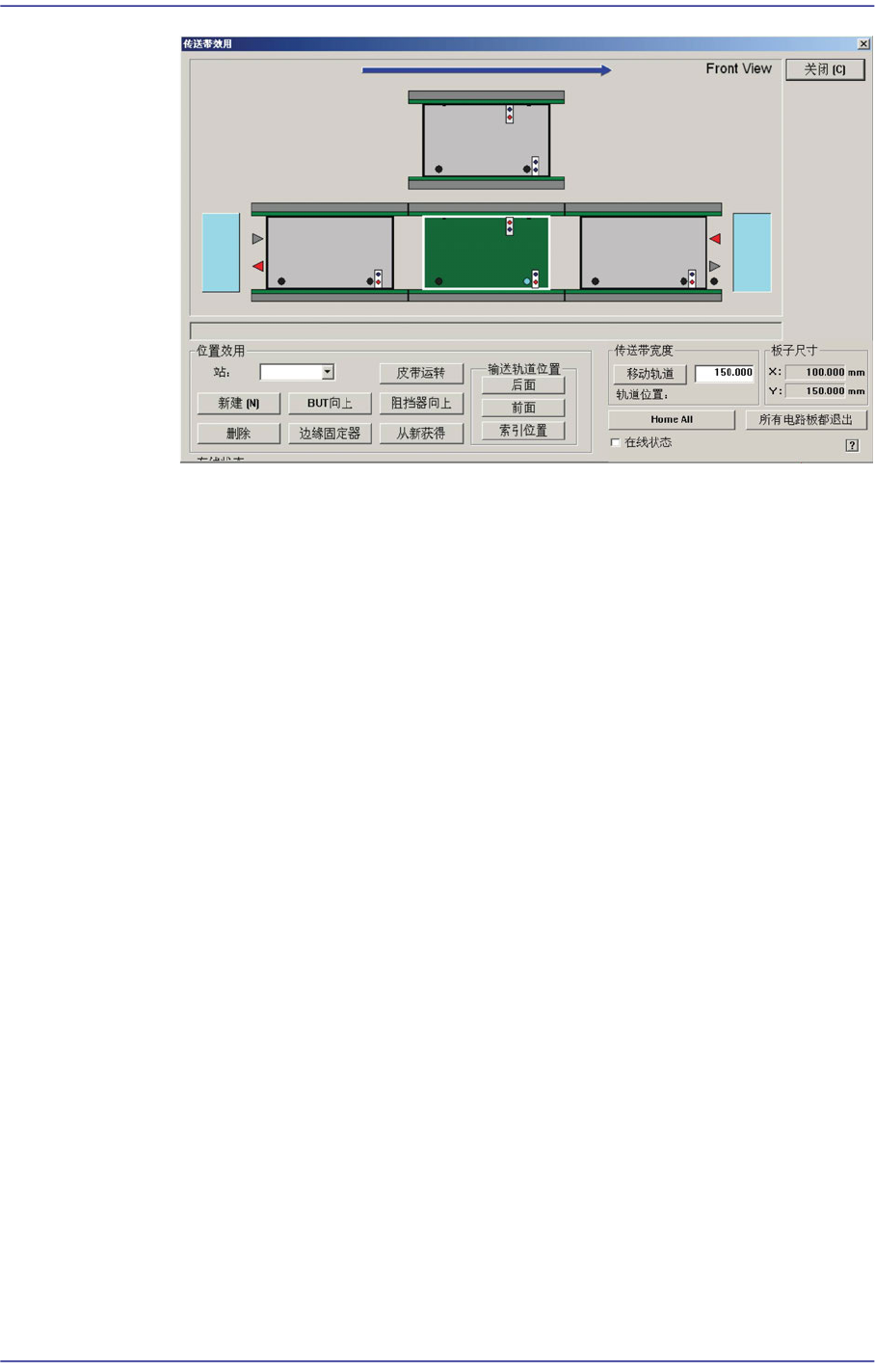
把作业领域(Working Station)的 PCB Drag and Drop到右侧作业完成的PCB则
把PCB投放到下一个工程设备。
4.5.2. Manual Control 功能
执行Backup Table /Stopper /Fixer等的手动操作时使用的功能。
具有对输送机 Entry, Working, Exit Station的 BUT, Stopper, EdgeFixer, 输送带驱动等
手动操作功能。
<位置功能> 领域
<站> 组合框
选择当前作业中的Conveyor Station。(StationF1, StationF2,
StationR2,StationF3)
< BUT向上/向下> 按钮
<Current Staion> 组合框中选择 ‘Working’ 时,执行 Backup Table的 Up /
Down。
<制动器向上/向下> 按钮
执行Stopper的Up /Down。
<Edge Fixer> 按钮
<Current Staion> 组合框中选择‘Working’时,执行 Edge F
ixer的操作。
<带运
转> 按钮
操作所选Station的驱动Belt。
<新建 [N]> 按钮
利用<Delate>按钮,只在消除PCB的Station时功能被激活。为了消除作业中