3MAINTENANCE__O.pdf - 第48页
1.4 Maintenance 1.4 . 2 Cleaning of Vacuum Nozzle Periodically perform cleaning of vacuum nozzles to maintain reliable and stable component picks and placement . • It is advisable that the nozzle be cleaned at least once…
1.4
Maintenance
1.4
Maintenance
1.4
.
1
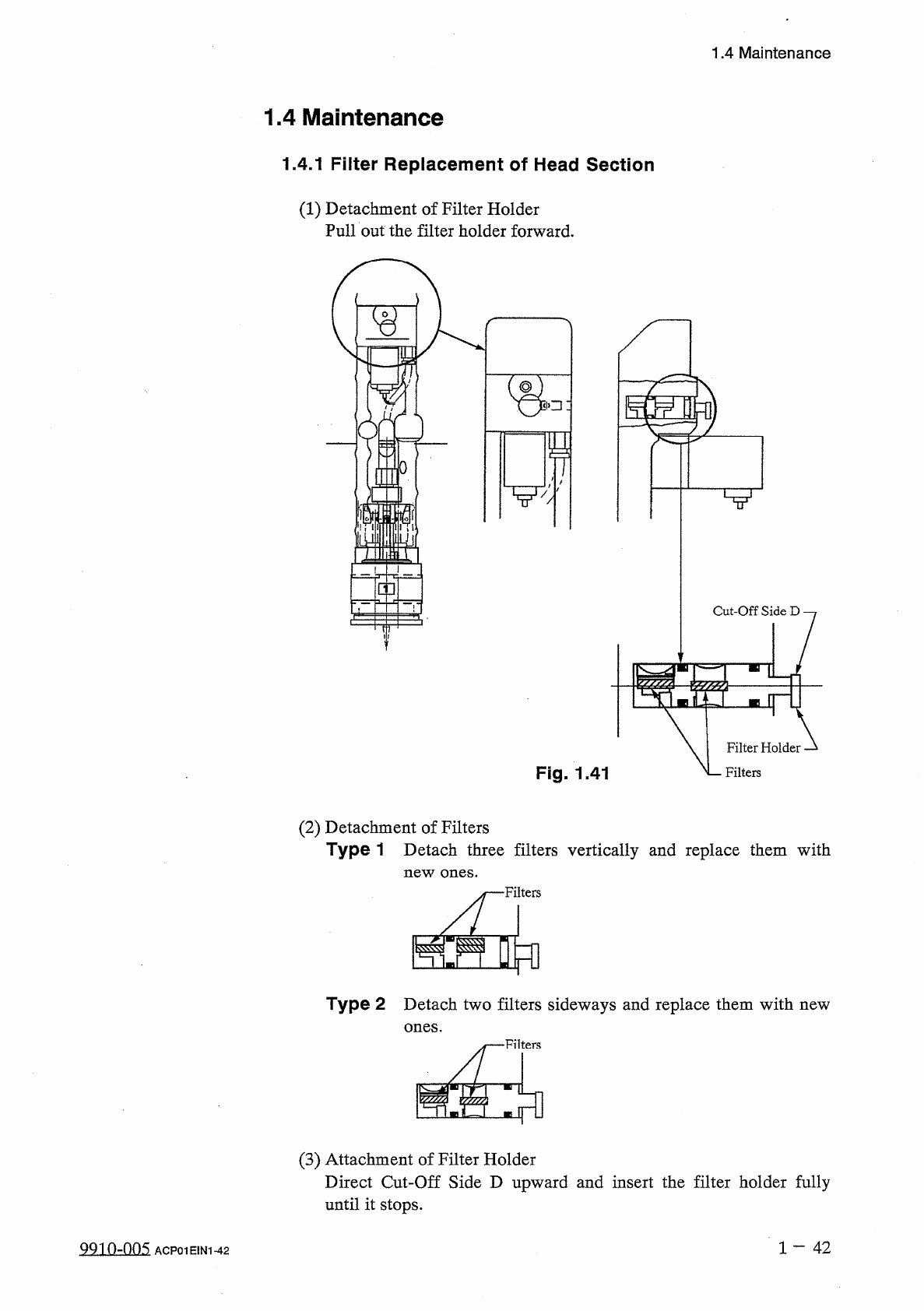
Filter
Replacement
of
Head
Section
(
1
)
Detachment
of
Filter
Holder
Pull
out
the
filter
holder
forward
.
▽
!
I
j
II
脱
Cut
-
Off
Side
D
/
//
//
y
Filter
Holder
Fig
.
1.41
N
Filters
(
2
)
Detachment
of
Filters
Type
1
Detach
three
filters
vertically
and
replace
them
with
new
ones
.
Filters
Type
2
Detach
two
filters
sideways
and
replace
them
with
new
ones
.
•
Filters
(
3
)
Attachment
of
Filter
Holder
Direct
Cut
-
Off
Side
D
upward
and
insert
the
filter
holder
fully
until
it
stops
.
1
一
42
QQin
-
nns
ACP
01
EIN
1
-
42
1.4
Maintenance
1.4
.
2
Cleaning
of
Vacuum
Nozzle
Periodically
perform
cleaning
of
vacuum
nozzles
to
maintain
reliable
and
stable
component
picks
and
placement
.
•
It
is
advisable
that
the
nozzle
be
cleaned
at
least
once
a
week
depending
on
varying
frequency
of
use
and
stain
degree
along
with
certain
environmental
conditions
.
•
When
the
vacuum
、
suction
force
weakens
or
a
nozzle
failure
in
component
pick
or
placement
occurs
,
it
is
required
to
check
the
stain
degree
and
clean
the
nozzle
.
II
f
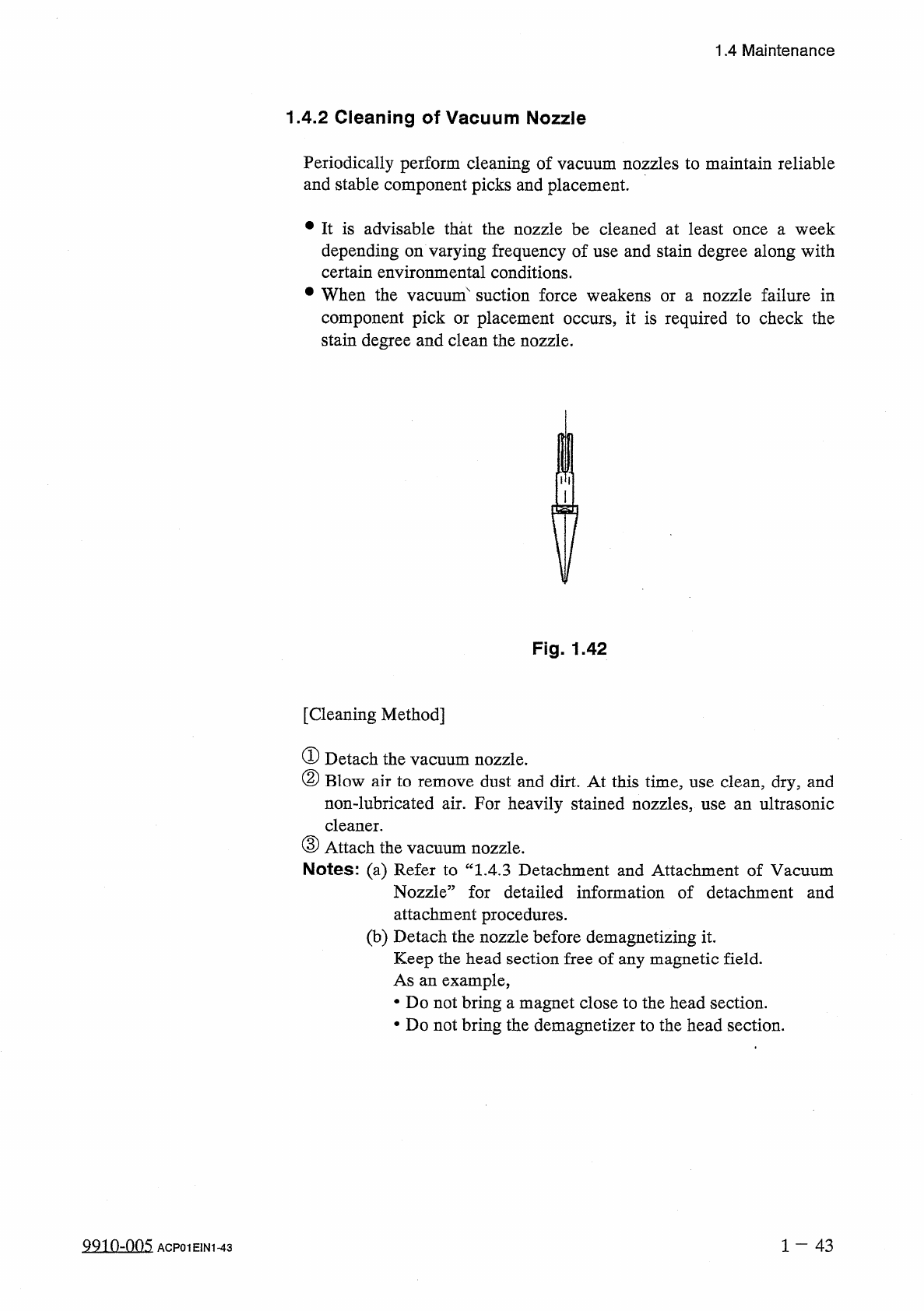
Fig
.
1.42
[
Cleaning
Method
]
①
Detach
the
②
Blow
air
to
remove
dust
and
dirt
.
At
this
time
,
use
clean
,
dry
,
and
non
-
lubricated
air
.
For
heavily
stained
nozzles
,
use
an
ultrasonic
cleaner
.
③
Attach
the
Notes
:
(
a
)
Refer
to
“
1.4
.
3
Detachment
and
Attachment
of
Vacuum
Nozzle
”
for
detailed
information
of
detachment
and
attachment
procedures
.
(
b
)
Detach
the
nozzle
before
demagnetizing
it
.
Keep
the
head
section
free
of
any
magnetic
field
.
As
an
example
,
•
Do
not
bring
a
magnet
close
to
the
head
section
.
•
Do
not
bring
the
demagnetize
!
:
to
the
head
section
.
vacuum
nozzle
.
vacuum
nozzle
.
9910
-
005
ACP
01
EIN
1
-
43
1
-
43
1.4
Maintenance
1.4
.
3
Detachment
and
Attachment
of
Vacuum
Nozzle
Before
detaching
or
attaching
a
vacuum
nozzle
,
be
sure
to
spread
a
rag
under
the
working
area
.
Otherwise
,
a
fallen
vacuum
nozzle
will
easily
be
lost
if
any
.
A
CAUTION
Q
(
1
)
Detachment
of
Vacuum
Nozzle
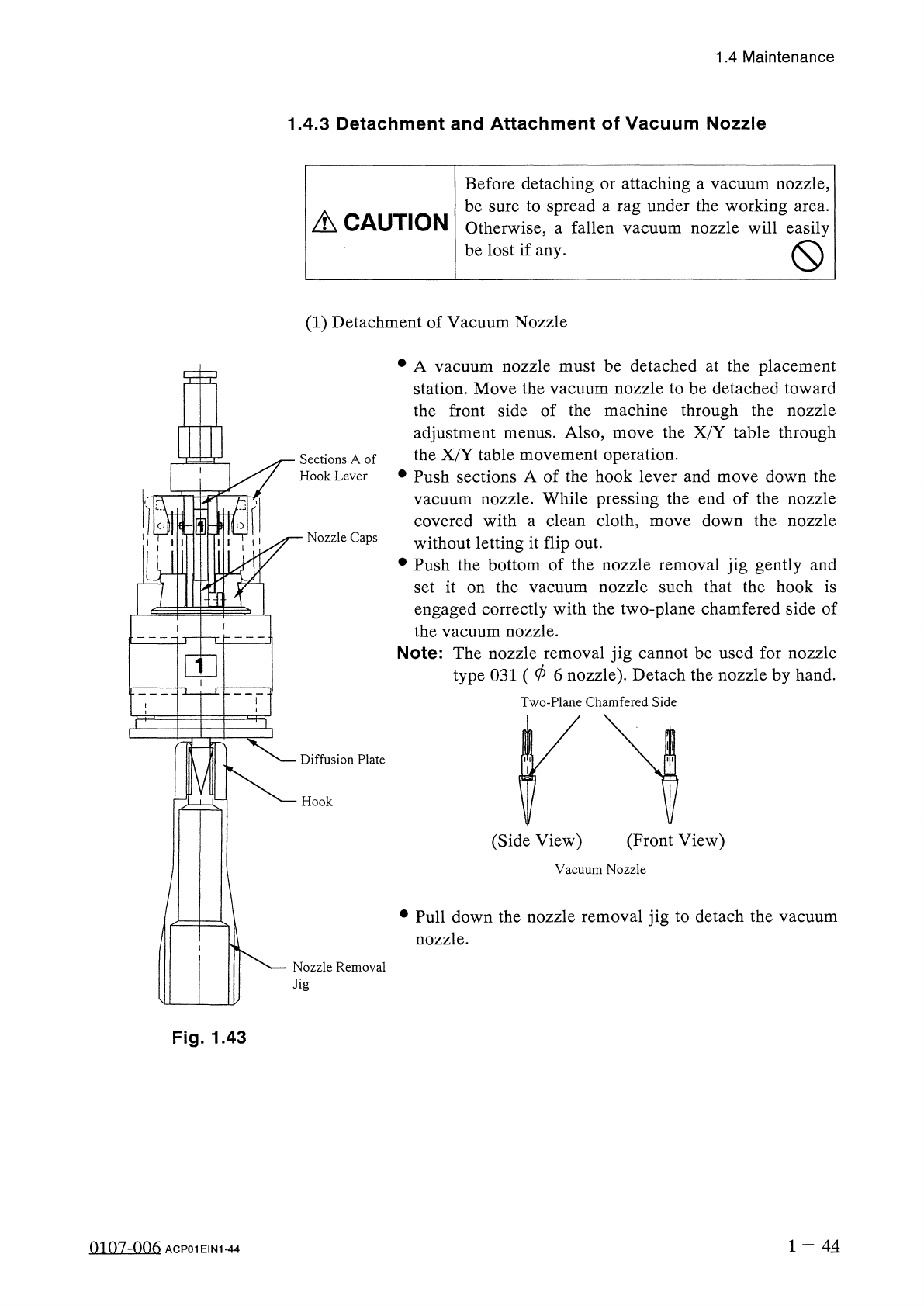
•
A
vacuum
nozzle
must
be
detached
at
the
placement
station
.
Move
the
vacuum
nozzle
to
be
detached
toward
the
front
side
of
the
machine
through
the
nozzle
adjustment
the
X
/
Y
table
movement
operation
.
•
Push
sections
A
of
the
hook
lever
and
move
down
the
nozzle
.
While
pressing
the
end
of
the
nozzle
covered
with
a
clean
cloth
,
move
down
the
nozzle
without
letting
it
flip
out
.
•
Push
the
bottom
of
the
nozzle
removal
jig
gently
and
set
it
on
the
engaged
correctly
with
the
two
-
plane
chamfered
side
of
vacuum
Note
:
The
nozzle
removal
jig
cannot
be
used
for
nozzle
type
031
(
06
nozzle
)
.
Detach
the
nozzle
by
hand
.
Two
-
Plane
Chamfered
Side
Also
,
move
the
X
/
Y
table
through
menus
.
Sections
A
of
Hook
Lever
vacuum
Nozzle
Caps
nozzle
such
that
the
hook
is
vacuum
nozzle
.
the
Diffusion
Plate
Hook
(
Front
View
)
(
Side
View
)
Vacuum
Nozzle
•
Pull
down
the
nozzle
removal
jig
to
detach
the
vacuum
nozzle
.
Nozzle
Removal
Jig
Fig
.
1.43
1
—
44
0107
-
006
ACP
01
EIN
1
-
44