3MAINTENANCE__O.pdf - 第97页
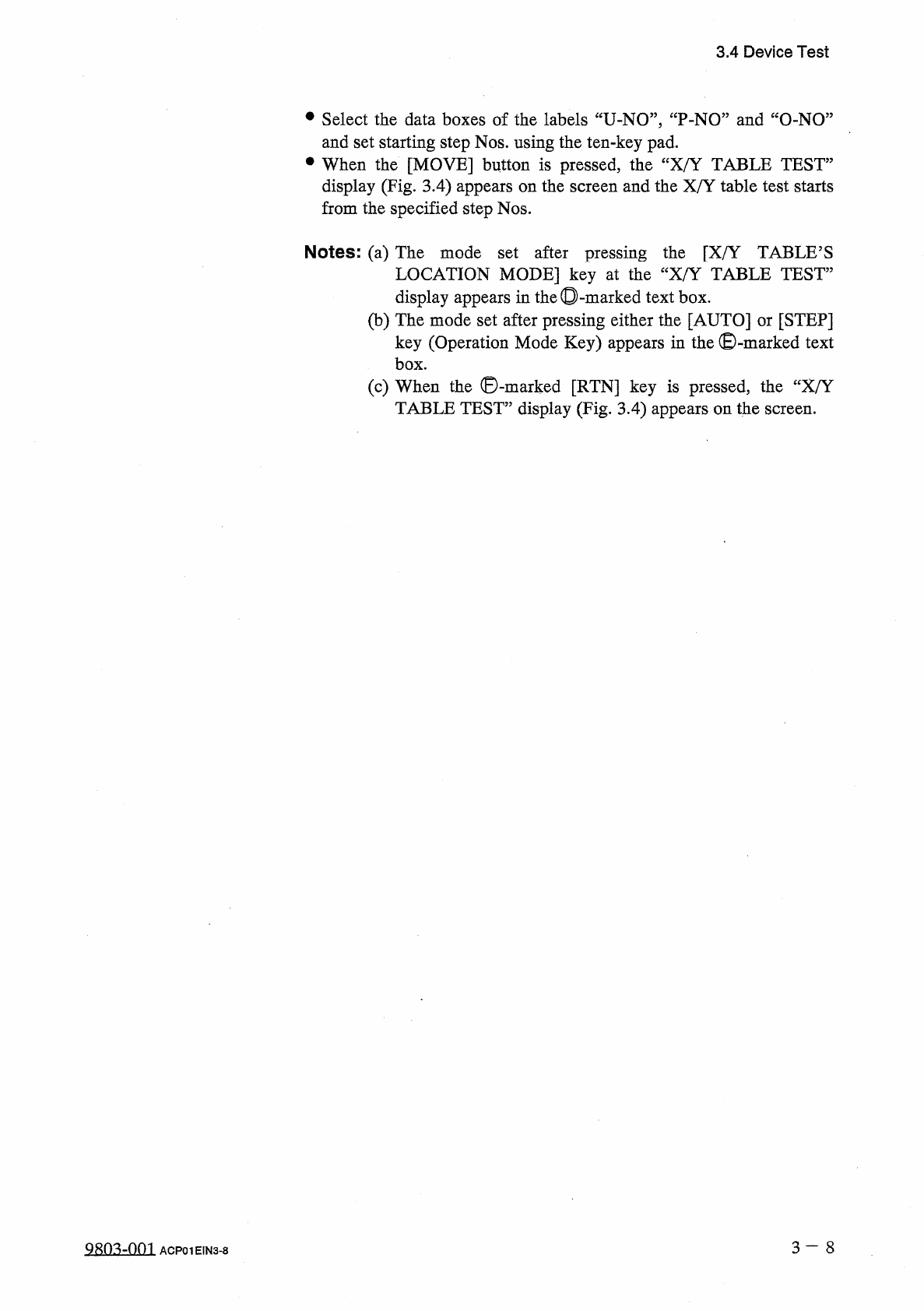
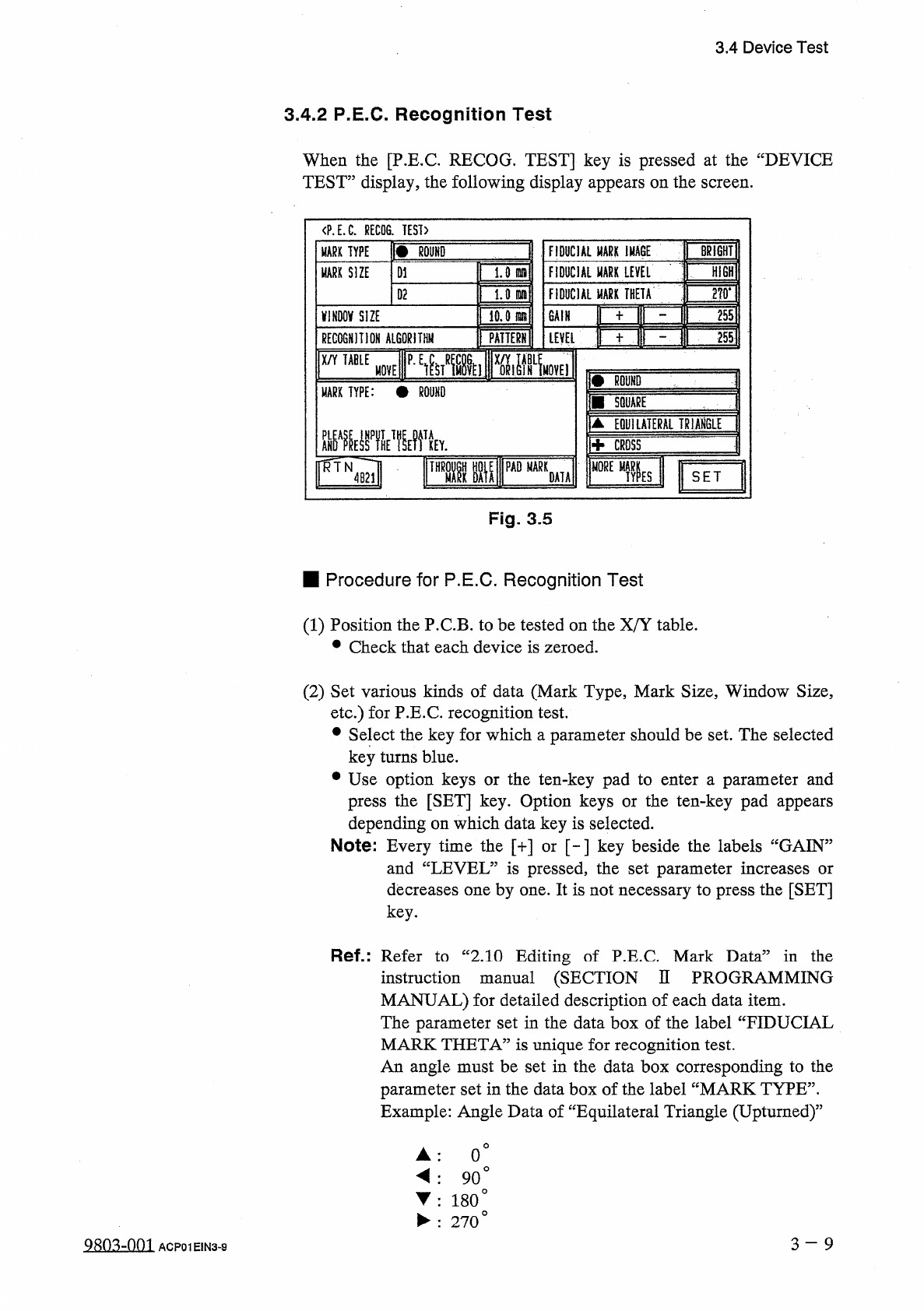
3.4 Device Test • Select the data boxes of the labels “ U - NO ” , “ P - NO ” and “ O - NO ” and set starting step Nos . using the ten - key pad . • When the [ MOVE ] button is pressed , the “ X / Y TABLE TEST ” display …
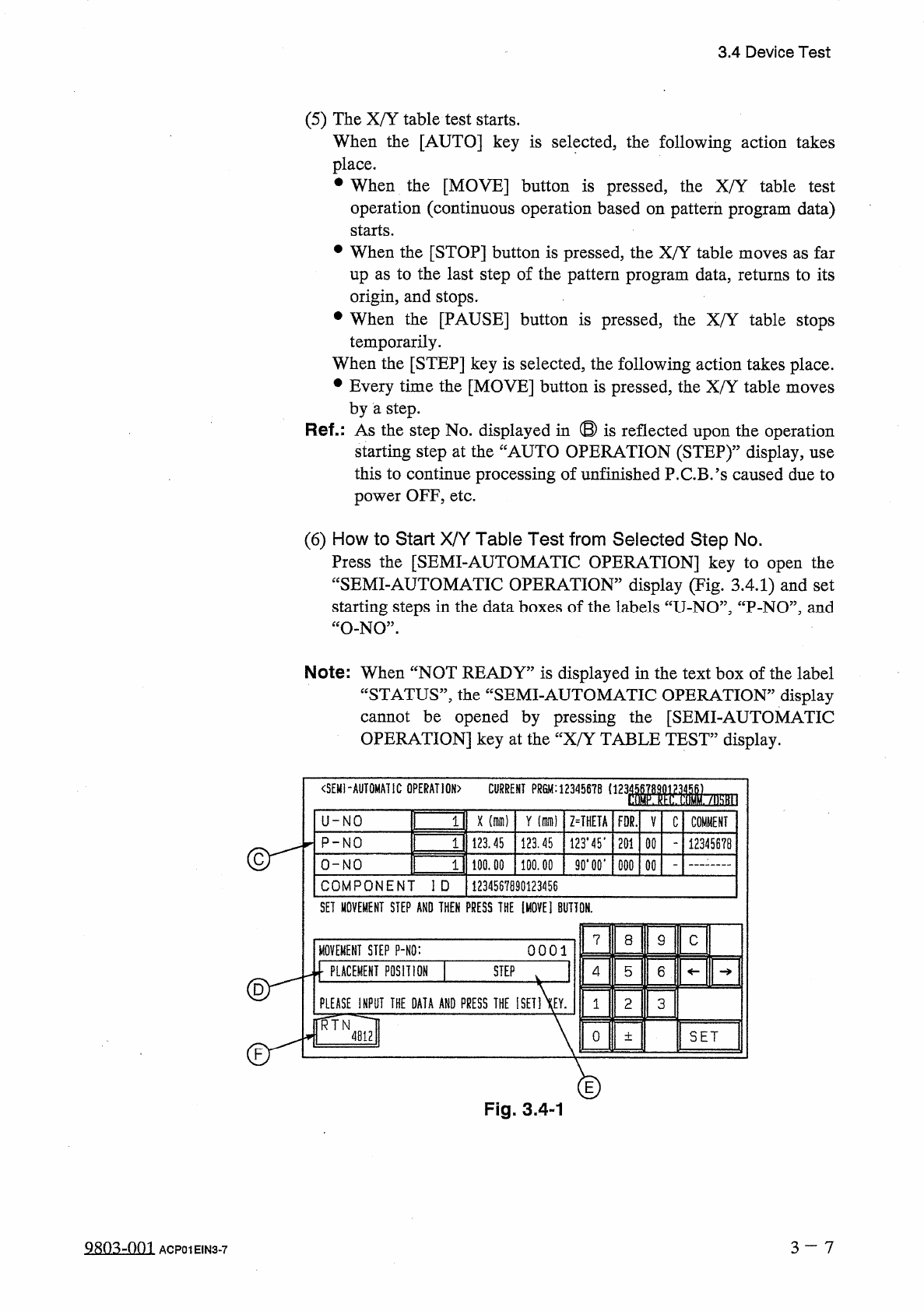
3.4
Device
Test
(
5
)
The
X
/
Y
table
test
starts
.
When
the
[
AUTO
]
key
is
selected
,
the
following
action
takes
place
.
•
When
the
[
MOVE
]
button
is
pressed
,
the
X
/
Y
table
test
operation
(
continuous
operation
based
on
pattern
program
data
)
starts
.
•
When
the
[
STOP
]
button
is
pressed
,
the
X
/
Y
table
moves
as
far
up
as
to
the
last
step
of
the
pattern
program
data
,
returns
to
its
origin
,
and
stops
.
•
When
the
[
PAUSE
]
button
is
pressed
,
the
X
/
Y
table
stops
temporarily
.
When
the
[
STEP
]
key
is
selected
,
the
following
action
takes
place
.
•
Every
time
the
[
MOVE
]
button
is
pressed
,
the
X
/
Y
table
moves
by
a
step
.
Ref
.
:
As
the
step
No
.
displayed
in
®
is
reflected
upon
the
operation
starting
step
at
the
“
AUTO
OPERATION
(
STEP
)
,
,
display
,
use
this
to
continue
processing
of
unfinished
P
.
C
.
B
/
s
caused
due
to
power
OFF
,
etc
.
(
6
)
How
to
Start
X
/
Y
Table
Test
from
Selected
Step
No
.
Press
the
[
SEMI
-
AUTOMATIC
OPERATION
]
key
to
open
the
“
SEMI
-
AUTOMATIC
OPERATION
”
display
(
Tig
.
3.4
.
1
)
and
set
starting
steps
in
the
data
boxes
of
the
labels
“
U
-
NO
”
,
“
P
-
NO
”
,
and
“
O
-
NO
”
.
Note
:
When
“
NOT
READY
”
is
displayed
in
the
text
box
of
the
label
“
STATUS
”
,
the
“
SEMI
-
AUTOMATIC
OPERATION
”
display
cannot
be
opened
by
pressing
the
[
SEMI
-
AUTOMATIC
OPERATION
]
key
at
the
“
X
/
Y
TABLE
TEST
”
display
.
<
SEMI
-
AUTOMATIC
OPERATION
)
CURRENT
PR
8
M
:
12345678
1123
WM
-
/
勵
II
3
U
-
NO
X
(
dim
)
Y
(
di
)
Z
=
THETA
FOR
.
V
C
COMMENT
3
P
-
NO
123.45
123.45
123.45
.
201
00
12345678
2
90
*
00
*
O
-
NO
100.00
100.00
000
COMPONENT
ID
1234567890123456
SET
MOVEMENT
STEP
AND
THEN
PRESS
THE
[
MOVE
]
BUTTON
.
7
8
9
C
MOVEMENT
STEP
P
-
NO
:
0001
]
PLACEMENT
POSITION
STEP
4
5
6
PLEASE
INPUT
THE
DATA
AND
PRESS
THE
ISET
1
XEY
.
2
3
1
TR JH
mi
0
SET
土
E
Fig
.
3.4
-
1
3
-
7
9803
-
001
ACP
01
EIN
3
-
7
3.4
Device
Test
•
Select
the
data
boxes
of
the
labels
“
U
-
NO
”
,
“
P
-
NO
”
and
“
O
-
NO
”
and
set
starting
step
Nos
.
using
the
ten
-
key
pad
.
•
When
the
[
MOVE
]
button
is
pressed
,
the
“
X
/
Y
TABLE
TEST
”
display
(
Fig
.
3.4
)
appears
on
the
screen
and
the
X
/
Y
table
test
starts
from
the
specified
step
Nos
.
Notes
:
(
a
)
The
mode
set
after
pressing
the
[
X
/
Y
TABLE
’
S
LOCATION
MODE
]
key
at
the
“
X
/
Y
TABLE
TEST
”
display
appears
in
the
◎
-
(
b
)
The
mode
set
after
pressing
either
the
[
AUTO
]
or
[
STEP
]
key
(
Operation
Mode
Key
)
appears
in
the
©
-
marked
text
box
.
(
c
)
When
the
©
-
marked
[
RTN
]
key
is
pressed
,
the
“
X
/
Y
TABLE
TEST
”
display
(
Fig
.
3.4
)
appears
on
the
screen
.
marked
text
box
.
3
一
8
QiRO
^
-
nm
ACP
01
EIN
3
-
8
3.4
Device
Test
3.4
.
2
P
.
E
.
C
.
Recognition
Test
When
the
[
P
.
E
.
C
.
RECOG
.
TEST
]
key
is
pressed
at
the
“
DEVICE
TEST
”
display
,
the
following
display
appears
on
the
screen
.
〈
P
.
E
.
C
.
RECOG
.
TEST
)
\
m
丽
¥
FIDUCIAL
MARK
IMAGE
BRIGHT
MARK
TYPE
1.0
Hi
6
H
FIDUCIAL
HARK
LEVEL
MARK
SIZE
D
1
FIDUCIAL
MARX
THETA
ill
U
nnaH
D
2
10.0
(
Bfllfl
255
mm
SIZE
GAIN
■
mr
^
TT
PATTERHil
LEVEL
RECOGNIIION
ALGORITHM
X
/
Y
TABLE
MOVE
f
BOUND
MARK
TYPE
:
•
ROUND
1
■
SQUABE
▲
EQUILATERAL
TRiAHGLE
Hh
CROSS
Fvi
~
~
FUg
H
0
RETyb
PAD
MARK
SET
DATA
Fig
.
3.5
■
Procedure
for
P
.
E
.
C
.
Recognition
Test
(
1
)
Position
the
P
.
C
.
B
.
to
be
tested
on
the
X
/
Y
table
.
•
Check
that
each
device
is
zeroed
.
(
2
)
Set
various
kinds
of
data
(
Mark
Type
,
Mark
Size
,
Window
Size
,
etc
.
)
for
P
.
E
.
C
.
recognition
test
.
•
Select
the
key
for
which
a
parameter
should
be
set
.
The
selected
key
turns
blue
.
•
Use
option
keys
or
the
ten
-
key
pad
to
enter
a
parameter
and
press
the
[
SET
]
key
.
Option
keys
or
the
ten
-
key
pad
appears
depending
on
which
data
key
is
selected
.
Note
:
Every
time
the
[
+
]
or
[
-
]
key
beside
the
labels
“
GAIN
”
and
“
LEVEL
”
is
pressed
,
the
set
parameter
increases
or
decreases
one
by
one
.
It
is
not
necessary
to
press
the
[
SET
]
key
.
Ref
.
:
Refer
to
“
2.10
Editing
of
P
.
E
.
C
Mark
Data
”
in
the
instruction
manual
(
SECTION
II
PROGRAMMING
MANUAL
)
for
detailed
description
of
each
data
item
.
The
parameter
set
in
the
data
box
of
the
label
“
FIDUCIAL
MARK
THETA
”
is
unique
for
recognition
test
.
An
angle
must
be
set
in
the
data
box
corresponding
to
the
parameter
set
in
the
data
box
of
the
label
“
MARK
TYPE
”
.
Example
:
Angle
Data
of
“
Equilateral
Triangle
(
Upturned
)
”
0
。
◄
:
90
°
▼
:
180
°
►
:
270
。
3
-
9
Q
«
nq
-
nm
ACP
01
EIN
3
-
9