cp742me_pam_operation_manual.pdf - 第13页
Fuji Software Upgrade Report (Appendix) 02022A3 13/21 htt p:/ /www.f uj i. co. jp / Copyright © 2002 Fuji Mac hine Manufacturi ng Co., Ltd. All Right s Reserved. 8.4 1/2 Press this button to feed 0.5 of the meas urem ent…
Fuji Software Upgrade Report (Appendix) 02022A3 12/21
http://www.fuji.co.jp/
Copyright © 2002 Fuji Machine Manufacturing Co., Ltd. All Rights Reserved.
8. Updating the Machine Data
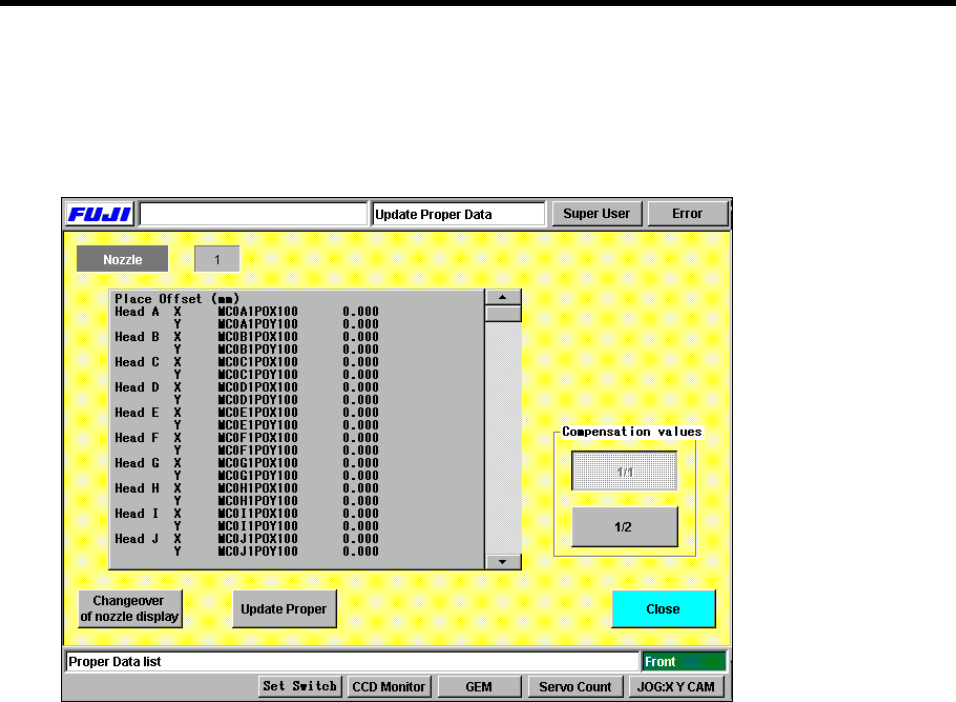
Press [Maintenance] - [PAM Measure] - [100%/80%] - [OK] - [PAM Measure] - [Renewal] to display
the following screen. The measurement results can be fed back to the machine data.
Machine data update screen.
8.1 Changeover of Nozzle Display
Press this button to toggle through the nozzles (1 to 6). The necessary data for each nozzle
is also displayed as each change of nozzle is made.
8.2 Update Proper
The measurement results can be fed back to the machine data. Depending on the level of
compensation, the measurement results can be used in full (1/1) or as a half (1/2).
8.3 1/1
Press this button to feed the measurement results back to the machine data as they are.

Fuji Software Upgrade Report (Appendix) 02022A3 13/21
http://www.fuji.co.jp/
Copyright © 2002 Fuji Machine Manufacturing Co., Ltd. All Rights Reserved.
8.4 1/2
Press this button to feed 0.5 of the measurement results back to the machine data.
8.5 Machine Data Format
The format at a cam speed of 80% is detailed below.
Head A X MC0A1POX -10.000
↑↑ ↑ ↑
Head Axes CCIMF name Machine data
CCIMF names for other nozzles display as shown below.
MCO [A – P] [1 – 6] PO [X,Y]
A – P: Head A – P
1 – 6: Nozzle 1 – 6
X, Y: Axes
The format at a cam speed of 100% is detailed below.
Head A X MC0A1POX100 -10.000
↑↑ ↑ ↑
Head Axes CCIMF name Machine data
CCIMF names for other nozzles display as shown below.
MCO [A – P] [1 – 6] PO [X,Y] 100
A – P: Head A – P
1 – 6: Nozzle 1 – 6
X, Y: Axes
Fuji Software Upgrade Report (Appendix) 02022A3 14/21
http://www.fuji.co.jp/
Copyright © 2002 Fuji Machine Manufacturing Co., Ltd. All Rights Reserved.
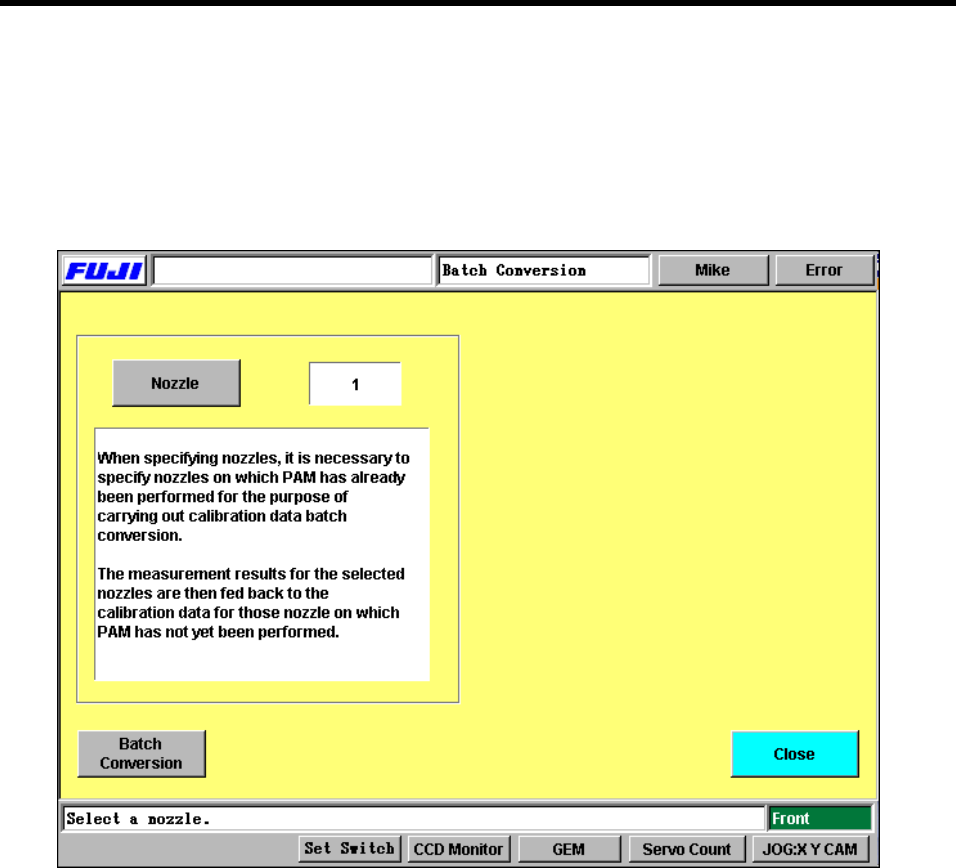
9. Calibration Data Batch Conversion
This screen can be accessed using the following commands.
[Maintenance] → [PAM Measure] → [Cam Speed Selection Dialog] → [100%]/[80%] → [OK] → [PAM
Measure] → [Renewal] → [Update Proper Data] Screen → [Calib. Data Batch Conv.]. The results of
PAM measurement can be batch converted to the calibration data.
9.1 Nozzle
Press this button to switch between nozzles.
9.2 Batch Conversion
Press this button to batch convert the calibration data for each nozzle.
The results of PAM measurement are fed back to the calibration data. For those nozzles that
are not measured, the results of the nozzles specified in this panel are used and fed back to
the calibration data.
When batch converting the results, the user can choose to either feed back the entire
compensated amount (1/1) or half of the compensated amount (1/2), depending on the
compensated amount.