cp742me_pam_operation_manual.pdf - 第15页
Fuji Software Upgrade Report (Appendix) 02022A3 15/21 htt p:/ /www.f uj i. co. jp / Copyright © 2002 Fuji Mac hine Manufacturi ng Co., Ltd. All Right s Reserved. W hen PAM meas urem ent is perf orm ed and the res ults ar…
Fuji Software Upgrade Report (Appendix) 02022A3 14/21
http://www.fuji.co.jp/
Copyright © 2002 Fuji Machine Manufacturing Co., Ltd. All Rights Reserved.
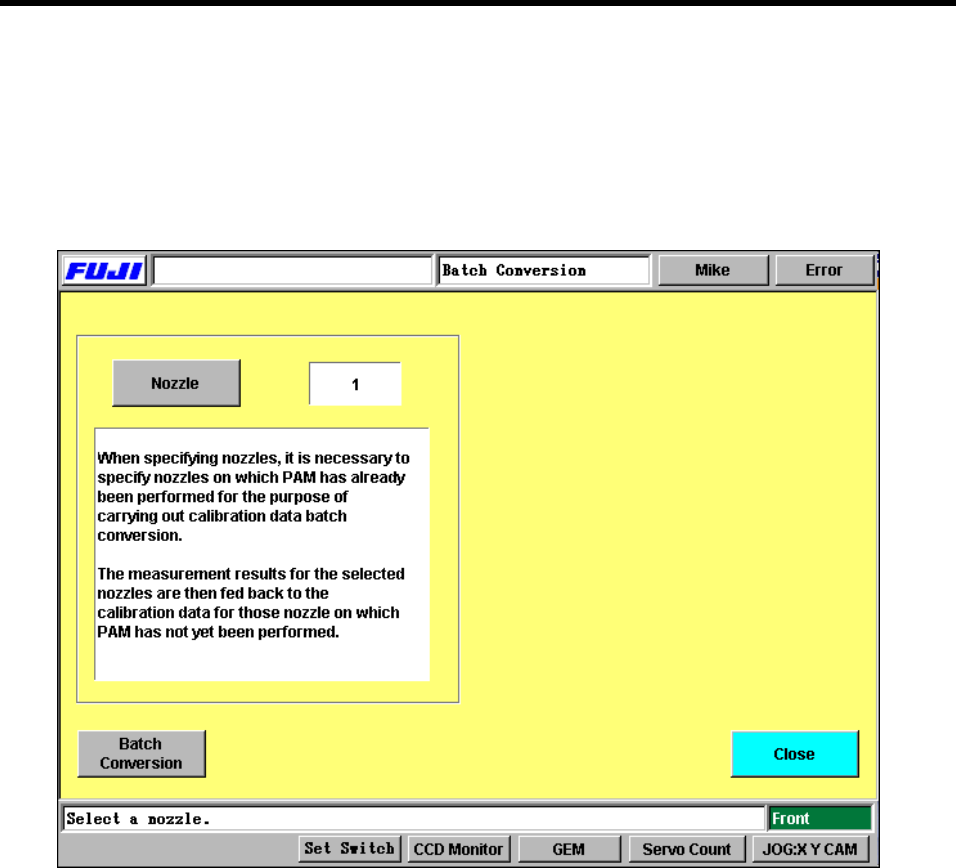
9. Calibration Data Batch Conversion
This screen can be accessed using the following commands.
[Maintenance] → [PAM Measure] → [Cam Speed Selection Dialog] → [100%]/[80%] → [OK] → [PAM
Measure] → [Renewal] → [Update Proper Data] Screen → [Calib. Data Batch Conv.]. The results of
PAM measurement can be batch converted to the calibration data.
9.1 Nozzle
Press this button to switch between nozzles.
9.2 Batch Conversion
Press this button to batch convert the calibration data for each nozzle.
The results of PAM measurement are fed back to the calibration data. For those nozzles that
are not measured, the results of the nozzles specified in this panel are used and fed back to
the calibration data.
When batch converting the results, the user can choose to either feed back the entire
compensated amount (1/1) or half of the compensated amount (1/2), depending on the
compensated amount.

Fuji Software Upgrade Report (Appendix) 02022A3 15/21
http://www.fuji.co.jp/
Copyright © 2002 Fuji Machine Manufacturing Co., Ltd. All Rights Reserved.
When PAM measurement is performed and the results are batch converted at a cam speed of
80%, they are fed back to the calibration data items only for the cam speed of 80%, not to
those for 100% (Similarly, when batch converted at a cam speed of 100%, the results are fed
back only to the calibration items for 100%).
Fuji Software Upgrade Report (Appendix) 02022A3 16/21
http://www.fuji.co.jp/
Copyright © 2002 Fuji Machine Manufacturing Co., Ltd. All Rights Reserved.
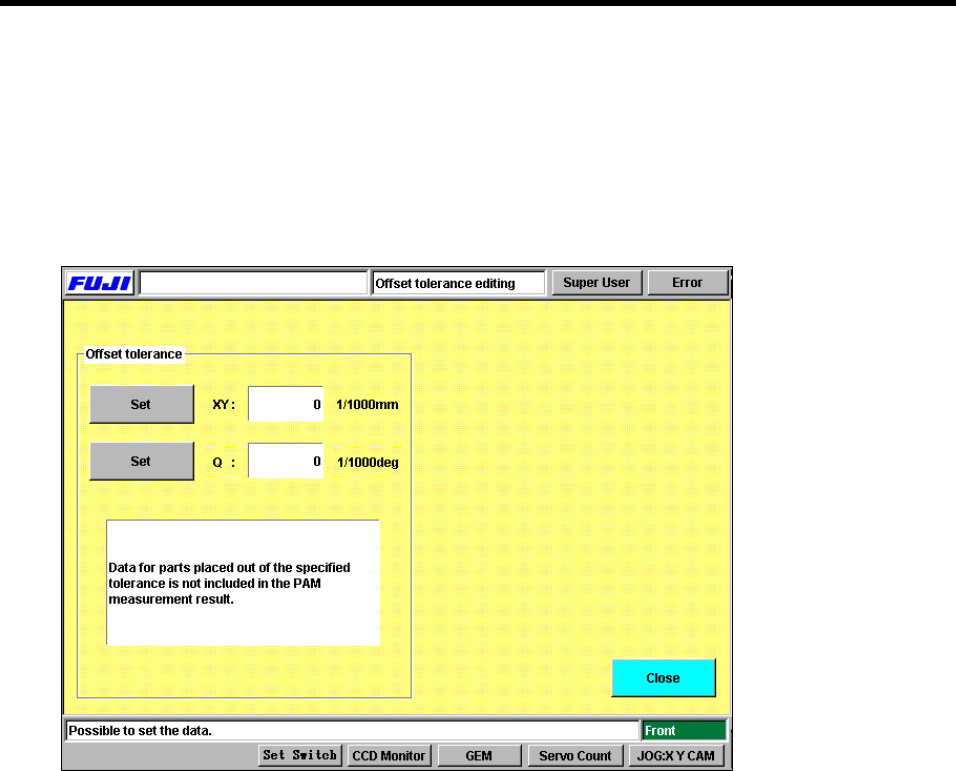
10.Editing the Offset Tolerances
Press [Maintenance] → [PAM Measure] → [100%/80%] → [OK] → [PAM Measure] → [Setting offset
tolerance] to display the following screen. The offset tolerances can be set at this screen.
Offset tolerance settings screen.
10.1Set
Press [Set] to the left of the item to be edited, and input the setting using the numerical keypad.
10.2Offset Tolerances
PAM parts which are found to be outside these tolerances when they are inspected during the
PAM placement measurement are treated as error data.
Parts which fall within the range indicated by the following function are regarded as valid.
Parts outside this range are treated as errors.
- Offset tolerance < Inspection result < + Offset tolerance