cp742me_pam_operation_manual.pdf - 第3页
Fuji Software Upgrade Report (Appendix) 02022A3 3/21 htt p:/ /www.f uj i. co. jp / Copyright © 2002 Fuji Mac hine Manufacturi ng Co., Ltd. All Right s Reserved. 1. Ov erv iew This docum ent describes the operation of the…

Fuji Software Upgrade Report (Appendix) 02022A3 2/21
http://www.fuji.co.jp/
Copyright © 2002 Fuji Machine Manufacturing Co., Ltd. All Rights Reserved.
PAM Operation Manual
April 15, 2002
Fuji Software Upgrade Report (Appendix) 02022A3 3/21
http://www.fuji.co.jp/
Copyright © 2002 Fuji Machine Manufacturing Co., Ltd. All Rights Reserved.
1. Overview
This document describes the operation of the Placement Accuracy Measurement (PAM) software for
the CP-732E.
Note: The layout of some of the operation screens may differ from the actual screens at the
machine.
2. Getting Started
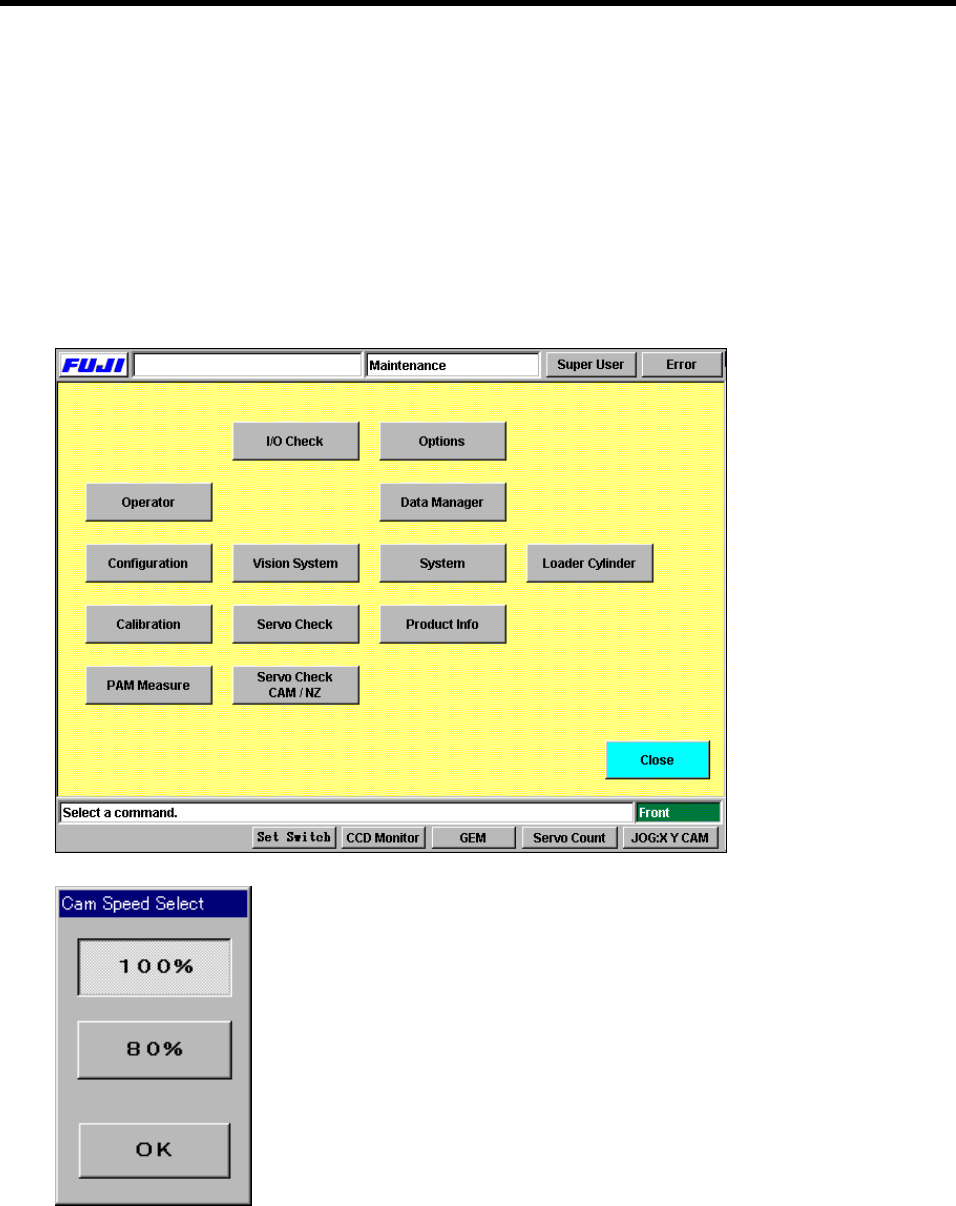
Press [Maintenance] - [PAM Measure] to display the [Cam Speed Select] dialog box.
Select a cam speed and then press [OK] to enter the PAM commands section.
Fuji Software Upgrade Report (Appendix) 02022A3 4/21
http://www.fuji.co.jp/
Copyright © 2002 Fuji Machine Manufacturing Co., Ltd. All Rights Reserved.
3. Operating the PAM Functions
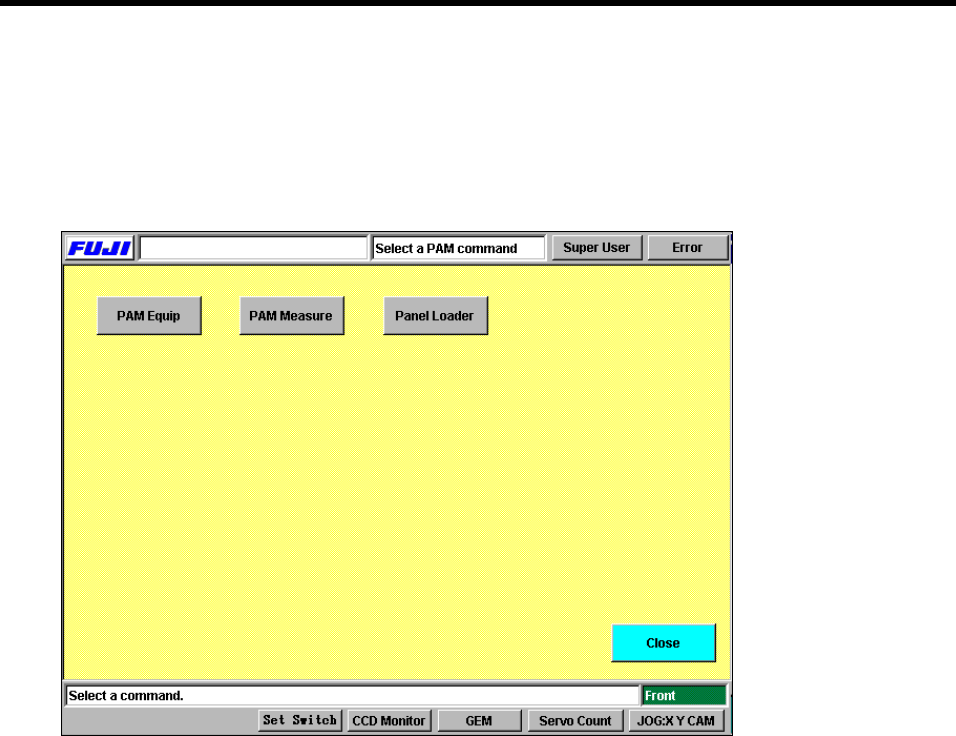
When the PAM commands screen displays, the following commands are available, [PAM Equip],
[PAM Measure] and [Panel Loader].
PAM command screen.
3.1 Entering and Exiting PAM Mode
The PAM mode is enabled when you select [PAM Measure] at the [Maintenance] command
screen. Return to the [Maintenance] screen by pressing [Close].