MPM全自动印刷机中文操作手册.pdf - 第46页
46 選擇 QFP 零件時 Move the trackball pointer to the Area ( 移動軌跡球 , 按 SELECT 點選到 PC Wher e the device is to be added an d 板上 QFP 零件位置 ) Pr ess SELECT 按 SELECT 之後 , 出現下列訊息視窗畫面 JOG to the closest Hori zontal end pad. ( 移動虛線 , 選…
45
Press EXIT when you are FINISHED. (當你已完成 Device Layout 按 EXIT)
增加一個 2D 檢查點
刪除一個 2D 檢查點
將點選到位置放大與縮小
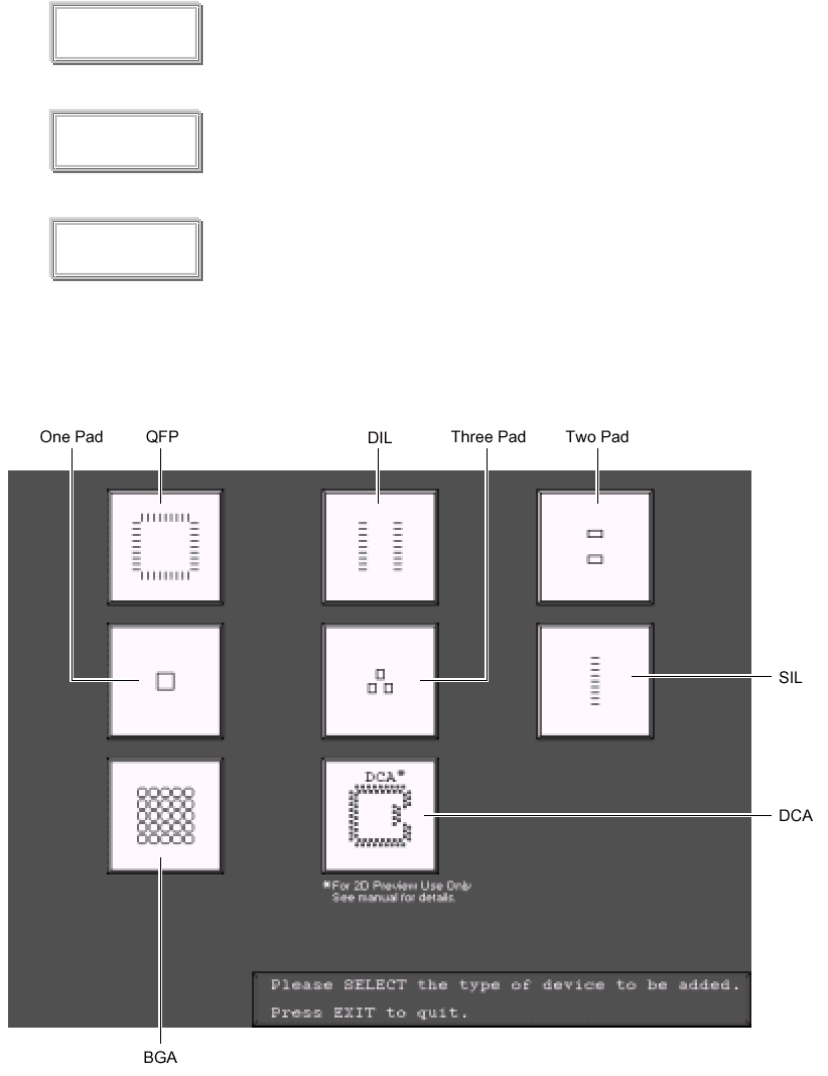
你按 ADD 之後,出現下列訊息視窗:
Please SELECT the type of device to be added . (請選擇新增 2D 零件型式)
Press EXIT to quit. (按 EXIT 離開)
ADD
DELETE
ZOOM IN
46
選擇 QFP 零件時
Move the trackball pointer to the Area(移動軌跡球,按 SELECT 點選到 PC
Where the device is to be added and 板上 QFP 零件位置)
Press SELECT
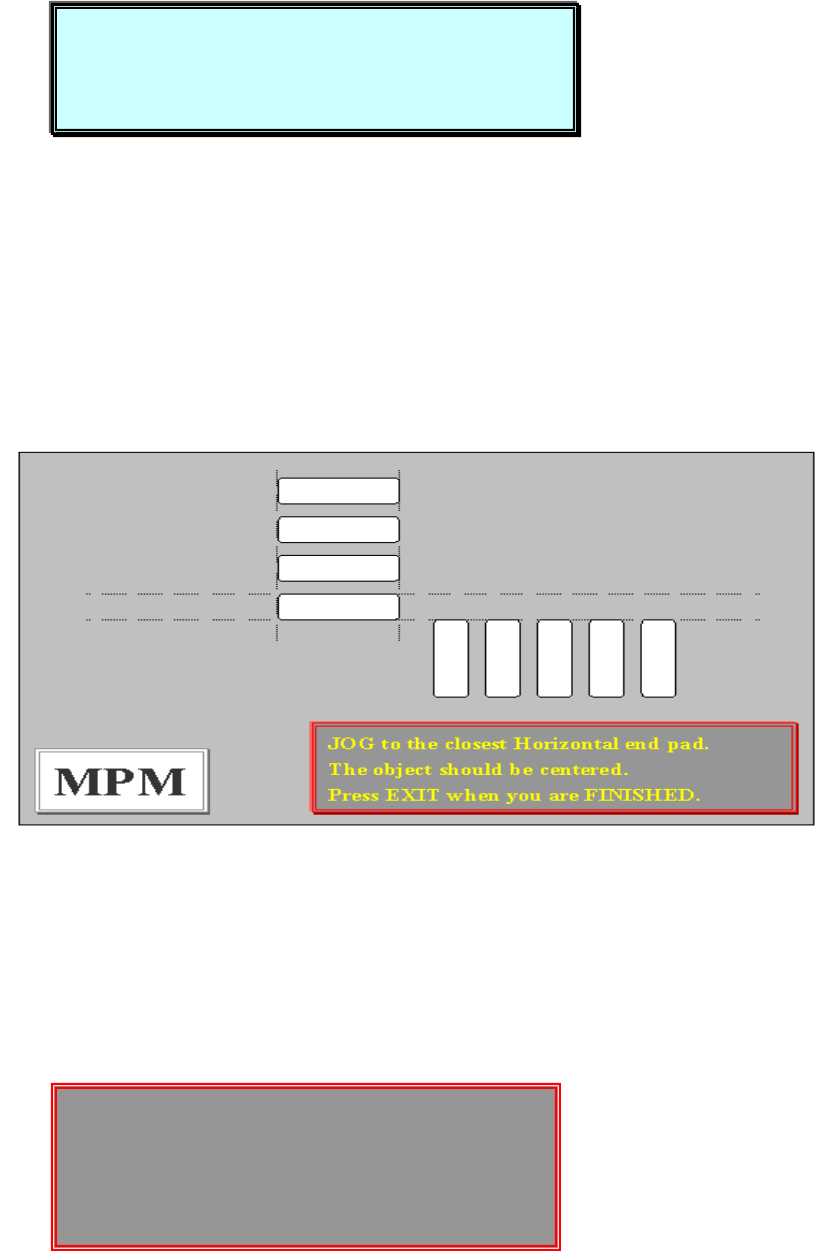
按 SELECT 之後,出現下列訊息視窗畫面
JOG to the closest Horizontal end pad. (移動虛線,選擇 QFP 第一點水平
The object should be centered. PAD 點)
Press EXIT when you are FINISHED. (按 EXIT 完成)
Move the trackball pointer to the Area
Where the device is to be added and
Press SELECT
Please DEFINE the END pad of this device.
Press NEXT to alternate between POSITION
Adjust mode and size adjust mode.
Press EXIT when you are FINISHED.
47
Please DEFINE the END pad of this device. (請 PAD 點前後框起來)
Press NEXT to alternate between POSITION(按 NEXT 調整框位置、尺寸)
Adjust mode and size adjust mode.
Press EXIT when you are FINISHED. (按 EXIT 完成)
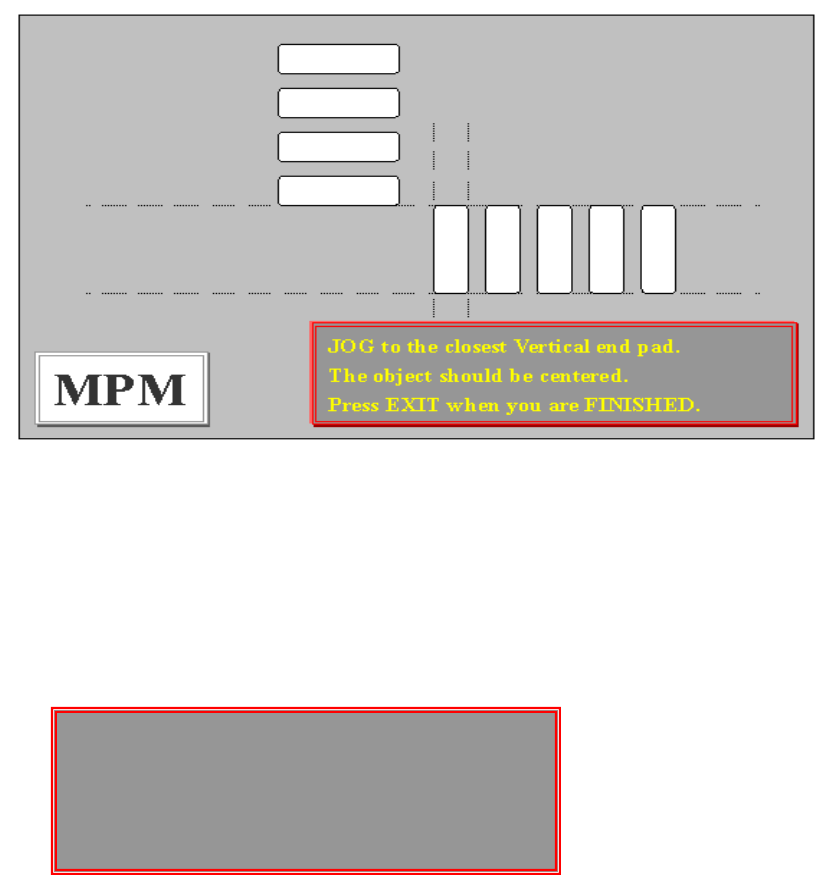
JOG to the closest Vertical end pad. (移動虛線,選擇 QFP 第一點垂直
The object should be centered. PAD 點)
Press when you are FINISHED. (按 EXIT 完成)
Please DEFINE the END pad of this device. (將 PAD 點前後框起來)
Press NEXT to alternate between POSITION(按 NEXT 調整框位置、尺寸)
Adjust mode and size adjust mode.
Press EXIT when you are FINISHED. (按 EXIT 完成)
Please DEFINE the END pad of this device.
Press NEXT to alternate between POSITION
Adjust mode and size adjust mode.
Press EXIT when you are FINISHED.