MPM全自动印刷机中文操作手册.pdf - 第48页
48 ※ 按 EXIT 之後 , 影像視覺系統自動搜尋 QFP 4. T each ID 做辨識鋼板身分 ※ 當有兩片一樣機種鋼板 , 一種為有 I C 零件 , 而另一種無 I C 零件 , 先做辨識 鋼板身分以防放錯料。 5. T each Custom BGA 編輯自行設計的 BGA 零件檔案 (7.0 版本 ) 這個軟體能編輯自訂 BGA , 這個功能可達到 50 個 X 50 的尺寸 , 計 2500 個 PAD 點,或單邊最…
47
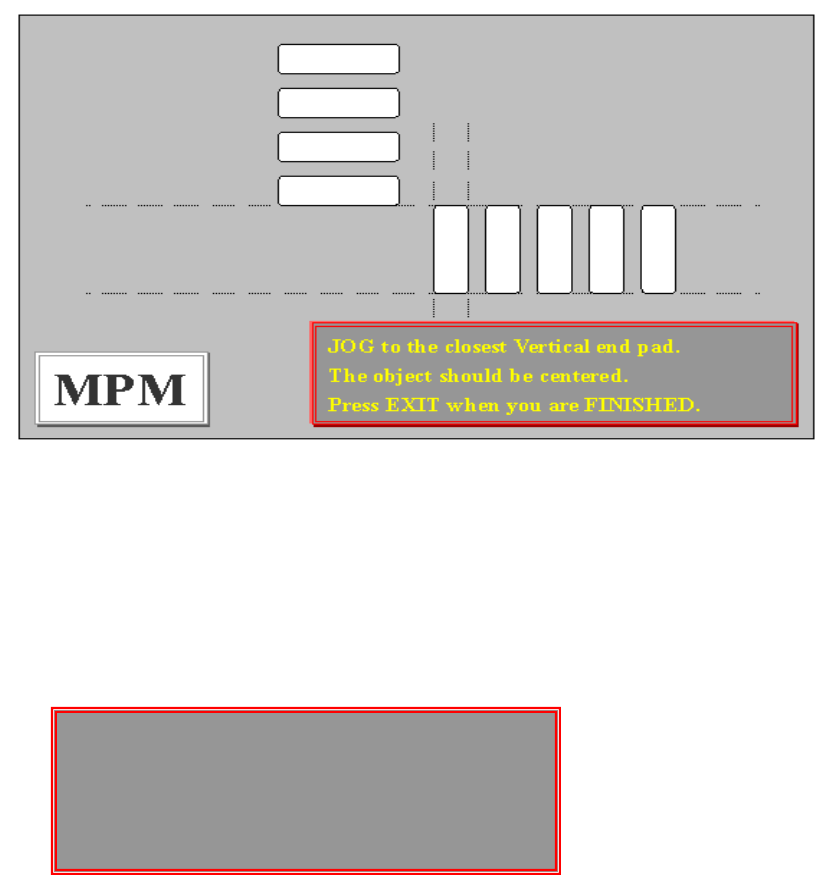
Please DEFINE the END pad of this device. (請 PAD 點前後框起來)
Press NEXT to alternate between POSITION(按 NEXT 調整框位置、尺寸)
Adjust mode and size adjust mode.
Press EXIT when you are FINISHED. (按 EXIT 完成)
JOG to the closest Vertical end pad. (移動虛線,選擇 QFP 第一點垂直
The object should be centered. PAD 點)
Press when you are FINISHED. (按 EXIT 完成)
Please DEFINE the END pad of this device. (將 PAD 點前後框起來)
Press NEXT to alternate between POSITION(按 NEXT 調整框位置、尺寸)
Adjust mode and size adjust mode.
Press EXIT when you are FINISHED. (按 EXIT 完成)
Please DEFINE the END pad of this device.
Press NEXT to alternate between POSITION
Adjust mode and size adjust mode.
Press EXIT when you are FINISHED.
48
※ 按 EXIT 之後,影像視覺系統自動搜尋 QFP
4. Teach ID
做辨識鋼板身分
※ 當有兩片一樣機種鋼板,一種為有 IC 零件,而另一種無 IC 零件,先做辨識
鋼板身分以防放錯料。
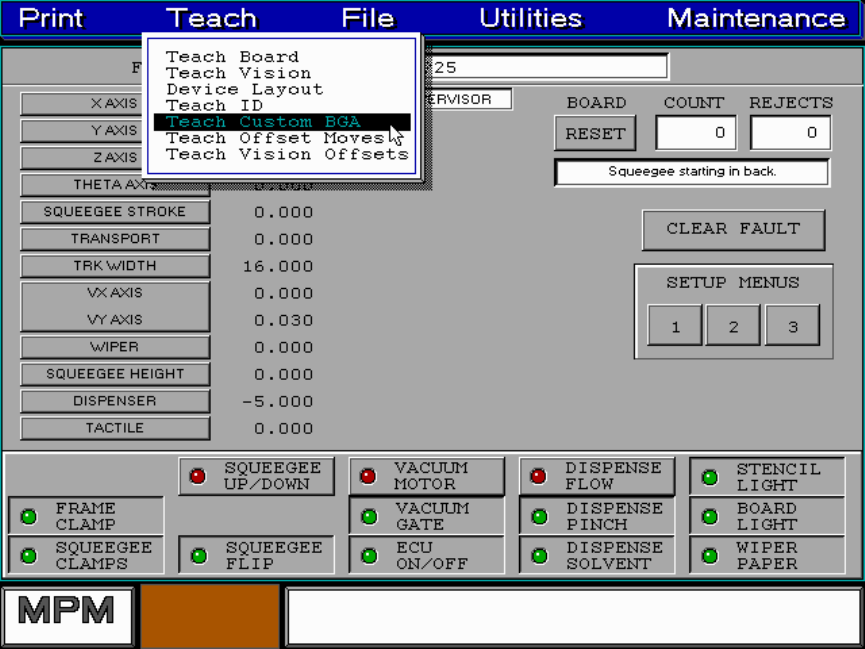
5. Teach Custom BGA
編輯自行設計的 BGA 零件檔案(7.0 版本)
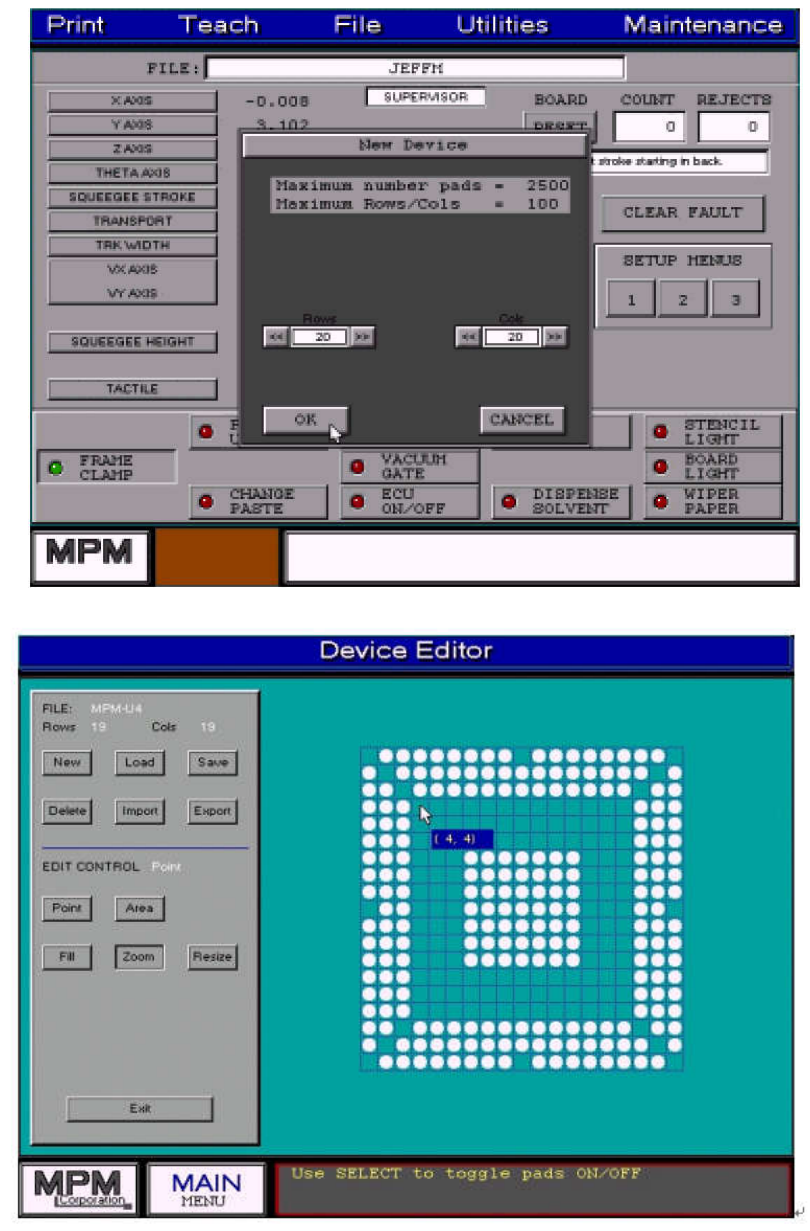
這個軟體能編輯自訂 BGA, 這個功能可達到 50 個 X 50 的尺寸,計 2500 個
PAD 點,或單邊最大為 100 個 PAD 點,但是不能超過最大 2500 個 PAD 點。
49
※編輯自訂一個新 BGA 視窗有十一個控制鈕。