MPM全自动印刷机中文操作手册.pdf - 第51页
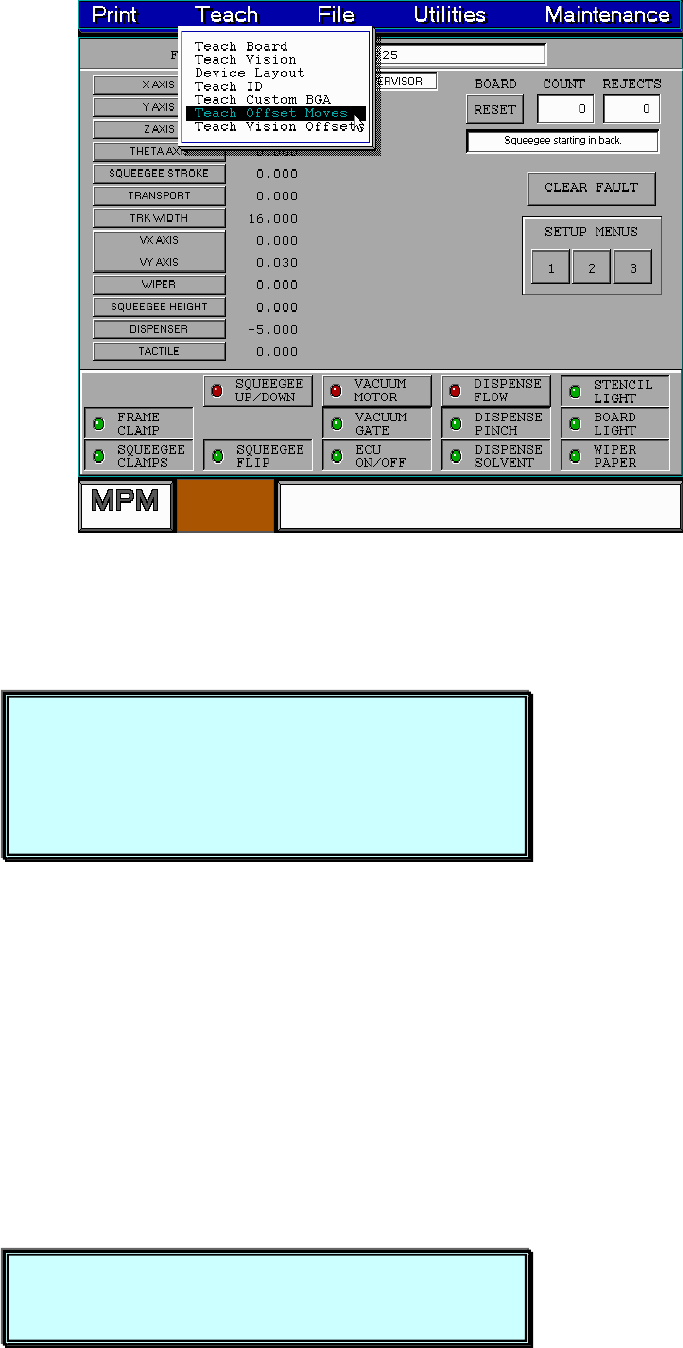
51 About to enter Teach Offset Moves operation ( 即將進入 Teach Offset 動作, Pad positions should be chosen on diagonal 點取 PAD 點最好是對角與遠處 ) and as far as possible Press NEXT to Continue. 你按 NEXT 之後,出現下列訊息及視窗: About to enter Tea…
50
NEW 編輯一個新 BGA。
LOAD 載入已經存檔 BGA 檔案。
SAVE 儲存已經編輯完成一個新 BGA 檔案。
DELETE 刪除已經編輯完成 BGA 檔案。
IMPORT 從磁片載入一個 BGA 檔案。
EXPORT 將 BGA 檔案儲存到磁片。
POINT 以個別方式選擇一個 PAD 點增加或刪除。
AREA 以一個區域方式來增加或刪除 PAD 點。
FILL 增加之前已經移走的任何 PAD 點。
ZOOM 將 BGA 圖形顯示放大與縮小。
RESIZE 改變 BGA PAD 點陣列數尺寸。
EXIT 離開編輯自訂一個新 BGA 視窗。
6. Teach Offset Moves
PAD 點與印刷完錫膏點設定位置點(7.0 版本)
※ 當有印偏時先 Teach 所印偏 PAD 點位置。
51
About to enter Teach Offset Moves operation (即將進入Teach Offset動作,
Pad positions should be chosen on diagonal點取PAD點最好是對角與遠處)
and as far as possible
Press NEXT to Continue.
你按 NEXT 之後,出現下列訊息及視窗:
About to enter Teach Offset Moves operation
Pad positions should be chosen on diagonal
and as far as possible
Press NEXT to Continue.
Place a board on the input track.
Press SELECT to continue or EXIT to quit.
52
Place a board on the input track. (請將板子放入輸入端軌道)
Press SELECT to continue or EXIT to quit. (按 SELECT 繼續或 EXIT 離開)
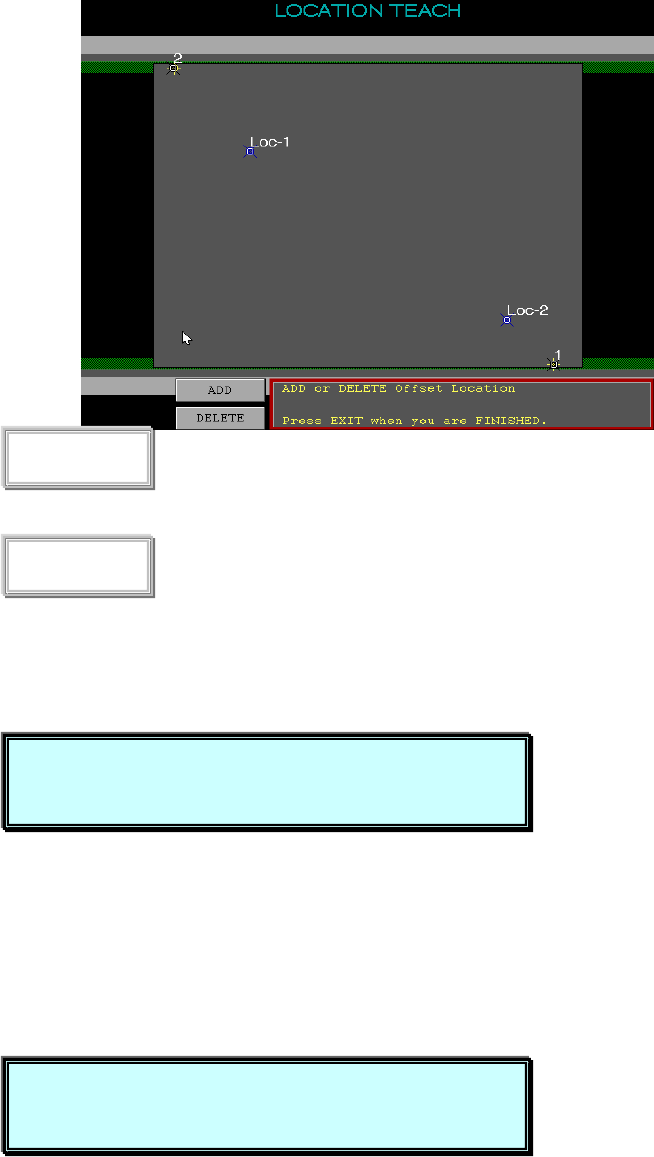
你按 SELECT 之後,出現下列訊息及視窗:
增加一個 Teach Offset Mark 點
刪除一個 Teach Offset Mark 點
你按 ADD 之後,出現下列訊息:
Jog the crosshair to the desired position (移動十字線到所要位置後,按離開)
and press EXIT
你按 EXIT 之後,出現下列訊息及視窗:
ADD
DELETE
Jog the crosshair to the desired position
and press EXIT
Pre\ss SELECT to save position only,
Press NEXT to box a pad