00198328-01_AI_Basic Pack Vakuum Tooling_TX_DE_EN.pdf - 第56页
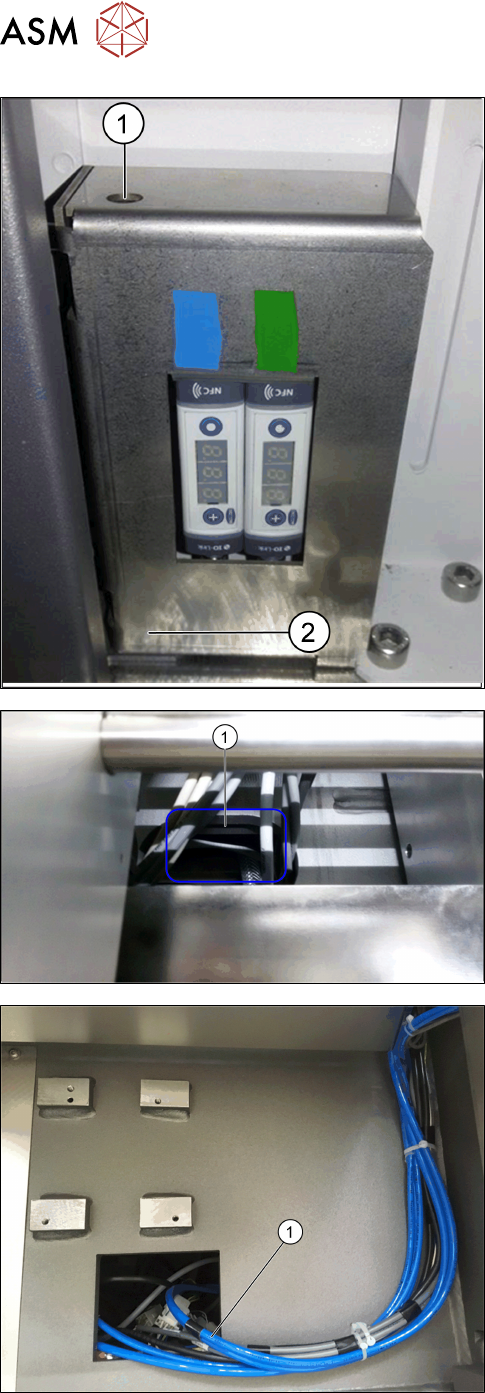
3 Installation 3.2 Assembly 56 Montageanleitung / Assembly Instructions SIPLACE TX-Serie Basic Pack Vacuum Tooling 07/2017 ► Fit the corner cover together with the vacuum switch support! The screw is behind the plate (2)…
3 Installation
3.2 Assembly
Montageanleitung / Assembly Instructions SIPLACE TX-Serie Basic Pack Vacuum Tooling 07/2017 55
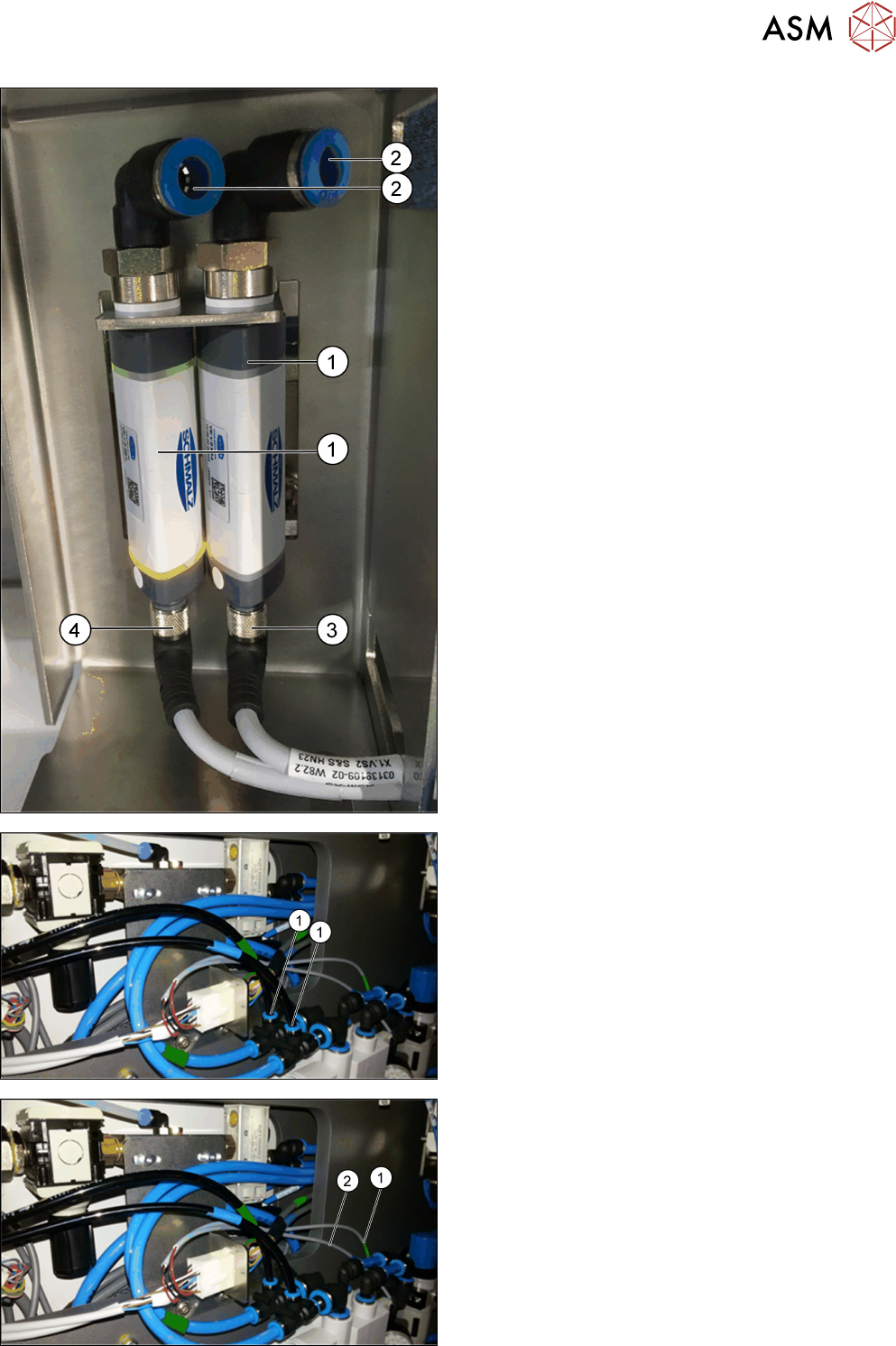
► Fit the two vacuum switches (1) into the plate
supports.
► Connect the two PUN 6 - 800 mm pneumatic
hoses to the opening (2) at the vacuum switch
(1). Observe the green marking for lane 1 and the
blue marking for lane 2!
► Connect the X1.VS2 cable (3) to the right va-
cuum switch.
► Connect the X1.VS1 cable (4) to the left vacuum
switch.
► Pull down the pneumatic hoses and the cables
through the corner cover.
► Connect the two pneumatic hoses to the vacuum
unit (1). Observe the green marking for lane 1
and the blue marking for lane 2!
► Connect the X1.Y1 cable (1) to the left valve of
the vacuum unit (green marking for lane 1).
► Connect the X1.Y2 cable (2) to the right valve of
the vacuum unit (blue marking for lane 2).
3 Installation
3.2 Assembly
56 Montageanleitung / Assembly Instructions SIPLACE TX-Serie Basic Pack Vacuum Tooling 07/2017
► Fit the corner cover together with the vacuum
switch support!
The screw is behind the plate (2). Tighten the
screw of the corner cover via the access to the
screw (1).
► Remove the conveyor cover.
► Pull the [03139108-04] cable through the side
panel into the machine and through the opening
in the machine base (1) to below the conveyor.
► Pull through the two tied PUN 8 - 2800 mm pneu-
matic hoses (1) through the machine to the open-
ing at location 1 for the feeder location.
► Then pull through the hoses and cables to the va-
cuum tooling cover.
3 Installation
3.3 Final Work
Montageanleitung / Assembly Instructions SIPLACE TX-Serie Basic Pack Vacuum Tooling 07/2017 57
► Fix both connectors from below to the vacuum
tooling cover [03149358-xx] (1).
► Connect both vacuum hoses (2) from below to
the vacuum tooling cover.
Observe the green marking for lane 1 and the
blue marking for lane 2!
► Fit the vacuum tooling cover in the output area of
the conveyor.
► Connect the vacuum toolings from above.
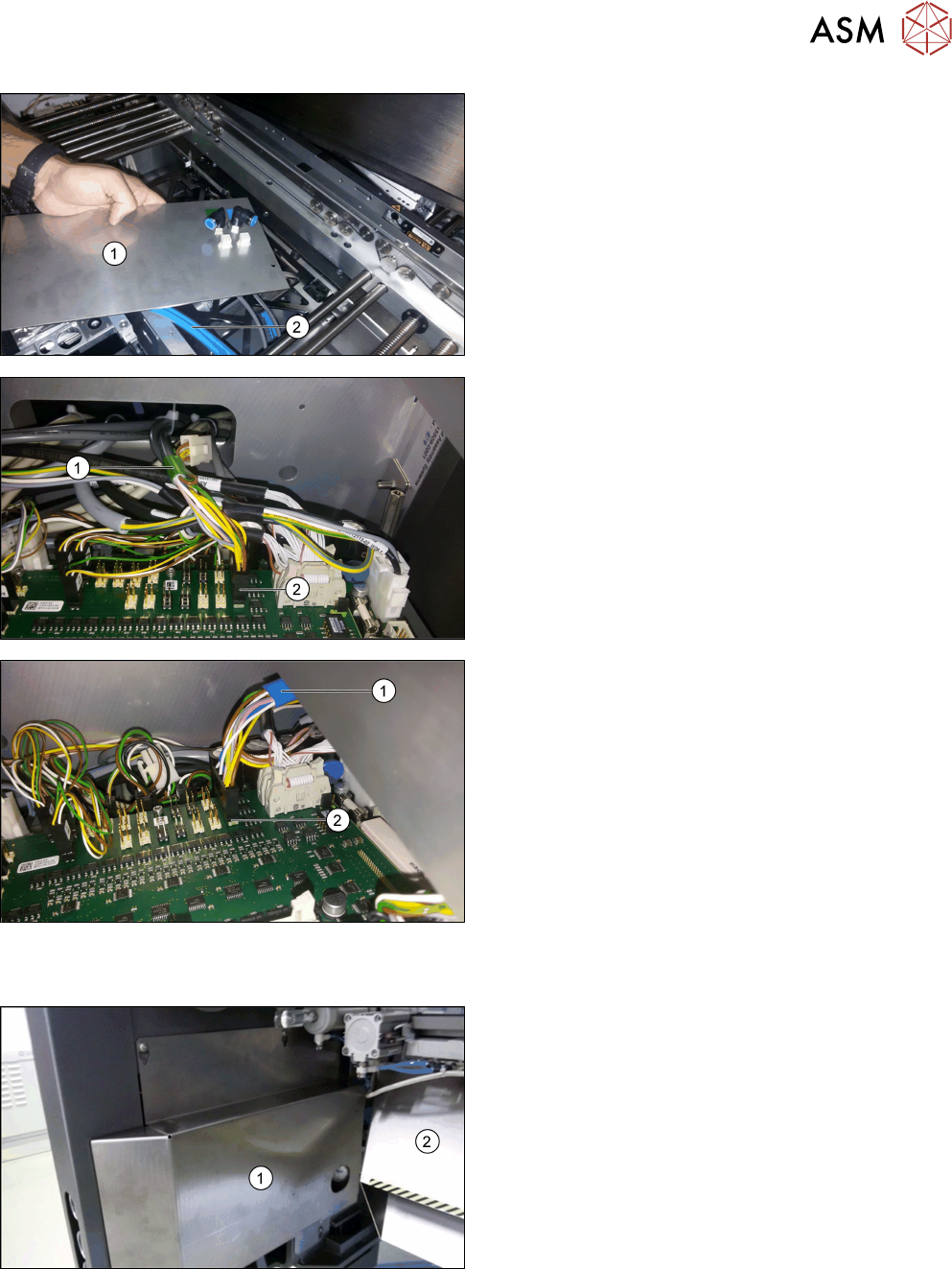
► Dismantle both cover plates via the conveyor
controls.
► Cable connection to the conveyor control lane 1
(green marking (1)):
Connect the [03139108-04] cable to the X34.A1
connector (2) at TSPcontrol board Lane 1 - X34.
► Cable connection to the conveyor control lane 2
(blue marking (1)):
Connect the [03139108-04] cable to the X34.A2
connector (2) at TSPcontrol board Lane 2 - X34.
3.3 Final Work
► Refit all covers in the conveyor area.
► Fit the new slide plate (1) and the waste tape
chute (2).