00198328-01_AI_Basic Pack Vakuum Tooling_TX_DE_EN.pdf - 第63页
3 Installation 3.3 Final Work Montageanleitung / Assembly Instructions SIPLACE TX-Serie Basic Pack Vacuum Tooling 07/2017 63 3.3.1.4 Setting Hysteresis Switching Point 1 Fig.7: Setting hysteresis switching point 1 Proce…
3 Installation
3.3 Final Work
62 Montageanleitung / Assembly Instructions SIPLACE TX-Serie Basic Pack Vacuum Tooling 07/2017
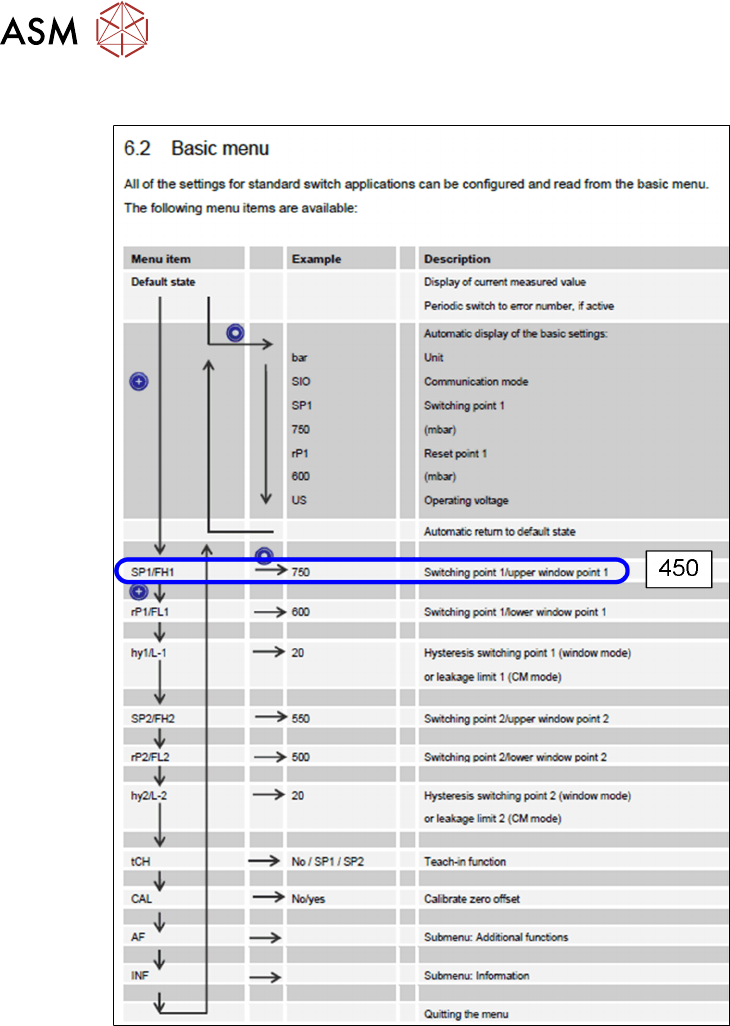
3.3.1.3 Setting Switching Point 1
Fig.6: Setting switching point 1
Proceed as follows to set switching point 1:
► Press the SET button.
► Press the SET button until you see the SP1 (Switching Point 1) menu item.
► Press the MODE button. A value appears on the display. The one point flashes.
► Press the SET button and set a value 0-9.
► Press the MODE button. The tens point flashes.
► Press the SET button and set a value 0-9.
► Press the MODE button. The hundreds point flashes.
► Press the SET button and set a value 0-9.
► The display shall now show 450.
► Wait 2 seconds. SP1 appears on the display again.
► Continue with SET button – please refer to 3.3.1.4 "Setting Hysteresis Switching Point
1" [}63].
3 Installation
3.3 Final Work
Montageanleitung / Assembly Instructions SIPLACE TX-Serie Basic Pack Vacuum Tooling 07/2017 63
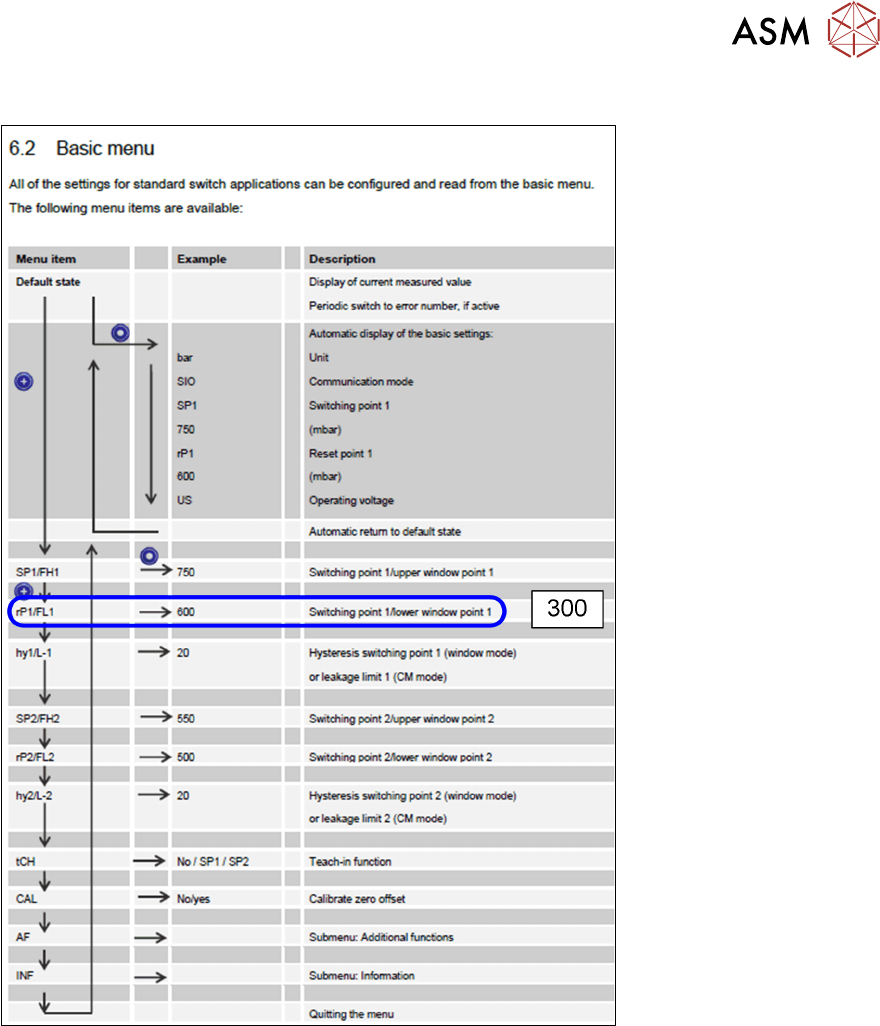
3.3.1.4 Setting Hysteresis Switching Point 1
Fig.7: Setting hysteresis switching point 1
Proceed as follows to set hysteresis switching point 1:
► Press the SET button.
► Press the SET button until you see the rP1 (Hysteresis 1) menu item.
► Press the MODE button. A value appears on the display. The one point flashes.
► Press the SET button and set a value 0-9.
► Press the MODE button. The tens point flashes.
► Press the SET button and set a value 0-9.
► Press the MODE button. The hundreds point flashes.
► Press the SET button and set a value 0-9.
► The display shall now show 300.
► Wait 2 seconds. rP1 appears on the display again.
► Continue with SET button – please refer to 3.3.1.5 "Setting Switching Point 2" [}64].
3 Installation
3.3 Final Work
64 Montageanleitung / Assembly Instructions SIPLACE TX-Serie Basic Pack Vacuum Tooling 07/2017
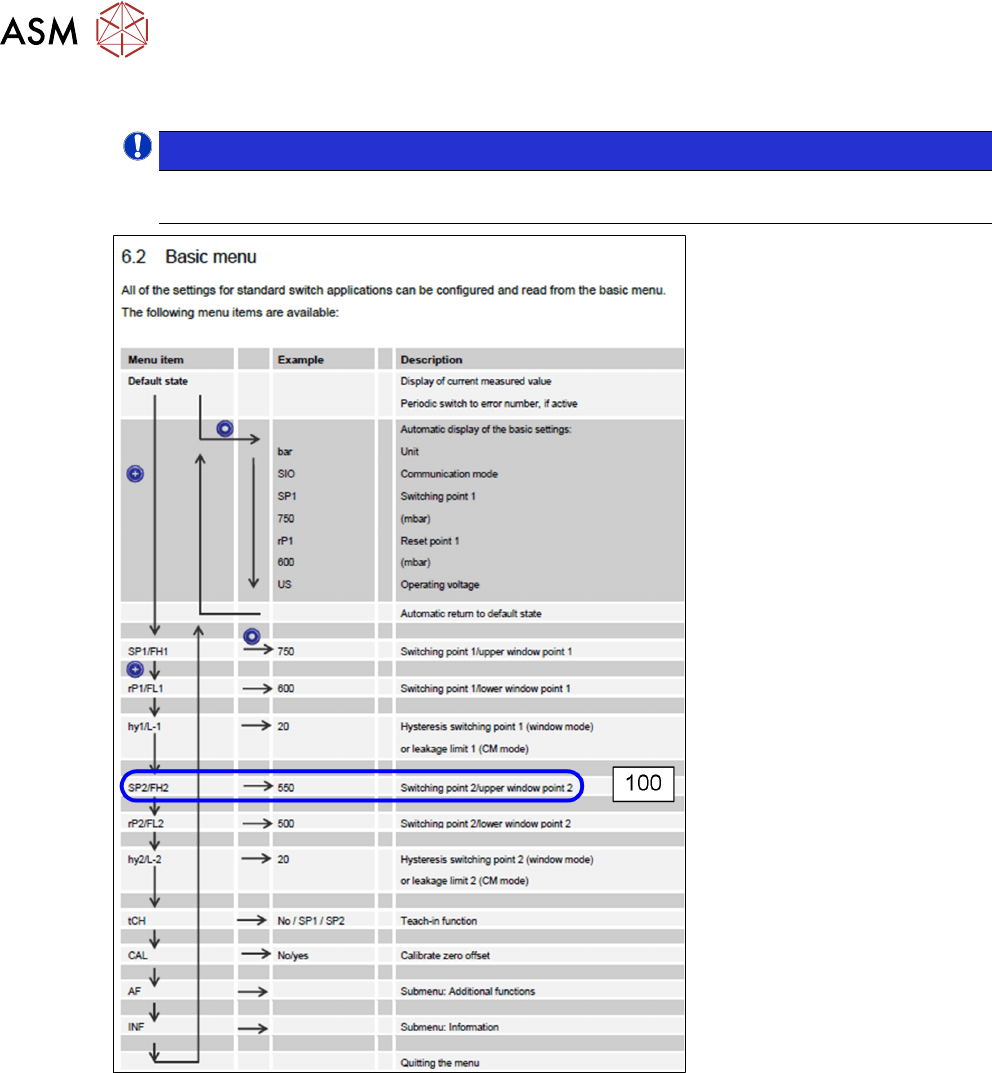
3.3.1.5 Setting Switching Point 2
NOTICE!
Before switching point 2 can be set, the hysteresis point may have to be set first. This
must not be greater than the switching point itself!
.
Fig.8: Setting switching point 2
Proceed as follows to set switching point 2:
► Press the SET button.
► Press the SET button until you see the SP2 (Switching Point 2) menu item.
► Press the MODE button. A value appears on the display. The one point flashes.
► Press the SET button and set a value 0-9.
► Press the MODE button. The tens point flashes.
► Press the SET button and set a value 0-9.
► Press the MODE button. The hundreds point flashes.
► Press the SET button and set a value 0-9.
► The display shall now show 100.
► Wait 2 seconds. SP2 appears on the display again.
► Continue with SET button – please refer to 3.3.1.6 "Setting Hysteresis Switching Point
2" [}65].