TM4807.Long Board Partition Mount.pdf - 第11页
* Bad mark recognition results at “first half mount” are taken over to “second half mount”. * When starting halfway continue, return board to the main stopper position if board exists at the exit stopper position, becaus…
4.2.3.3 Local fiducial
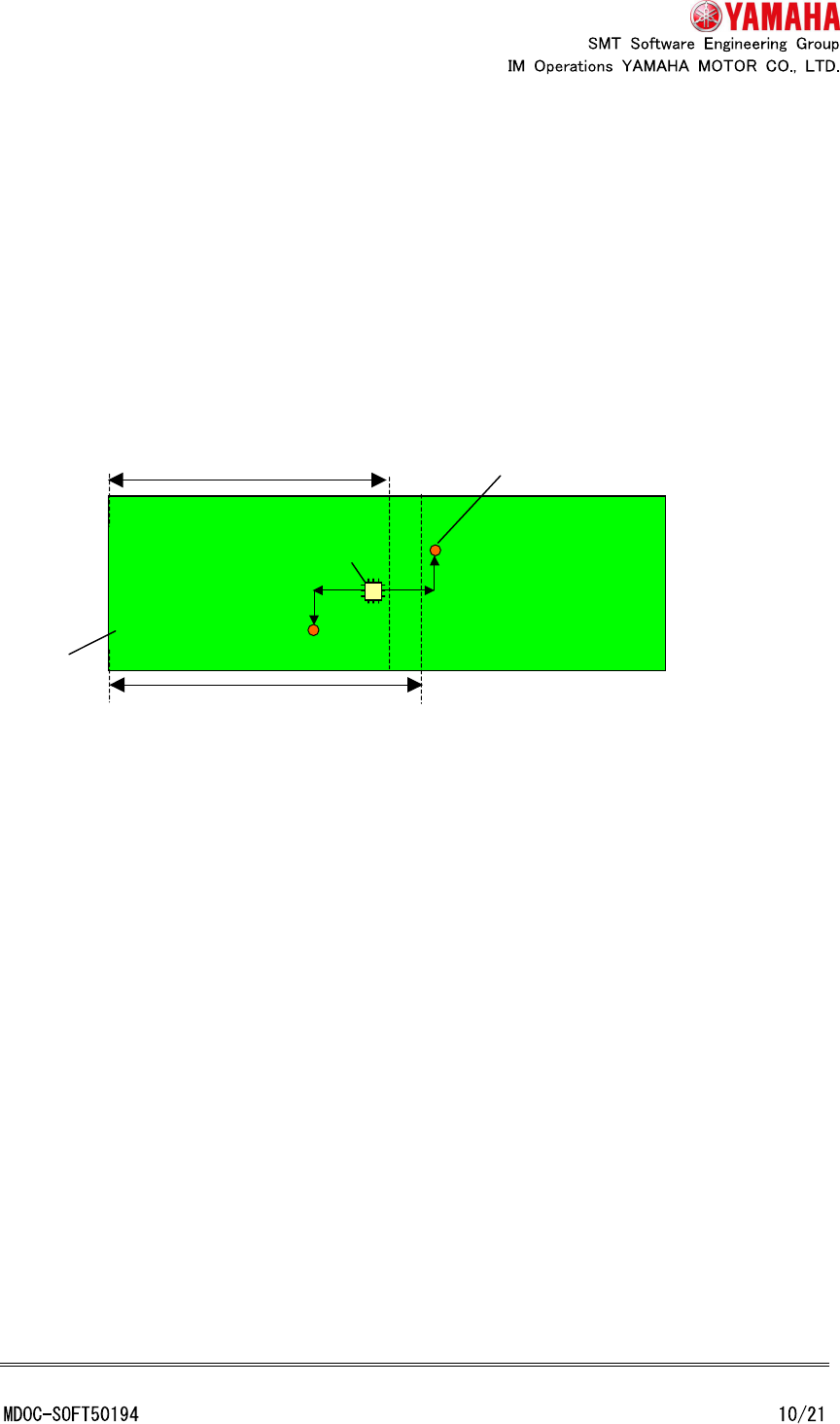
Local fiducial corresponding to “first half mount” has to be recognizable at “first half
mount”, and local fiducial corresponding to “second half mount” has to be recognizable at
“second half mount”.
Set local fiducial data to after No.2. No.1 is not able to use as local fiducial because it is
used as board fiducial for “second half mount.
Example: Unusable board data (Data check error occurs because local fiducial
corresponding to “first half mount” is not recognizable at “first half mount”)
4.2.4 Bad mark
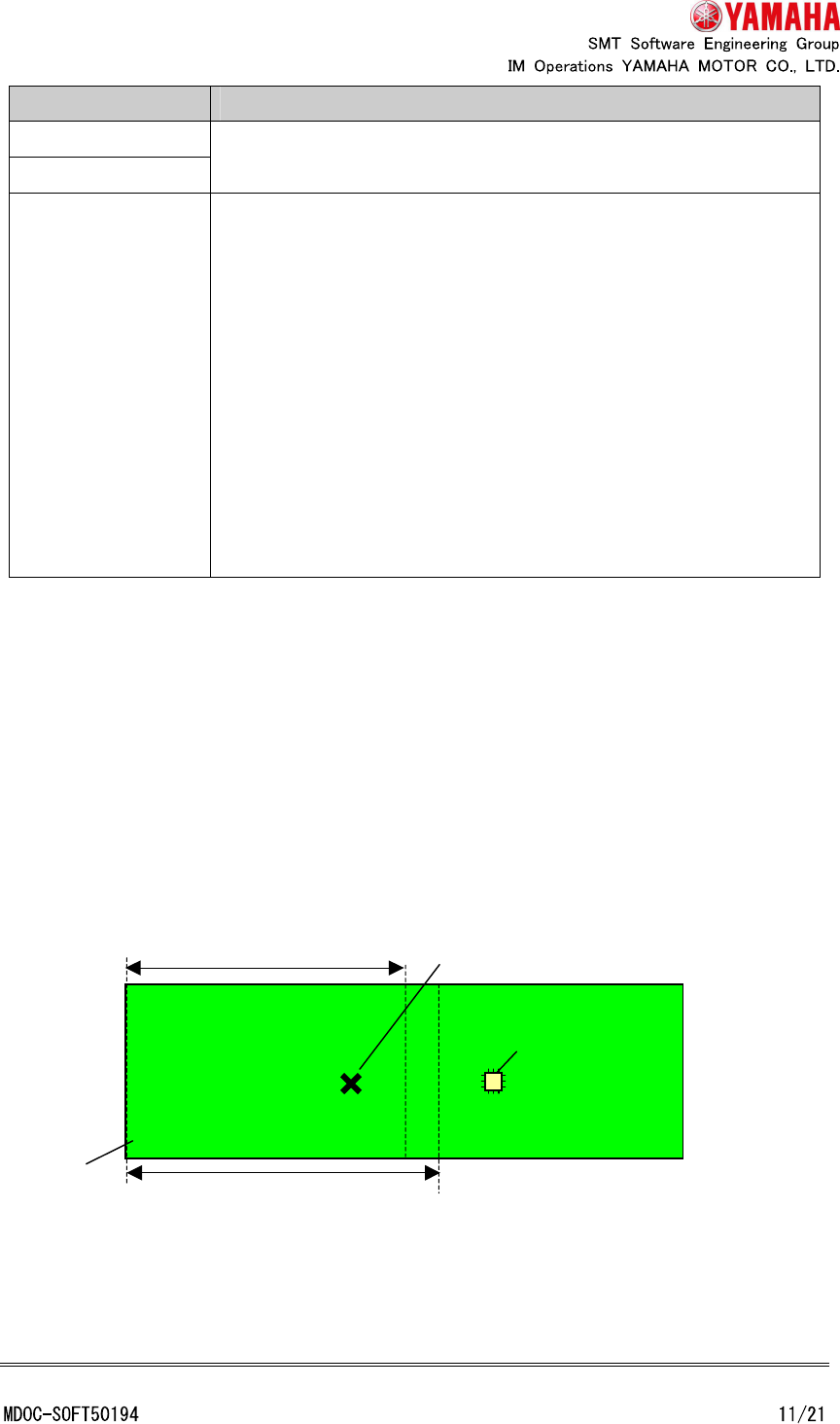
When using bad mark, be careful following points.
Board
Mountable area of “first half mount”
Recognizable area of “first half mount”
Local fiducial corresponding to mount parts
Mount parts
* Bad mark recognition results at “first half mount” are taken over to “second half mount”.
* When starting halfway continue, return board to the main stopper position if board exists at
the exit stopper position, because bad mark has to be recognized at “first half mount”.
* When “Sort Type” is set in “Near mark”, the near mark search is executed at each of “first
half mount” and “second half mount”.
Example 1: Usable board data (The local bad mark corresponding to mount data of “second
half mount” is recognizable at “first half mount”)
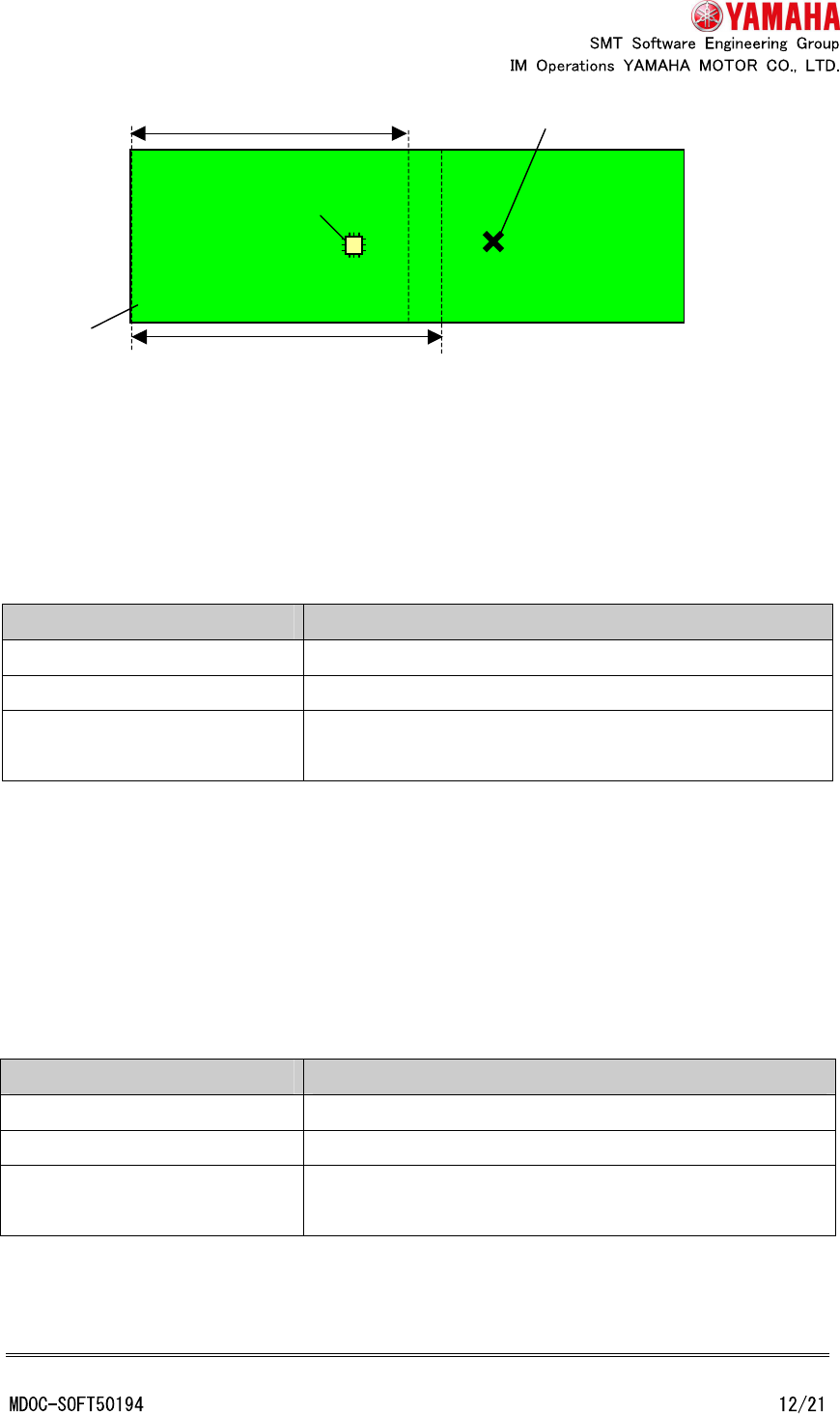
Example 2: Unusable board data (Data check error occurs because the local bad mark
corresponding to mount data of “first half mount” is not recognizable at “first half mount”)
Bad mark type Cautions on setting
Board bad mark
Block bad mark
They have to be recognizable at “first half mount” because they
are always recognized at “first half mount”.
Local bad mark If local bad mark that can be recognizable at “first half mount”, it is
recognized at “first half mount”. If local bad mark that cannot be
recognizable at “first half mount”, it is recognized at “second half
mount”.
Therefore local bad mark which used at “first half mount” has to
be recognizable at “first half mount”. Local bad mark which used
at “second half mount” has to be recognizable either “first half
mount” or “second half mount”.
When the "bad mark take over" function is effective and the board
data has only "first half mount" parts, all bad mark has to be
recognizable at "first half mount".
Board
Mountable area of “first half mount”
Recognizable area of “first half mount”
Local bad mark corresponding to mount parts
Mount parts
4.3 Teach
4.3.1 Mount teach dialog
Teachable data are different depending on the board position on conveyor.
Board position on conveyor Data which can teach (Displayed data on grid)
Main stopper position Only “first half mount” data
Exit stopper position Only “second half mount” data
Non-existence Only recognizable data at main stopper position.
(But, all data are displayed on the grid)
* Whether mount data are “first half mount” or “second half mount” is decided at the time of
selecting board data or starting auto-running. So, mount data displayed in grid may not be
correct just after mount data are edited.
4.3.2 Offset teach, fiducial teach, bad mark teach dialog
Teachable data are different depending on the board position on conveyor.
Board position on conveyor Data which can teach (Displayed data on grid)
Main stopper position Only recognizable data in main stopper position.
Exit stopper position Only recognizable data in exit stopper position.
Non-existence Only recognizable data in main stopper position.
(But, all data are displayed on the grid)
* In fiducial teach dialog, data are displayed if either of mark 1 or mark 2 of local fiducial is
recognizable.
Board
Mountable area of “first half mount”
Recognizable area of “first half mount”
Local bad mark corresponding to mount parts
Mount parts