TM4807.Long Board Partition Mount.pdf - 第13页
* “Board origin”, “Board fiducial ”, “Block fiducial”, “Board bad mark”, and “Block bad mark” are always displayed without depending on a board position. 4.4 [Conve y In] butto n In t he case of board data that needed pa…
4.3 Teach
4.3.1 Mount teach dialog
Teachable data are different depending on the board position on conveyor.
Board position on conveyor Data which can teach (Displayed data on grid)
Main stopper position Only “first half mount” data
Exit stopper position Only “second half mount” data
Non-existence Only recognizable data at main stopper position.
(But, all data are displayed on the grid)
* Whether mount data are “first half mount” or “second half mount” is decided at the time of
selecting board data or starting auto-running. So, mount data displayed in grid may not be
correct just after mount data are edited.
4.3.2 Offset teach, fiducial teach, bad mark teach dialog
Teachable data are different depending on the board position on conveyor.
Board position on conveyor Data which can teach (Displayed data on grid)
Main stopper position Only recognizable data in main stopper position.
Exit stopper position Only recognizable data in exit stopper position.
Non-existence Only recognizable data in main stopper position.
(But, all data are displayed on the grid)
* In fiducial teach dialog, data are displayed if either of mark 1 or mark 2 of local fiducial is
recognizable.
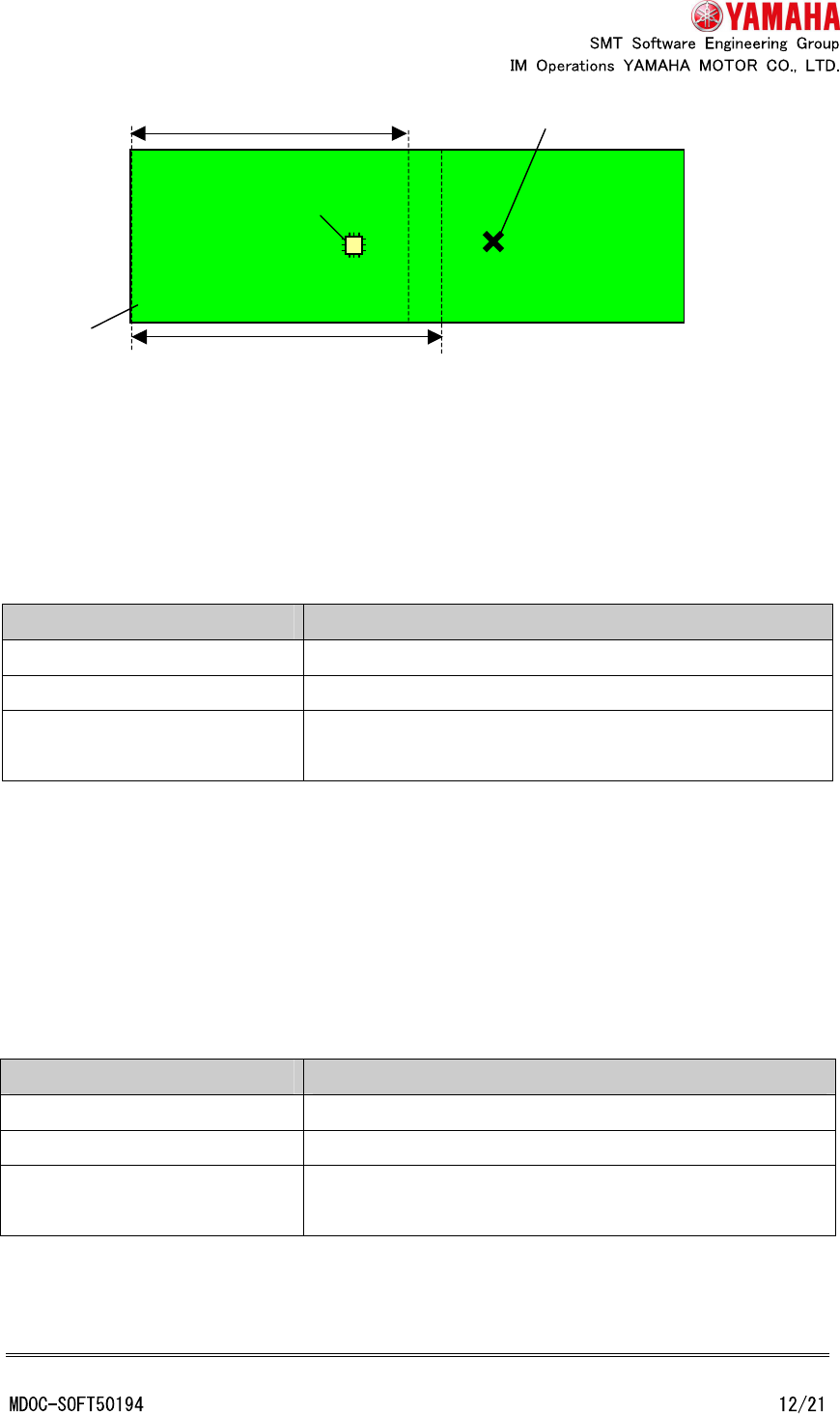
Board
Mountable area of “first half mount”
Recognizable area of “first half mount”
Local bad mark corresponding to mount parts
Mount parts
* “Board origin”, “Board fiducial”, “Block fiducial”, “Board bad mark”, and “Block bad mark”
are always displayed without depending on a board position.
4.4 [Convey In] button
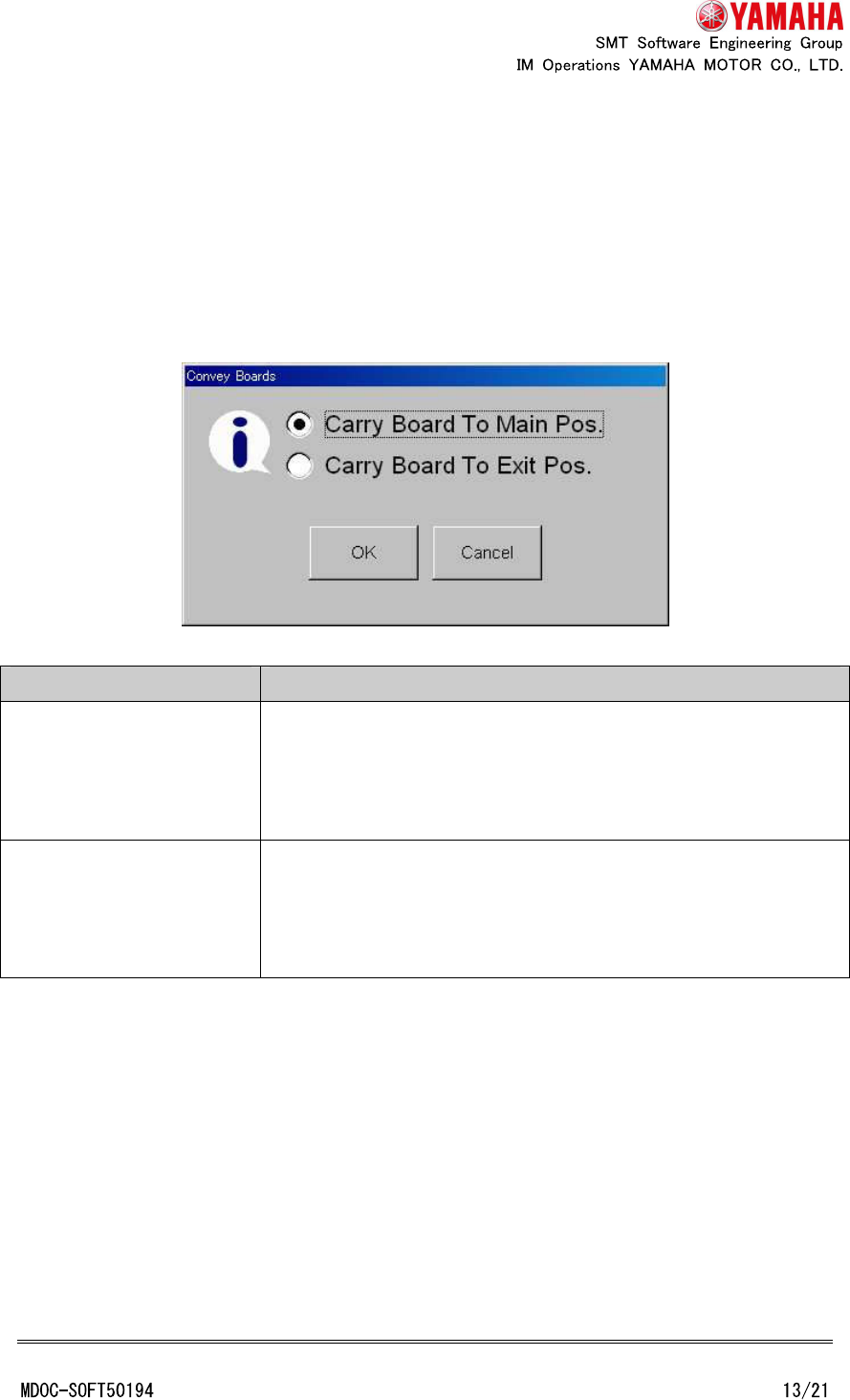
In the case of board data that needed partition mount, the “Convey boards” dialog is
displayed when [Unit] - [Conveyor] - [Convey In] button tapped.
Choose conveyance target of a board and tap “OK” button.
Options Movements
Carry Board To Main Pos. Board is transferred from entrance position to the main stopper
position and fixed.
If a board already exists at the main stopper position, nothing is
executed.
Carry Board To Exit Pos. Board is transferred from the main stopper position to exit
stopper position and fixed.
If a board does not exist at the main stopper position, nothing is
executed.
4.5 History
Board log is outputted when “second half mount” is finished. It is not outputted when “first
half mount” is finished.
Mount CT, transfer CT, standby CT and MarkRec CT of board log or program log are
outputted total CT of “first half mount” and “second half mount”. And, every error counts are
also outputted total of “first half mount” and “second half mount”. Each cycle time and error
count of “first half mount” and “second half mount” is not outputted.
4.6 Editor
4.6.1 Fiducial tab
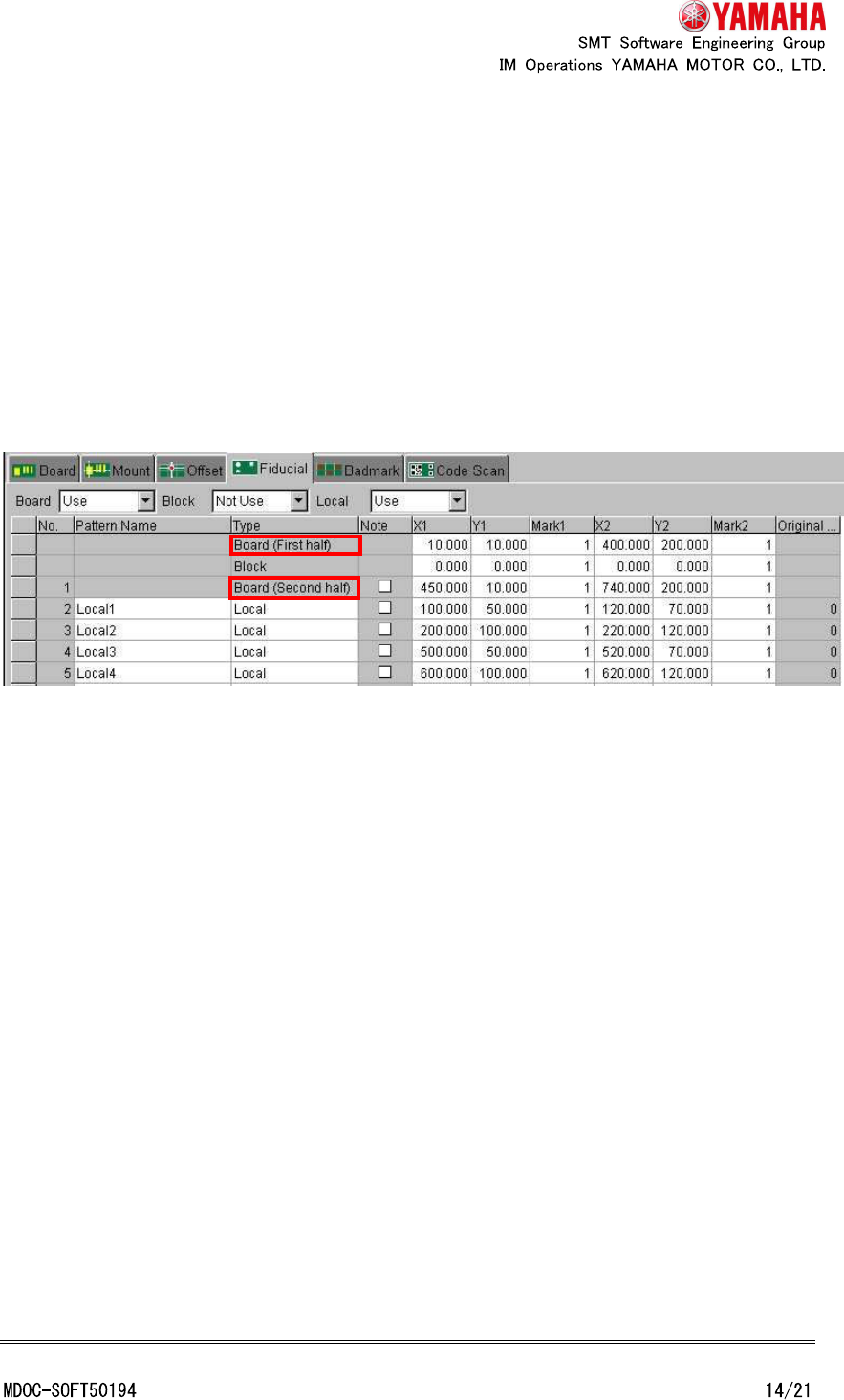
In the case of the line data view, “Board” cell of “Type” column is changed to “Board (First
half)” and “Local” cell of no.1 row is changed to “Board (Second half)” when board data that
needed partition mount at one or more machine of the line.
In the case of the each machine view, when board data that needed partition mount,
“Board” cell of “Type” column is changed to “Board (First half)” and “Local” cell of No.1 row is
changed to “Board (Second half)”.
However, in either case, just after mount data is edited, view of grid is not reflected until
board data is reselected.
4.6.2 Block distribute and block distribute return
When “block distribute” is executed, in the case of board data that needed partition mount
at one or more machine of the line, no.1 row of fiducial (board fiducial for “second half
mount”) is not executed “block distribute”.
When “block distribute return” is executed, if board fiducial for “second half mount” is set
in no.1 row (if it is not “Note”), no.1 row is not executed “block distribute return”.
However, “block distribute” and “block distribute” is executed when using the Visual editor
of P-Tool.
4.6.3 Data check
“Data check” of Editor checks only whether coordinates are inside of moving area of “first
half mount” or “second half mount”. It does not discriminate whether each mount data can
be mounted at “first half mount” or “second half mount” in the same way as data check of
machine.
4.7 2D code scan (special function)
2D code (board, block, distributed) is always recognized at “first half mount”. When 2D