TM4807.Long Board Partition Mount.pdf - 第8页
Example 2: Unusable board dat a without block distribution (Data check error occurs because X coordinate or R coordinate of block offset is set) 4.2.3 Fiducial 4.2.3.1 Board fiducial One set of board fiducial i s require…
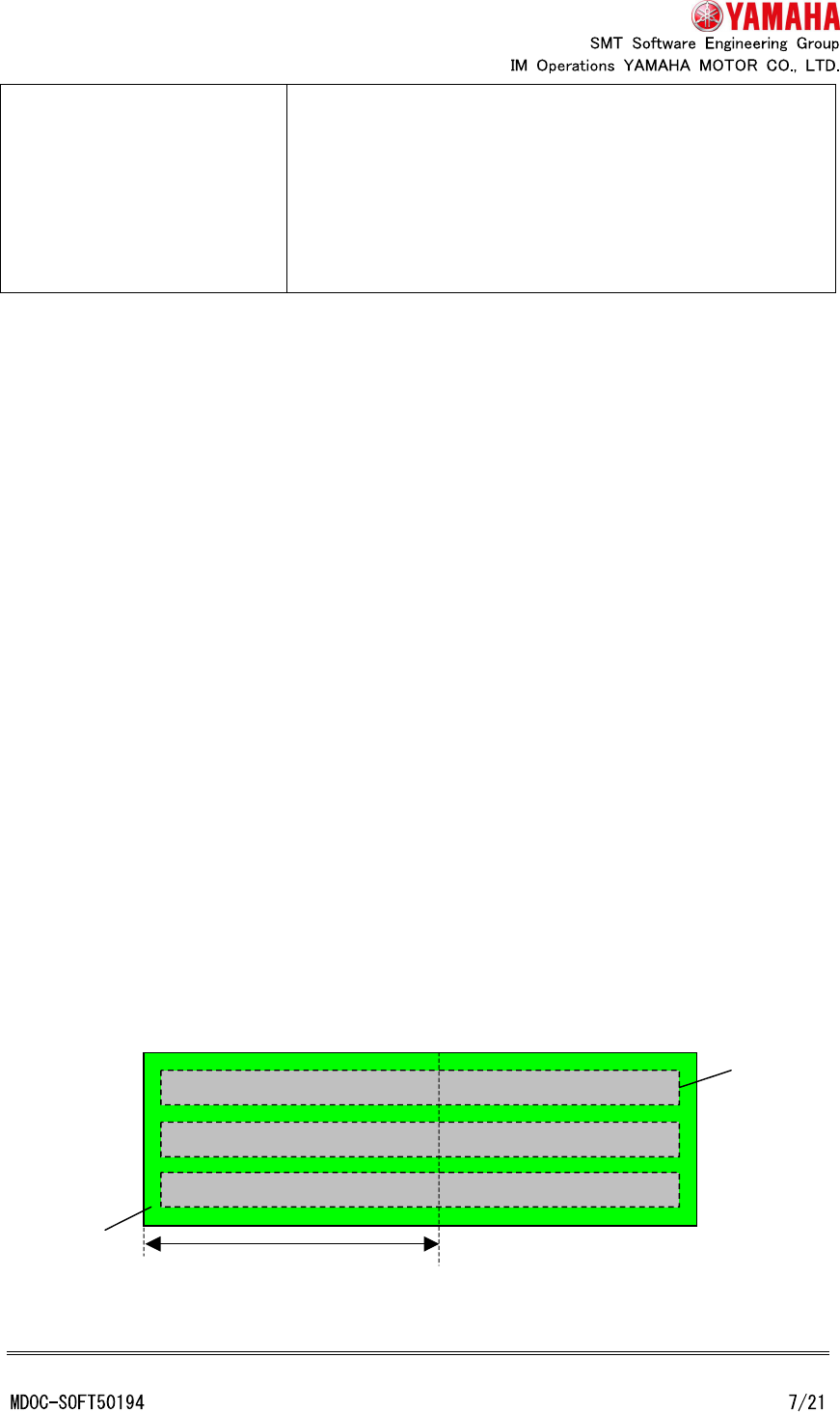
Only first half mount parts
exists
(Short boards)
Only “first half mount” is executed. Board is not fixed at the
exit stopper position.
There are no restrictions of board data to be described
below. (For example, board fiducial for “second half mount”
is not necessary, and values other than “0.000” can be set
to X coordinate of block offset)
4.2 Cautions when creating board data
There are following restrictions when creating board data for “long board partition mount”.
But, there are no following restrictions on board data that do not need the partition mount
(only “first half mount” exists).
4.2.1 Mount coordinate
Input the coordinates from block origin to mount coordinates. It is not necessary to
distinguish “first half mount” from “second half mount”.
4.2.2 Block offset
Values of X coordinate and R coordinate of block offset have to be “0.000”. When board
data that value of X coordinate or R coordinate is not “0.000” (X positions of same mount
point of each block are different in each block), execute block distribution by the board
editor.
Values other than “0.000” can also be set to Y coordinate.
Example 1: Usable board data without block distribution (Only Y coordinate of block offset is
set)
Block
Board
Mountable area of “first half mount”
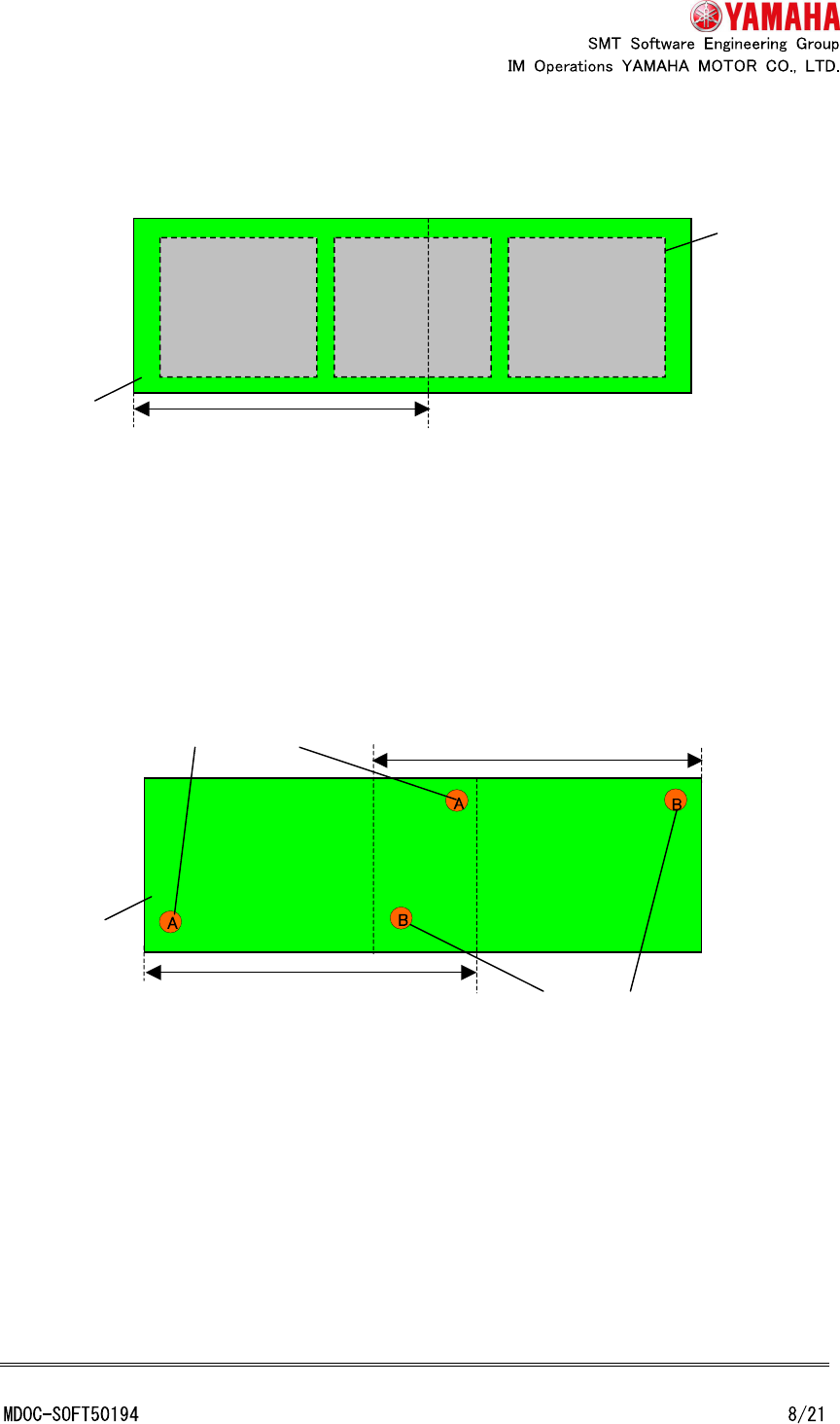
Example 2: Unusable board data without block distribution (Data check error occurs
because X coordinate or R coordinate of block offset is set)
4.2.3 Fiducial
4.2.3.1 Board fiducial
One set of board fiducial is required for the position that can be recognized at “first half
mount”, and another one set of board fiducial is required for the position that can be
recognized at “second half mount”.
Set each board fiducial to [Board] - [Fiducial] tab as following.
(A): Board fiducial for “first half mount” --- Set to “Board (First half)” row
(B): Board fiducial for “second half mount” --- Set to “Board (Second half)” row
Block
Board
Mountable area of “first half mount”
Board
Recognizable area of
“
second
half mount
”
Board fiducial for “first half mount”
Board fiducial for “second half mount”
Recognizable area of “first half mount”
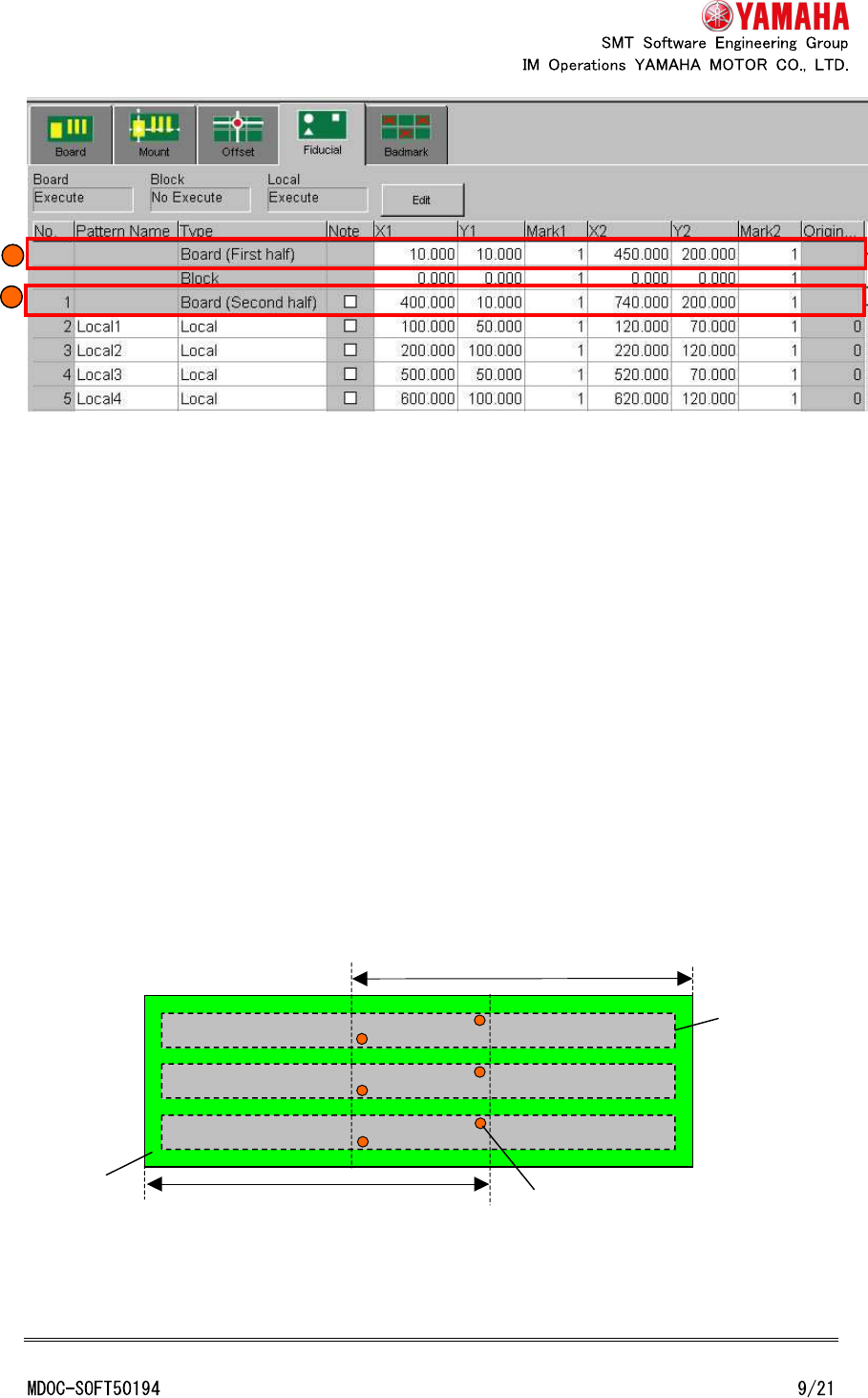
* In the case of board data which needed partition mount, “Board” cell of “Type” column is
changed to “Board (First half)” and “Local” cell of no.1 row is changed to “Board (Second
half)”. (However, after mount data is edited, view of grid is not reflected until board data is
reselected)
* The Visual editor of P-Tool does not support board fiducial for “second half mount”. After
converting to YGX board data, add board fiducial for “second half mount” by the board
editor.
4.2.3.2 Block fiducial
Block fiducial is not able to use.
(It is not practical because block fiducial marks have to be located at the recognizable
position in both “first half mount” and “second half mount”)
A
B
Block
Board
Recognizable area of “second half mount”
Recognizable area of “first half mount”
Block fiducial