00195044-10_UM_VisionTeachStation_DE EN.pdf - 第145页
Vision Teach Station User Manual 7 Software 12/2012 Edition 7.2 Software upgrade 145 7 Fig. 7.2 - 3 Installing SIPLACE Pro - Selecting the setup type When the License Manager is opened, import your license key via the …
7 Software Vision Teach Station User Manual
7.2 Software upgrade 12/2012 Edition
144
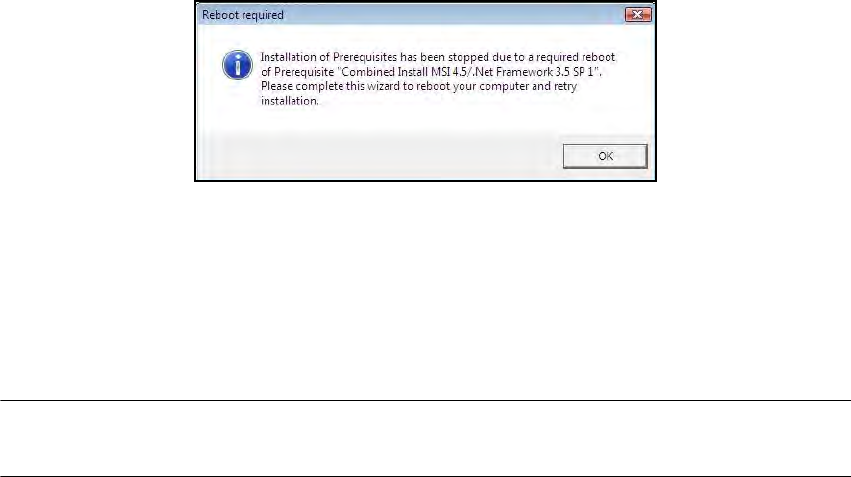
The updates of .NET-Framework 3.5 and Windows Installer 4.5 may need a restart. This will
NOT be automatically performed by the Suppot Media DVD. If displayed, confirm the
following message with "OK".
7
Click on "Next" several times until the wizard exits. In the last step the wizard performs the re-
start. After the subsequent run-up, the wizard continues installing.
Permit a restart after installation.
7.2.4.2 Installing the "SIPLACE Pro Application1" CD
PLEASE NOTE: Please ensure that you have a valid license key at your fingertips. During the
installation you will be prompted to enter this key. 7
Install SIPLACE Pro as described in the "SiplaceProInstall_eng.pdf" document ("SIPLACE Pro
Application" setup CD in the "Documentation" directory).
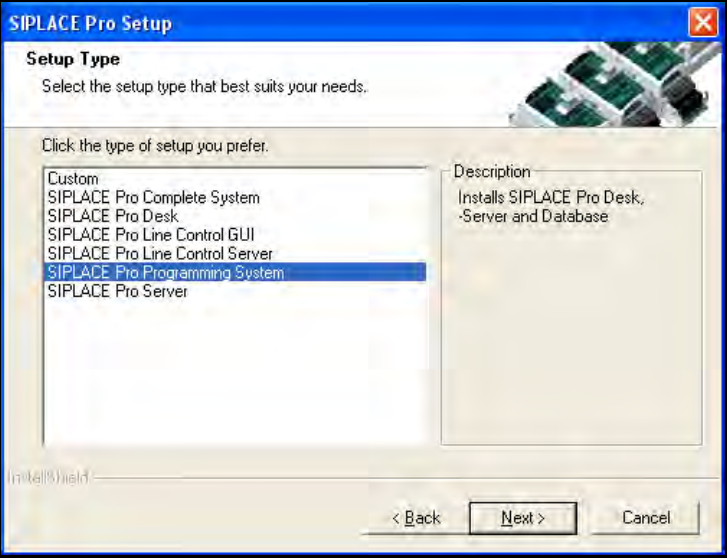
Select the "SIPLACE Pro programming system" type from the "Setup Type" window.
Vision Teach Station User Manual 7 Software
12/2012 Edition 7.2 Software upgrade
145
7
Fig. 7.2 - 3 Installing SIPLACE Pro - Selecting the setup type
When the License Manager is opened, import your license key via the "File" - "Import License
Key" menu item. For this you need the following password:
User ID: Administrator
Password: Siplace.1
7
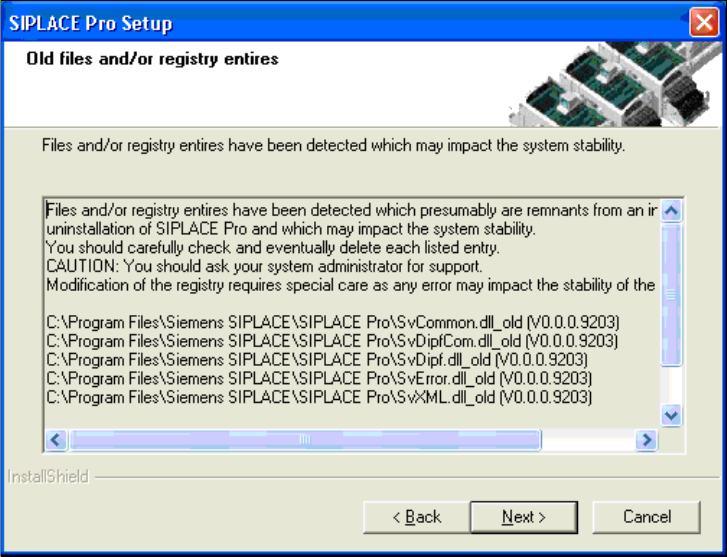
Click Next to ignore the following message about remaining old files.
7 Software Vision Teach Station User Manual
7.2 Software upgrade 12/2012 Edition
146
Click Yes to confirm the prompt that appears.
7
Fig. 7.2 - 4 Message about old files from the previous installation is ignored
Restart the computer after installation.
7.2.4.3 Installing the "SIPLACE Pro Languages" CD
Installation of the language package is optional. If you want to install it, you must do this before
you install the Vision Teach Station software.
Follow the instructions in the LanguagePack_ReadMe.txt files on the CD.
7.2.4.4 Installing the "Software Vision Teach Station" CD
Run the "InstallAll.bat" script file. Follow the instructions. Restart the computer at the end of the
installation.