00198763-02_VD_SIPLACE_Pro_17.1_R20-1_EN_DE.pdf - 第19页
SIPLACE Pro 17.1 (R 20-1) / Versi on Description 05/2020 Edition 19 In S IPLACE Pro Des k the vacuum tooling con figurations under Tools – Vacuum To oling have been extended by barcode related parameters . You must s pec…
SIPLACE Pro 17.1 (R20-1) / Version Description 05/2020 Edition
18
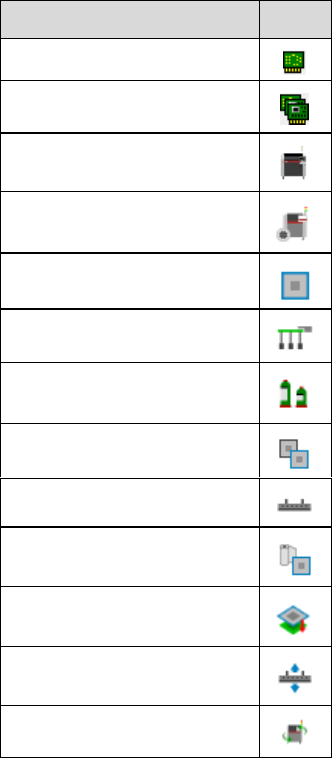
The following object types are related to ASM Printer Programming:
Object Type
Icon
Printer Board
*)
Board Family
*)
Printer
Printer Setup
Stencil
*)
Printer Tooling
*)
Printer Material
Printer Stencil Frame
Squeegee
*)
Printer Cleaning Profile
Printer Separation
Process
*)
Deposition Process
*)
Printer Program
*)
*)
newly introduced with ASM Printer Programming 2.0
Additional information on ASM Printer Programming can be found in the ASM Printer Programming
User Guide, item no. [00900288-xx].
4.3 Verifying Vacuum Tooling by Barcode Fiducial
Vacuum tooling uses suction to pick up a PCB and hold it precisely and level on a vacuum plate
(tool top plate of vacuum tooling) during the placement process, establishing optimal conditions for
placement. The different vacuum tooling types are often designed for specific PCB types only.
Using a wrong vacuum tooling type can not only lead to inaccurate placements, but also to
damaging or destroying a PCB. To make sure that the correct vacuum tooling types have been
installed in the station, they must be checked against the vacuum tooling types defined in the
vacuum tooling configurations specified in SIPLACE Pro.
As a verification method, a barcode fiducial can be used that is placed on the vacuum tooling
surface. The barcode contains information about the vacuum tooling, e.g. its name and exact
vacuum tooling type. The barcode is scanned by the PCB camera at start of production or
whenever a new vacuum tooling has been installed in a station.
SIPLACE Pro 17.1 (R20-1) / Version Description 05/2020 Edition
19
In SIPLACE Pro Desk the vacuum tooling configurations under Tools – Vacuum Tooling have
been extended by barcode related parameters. You must specify the following parameters for
vacuum tooling:
● The dimension of the vacuum tooling (length and width)
● The X-/Y-offset of the barcode fiducial in relation to the reference point
● The reference to the barcode fiducial
● The barcode verification string
When a barcode fiducial is scanned by the PCB camera, the barcode verification string is used to
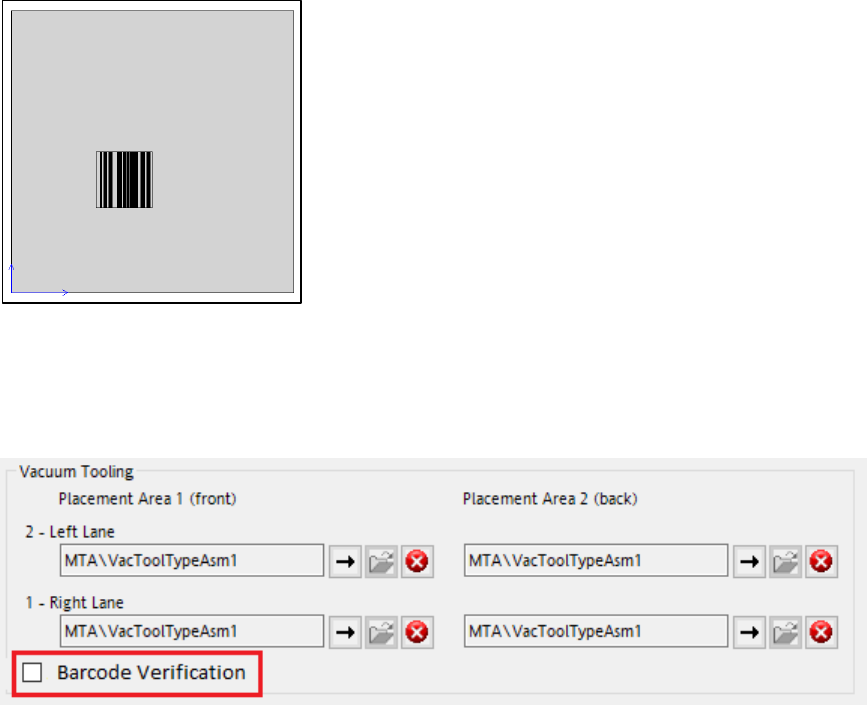
identify the vacuum tooling on the station. In SIPLACE Pro, the drawing for the vacuum tooling
indicates the dimensions (length, width), the reference point of the vacuum tooling and the location
of the barcode fiducial on the vacuum tooling surface.
Figure 4-1: Example of a vacuum tooling drawing in SIPLACE Pro Desk
Using barcode fiducials to verify vacuum tooling is optional. If you want to activate or deactivate the
use of barcode fiducials as a verification method, activate or deactivate the Barcode Verification
checkbox that has been added to the Vacuum Tooling configuration in the SIPLACE Pro station
setup. By default the checkbox is deactivated.
Figure 4-2: Checkbox for activating the barcode verification method
SIPLACE Pro 17.1 (R20-1) / Version Description 05/2020 Edition
20
4.4 Handling of Critical Pairs in High Density Placement
When placing components with minimal gaps in between (High Density Placement), specific
placement problems may arise. For example, it might be possible that there are minor height
variations in component heights that could be caused due to their manufacturing process or differ
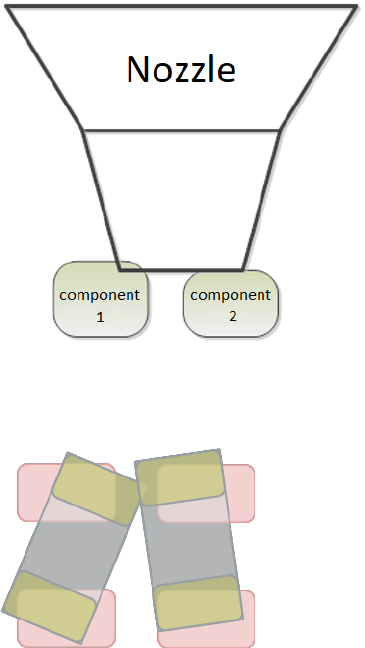
between batches. These minor component height variations can cause nozzle collision as shown in
the figure below:
Figure 4-3: Example for a nozzle collision caused by height variations
It might also occur that components shift on the nozzle during placement, causing placement error
due to the minimal space between the components as shown in the figure below:
Figure 4-4: Example for placement errors
Adjacent components that might cause such problems are referenced to as “critical pairs”.
To better support high density placement and the handling of such critical pairs, the Precedence
Finder module in the SIPLACE Pro Optimizer has been extended by a “Critical Pair Finder”
functionality. This Critical Pair Finder checks if components are considered critical pairs based on
tolerance values that have been defined for the gap distance between components and their
component height. The tolerance values can be specified in the Critical Placement Pairs tab that
has been newly added to the Settings menu.