00196785-01-IM-Traceability 3.2_en.pdf - 第16页
Installation Traceability Uninstall Traceability 16 Installation Manual SIPLACE Traceability 3.2
Installation Traceability
Uninstall Traceability
Installation Manual SIPLACE Traceability 3.2
15
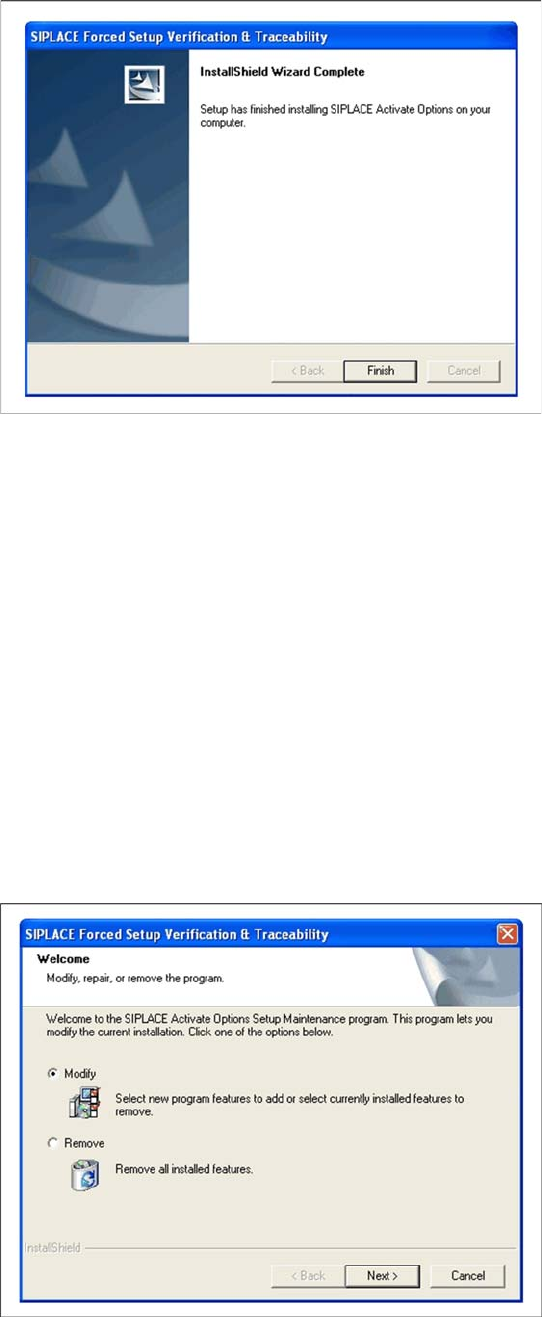
Finishing the installation
4.2 Uninstall Traceability
If the setup of the activation options at the Installation CD is called up again, the following dialog will
appear. You can change the current settings by selecting the checkbox Modify. The following masks
appear:
Splice detection configuration for S-Feeders (Station software versions 407, 505)
Run tracks empty in spite of component level indicator
Activate locked tracks without scanning
Version of traceability data (XML-Files)
Manual input mode of the PCB barcode
Overview of the settings
Finishing the installation
X Click Finish to finish the installation
X If Remove is selected, the option Forced
Setup Verification and Traceability will be
deactivated.
Installation Traceability
Uninstall Traceability
16 Installation Manual SIPLACE Traceability 3.2

Installation Trace Host and Trace Service
System Requirements for SIPLACE Trace Host System Requirements and Software Components for Traceability modules
Installation Manual SIPLACE Traceability 3.2
17
5 Installation Trace Host and Trace Service
5.1 System Requirements and Software Components for
Traceability modules
5.1.1 System Requirements for SIPLACE Trace Host
The following hardware and software requirements must be fulfilled, before SIPLACE Trace Host can be
installed.
Recommended hardware
Processor with min. 3.2 GHz (e.g. Econel 100)
2.5 GB RAM (e.g. Econel 100)
100 GB available hard-disk space
Software
Server environment - one of the following versions:
– Preferred: Windows Server 2008 R2 (64 Bit)
– Compatible: Windows Server 2003 SP2, Windows Server 2003 R2, Windows Server 2008 SP 2
(32 Bit), Windows Server 2008 SP 2 (64 Bit)
Supported database:
– Preferred: MS SQL Server 2008 R2 (32 Bit)
– Compatible: MS SQL Server 2005 SP3 (32, 64 Bit), MS SQL Server 2008 SP1 (32 Bit, 64 Bit)
– Only for testing/training purposes: MS SQL Server 2005 SP3 Express(32, 64 Bit), MS SQL
Server, 2008 SP1 Express (32, 64 Bit)
– MS SQL Server 2008 R2 Express (32, 64 Bit)
The software required for running Trace Host can be found on the Support Media DVD. This
includes:
– Java 2 Java Runtime Environment 1.6
– SQL Server 2008 Express SP1 (for testing and training purposes only)
– Tomcat Web Server 5.5
– Microsoft.NET 3.5 SP1 Framework
– Microsoft Internet Explorer 7.0, 6.0 SP2
– Adobe Acrobat Reader 9.3
– License Manager 2.2 SP1
NOTE:
For machine-based traceability, the SIPLACE placement machines must be equipped with the
options "Setup verification" and "Traceability".
NOTE:
MS SQL Express databases are only allowed for testing/training purposes