00196785-01-IM-Traceability 3.2_en.pdf - 第23页
Installation Trace Host and Trace Service Software Components and Configuration Support Media DVD Installation Manual SIPLACE Traceability 3.2 23 The page s hows poss ible conflicts with your operating system/installed t…
Installation Trace Host and Trace Service
Support Media DVD Software Components and Configuration
22 Installation Manual SIPLACE Traceability 3.2
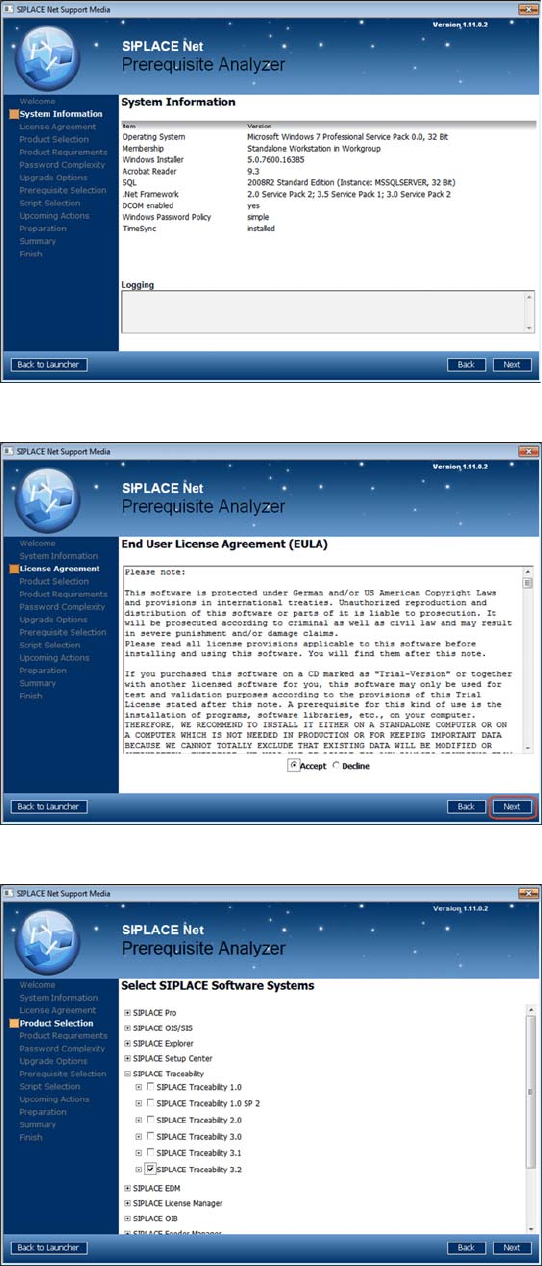
In this dialog window you see information about
your system configuration.
Important hints and warnings are displayed in the
Logging area.
X Click Next to continue.
The following window appears:
X Accept the EULA by selecting the Accept
radio button.
X Click Next to continue.
The following window appears:
X Navigate through the tree structure by clicking
in a line with the plus symbol.
X Activate the checkboxes of the SIPLACE
Traceability 3.2.
X After selecting the SIPLACE products click
Next to continue.
The following window may appear:
Installation Trace Host and Trace Service
Software Components and Configuration Support Media DVD
Installation Manual SIPLACE Traceability 3.2
23
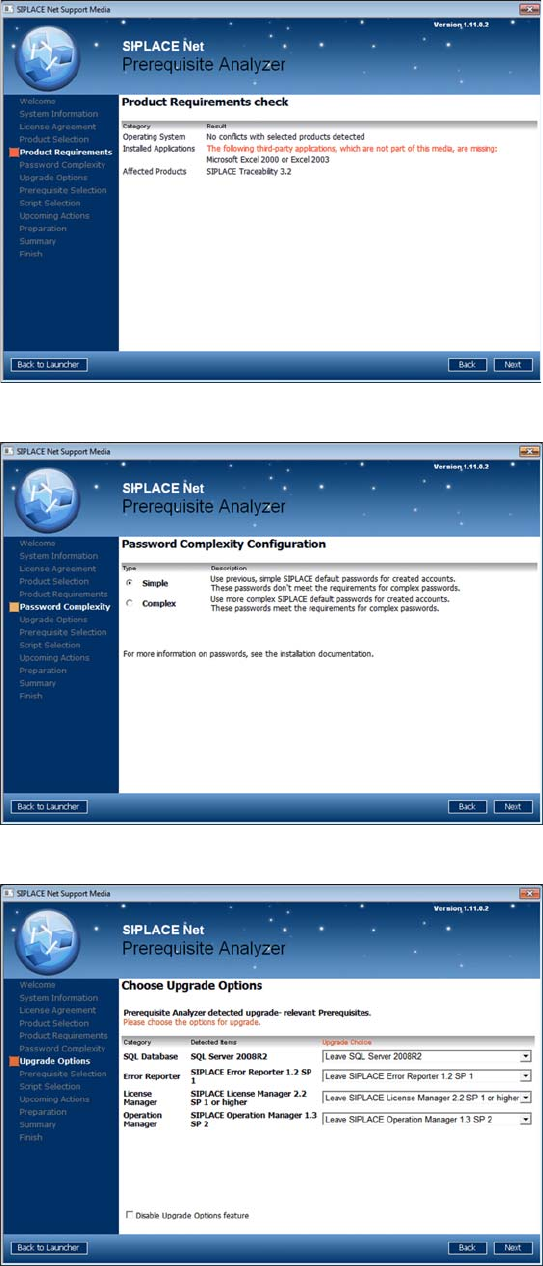
The page shows possible conflicts with your
operating system/installed third- party applications
and the selected SIPLACE products.
X Read the advices and click Next to continue
The following window is displayed:
In this window, you have to select the complexity
of default SIPLACE account passwords. Please
choose an uniform setting on all involved
computers and Unattended Setup Operating
System installations to avoid problems.
X Choose the appropriate password complexity.
X Click the Next button to continue.
The following window opens:
This page shows the upgrade options you have.
X Choose the appropriate SQL version
X Regarding all the other options we
recommend to upgrade to the newest version.
For Traceability 3.2 the License Manager 2.2
SP1 is the minimum version which is required.
X Click the Next button to continue.
The following window opens:
Installation Trace Host and Trace Service
Support Media DVD Software Components and Configuration
24 Installation Manual SIPLACE Traceability 3.2
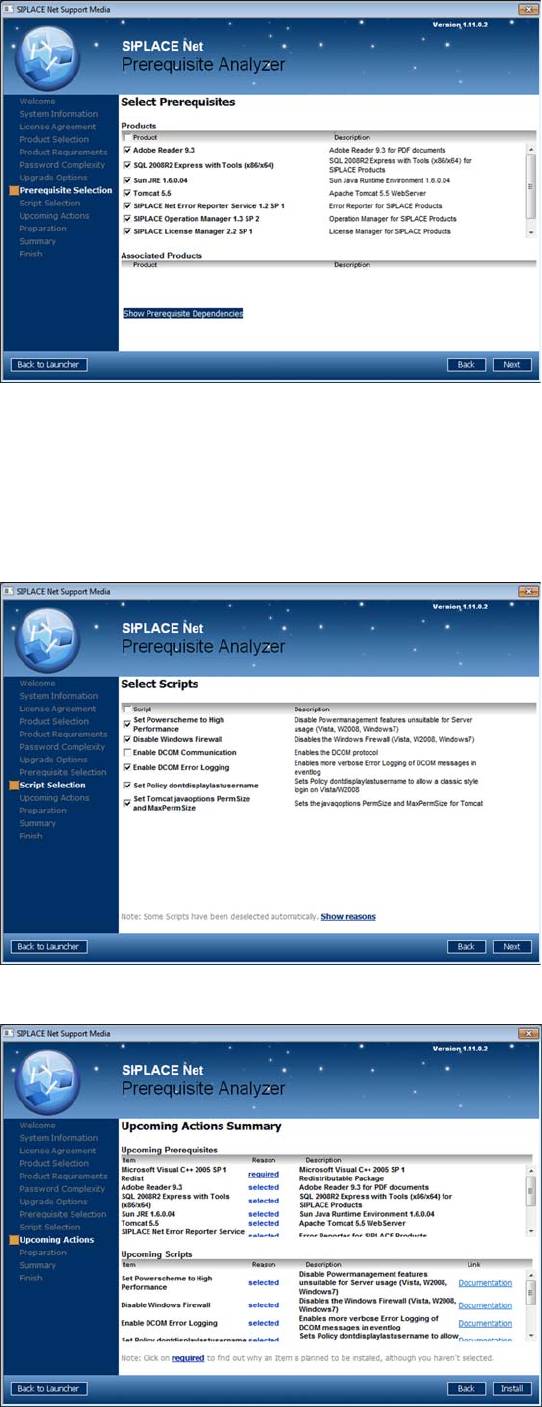
The page shows the prerequisite products and
possible associated products that may be
installed.
X Select the prerequisite products you need to
install for SIPLACE Traceability 3.2.
Microsoft.NET Framework 3.5 SP1
MS Internet Explorer 6 SP1
Adobe Acrobat Reader 9.3
Sun JRE 1.6.x.xx
Tomcat 5.5
Already installed prerequisite products are
unchecked.
X If you activate the checkbox next to Product,
you may select/deselect all sub items.
X After selecting the products click Next to
continue.
The following window appears:
The page shows the scripts that may be executed.
X Select the following scripts:
Set Powerscheme to High Performance
Disable Windows firewall
Enable DCOM Error Logging
Set Policy dontdisplaylastusername
Set Tomcat javaoptions PermSize and
MaxPermsize
X After selecting the scripts click Next to
continue.
The following window gives you an overview of the
upcoming actions:
X After checking this summary click Next to
continue.
Please wait until the selected prerequisites and
scripts are installed.