00196785-01-IM-Traceability 3.2_en.pdf - 第25页
Installation Trace Host and Trace Service Software Components and Configuration Support Media DVD Installation Manual SIPLACE Traceability 3.2 25 X Click Next to continue. The following window appears: X You may investig…
Installation Trace Host and Trace Service
Support Media DVD Software Components and Configuration
24 Installation Manual SIPLACE Traceability 3.2
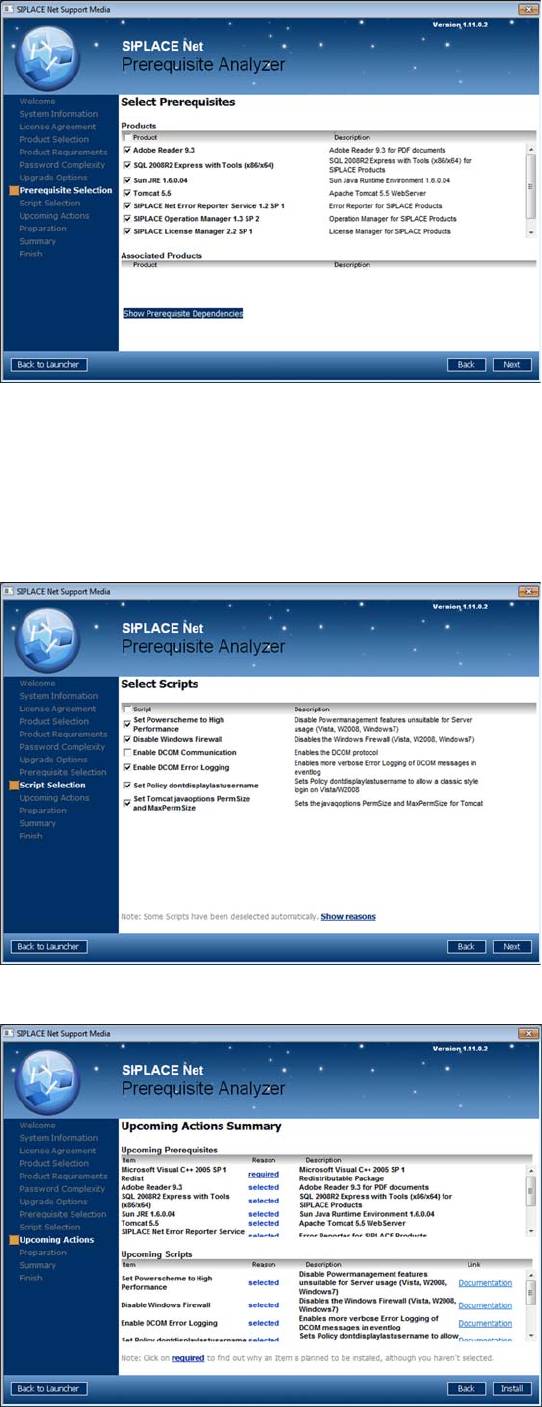
The page shows the prerequisite products and
possible associated products that may be
installed.
X Select the prerequisite products you need to
install for SIPLACE Traceability 3.2.
Microsoft.NET Framework 3.5 SP1
MS Internet Explorer 6 SP1
Adobe Acrobat Reader 9.3
Sun JRE 1.6.x.xx
Tomcat 5.5
Already installed prerequisite products are
unchecked.
X If you activate the checkbox next to Product,
you may select/deselect all sub items.
X After selecting the products click Next to
continue.
The following window appears:
The page shows the scripts that may be executed.
X Select the following scripts:
Set Powerscheme to High Performance
Disable Windows firewall
Enable DCOM Error Logging
Set Policy dontdisplaylastusername
Set Tomcat javaoptions PermSize and
MaxPermsize
X After selecting the scripts click Next to
continue.
The following window gives you an overview of the
upcoming actions:
X After checking this summary click Next to
continue.
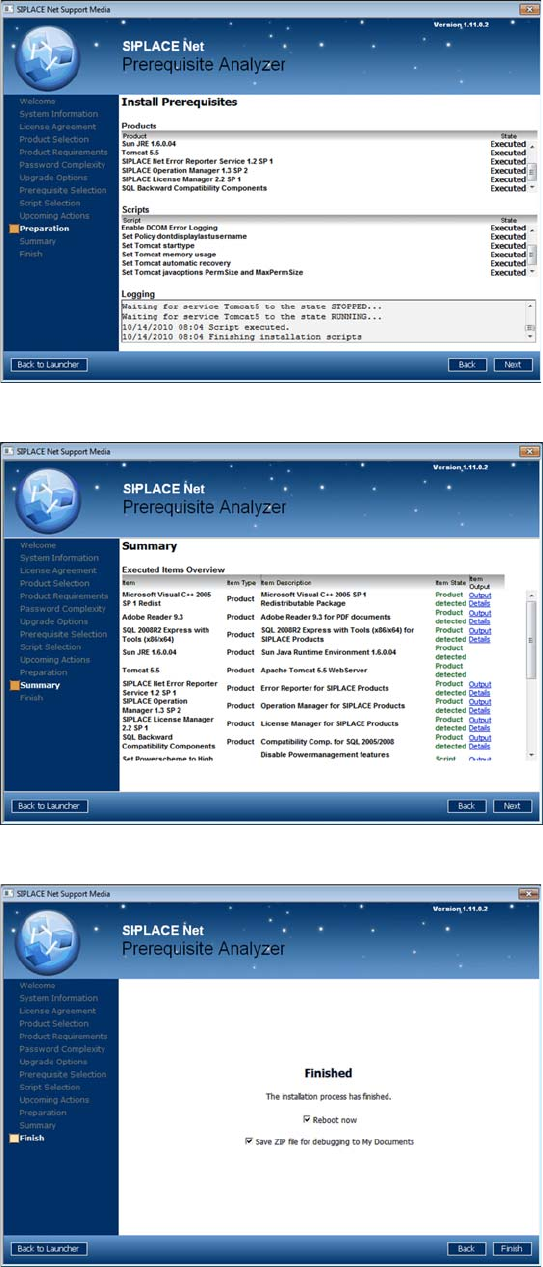
Please wait until the selected prerequisites and
scripts are installed.
Installation Trace Host and Trace Service
Software Components and Configuration Support Media DVD
Installation Manual SIPLACE Traceability 3.2
25
X Click Next to continue.
The following window appears:
X You may investigate the installation script
output by clicking Output Details Products do
not have utilizable output.
X Click Next to continue.
The following window appears:
If at least one prerequisite requires rebooting, the
Reboot now checkbox will be visible.
X Select/Deselect the Reboot now checkbox if
available.
X Click the Finish button
The Prerequisite Analyzer closes. If selected, the
computer reboots.
Installation Trace Host and Trace Service
Trace Service Installation
26 Installation Manual SIPLACE Traceability 3.2
5.3 Trace Service
5.3.1 Installation
NOTE:
Trace Service requires the SIPLACE Pro XML Adapter in order to load the line configuration
from SIPLACE Pro.
X Make sure that Line Control GUI and the SIPLACE Pro Interface or
SIPLACE Pro Desk and the SIPLACE Pro Interface are already installed.
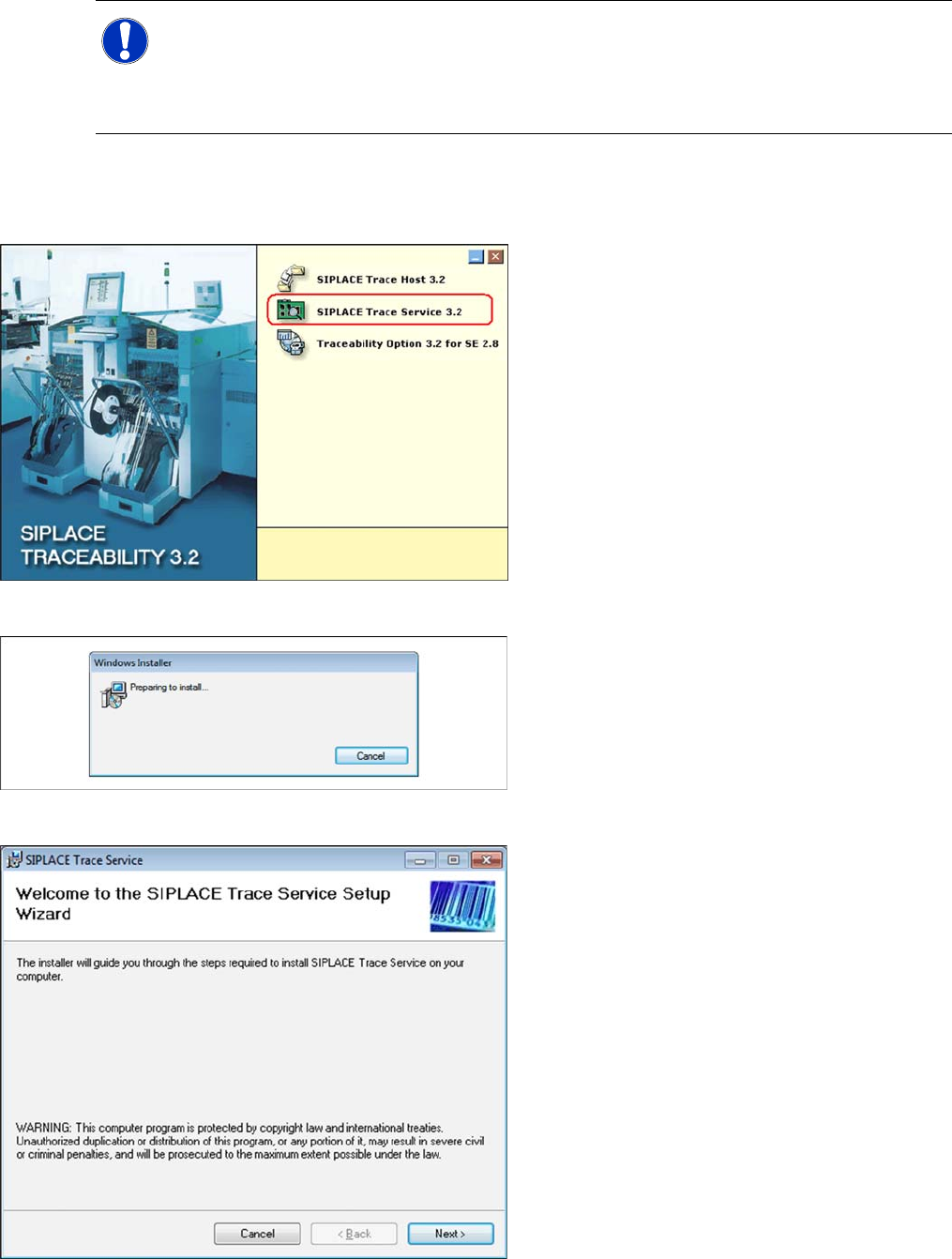
X Place the SIPLACE Traceability CD into the
CD-ROM drive of your line computer. You will
see the start screen.
X Select SIPLACE Trace Service 3.2. You will
be guided through the Trace Service
installation procedure.
The dialog boxes shown below will be displayed
during the installation procedure.
The Welcome dialog will appear.
X Click on Next to continue the installation
procedure.