2500_Users_Manual-.pdf - 第11页
Table of Contents xiv ProMaster 2500 User Manual
Table
of
Contents
Figure
2-8.
Adjusting
Plate
Height
2-9
Figure
2-9.
Loading
Labels
in
the
Dot
Matrix
Printer
2-10
Figure
2-10.
Installing
the
Labeler
Ribbon
Cassette
in
the
Dot
Matrix
Printer
2-12
Figure
2-11.
Threading
Labels
in
the
Thermal
Printer
2-14
Figure
2-12.
Threading
a
Ribbon
in
the
Thermal
Printer
2-15
Figure
2-13.
TaskLink
Main
Screen
(Administrator
Mode)
2-18
Figure
2-14.
Labeler
Setup
Path
(Local
mode
on
the
front
panel)
2-23
Figure
2-15.
Changing
the
Label
Calibration
Value
2-24
Figure
2-16.
Changing
the
Label
Placement
Value
2-25
Figure
2-17.
Changing
the
Dot
Split
Value
2-26
Figure
2-18.
Print
Shift
(affects
vertical
position)
2-27
Figure
2-19.
Label
Calibration
(affects
horizontal
position)
2-28
Figure
2-20.
Location
of
Firmware
EPROMs
on
the
Main
Controller
Board
2-31
Figure
3-1.
Overview
of
the
Steps
Involved
in
Creating
Tasks
3-3
Figure
3-2.
Add
Task
Pull-down
Menu
3-4
Figure
3-3.
Add
Task
Dialog
Box
3-5
Figure
3-4.
Edit
Task
Dialog
Box
3-6
Figure
3-5.
Illegal
Bit
Condition
3-8
Figure
3-6.
ProMaster
Dialog
Box
3-9
Figure
3-7.
Selecting
Orientation
of
Device
Pin
1
in
the
Input
Tube
Using
TaskLink
3-10
Figure
3-8.
Recommended
Device
Orientation
in
Input
Device
3-11
Figure
3-9.
Logic
Device
Parameters
3-12
Figure
3-10.
Memory
Device
Task
3-14
Figure
3-11.
Memory
Parameters
Dialog
Box
3-15
Figure
3-12.
Commands
Available
under
Setup
3-19
Figure
3-13.
Log
File
Format
Compared
to
Task
Statistics
Screen
3-19
Figure
3-14.
General
Parameters
Dialog
Box
3-20
Figure
3-15.
Serialization
Parameters
Dialog
Box
3-22
Figure
3-16.
The
Serialization
Process
3-23
Figure
3-17.
Utilities
Pull-down
Menu
3-27
Figure
3-18.
Commands
Available
from
the
Options
Pull-down
Menu
3-28
Figure
3-19.
Selecting
Security
Options
3-29
Figure
3-20.
Password
Screen
for
System
Operators
3-30
Figure
3-21.
Configuring
Operating
Preferences
3-31
Figure
3-22.
Selecting
“Add
Kit”
from
the
Main
Screen
3-32
Figure
3-23.
Kits
are
a
Series
of
Tasks
in
a
Single
Job
3-33
Figure
3-24.
Edit
Kit
Screen
3-34
Figure
3-25.
Naming
the
First
Task
in
the
Kit
3-34
Figure
3-26.
Adding
the
Second
Task
to
the
Kit
3-35
Figure
3-27.
Sample
Message
Presented
to
System
Operator
when
Kit
Is
Run
3-36
Figure
3-28.
Selecting
the
Batch
File
Command
3-38
Figure
4-1.
Overview
of
the
Procedure
for
Starting
a
Task
4-3
Figure
4-2.
TaskLink
Operator
Screen
4-5
Figure
4-3.
Enter
Your
Name
on
the
Security
Screen
4-6
Figure
4-4.
TaskLink
Main
Operator
Screen
4-6
Figure
4-5.
Configuring
Blocks
on
a
Programming
Module
4-8
Figure
4-6.
Configuration
Box
Compartments
4-9
Figure
4-7.
Configuration
Box
Lid
—
Optional
Configurations
for
28-pin
Module..
4-10
Figure
4-8.
Installing
a
Programming
Module
4-12
Figure
4-9.
Adjusting
the
Track
Width
—
Turning
the
knob
clockwise
opens
all
three
track
sections
together
4-13
Figure
4-10.
Final
Track
Adjustment
4-14
ProMaster
2500
User
Manual

Table
of
Contents
xiv
ProMaster
2500
User
Manual
Ω
Ω
Safety
Summary
General
safety
information
for
operating
personnel
is
contained
in
this
summary.
In
addition,
specific
WARNINGS
and
CAUTIONS
appear
throughout
this
manual
where
they
apply
and
are
not
included
in
this
summary.
Antistatic
Wrist
Strap
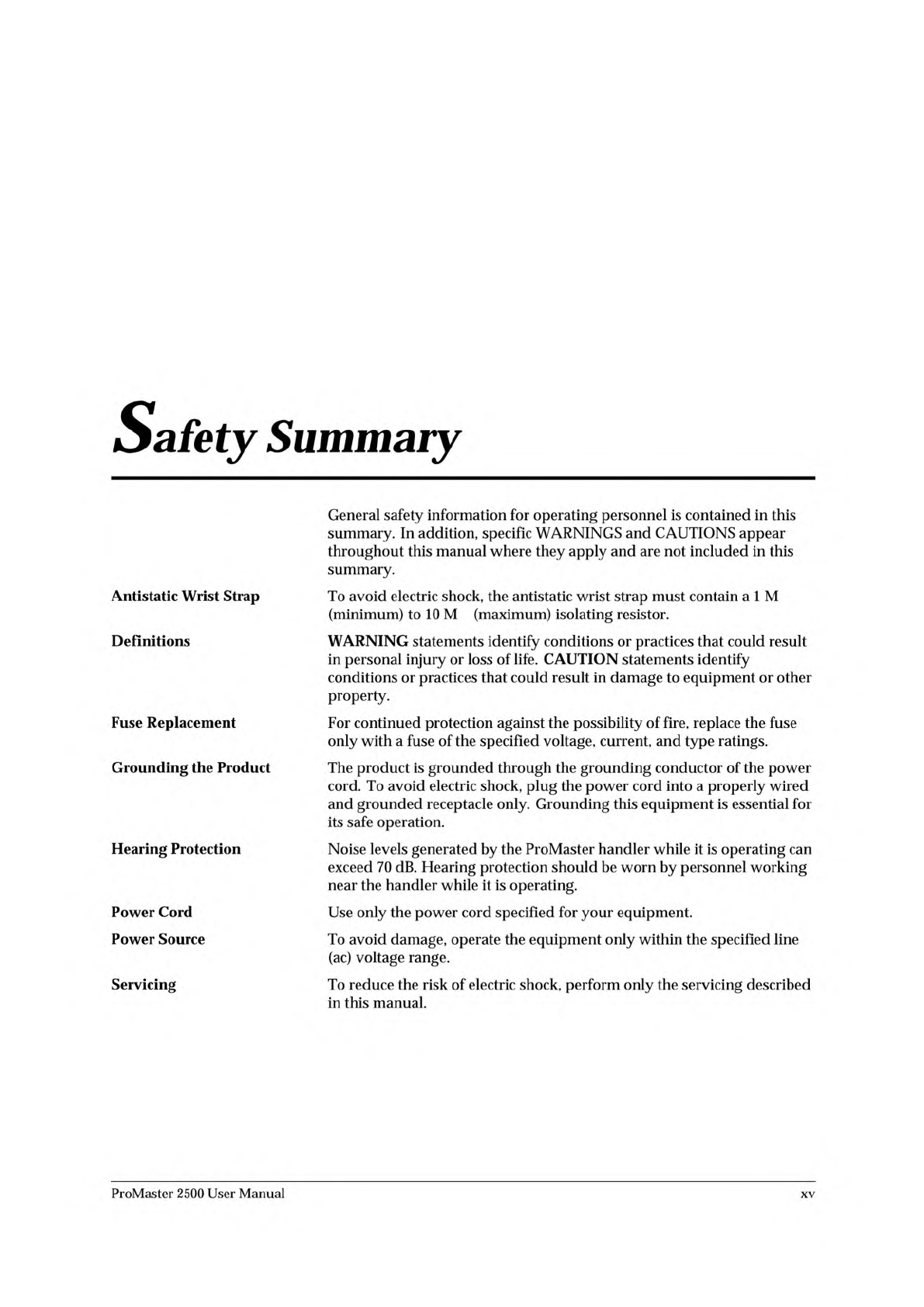
To
avoid
electric
shock,
the
antistatic
wrist
strap
must
contain
a
1
M
(minimum)
to
10
M
(maximum)
isolating
resistor.
Definitions
WARNING
statements
identify
conditions
or
practices
that
could
result
in
personal
injury
or
loss
of
life.
CAUTION
statements
identify
conditions
or
practices
that
could
result
in
damage
to
equipment
or
other
property.
Fuse
Replacement
For
continued
protection
against
the
possibility
of
fire,
replace
the
fuse
only
with
a
fuse
of
the
specified
voltage,
current,
and
type
ratings.
Grounding
the
Product
The
product
is
grounded
through
the
grounding
conductor
of
the
power
cord.
To
avoid
electric
shock,
plug
the
power
cord
into
a
properly
wired
and
grounded
receptacle
only.
Grounding
this
equipment
is
essential
for
its
safe
operation.
Hearing
Protection
Noise
levels
generated
by
the
ProMaster
handler
while
it
is
operating
can
exceed
70
dB.
Hearing
protection
should
be
worn
by
personnel
working
near
the
handler
while
it
is
operating.
Power
Cord
Power
Source
Use
only
the
power
cord
specified
for
your
equipment.
To
avoid
damage,
operate
the
equipment
only
within
the
specified
line
(ac)
voltage
range.
Servicing
To
reduce
the
risk
of
electric
shock,
perform
only
the
servicing
described
in
this
manual.
ProMaster
2500
User
Manual
xv