TM4642.TM4406.PickupMACS.pdf - 第14页
SMT Software Engineering Group IM Ope ration s Y A MAHA MOTOR CO ., L TD. MDOC-SOFT50 177 14 /23 4). Select [ Range of Gett ing Nozzle MACS]. - [Execute all] Ex ecutes f or all the che ck ed noz zles on [Mach ine] - …
SMT Software Engineering Group
IM Operations YAMAHA MOTOR CO., LTD.
MDOC-SOFT50177
13/23
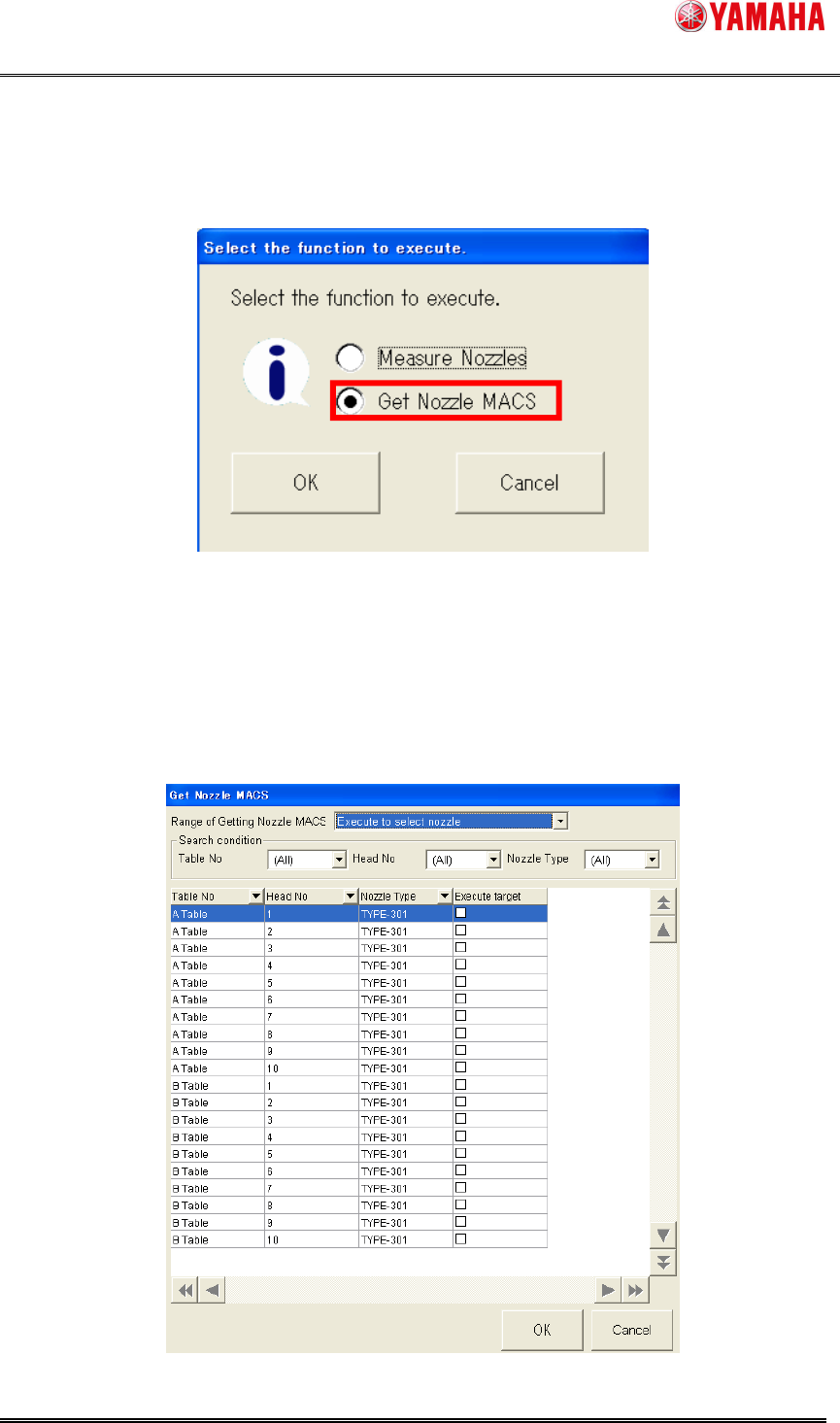
2). The following dialog is displayed. Check [Get Nozzle MACS] and press the [OK] button.
Fig.4.4 Select function window
This dialog is displayed only when both [Measure Nozzles] and [Nozzle MACS] are enabled.
When only either one is disabled, this dialog doesn’t appear. This dialog shows a screen of each
function directly.
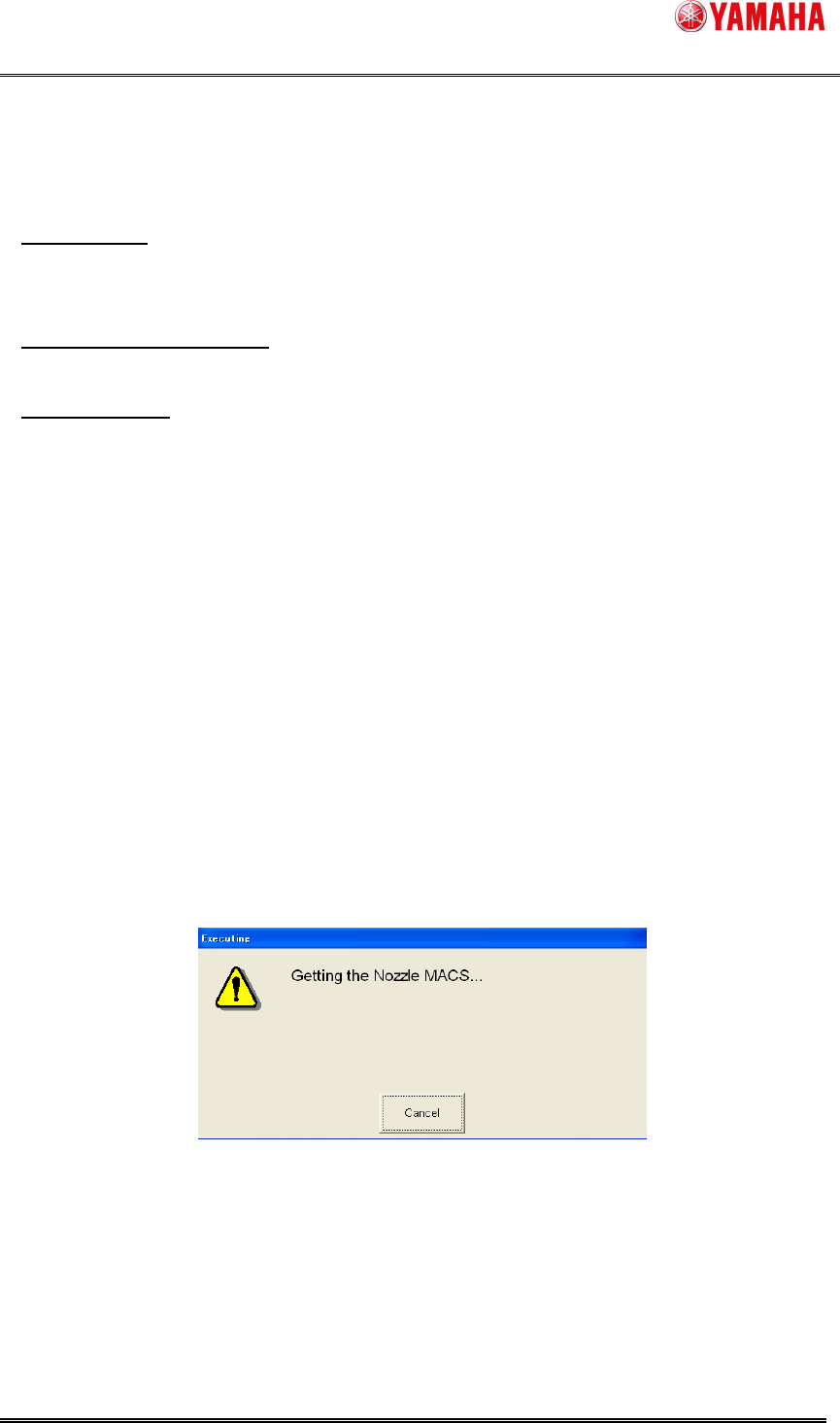
3). [Get Nozzle MACS] window opens.
Fig.4.5. [Get Nozzle MACS] window
SMT Software Engineering Group
IM Operations YAMAHA MOTOR CO., LTD.
MDOC-SOFT50177
14/23
4). Select [Range of Getting Nozzle MACS].
- [Execute all]
Executes for all the checked nozzles on [Machine] - [Setting] - [Machine Data] - [Precision] -
[Pickup MACS] - [Nozzle MACS] - [Execute].
- [Execute to select nozzle]
Executes for all nozzles used in the loaded board data.
- [Select Nozzle]
Executes for all nozzles checked on [Check type]. (Checked state is not saved)
If the selected nozzles are stored in the nozzle station, nozzle change is performed.
When [Machine] - [Setting] - [Machine Data] - [Installation Setting] - [Nozzle Station] is set to
“None”, you can select one nozzle for each head. In that case, the nozzle is supposed to be set
on the head.
For fixed nozzle, only selected nozzles on [Machine] - [Setting] - [Machine Data] - [Head] -
[Head Offset] - [Nozzle Type] can get a Nozzle MACS correction value.
5). Press the [OK] button, and Nozzle MACS is executed for the nozzle selected at step (4).
When the [Cancel] button is pressed, Nozzle MACS is not executed.
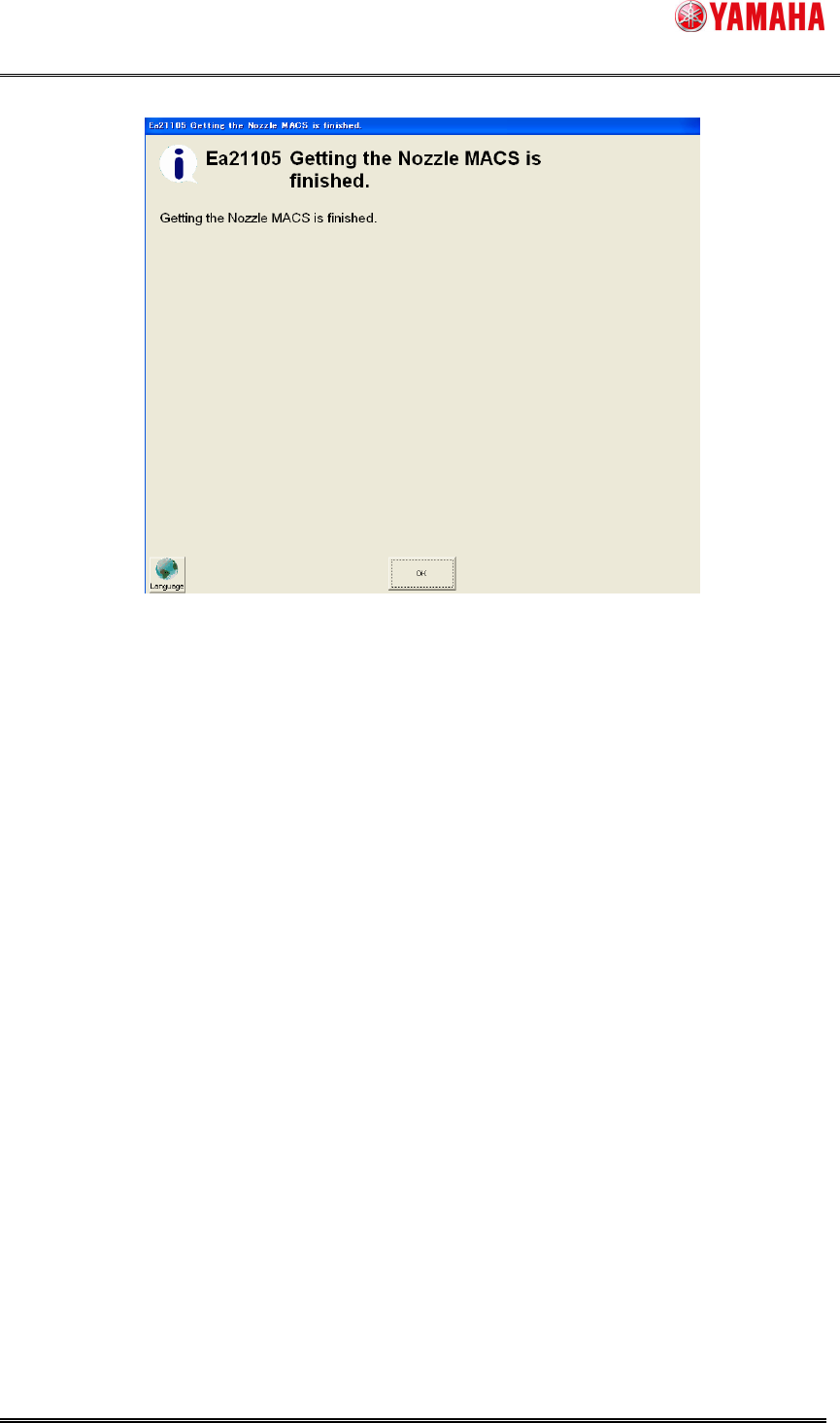
6). The following message is displayed, while executing Nozzle MACS.
When [Cancel] button is pressed in this dialog, Nozzle MACS is interrupted.
Fig.4.6 Getting Nozzle MACS
SMT Software Engineering Group
IM Operations YAMAHA MOTOR CO., LTD.
MDOC-SOFT50177
15/23
7). When Nozzle MACS action is completed, the following dialog is displayed and finishes.
Fig.4.7 Nozzle MACS finished