TM4642.TM4406.PickupMACS.pdf - 第15页
SMT Software Engineering Group IM Ope ration s Y A MAHA MOTOR CO ., L TD. MDOC-SOFT50 177 15 /23 7). W hen Nozzle MACS act ion is com pleted, the f ollowing di alog is dis played a nd finish es. Fig.4.7 No zzle MAC S f…
SMT Software Engineering Group
IM Operations YAMAHA MOTOR CO., LTD.
MDOC-SOFT50177
14/23
4). Select [Range of Getting Nozzle MACS].
- [Execute all]
Executes for all the checked nozzles on [Machine] - [Setting] - [Machine Data] - [Precision] -
[Pickup MACS] - [Nozzle MACS] - [Execute].
- [Execute to select nozzle]
Executes for all nozzles used in the loaded board data.
- [Select Nozzle]
Executes for all nozzles checked on [Check type]. (Checked state is not saved)
If the selected nozzles are stored in the nozzle station, nozzle change is performed.
When [Machine] - [Setting] - [Machine Data] - [Installation Setting] - [Nozzle Station] is set to
“None”, you can select one nozzle for each head. In that case, the nozzle is supposed to be set
on the head.
For fixed nozzle, only selected nozzles on [Machine] - [Setting] - [Machine Data] - [Head] -
[Head Offset] - [Nozzle Type] can get a Nozzle MACS correction value.
5). Press the [OK] button, and Nozzle MACS is executed for the nozzle selected at step (4).
When the [Cancel] button is pressed, Nozzle MACS is not executed.
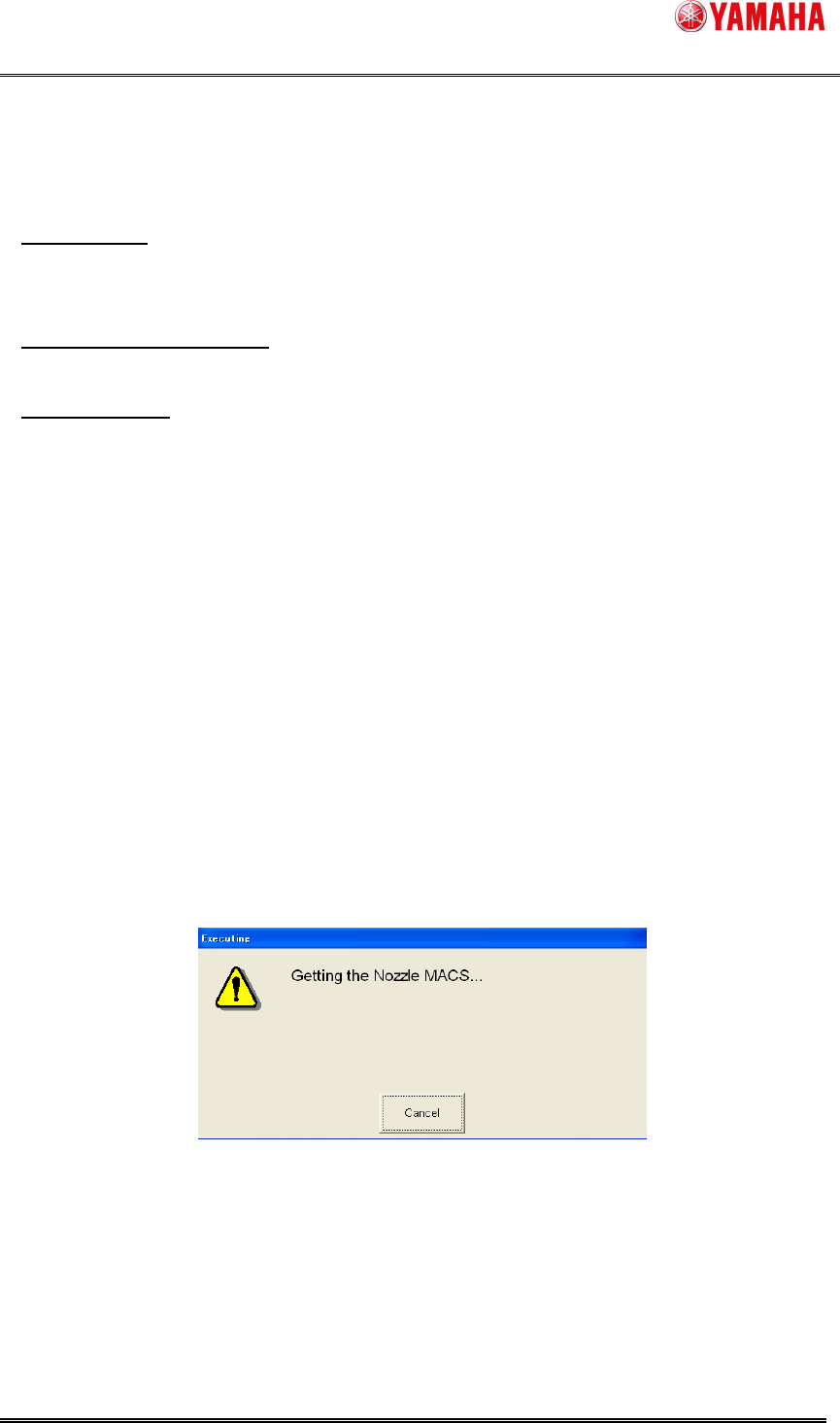
6). The following message is displayed, while executing Nozzle MACS.
When [Cancel] button is pressed in this dialog, Nozzle MACS is interrupted.
Fig.4.6 Getting Nozzle MACS
SMT Software Engineering Group
IM Operations YAMAHA MOTOR CO., LTD.
MDOC-SOFT50177
15/23
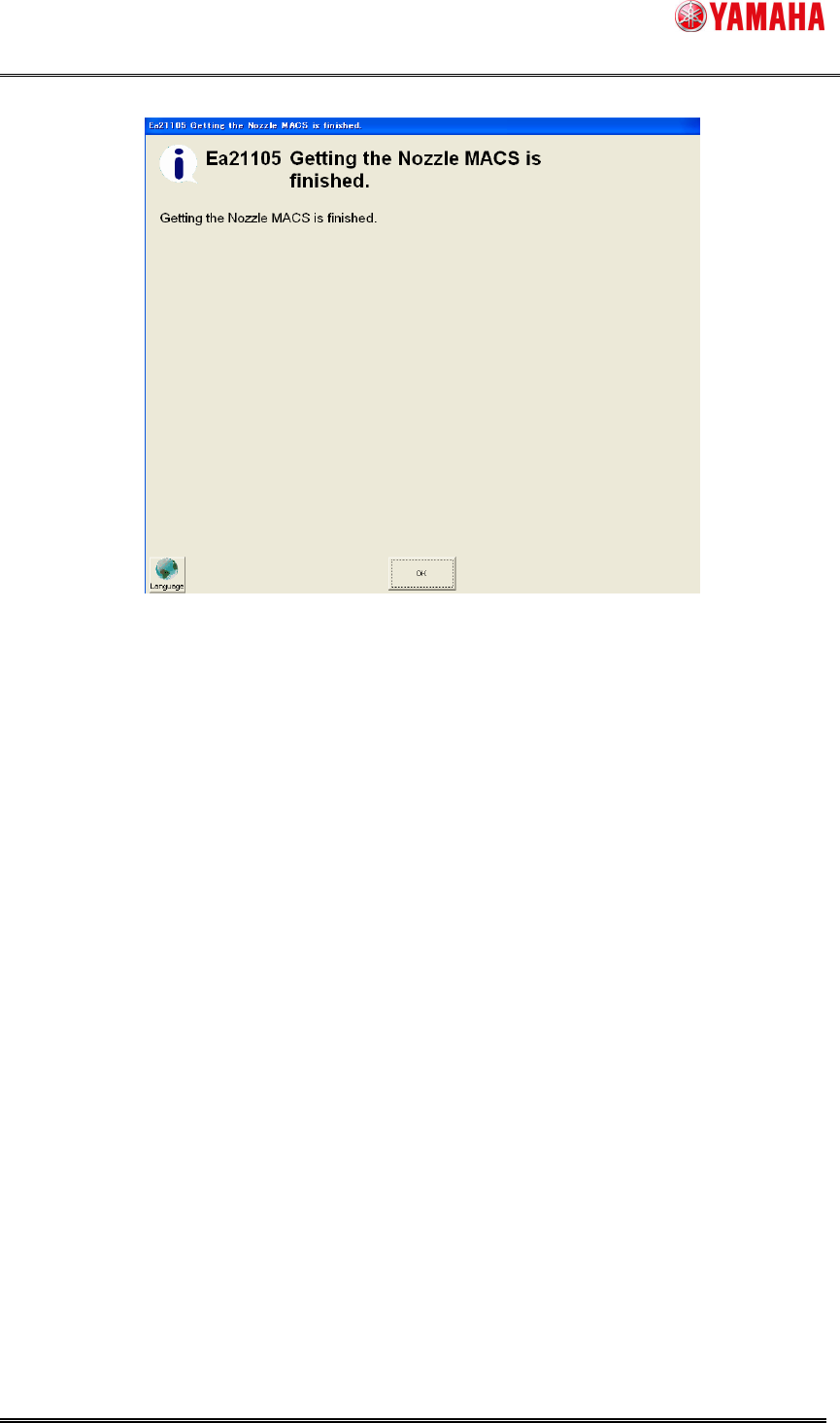
7). When Nozzle MACS action is completed, the following dialog is displayed and finishes.
Fig.4.7 Nozzle MACS finished
SMT Software Engineering Group
IM Operations YAMAHA MOTOR CO., LTD.
MDOC-SOFT50177
16/23
4.3. Error message
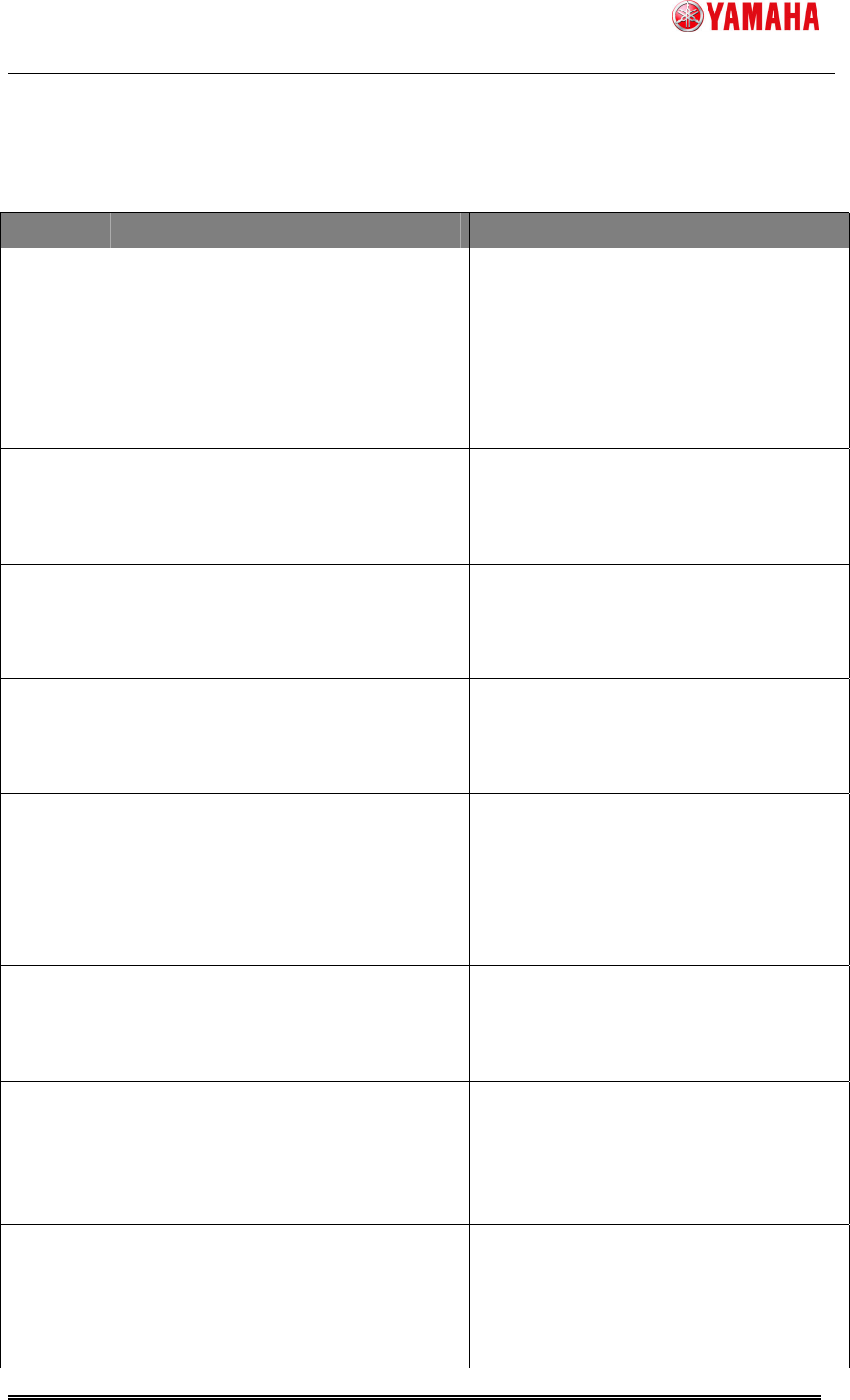
The table below is error message for this function.
Error No Content and Cause Checkpoint
2298
FEEDER MACS ERROR
Feeder MACS action is failed.
* In auto running, this error message is
displayed only [Use] in [Feeder MACS]
- [Error Stop].
-Check whether around the pickup position
is dirty.
-Check whether the database number for
Feeder MACS is right.
[Machine] - [Setting] - [Machine Data] -
[Precision] - [Pickup MACS] - [Feeder
MACS] - [Mark DB Number 1-3]
2299
FEEDER MACS CORRECTION
VALUE ERROR
The correction value by Feeder MACS
exceeds the limit.
-Check whether around the pickup position
is dirty.
2771
PICKUP MACS FILE READ ERROR
It failed to read Pickup MACS setting
file.
-Restore the machine data.
-Re-install application software.
2772
PICKUP MACS FILE WRITE ERROR
It failed to write Pickup MACS setting
file.
-Release the read only of file.
-Restore the machine data.
7998
NOZZLE MACS ERROR
Nozzle MACS action is failed.
-Check whether the nozzle is dirty.
-Check whether the mark data number for
Nozzle MACS is right.
[Machine] - [Setting] - [Machine Data] -
[Precision] - [Pickup MACS] - [Nozzle
MACS] - [Database No.]
7999
NOZZLE MACS CORRECTION
VALUE ERROR
The correction value by Nozzle MACS
exceeds the limit.
-Exchange or clean the nozzles.
24559
FEEDER MACS MARK DATA
READING ERROR
It was failed in reading mark data for
Feeder MACS.
-Check mark data number in [Machine] -
[Setting] - [Machine Data] - [Precision] -
[Pickup MACS] - [Feeder MACS] - [Mark
DB Number].
-Check the accessible to the database.
24574
NOZZLE MACS DATABASE ERROR
Nozzle MACS database number for the
following nozzle is not correct.
-Check the database number in [Machine]
- [Setting] - [Machine Data] - [Precision] -
[Pickup MACS] - [Nozzle MACS] -
[Database No.].
-Check the accessible to the database.