TM4642.TM4406.PickupMACS.pdf - 第18页
SMT Software Engineering Group IM Ope ration s Y A MAHA MOTOR CO ., L TD. MDOC-SOFT50 177 18 /23 6. Ap pendix 6.1. Setting method of Feeder MACS mark data As des cr ib ed on [4.1.3. Mark data of Feeder MA CS], t o exec…
SMT Software Engineering Group
IM Operations YAMAHA MOTOR CO., LTD.
MDOC-SOFT50177
17/23
5. Limitations
5.1. Feeder MACS
Target machine is a mounter equipped with SS Feeder. Machines without SS Feeder
and other series of mounters are not supported.
Target feeder type is 4mm feeder and 8mm feeder.
CT estimation of optimizer doesn’t consider the operation time of this function.
5.2. Nozzle MACS
Both of 311A nozzle with two holes and 311A nozzle with one hole can’t be used in one
machine. Select either one.
Target nozzle is 30X type and 31X type.
FNC nozzle system is not supported.
CT estimation of optimizer doesn’t consider the operation time of this function.
SMT Software Engineering Group
IM Operations YAMAHA MOTOR CO., LTD.
MDOC-SOFT50177
18/23
6. Appendix
6.1. Setting method of Feeder MACS mark data
As described on [4.1.3. Mark data of Feeder MACS], to execute Feeder MACS, you need to
register the special mark data into the database, and set the database number.
It is possible to create mark data, but we recommend use the one enclosed in the installation
CD. Setting method is as follows.
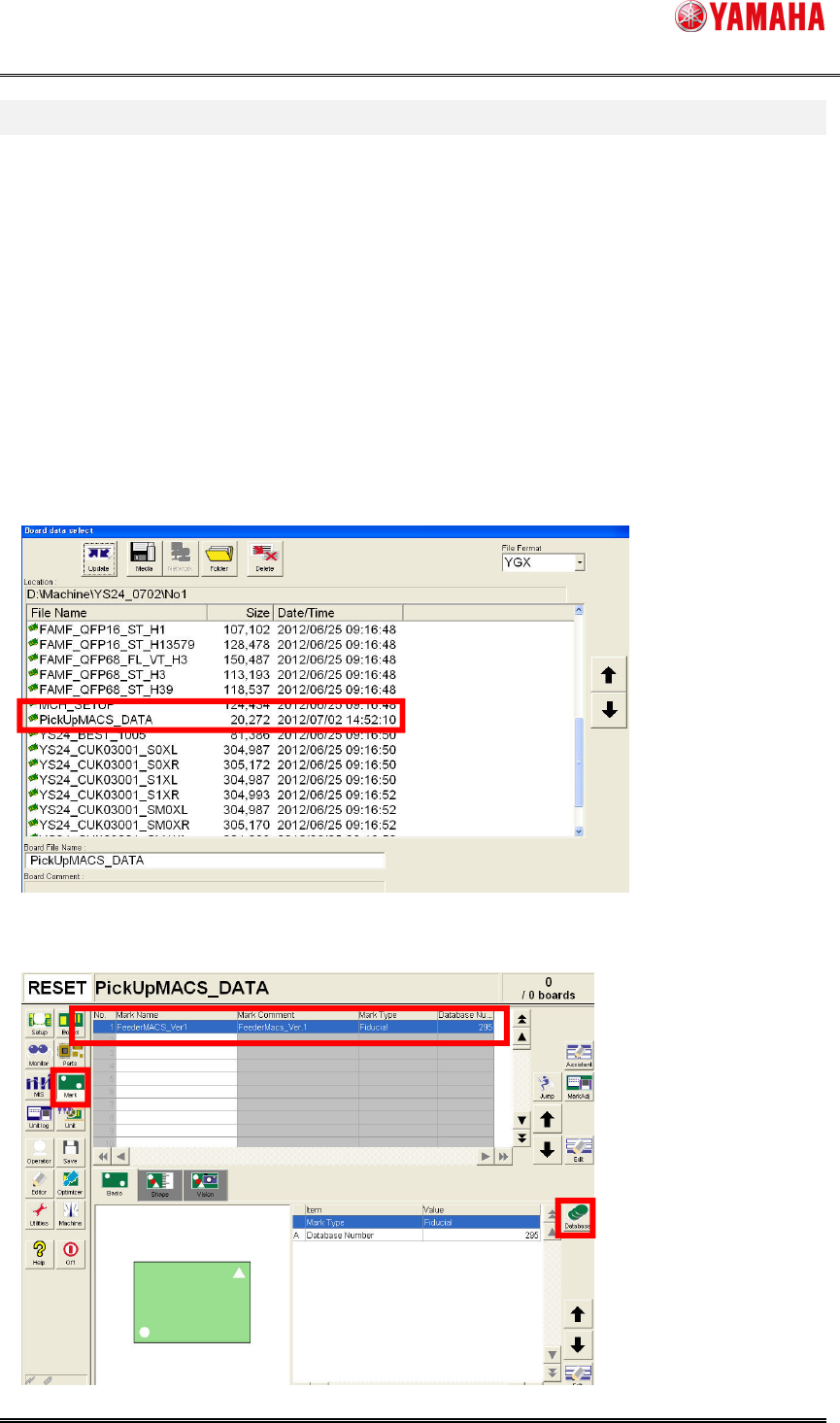
(1) Copy [PickUpMACS_DATA.ygx] from the installation CD to the [No1] folder of the target
machine.
(2) Read board data [PickUpMACS_DATA.ygx] on the [Setup] screen. Sometimes a board
data read error occurs, but ignore it.
(3) Press the [Mark] button. Select mark data named [Feeder MACS]. And press the
[Database] button.
SMT Software Engineering Group
IM Operations YAMAHA MOTOR CO., LTD.
MDOC-SOFT50177
19/23
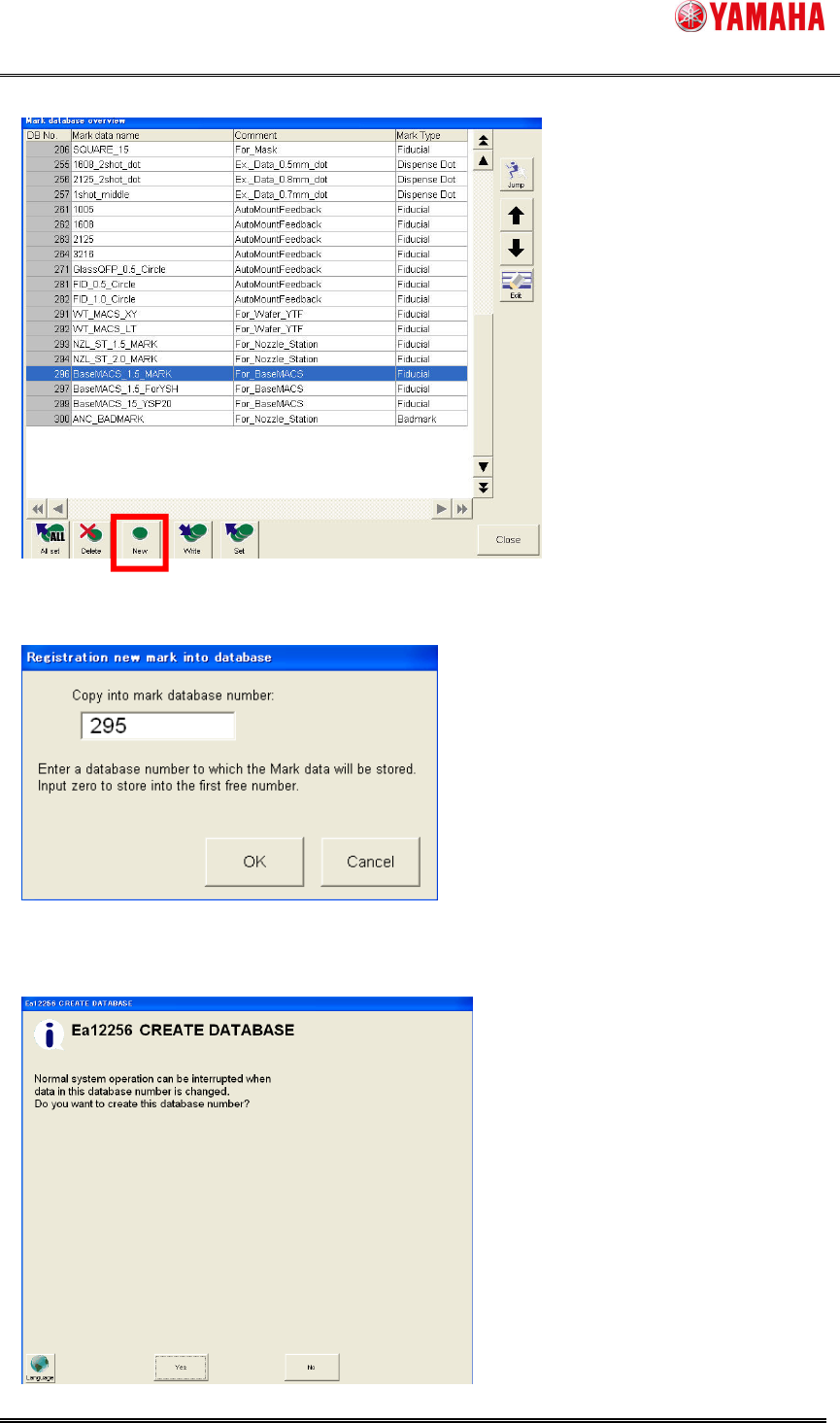
(4) [Mark database overview] dialog opens. Press the [New] button.
(5) [Registration new mark into database] dialog opens. Input a no use database number.
Press the [OK] button. (295 is recommended)
(6) When 295 is input, the following message is displayed, and press the [Yes] button.
If this message appears when you select other than 295, please change the number.