manual-biron-nano-handle-b-soldering-tool-jbc-0036842_ID-262259_EN.pdf - 第12页
0 Menu button Work Tool in charging holder or in Hibernation Heating Work temp. Work Tip T emperature Time T emp. Charge / Hibernation Room temp. Oper ation Th an ks to JBC’ s Intel lig en t He at Ma na ge me nt, the c a…
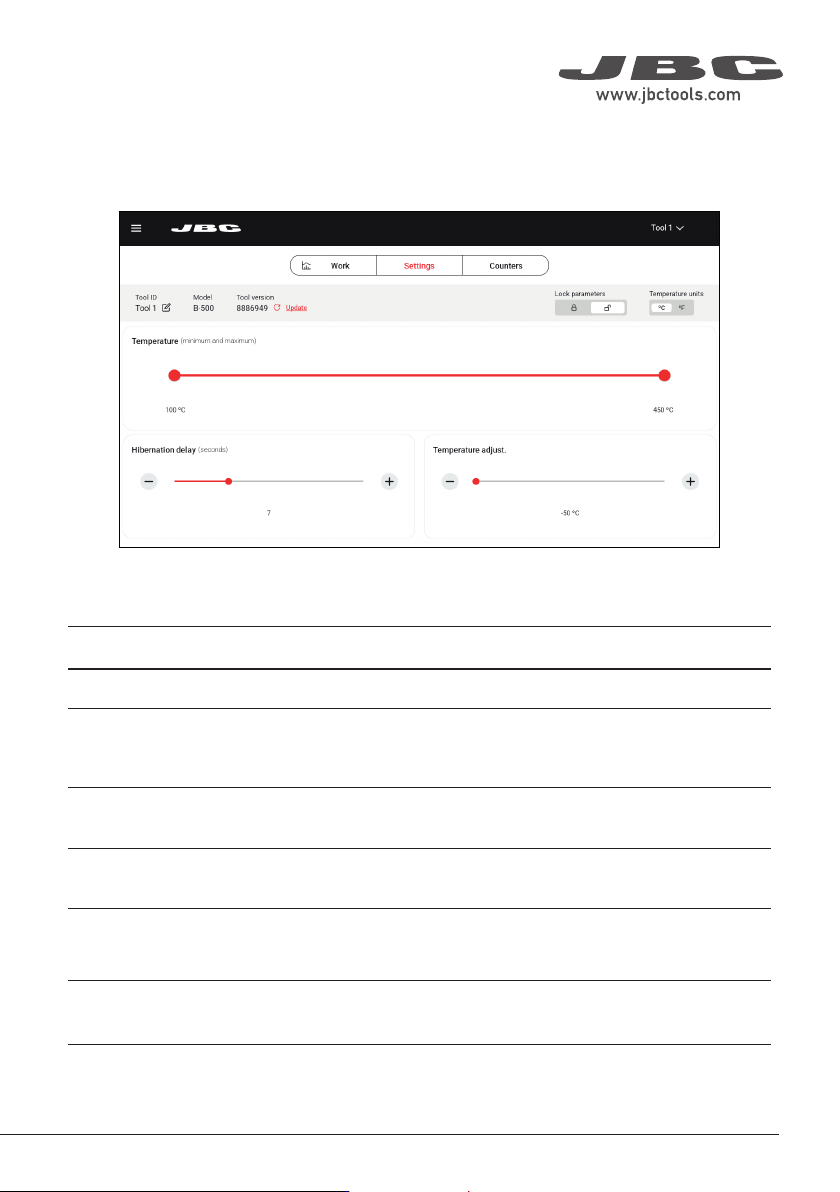
Main Screen - Settings
The B.IRON app offers an intuitive user interface, which provides quick access to several station
parameters:
Parameter
Tool ID
Lock parameters
Temperature units
Temperature
Hibernation delay
Temperature
adjustment
Description
Allows modifying the tool identifier.
Allows locking the parameters of the station using a four-digit code. The
default code is 0105, but a new code can be set by simply entering some
other four digits of choice when locking the parameters.
Allows changing the units of temperature measurement between degrees
Celsius and degrees Fahrenheit.
Define the minimum/maximum selectable working temperature.
Set the Hibernation delay from 5 to 15 sec. The countdown starts when
the tool remains completely stationary out of the charging holder or when
placed in the charging holder.
Sets an offset on the selected temperature value.
11
40 mm
50 mm
60 mm
80 mm
100 mm
130 mm
130 mm
para manuales - negro plano
200 mm
300 mm
0
Menu button
Work
Tool in charging holder or in Hibernation
Heating
Work
temp.
Work
Tip Temperature
Time
Temp.
Charge / Hibernation
Room
temp.
Operation
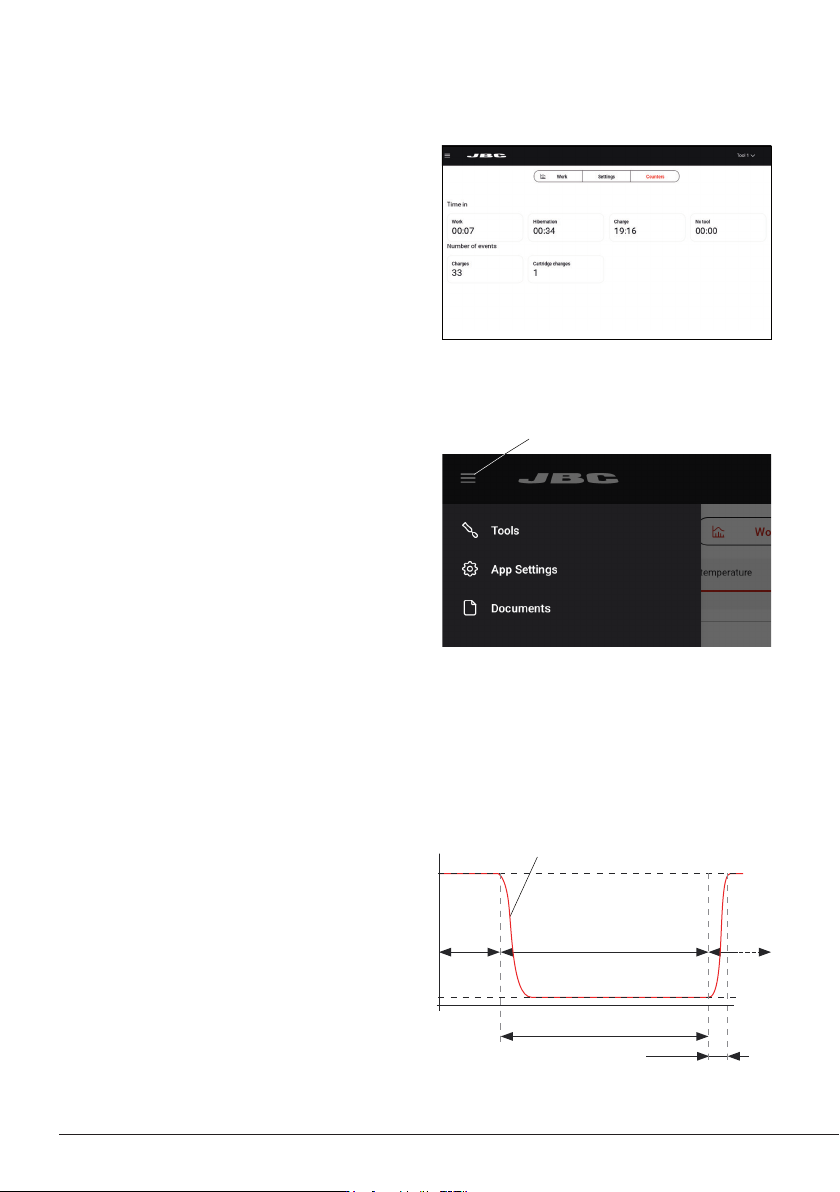
Thanks to JBC’s Intelligent Heat Management,
the cartridge tip regains temperature extremely
quickly.
This allows reducing the tip’s temperature
when the device is not in use, resulting in a
longer tip lifespan.
When the tool enters HibernationMode or the
charge status, the tip automatically cools down
to room temperature.
Main Screen - Counters
On this tab of the main screen, you can view
various counters, such as the time the tool has
been active or in hibernation, or the number of
times it has been charged or a cartridge has
been changed.
Menu
App Settings:
Configure specific settings for the station, such
as language or light/dark theme, update the
app version or take a walkthrough on some of
the app’s features.
Tools:
Go to the main screen (see section “Main
Screen”).
Documents:
User manuals related to the station or to the
tools can be consulted in this section or at
JBC’s website: www.jbctools.com.
12
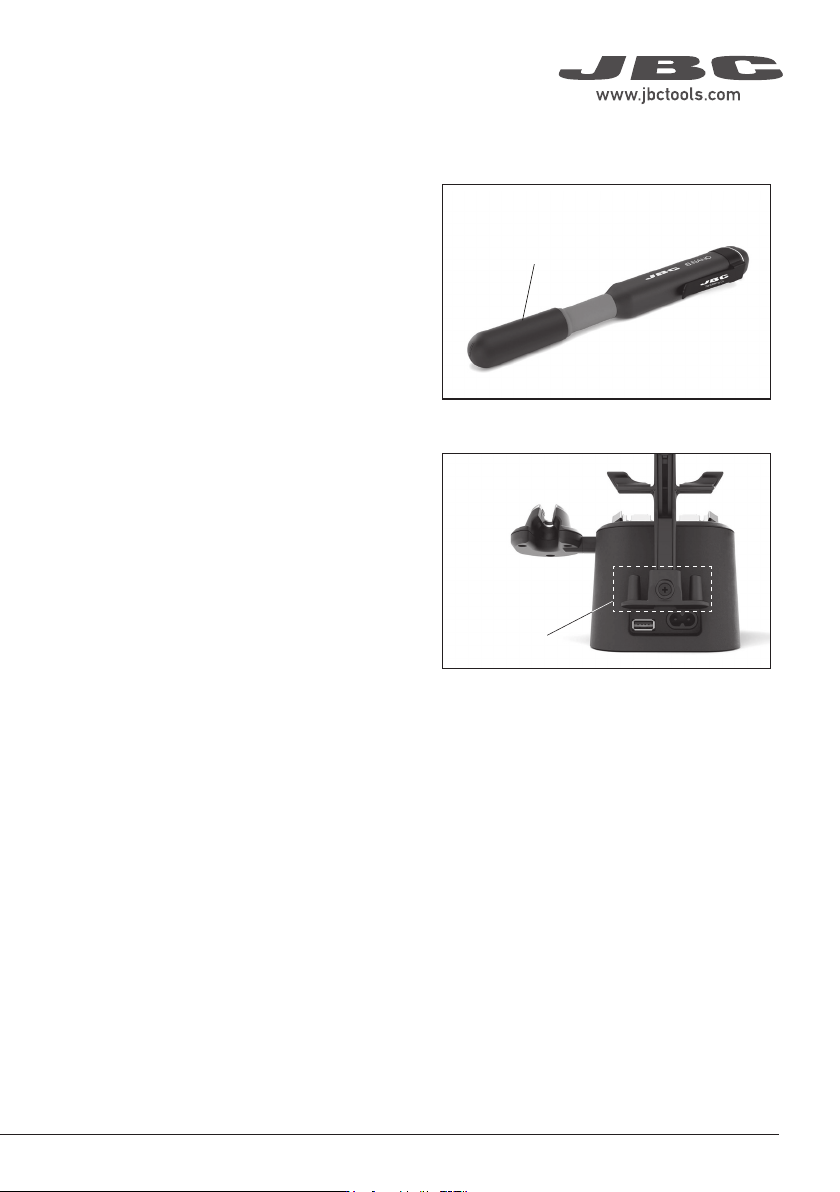
Safety Cap
Safe Tool Transportation
Thanks to the tool’s safety cap, B.IRON tools
can be carried around safely, even with the
cartridge inserted.
When the cap is placed onto the tool, the
cartridge tip cools down to room temperature.
Note: The purpose of the cap is to allow safe
transport, not storage.
Safety Cap Holder
While the tool is in use, the safety cap can be
stored on the cap holder located on the back of
the charging base.
There is space for two caps.
Cap Holder
Safety Cap
Safety Cap
13
40 mm
50 mm
60 mm
80 mm
100 mm
130 mm
130 mm
para manuales - negro plano
200 mm
300 mm