i3070-Software-Installation.pdf.pdf - 第16页
16 i3070 Software Installation Setting up client machines to use floating licenses F ollow these steps t o enable the test de velop men t wo rk st at ion s (client machines) to make use of floating licenses. Y ou wi ll n…
i3070 Software Installation 15
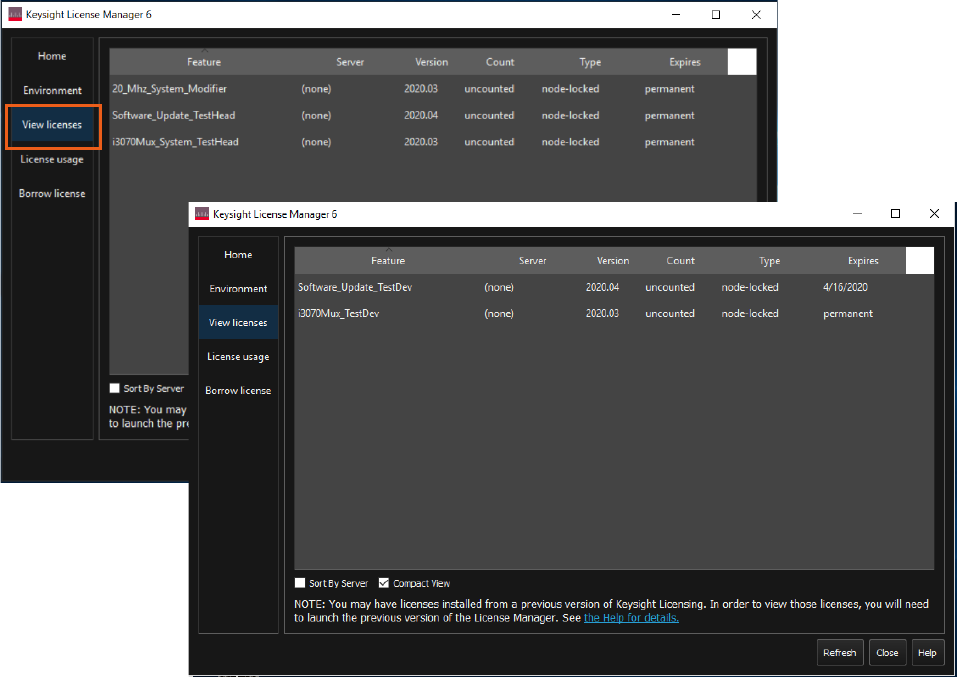
View licenses
Once the licenses are successfully installed, you can view them from the View
licenses tab. The following shows examples for a testhead controller and test
development workstation.
16 i3070 Software Installation
Setting up client machines to use floating licenses
Follow these steps to enable the test development workstations (client machines)
to make use of floating licenses. You will need the hostname(s) of the license
server(s) where the floating licenses reside.
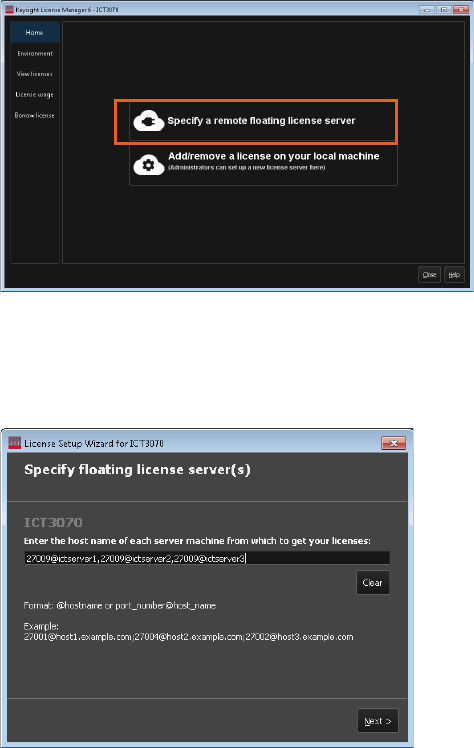
1 On the test development workstation, launch Keysight License Manager 6
(Start > Keysight License Manager 6 > Keysight License Manager 6).
2 Click Specify a remote floating license server.
3 Enter the hostname of the floating license server.
If your system relies on a triple redundant server setup, enter the hostnames of
the three license servers, separated by commas. The three servers should in the
same order as specified in the license files.
4 Click Next to complete the license setup.
5 Go to the C:\I3070_ICT\util folder. Right-click licenseSearchPathReg.bat and
select Run as administrator. This will ensure that the license search path setup
is consistent for all ICT3070 user accounts.
i3070 Software Installation 17
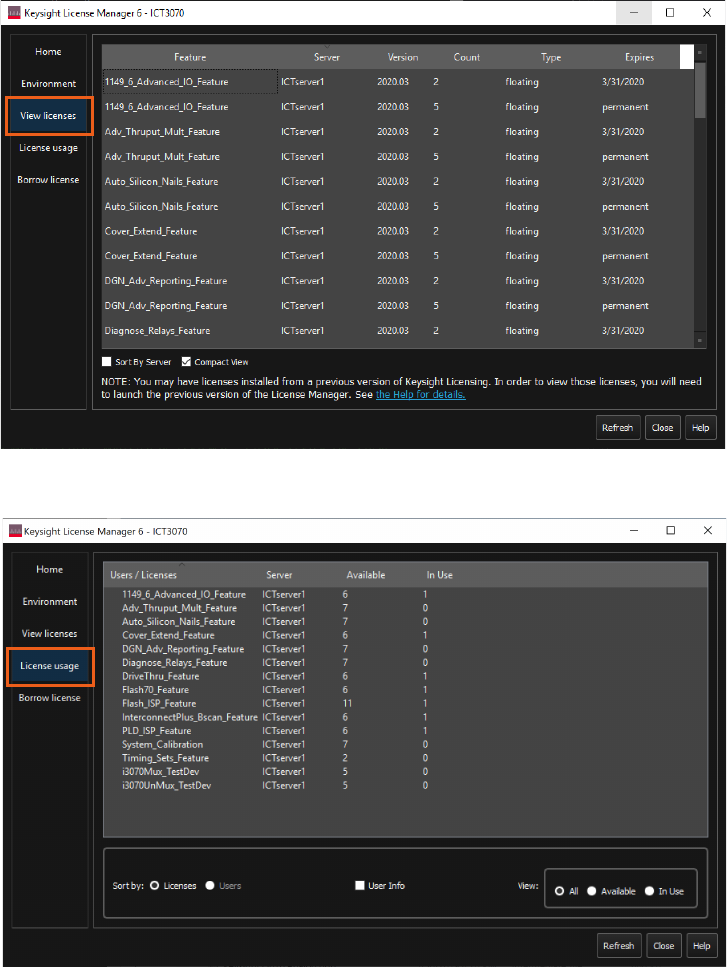
View licenses
Once the licenses are successfully set up, you can view them from the View licenses
tab. This also shows their expiry dates.
For the number of floating licenses that are available or in use, see License usage.