i3070-Software-Installation.pdf.pdf - 第21页
i3070 Software Installation 21 Troubleshooting Troubleshooting Software Installation If you encounter pr oblems after softwar e installation and find that you ar e unable to uninstall or r einstall the i3070 In-Circuit T…
20 i3070 Software Installation
Installing the online help
1 Insert the Keysight installation disk into the drive. It should auto-start.
Click Install Keysight i3070 Help to install the online help.
If the installation does not auto-start after several seconds:
a Open Windows Explorer and browse to the disc.
b Double-click setup.exe in the W10\Help folder.
2 Close any open windows and log out.
System backup and recovery
Use a disk imaging application to create a custom recovery image of your test
development workstation that includes changes and updates to the system since it
was first installed.
It is the responsibility of the customer to create a full backup of the files on their
i3070 ICT systems so that the system and data can be recovered in case of a
disaster such as a disk crash. It is recommended that you set up a backup schedule
and procedure to create regular backups.
IN NO EVENT WILL KEYSIGHT OR ITS SUPPLIERS BE LIABLE FOR LOSS OF DATA
OR FOR DIRECT, SPECIAL, INCIDENTAL, CONSEQUENTIAL (INCLUDING LOST
PROFIT OR DATA), OR OTHER DAMAGE WHETHER BASED IN CONTRACT, TORT,
OR OTHERWISE.
i3070 Software Installation 21
Troubleshooting
Troubleshooting Software Installation
If you encounter problems after software installation and find that you are unable
to uninstall or reinstall the i3070 In-Circuit Test Software, follow the instructions
below. These steps will not remove all i3070 files from your system, but will clean
up the system sufficiently to enable you to reinstall the software.
1 If there are any i3070 programs running, you must stop them.
a Press Ctrl+Alt+Delete and select Start Task Manager.
b On the Processes tab, check whether any of the following programs are
running:
• rmiregistry.exe
• RmiServer.exe
• translogd.exe
• xinitcolorcells.exe
c Select each program that is running and click End Process.
2 Rename your existing i3070 installation folder.
3 Remove the i3070 uninstall key from the registry.
a Select Start > Run, type
regedit and click OK.
b Navigate to the following:
64-bit OS:
HKEY_LOCAL_MACHINE\SOFTWARE\WOW6432Node\Microsoft\
Windows\CurrentVersion\Uninstall
.
c Look for the key whose Product Name in the right panel shows
Keysight i3070.
d Delete that key.
4 Remove the i3070 configuration information from the registry. Look for
HKEY_LOCAL_MACHINE\SOFTWARE\Keysight Technologies, Inc. If you find
this key delete it.
At this point there will still be some i3070 icons and programs on your system.
However, you should now be able to successfully reinstall the i3070 In-Circuit Test
Software.
22 i3070 Software Installation
Uninstalling the i3070 In-Circuit Test Software
1 Uninstall the i3070 software from either Settings or Control Panel.
• Click Start > Settings > Apps & Features.
Click Keysight In-circuit Test <xx.xx>p and click Modify.
or
• From Control Panel, click Programs and Features.
Click Keysight In-circuit Test <xx.xx>p and click Change.
2 Select one of the options:
• Remove All to remove the i3070 In-Circuit Test Software together with
associated third party software.
Choose this option if you no longer want the i3070 In-Circuit Test Software
on this PC, or when you are upgrading the i3070 In-Circuit Test Software
from one release to another.
• Select Remove to remove the i3070 In-Circuit Test Software only.
You can choose this option if you want to reinstall the same release.
3 Follow the instructions to complete the uninstallation.
4 If the Keysight LXI Mdns Responder dialog box appears, click Ignore.
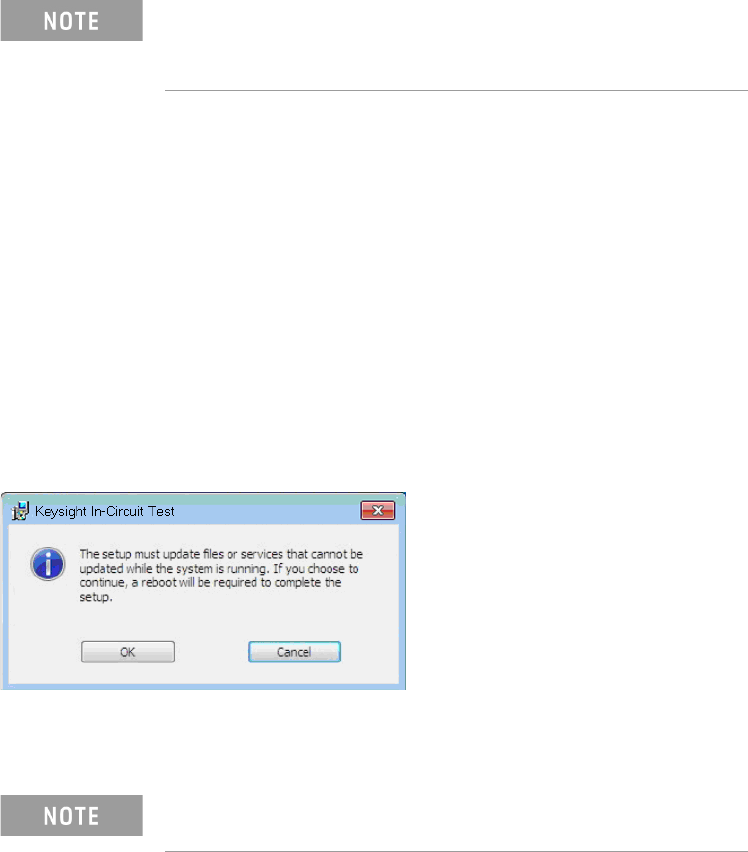
5 If the following dialog box appears, click OK to continue.
6 (Optional) Remove the i3070 online help.
7 Reboot the PC.
• xx.xx indicates the release that is currently installed.
• You can click Uninstall if you want to remove the i3070
software only. Third party software will not be removed.
The uninstall process does not remove the i3070 user
accounts.