00195467-01_Installation Manual Setup Center 2.2.pdf - 第29页
Installation Manual SIPLACE Setup Center 2.2 You will find a control lamp on the front of the device. This will shine when power is correctly supplied to the device. 5.2.3.4 Firmware downloa d for docking station This …
SIPLACE Setup Center 2.2 Installation Manual
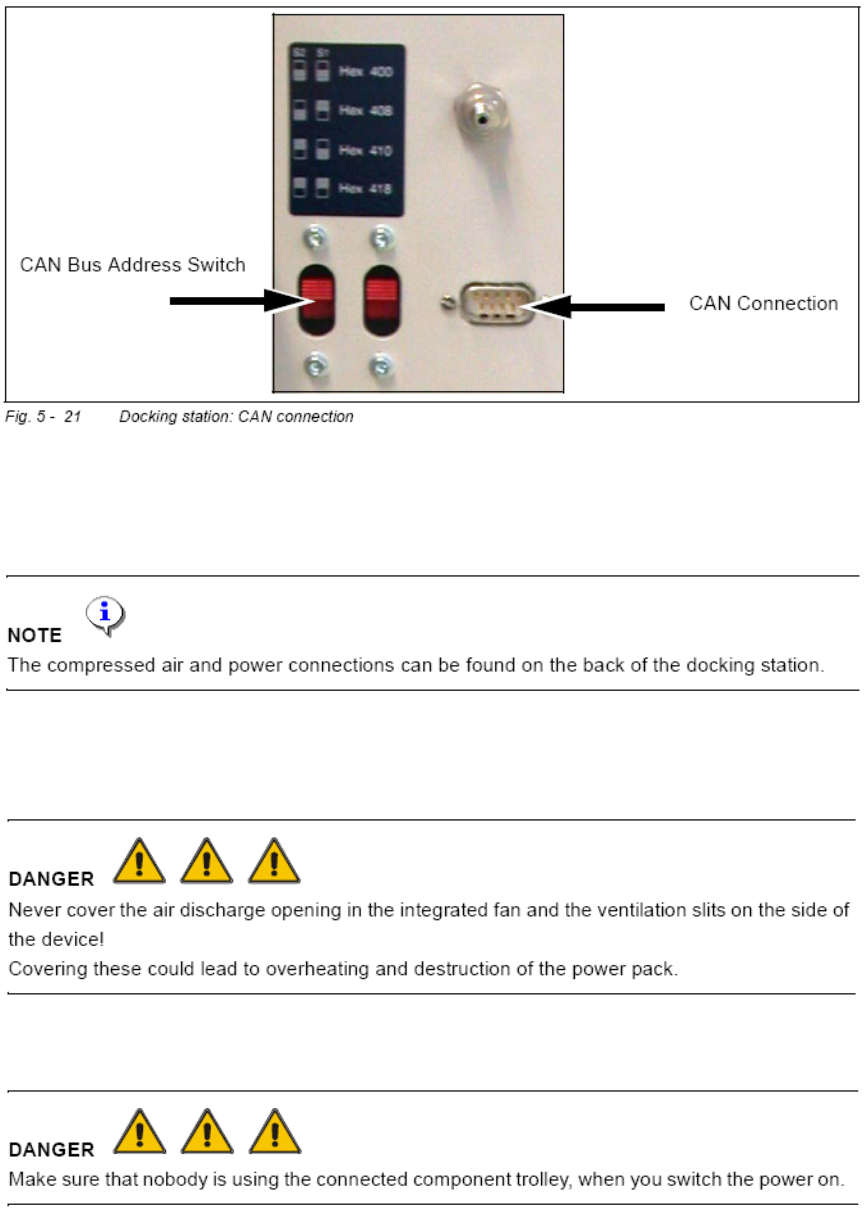
See the chapter
8.1 CAN Bus Cable Connection Examples for connection scenarios.
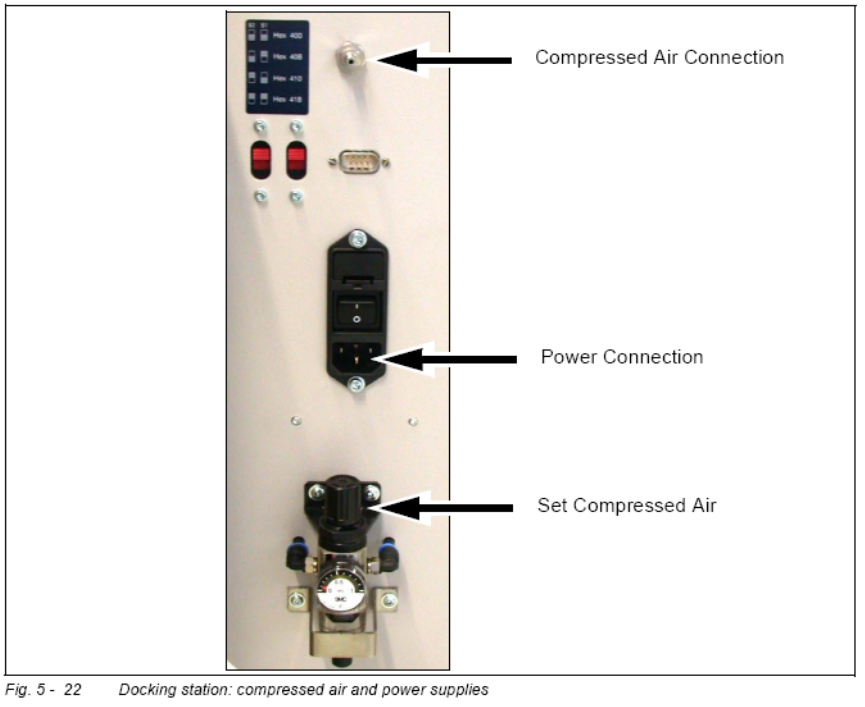
5.2.3.3.4 Compressed Air and Power Supplies
Connect to the compressed air supply.
Set the pressure reducer on the pneumatic connection (external) to 5.5 bar.
Switch off the power supply and connect the CAN Bus cable to the device.
Switch on the power supply.
28 of 90
Installation Manual SIPLACE Setup Center 2.2
You will find a control lamp on the front of the device. This will shine when power is
correctly supplied to the device.
5.2.3.4 Firmware download for docking station
This section describes the firmware download on the X-Series docking station with the tool
“Caccia”.
• The required firmware version
• Establish the CAN Bus connection between the X-DS and the download PC.
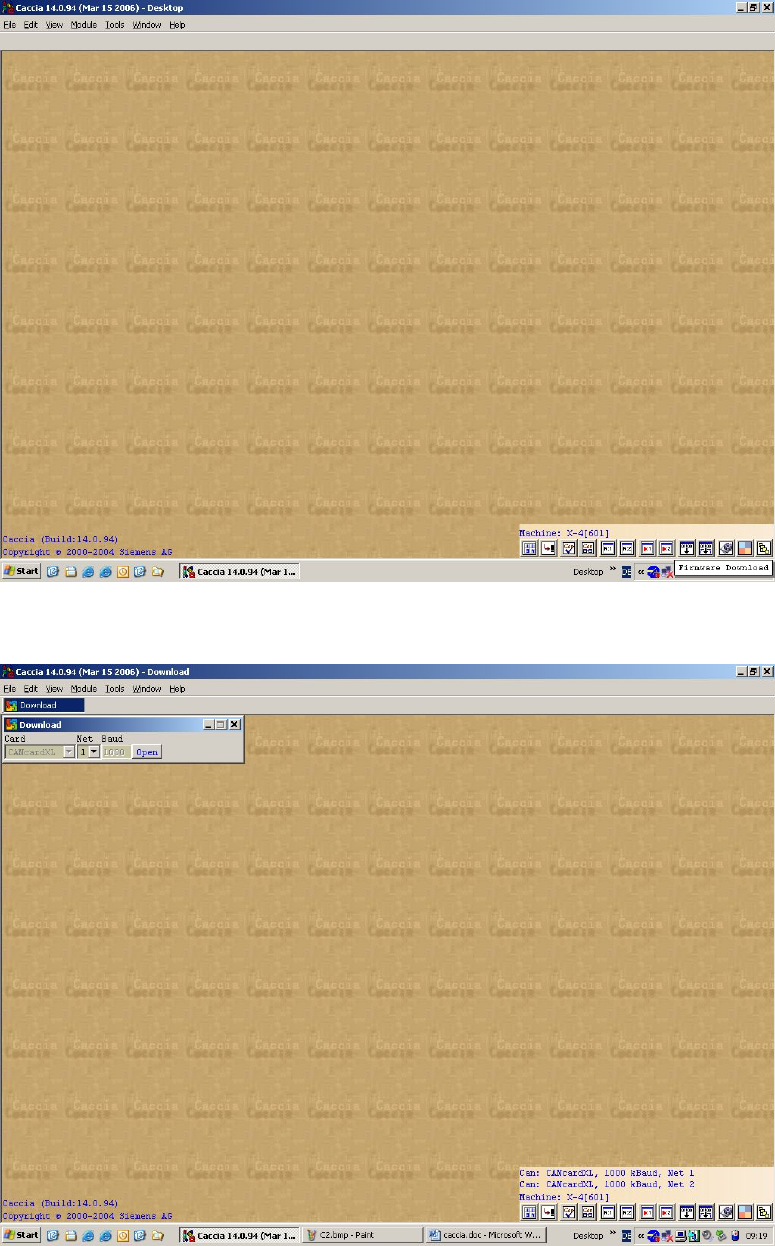
• Start the tool “Caccia”
29 of 90
-
SIPLACE Setup Center 2.2 Installation Manual
Click on the button firmware download
Select the CAN Network and then click on open
30 of 90