00195467-01_Installation Manual Setup Center 2.2.pdf - 第84页
SIPLACE Setup Center 2.2 Installation Manual If Remove is selected, the option Forced Setup Verification and Traceability will be deleted. 7.4.1 Uninstalling “Mobilink Patch” Note: You require administrator rights for …

Installation Manual SIPLACE Setup Center 2.2
Expand the node “Management”
Expand the node “SQL Server Agent”
Expand the node “Jobs
Mark all entries starting with “SIPLACESetupCenter” and delete them.
Confirm the deletion of the maintenance jobs.
Go back to the node of the database server instance.
Expand the node “Security”
Expand the node “Logins”
Mark all entries starting with “SIPLACESetupCenter” and delete them.
Confirm the deletion of the logins.
The database is completely deleted now.
The ServerManager is an unsupported tool that is able to create, empty and delete the SIPLACE
Setup Center database. The password for the user ‘sa’ is required.
It is recommended to use the ServerManager for the deletion of the database as it executes the
steps mentioned above automatically.
Warning:
All data will be lost when erasing or dropping the database with the
ServerManager. Use with caution.
7.3.1 Uninstalling MSDE installations
Uninstall the MSDE instance used for Setup Center.
Remove the database files manually.
83 of 90
7.4 Uninstalling Forced Setup Verification
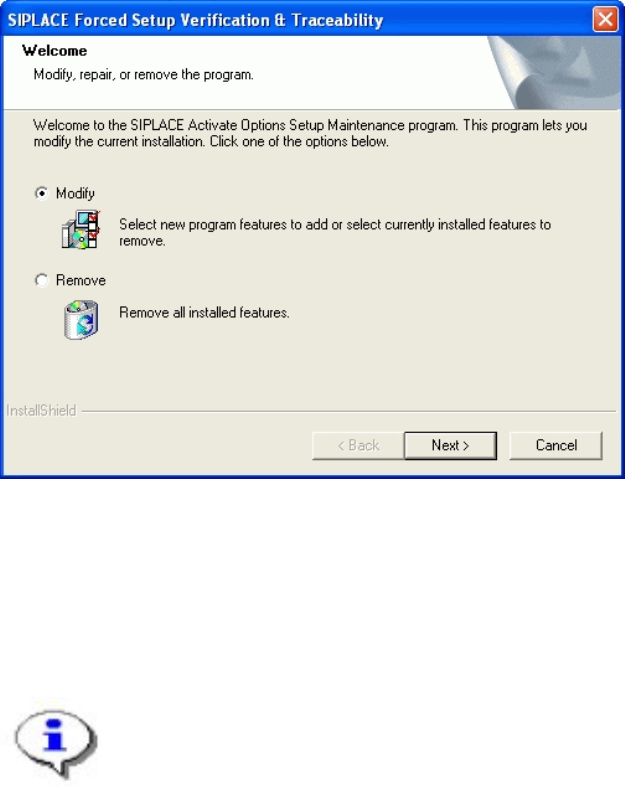
If the Setup at the Activation-CD is called up again, the following dialog appears.
-
SIPLACE Setup Center 2.2 Installation Manual
If Remove is selected, the option Forced Setup Verification and Traceability will be
deleted.
7.4.1 Uninstalling “Mobilink Patch”
Note:
You require administrator rights for the installation procedure!
Log on as administrator to the station PC
Place the Patch CD in your CD-ROM drive.
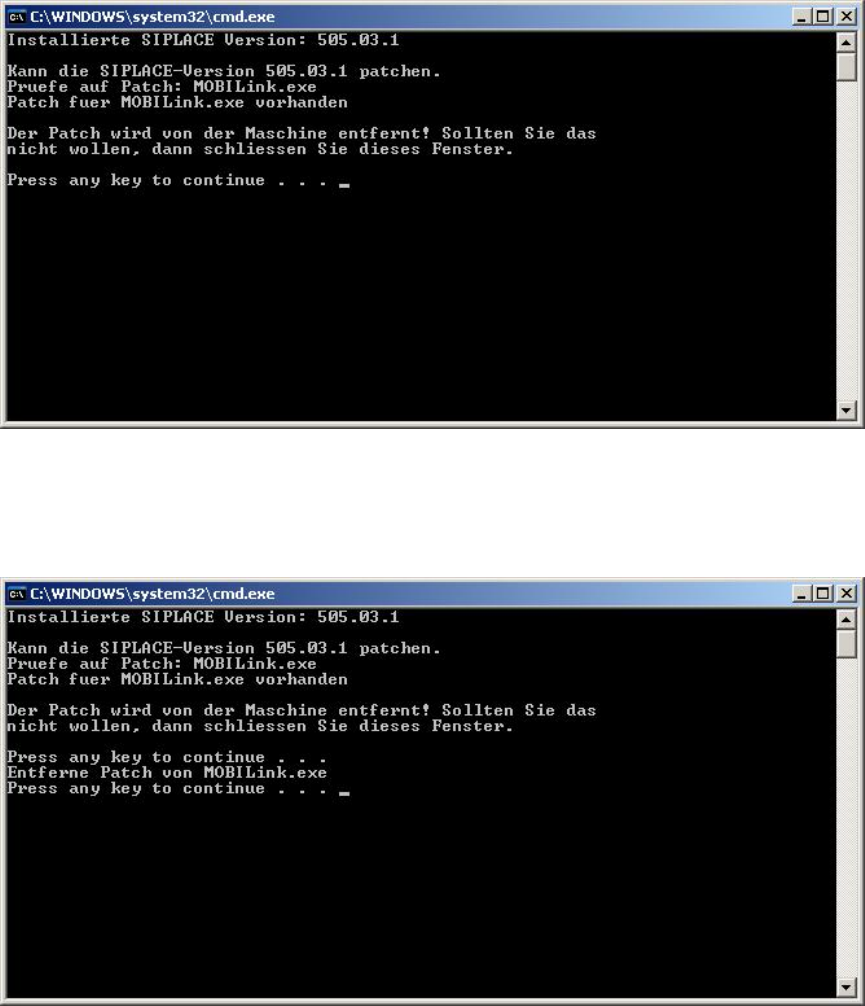
The following command window appears.
84 of 90
Installation Manual SIPLACE Setup Center 2.2
Press any key to remove the installation or close the window if you don’t want that
When uninstalling is finished the command window looks like this:
Press any key to finish the setup
7.5 Optional: Uninstalling the CAN Drivers
The CAN drivers can be uninstalled with the Microsoft Device Manager within the Computer
Management.
85 of 90
-