00195467-01_Installation Manual Setup Center 2.2.pdf - 第32页
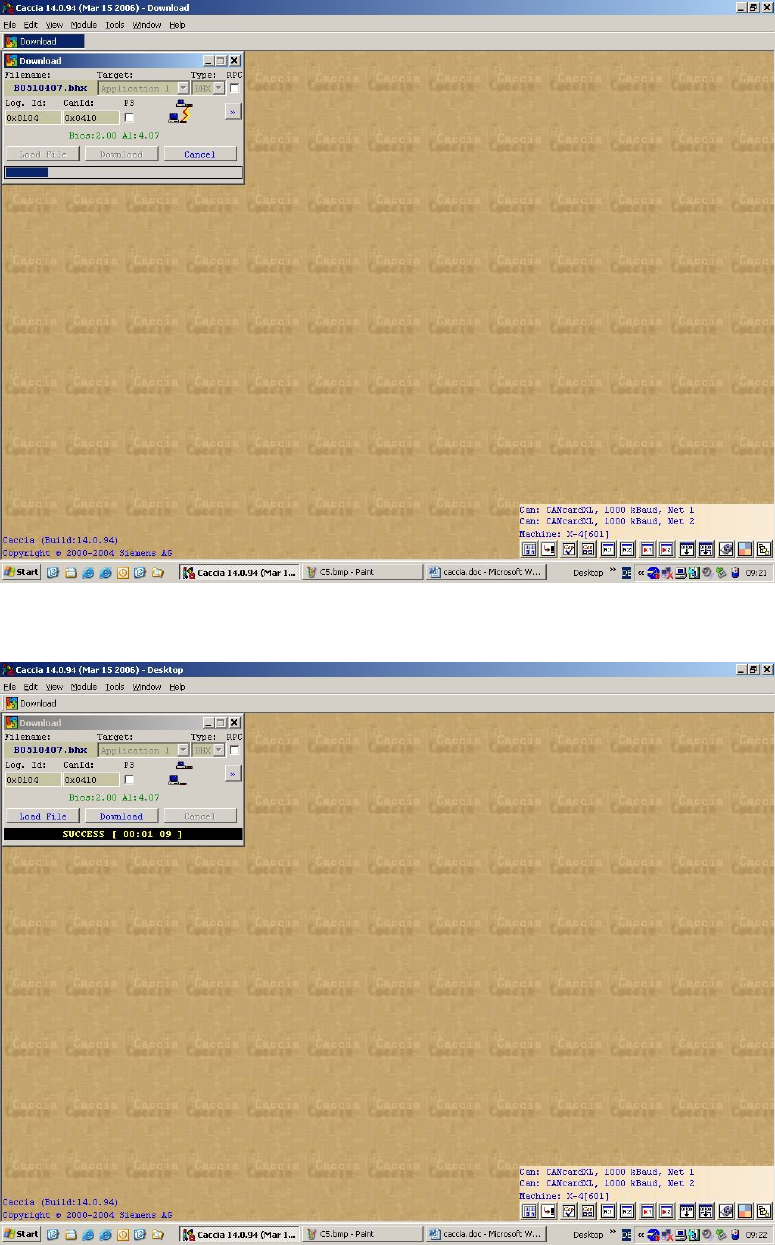
SIPLACE Setup Center 2.2 Installation Manual The download start s The download finishes successfully 32 of 90
Installation Manual SIPLACE Setup Center 2.2
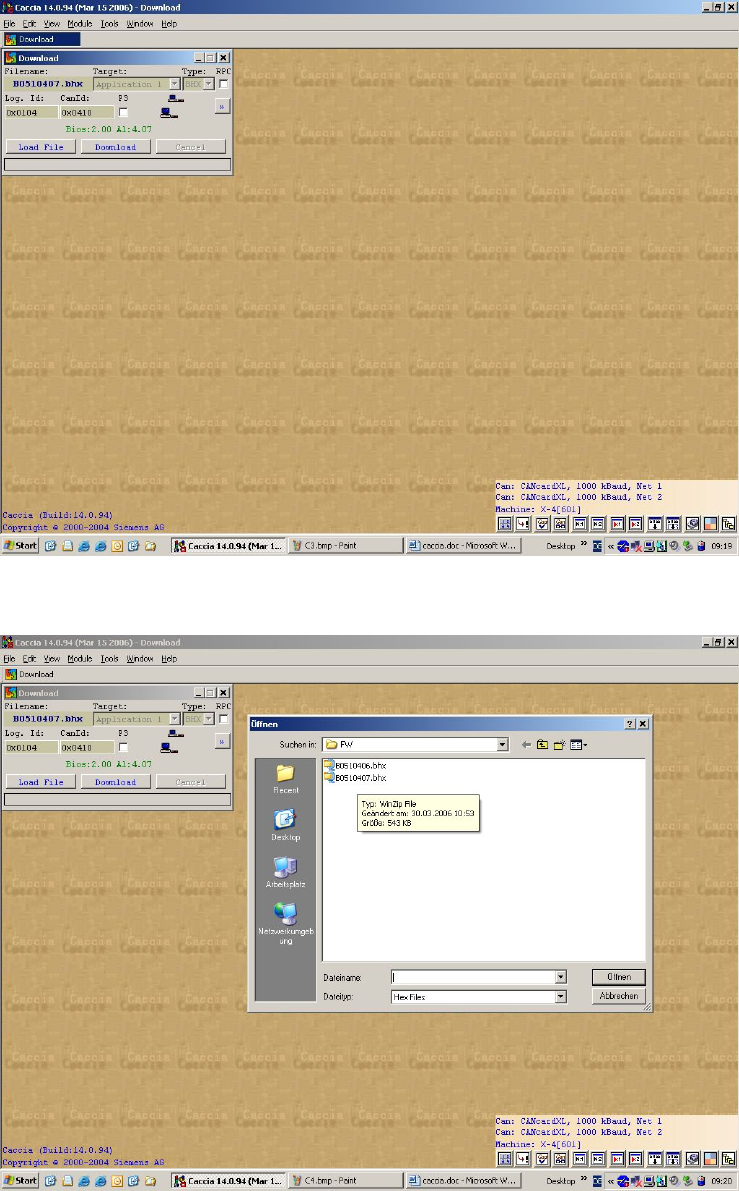
Enter the CAN ID of the X-DS. The current BIOS and application is displayed.
Load the required firmware
31 of 90
-
SIPLACE Setup Center 2.2 Installation Manual
The download starts
The download finishes successfully
32 of 90

Installation Manual SIPLACE Setup Center 2.2
5.3 Software Installation
5.3.1 Setup Center
The following steps have to be performed to install the required system components on the
specific computer:
1) General settings, steps that are identical for all setup types
2) Setup types, the following setup types can be selected:
• SIPLACE Setup Center GUI
• SIPLACE Setup Center Database
• SIPLACE Setup Center Complete
5.3.1.1 General Settings
These steps are identical for all setup types. The subsequent steps only differ once you have
selected the setup type you require. 4
Run through the following steps to start the installation and then refer to the relevant section for
your specific setup type.
Note:
You require administrator rights for the installation procedure!
Step 1
Insert the SIPLACE Setup Center installation CD into the CD-ROM drive. The installation
routine starts automatically.
You can also start the installation by running the Setup.exe program located in the root
directory on the installation CD.
This starts the user-controlled installation of SIPLACE Setup Center; you are prompted to
select the installation language.
33 of 90