00195467-01_Installation Manual Setup Center 2.2.pdf - 第40页
SIPLACE Setup Center 2.2 Installation Manual 5.3.1.2 Individual setup types and next steps 5.3.1.2.1 Setup Type – GUI This setup type will install the GUI application of SIPLACE Setup Center. It is used to setup up a cli…
Installation Manual SIPLACE Setup Center 2.2
Step 6
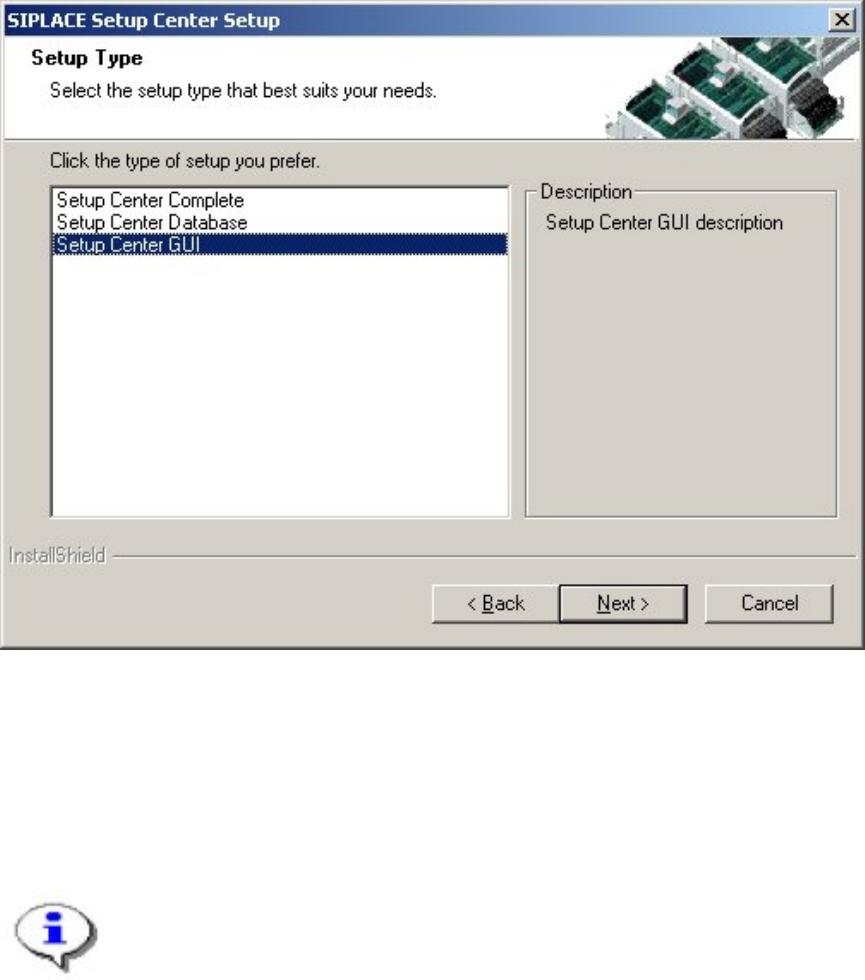
The Setup Type dialog box displays the SIPLACE Setup Center components you could
choose for installation.
Figure 5-6 "Setup Type" dialog box
Select the setup type you want to install In the "Setup Type" dialog box,.
Click Next.
If you select a type, a short description of the setup type in question appears in the
Description box.
Note
After choosing a setup type which includes a database installation, the setup
program immediately checks if SQL server or MSDE (Microsoft Data Desktop
Engine) is installed on the computer.
39 of 90
-
SIPLACE Setup Center 2.2 Installation Manual
5.3.1.2 Individual setup types and next steps
5.3.1.2.1 Setup Type – GUI
This setup type will install the GUI application of SIPLACE Setup Center. It is used to setup up a
client system while the database is located on a remote system.
Step 1
Run through the steps in”Gerneral Settings” from chapter
5.3.1.1
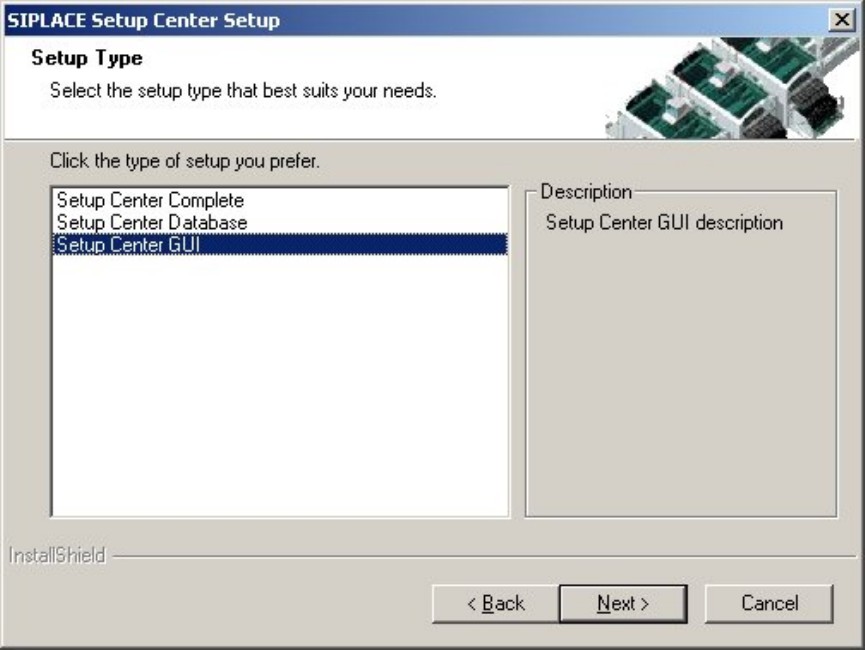
Figure 5-7 "Setup Type" dialog box
Select the SIPLACE Setup Center GUI setup type
Click Next.
40 of 90
Installation Manual SIPLACE Setup Center 2.2
Step 2
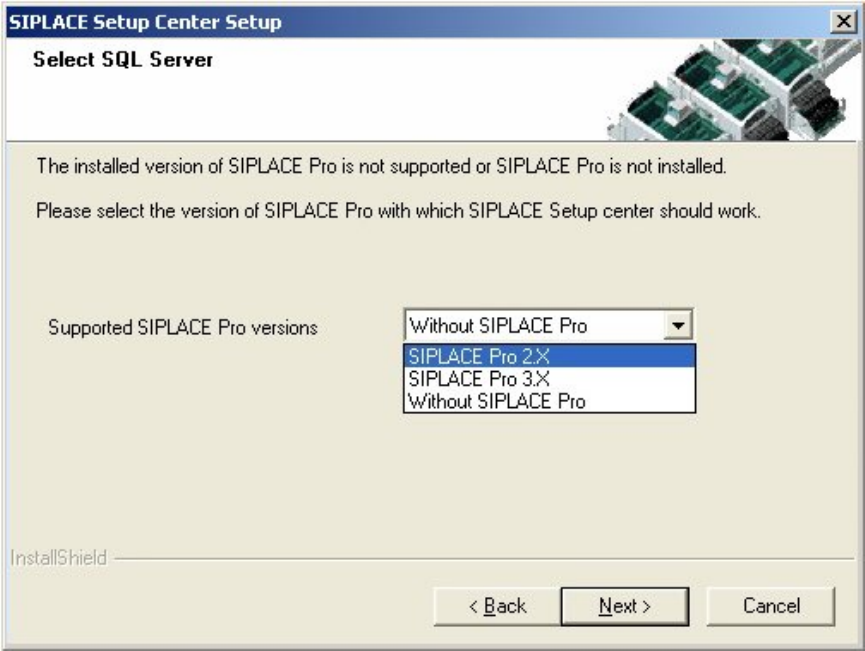
The installation detects the existing SPI version and installs the according SIPLACE Setup Center
files.
In case no SPI is detected, a warning message is displayed.
After this the installation prompts to select a SIPLACE Pro version. SIPLACE Setup Center will be
installed with the files to support the selected SIPLACE Pro version.
Figure 5-8 "Setup Type" dialog box
Select the SIPLACE PRO version
Click Next.
41 of 90
-