00195467-01_Installation Manual Setup Center 2.2.pdf - 第60页
SIPLACE Setup Center 2.2 Installation Manual Step 3 Configuration of the Splice detection Note This dialog will not appear for the X2, X3 and X4 Machi nes! Select the checkbox Splice detection existing , if a splice d …
Installation Manual SIPLACE Setup Center 2.2
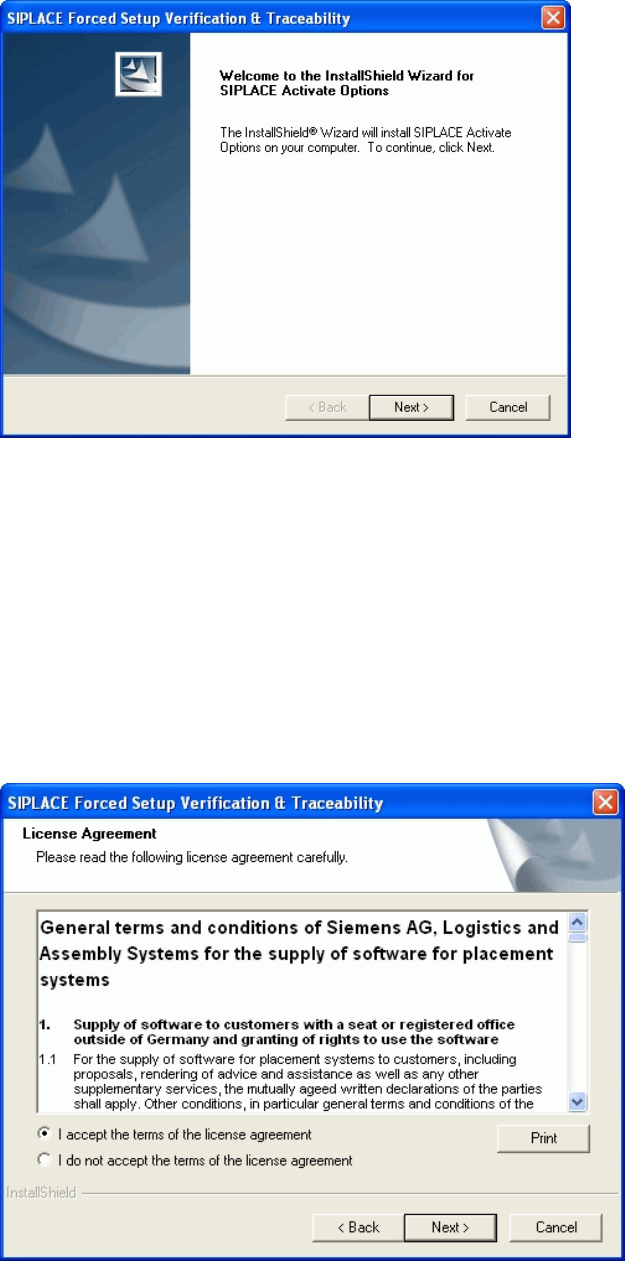
Step 2 Licence dialog
Read the license agreement. If you agree with the conditions, click I accept ..., otherwise click
on I do not accept.... If you select I do not accept ..., the installation procedure will be termi-
nated.
Click on Next, to continue the installation procedure.
59 of 90
-
SIPLACE Setup Center 2.2 Installation Manual
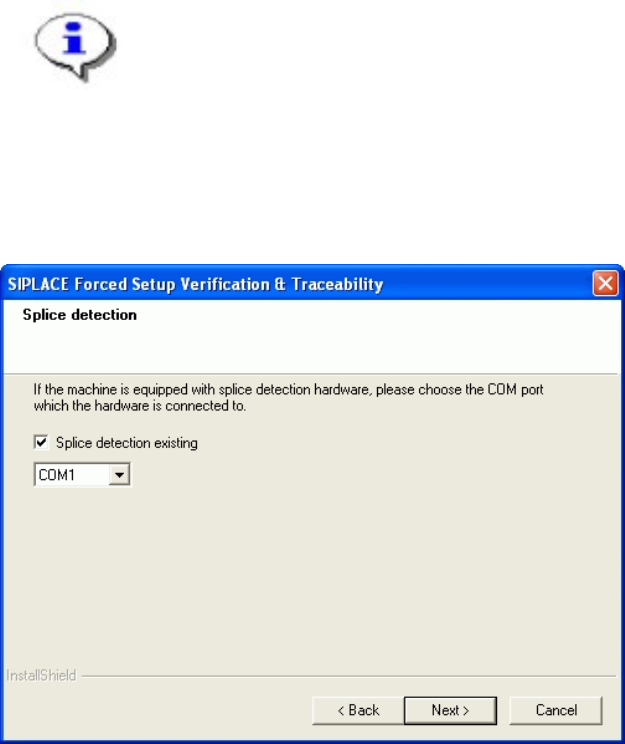
Step 3 Configuration of the Splice detection
Note
This dialog will not appear for the X2, X3 and X4 Machines!
Select the checkbox Splice detection existing, if a splice detection is available.
Enter the COM Port where Splice detection is plugged in or leave empty the entry field.
Click Next to continue.
60 of 90
Installation Manual SIPLACE Setup Center 2.2
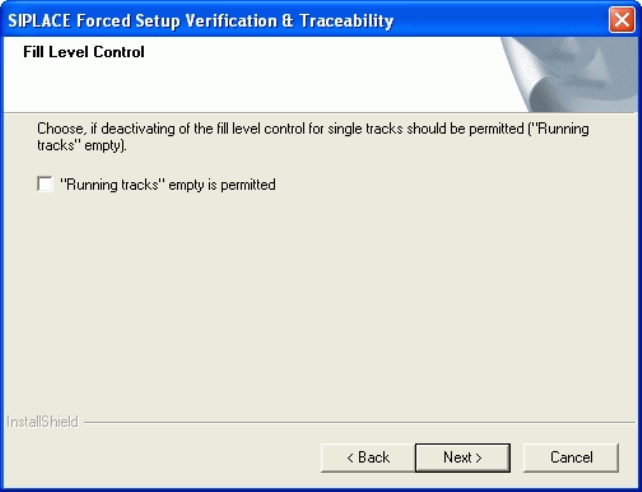
Step 4 Fill Level Control
If the fill level control should be deactivated for single tracks, activate the checkbox “Running
tracks” empty is permitted. After that you can let single tracks go empty consciously.
Click Next to continue.
61 of 90
-