00193161-01.pdf - 第67页
Manual S-20/S-23 HM/S-25 HM/F4/F5 HM /HS-50 Placement of 0402 components 03/2001 edition 67 8.3.2 Parameters for ‘ LEAD ’ measuring mode Å From the ‘ Measur ing Mo de ’ menu (see Fi g. 8 - 5 on page 64 ), clic k on the ‘…
Placement of 0402 components Manual S-20/S-23 HM/S-25 HM/F4/F5 HM/HS-50
03/2001 edition
66
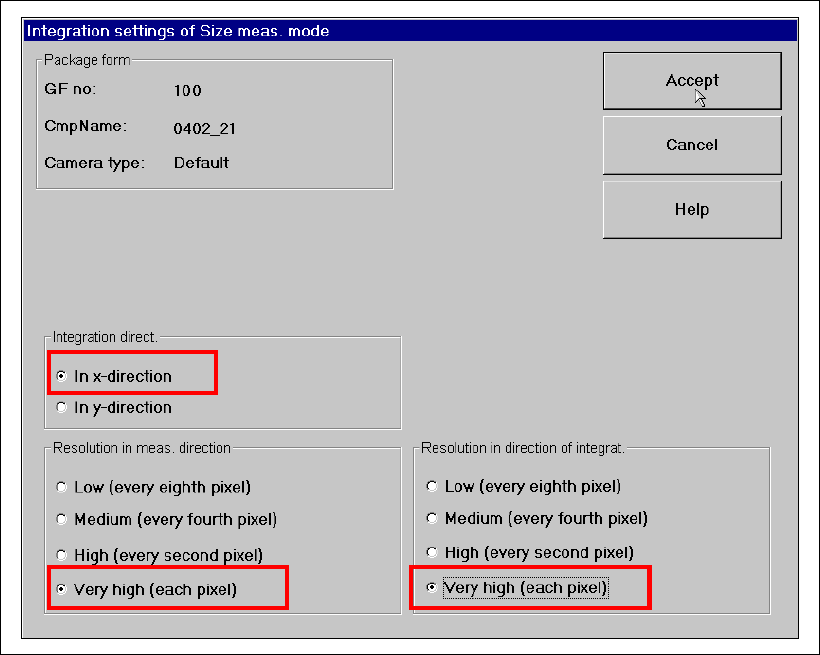
Å Click on the ‘Integration Settings’ button. The following options must be checked in the ‘Size
Measuring Mode, Integration Settings’ window:
– Integration direction in the X direction
– Resolution in meas. direction very high (every pixel)
– Resolution in direction of integration very high (every pixel)
Fig. 8 - 7 ‘Size’ measuring mode: Integration settings
Manual S-20/S-23 HM/S-25 HM/F4/F5 HM/HS-50 Placement of 0402 components
03/2001 edition
67
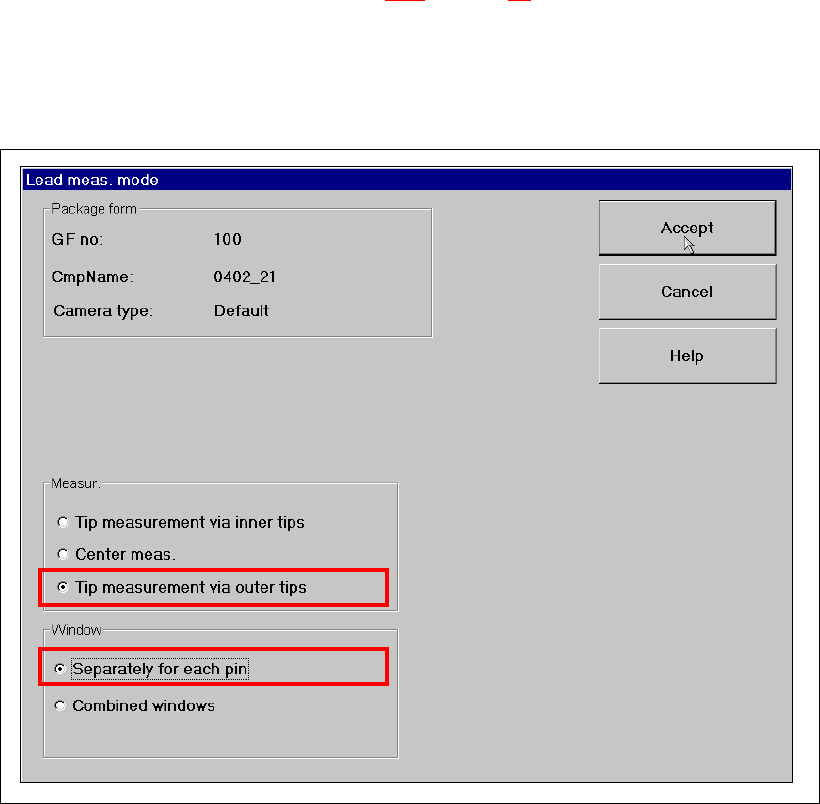
8.3.2 Parameters for ‘LEAD’ measuring mode
Å From the ‘Measuring Mode’ menu (see Fig. 8 - 5 on page 64), click on the ‘Set …’ button for
‘Lead’. The following options must be checked in the ‘Lead Measuring Mode’ window:
– Measur: Tip measurement via outer tips
– Window: Separately for each pin
Fig. 8 - 8 Setting ‘Lead’ measuring mode
Placement of 0402 components Manual S-20/S-23 HM/S-25 HM/F4/F5 HM/HS-50
03/2001 edition
68
8.3.3 Checking the hex values
Å From the ‘Measuring Mode’ menu (see Fig. 8 - 5 on page 64), click on the ‘Hex entries ...’
button.
ATTENTION: 8
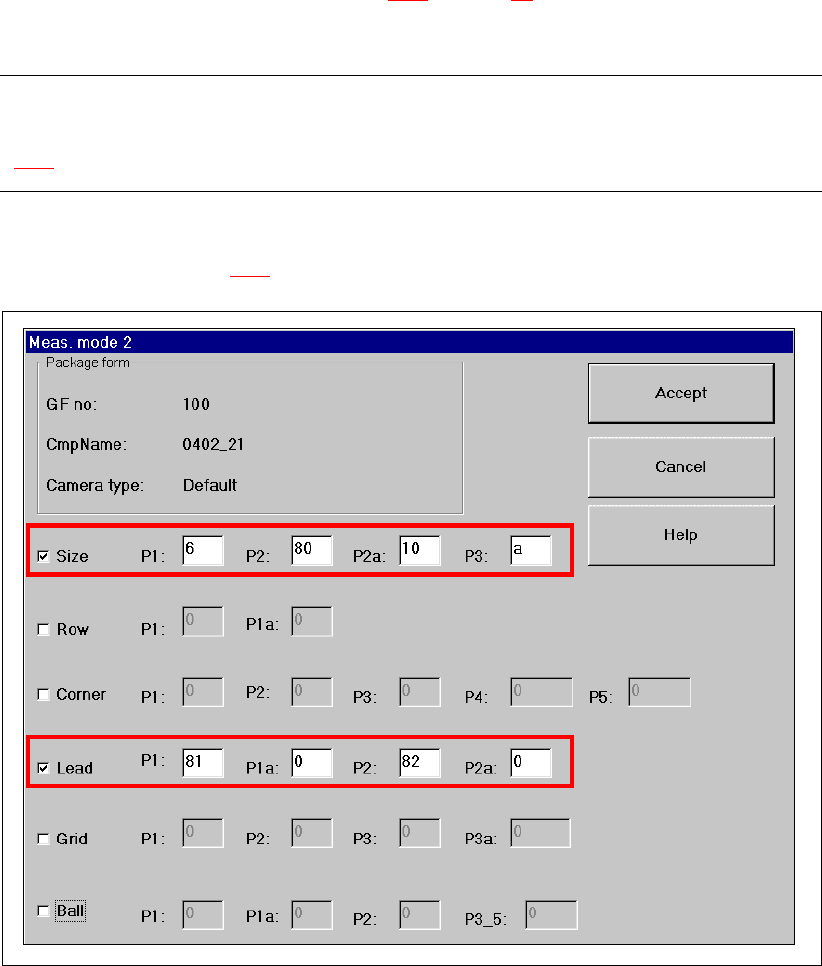
Only people with sufficient technical knowledge should change the parameters shown in Fig.
8 - 9. 8
Only the ‘Size’ and ‘Lead’ check boxes must be checked in the ‘Measuring Mode 2’ menu. The
parameters shown in Fig. 8 - 9
must be entered. 8
Fig. 8 - 9 Measuring Mode 2 – Default setting