00195642-01_IM-SetupCenter-3.0_EN.pdf - 第27页
Installation Motorola / Symbol MC70 1D/2D barco de scanner Hardware Installation Installation Manual SIPLACE Setup Center V3.0 27 X Select the path for copy ing the installation f iles and select "Next". X Sele…
Installation
Hardware Installation Motorola / Symbol MC70 1D/2D barcode scanner
26 Installation Manual SIPLACE Setup Center V3.0
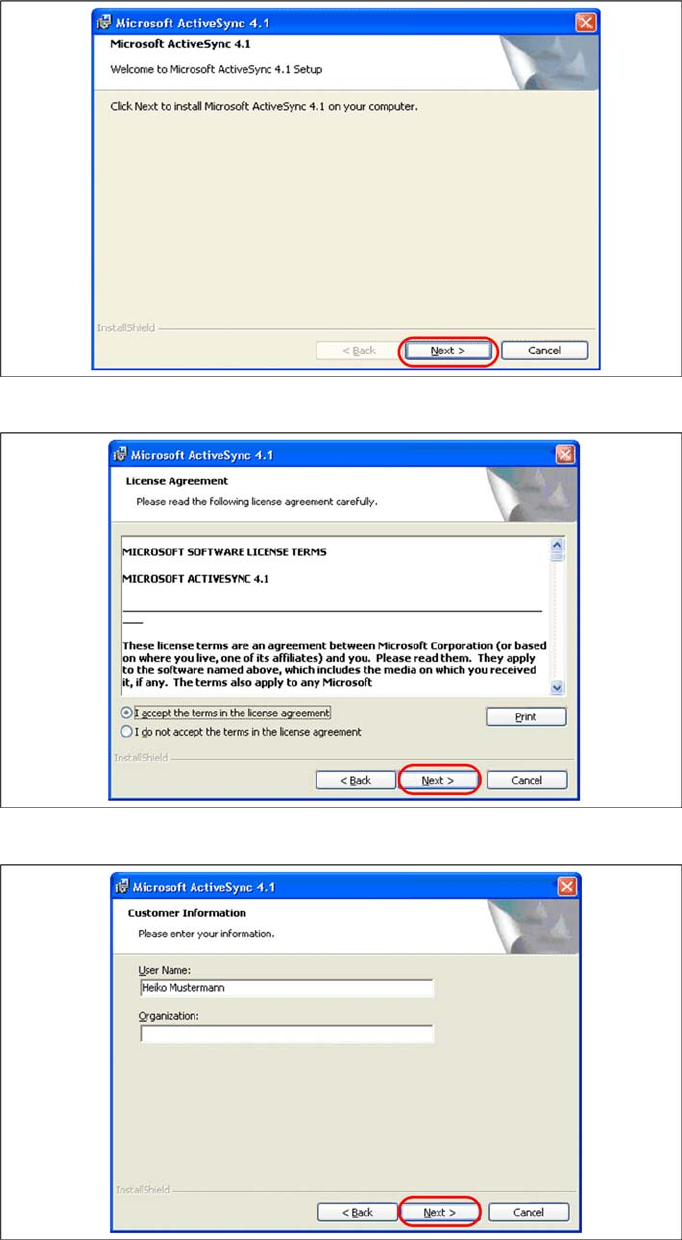
Install ActiveSync
X Click on "Next" to proceed.
X Accept the licensing agreements and select "Next".
X Enter your user information and select "Next".
Installation
Motorola / Symbol MC70 1D/2D barcode scanner Hardware Installation
Installation Manual SIPLACE Setup Center V3.0
27
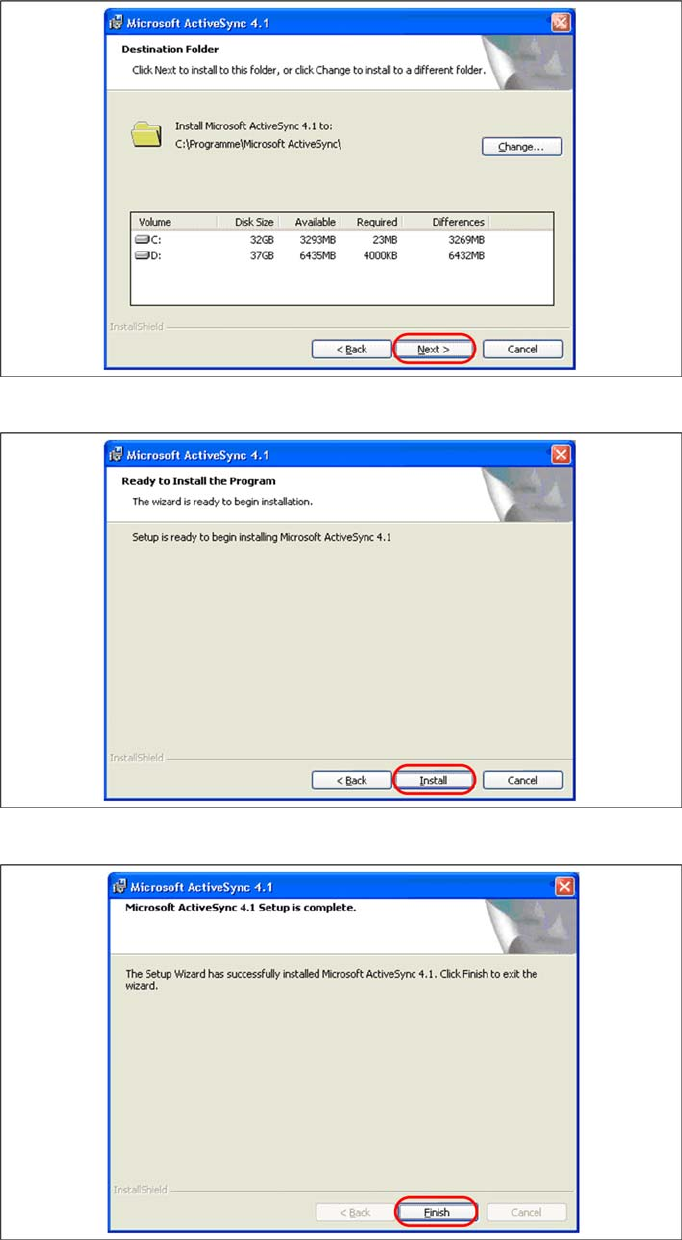
X Select the path for copying the installation files and select "Next".
X Select "Install" to start with the installation of Microsoft ActiveSync.
X Click on "Finish" to terminate the Microsoft ActiveSync Installation.
Installation
Hardware Installation Motorola / Symbol MC70 1D/2D barcode scanner
28 Installation Manual SIPLACE Setup Center V3.0
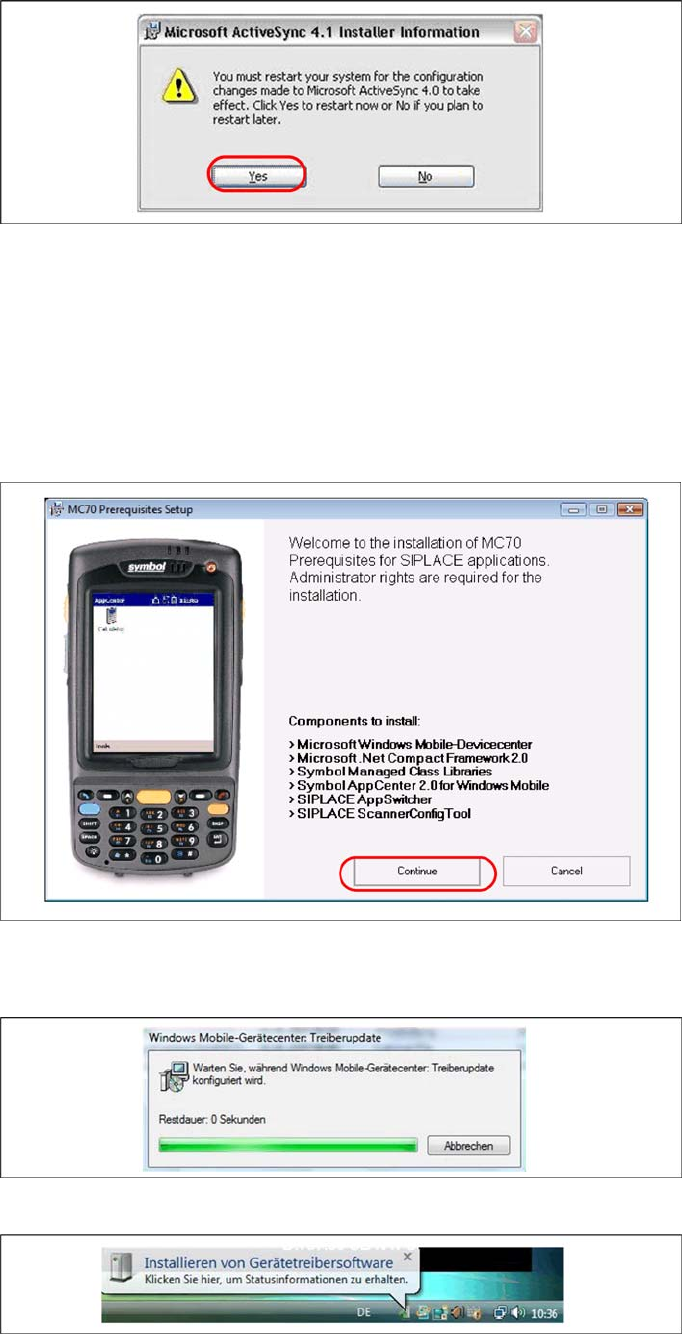
X In case that a restart is necessary please select "Yes".
X Please start MC70 Prerequisite installation from CD after the restart.
See also:
J
Step 2: AppCenter [
J
29]
Windows Vista: Mobile Device Center
If Windows Mobile Device Center is not installed on the system, the installation of Mobile Device Center
will be executed. Make sure that the scanner is not yet connected to the basic station.
X Select "Continue" to proceed with the installation.
Install Mobile Device Center
X The installation of Mobile Device Center is beginning.