00195642-01_IM-SetupCenter-3.0_EN.pdf - 第76页
Installation Steps to perform after Installation DATALOGIC Scanner Configuration 76 Installation Manual SIPLACE Setup Center V3.0 6.4.3.5 Changing the cradle addre ss If you want to change the cradle ad dress in the futu…
Installation
DATALOGIC Scanner Configuration Steps to perform after Installation
Installation Manual SIPLACE Setup Center V3.0
75
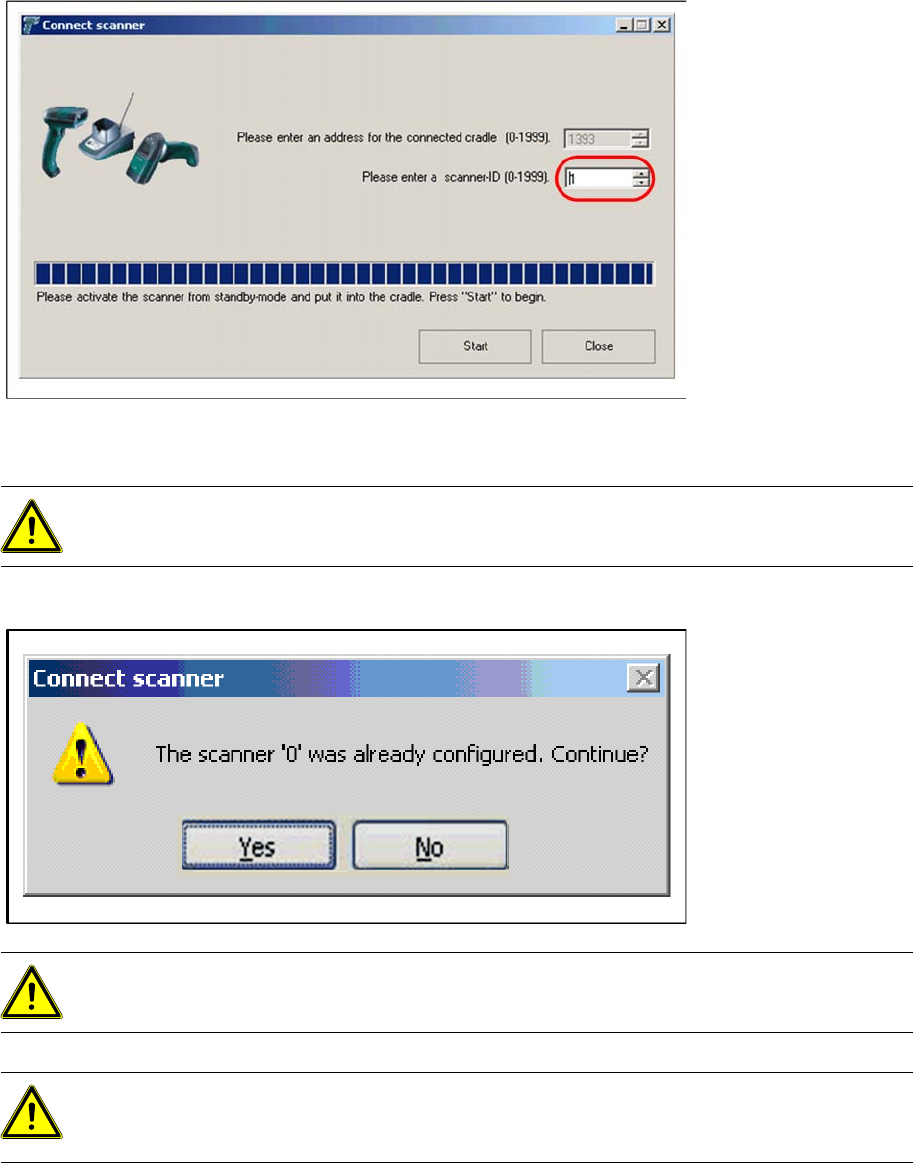
X The scanner-ID is now incremented to the next unused address. Activate the next Scanner from
standby, put it into cradle and click “Start”.
If you manually enter an already used address, Setup Center will warn you by following.
ATTENTION:
Do not scan or press keys at an already connected scanner, while configuring a new one.
ATTENTION:
Make sure that the cradle address and scanner-ID are unique in a factory.
ATTENTION:
It’s not recommended to move a cradle from one Setup Center Computer to another. In this
case, please configure each scanner again.
Installation
Steps to perform after Installation DATALOGIC Scanner Configuration
76 Installation Manual SIPLACE Setup Center V3.0
6.4.3.5 Changing the cradle address
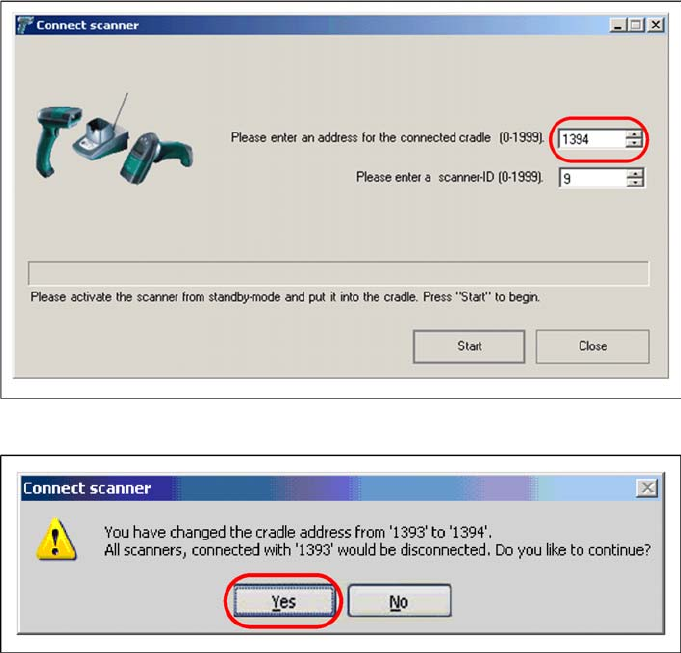
If you want to change the cradle address in the future, you should notify that all previously connected
scanners will be disconnected. You have to reconfigure them again.
X Click “Start” to continue.
X Click “Yes” to confirm the change.
Installation
Motorola / Symbol MC70 Scanner Configuration Steps to perform after Installation
Installation Manual SIPLACE Setup Center V3.0
77
6.4.4 Motorola / Symbol MC70 Scanner Configuration
6.4.4.1 Configurate Setup Center
The communication between Setup Center and scanner is achieved by network connection (socket).
Setup Center takes the role of the server and the scanner that one of the client.
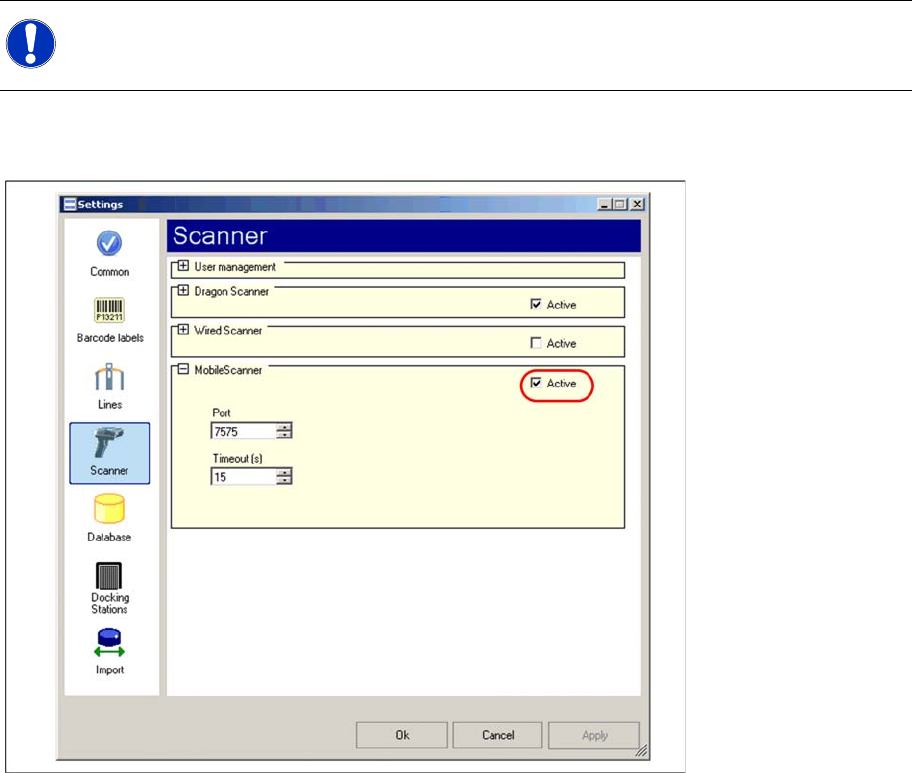
Start Setup Center and open the setting via Tools -> Settings. Within the group Scanner the following
entry is now visible:
Activate the interface by selecting "activated". Check the fire wall settings whether the port chosen by
Setup Center is enabled and correct it if necessary. To accept the settings close the configuration dialog
with "OK".
NOTE:
Please configurate the barcode scanner for the operation within WLAN network - as described
in document Installation Manual WLAN Infrastructure for SIPLACE (item no. 00195606-xx).