00195642-01_IM-SetupCenter-3.0_EN.pdf - 第32页
Installation Hardware Installation Motorola / Symbol MC70 1D/2D barcode scanner 32 Installation Manual SIPLACE Setup Center V3.0 X In case of a upgrade installation confirm the upgrade of Siemens SSC M obile Scanner wit …
Installation
Motorola / Symbol MC70 1D/2D barcode scanner Hardware Installation
Installation Manual SIPLACE Setup Center V3.0
31
6.2.3.4 Setup Center Client Installation
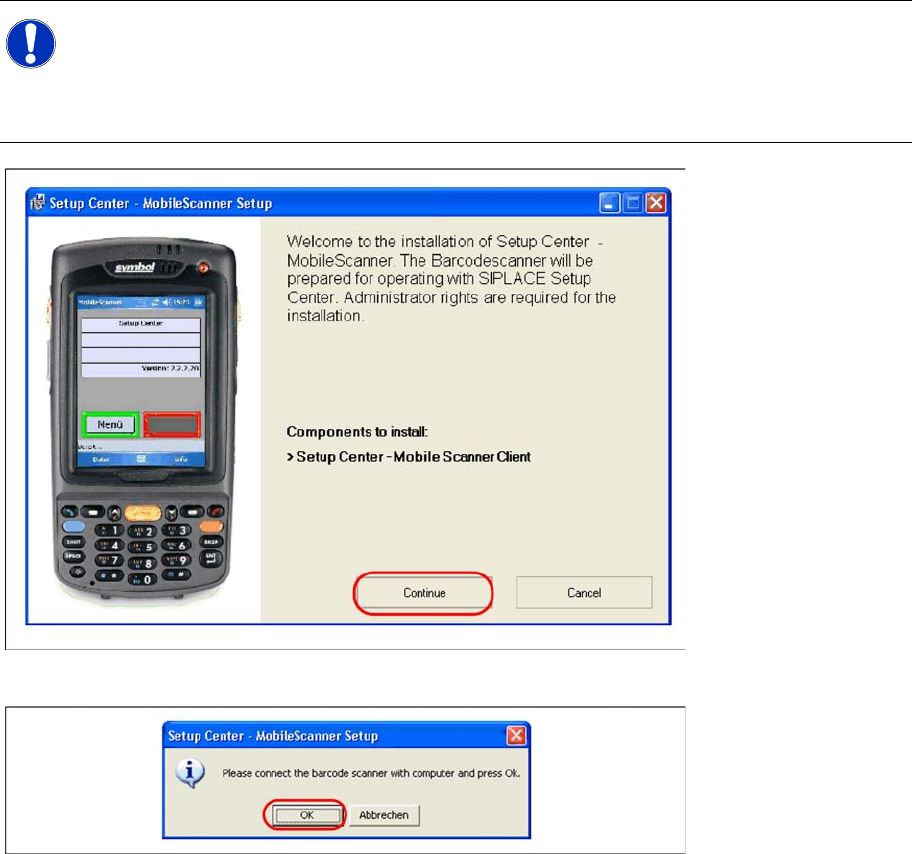
The installation for Setup Center – MobileScanner is located in the root directory of the CD
"\MobileScanner\MC70\". Execute the file "Setup.exe" to start the installation.
Setup Center Mobile Scanner Client will be installed.
X Select "Continue" to proceed with the installation.
X Make sure that the scanner is placed in the basic station and connected to Setup Center.
X Select "OK" start the transfer of the software components to the scanner.
NOTE:
In case of a upgrade installation exit the Setup Center Client before you start with the
installation procedure.
X Exit Setup Center Client with "File → Exit".
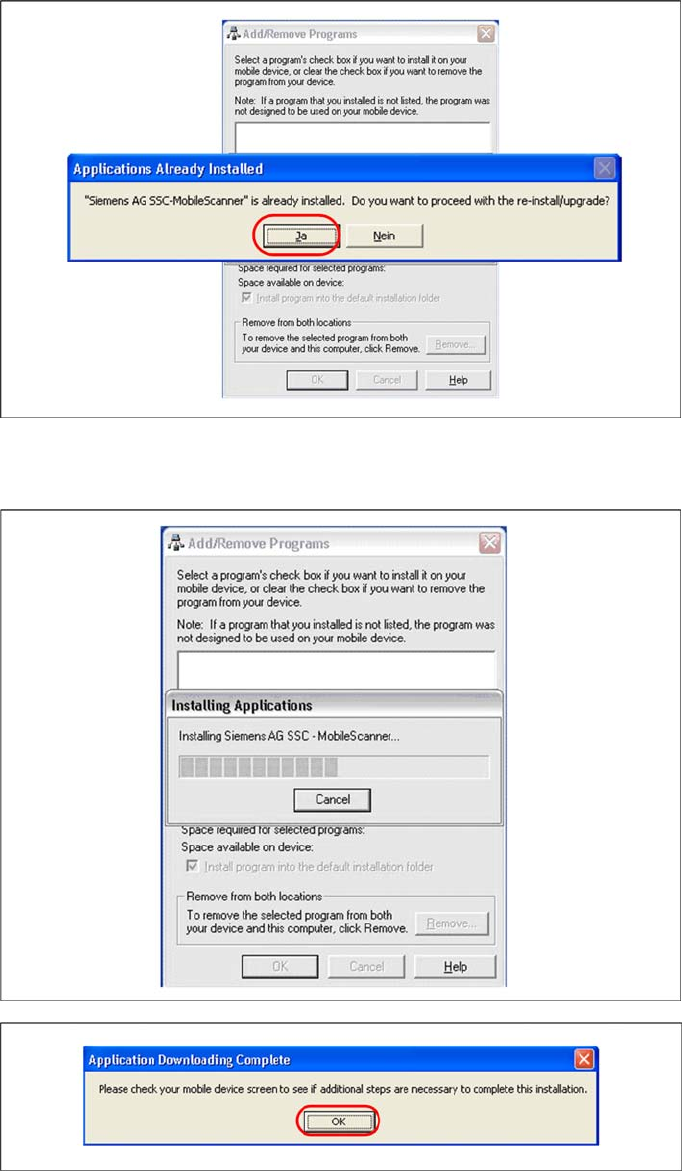
X Confirm any upcoming message which refers to a upgrade installation with "Yes" or "OK".
Installation
Hardware Installation Motorola / Symbol MC70 1D/2D barcode scanner
32 Installation Manual SIPLACE Setup Center V3.0
X In case of a upgrade installation confirm the upgrade of Siemens SSC Mobile Scanner with "Yes".
The transfer of the components to the scanner is beginning.
X After completion of the data transfer to the device click on "OK" to close the window.
The installation of MC70 Setup Center Client is beginning.
Installation
Optional: Docking Station Hardware Installation
Installation Manual SIPLACE Setup Center V3.0
33
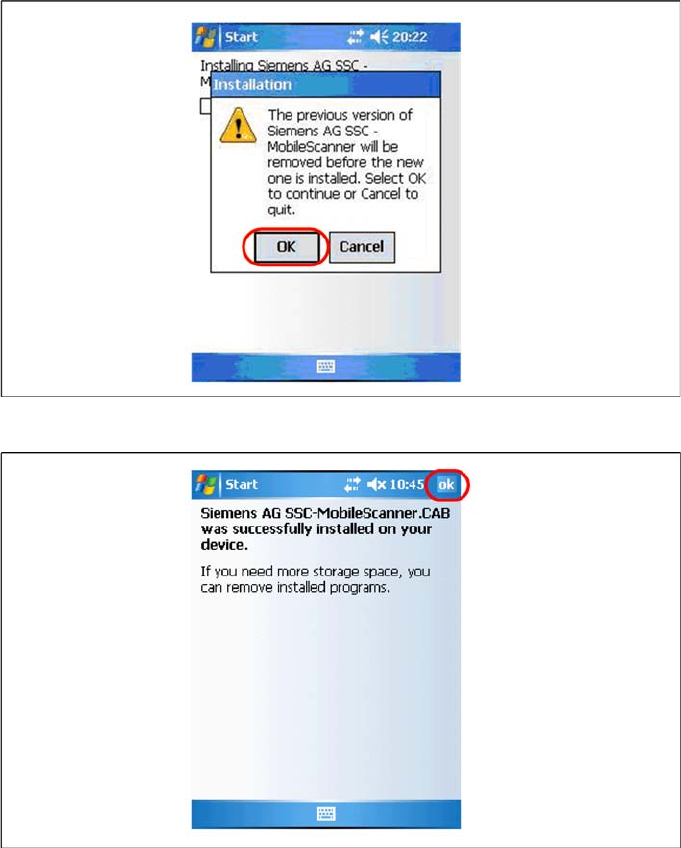
X In case of a upgrade installation confirm the update of Setup Center Client with "OK".
X Select "OK" to close the window. The installation is now completed. Please restart the device by
holding down the power key 5 seconds. After restart the Setup Center Client starts automatically and
you can start with the configuration of Setup Center and Client Software.
6.2.4 Optional: Docking Station
To obtain more details about using the docking station for X-Series tables, please refer to the current
version of the operating manual.