OM-1455-004_w.pdf - 第56页
2-7 Tg1576-ID-SO 2.2.2 T ray Component Data When the [T ray Comp. Dt] button is pressed in the "COMP . RELD." window , the "T ray Comp. Dt" window appears. [1] [2] Fig. B5 "T ray Comp. Dt" W…
2-6
Tg1576-ID-SO
[3]
[4]
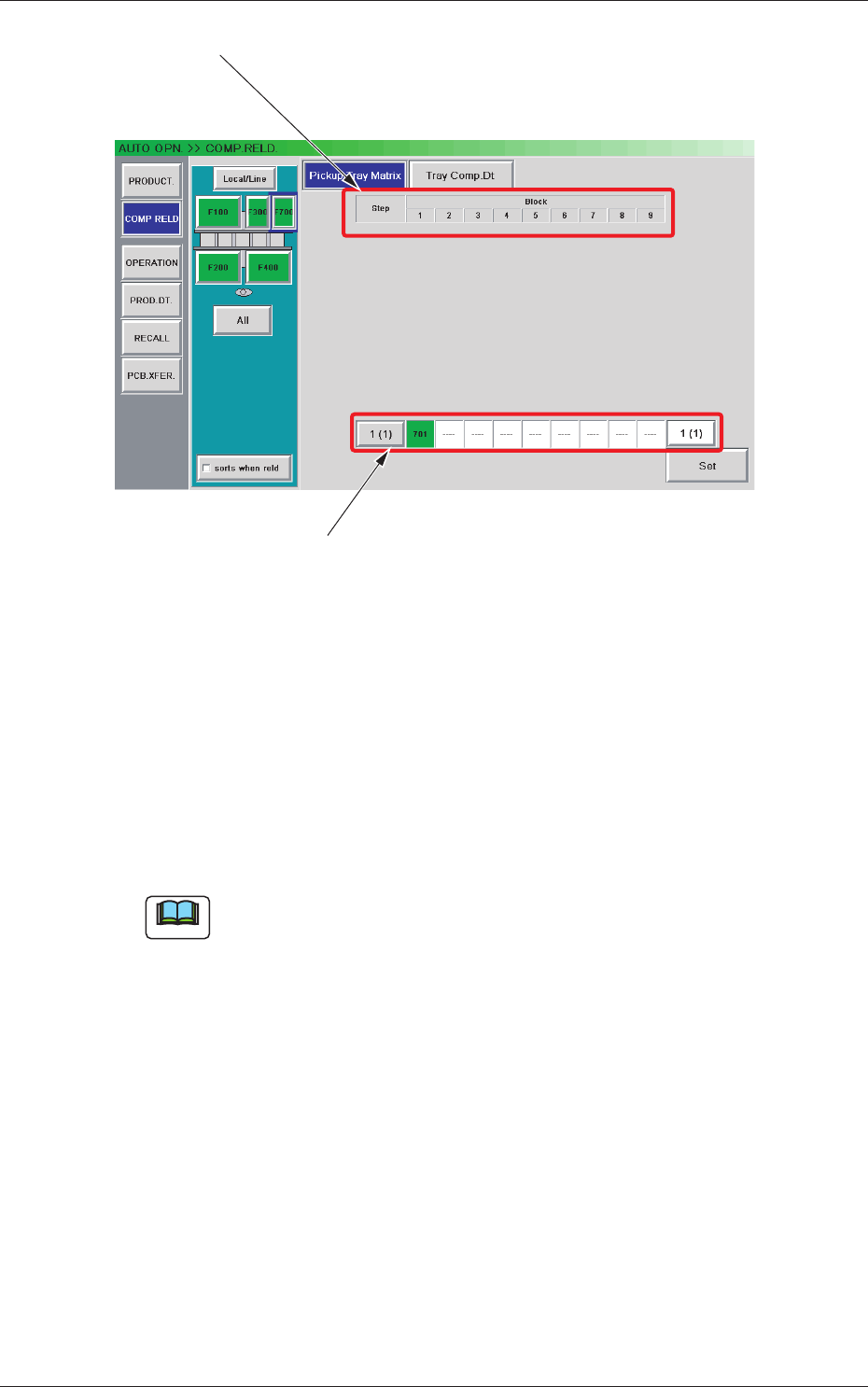
Fig. B4 "Block Information" Window
[3] "Block Information" Sheet
Shown is the block information.
[4] Tray Pickup Matrix Setting Buttons
Shown is the tray pickup matrix data.
When the [Edit] button is pressed, an input window opens, making it
possible to set the tray pickup matrix data.
Note
As for the blocks that are not used in the pattern program, no tray pickup
matrix setting button is displayed.
[5] [Return] and [Set] Buttons
[Set] Button :
When pressed, this button sets the edited tray
pickup matrix data and opens the tray pickup
matrix editing window
.
[Return] Button :
When pressed, this button cancels the selection
of the tray pickup matrix data and opens the tray
pickup matrix editing window.
0707-001
2.2 Component Reloading
2-7
Tg1576-ID-SO
2.2.2 Tray Component Data
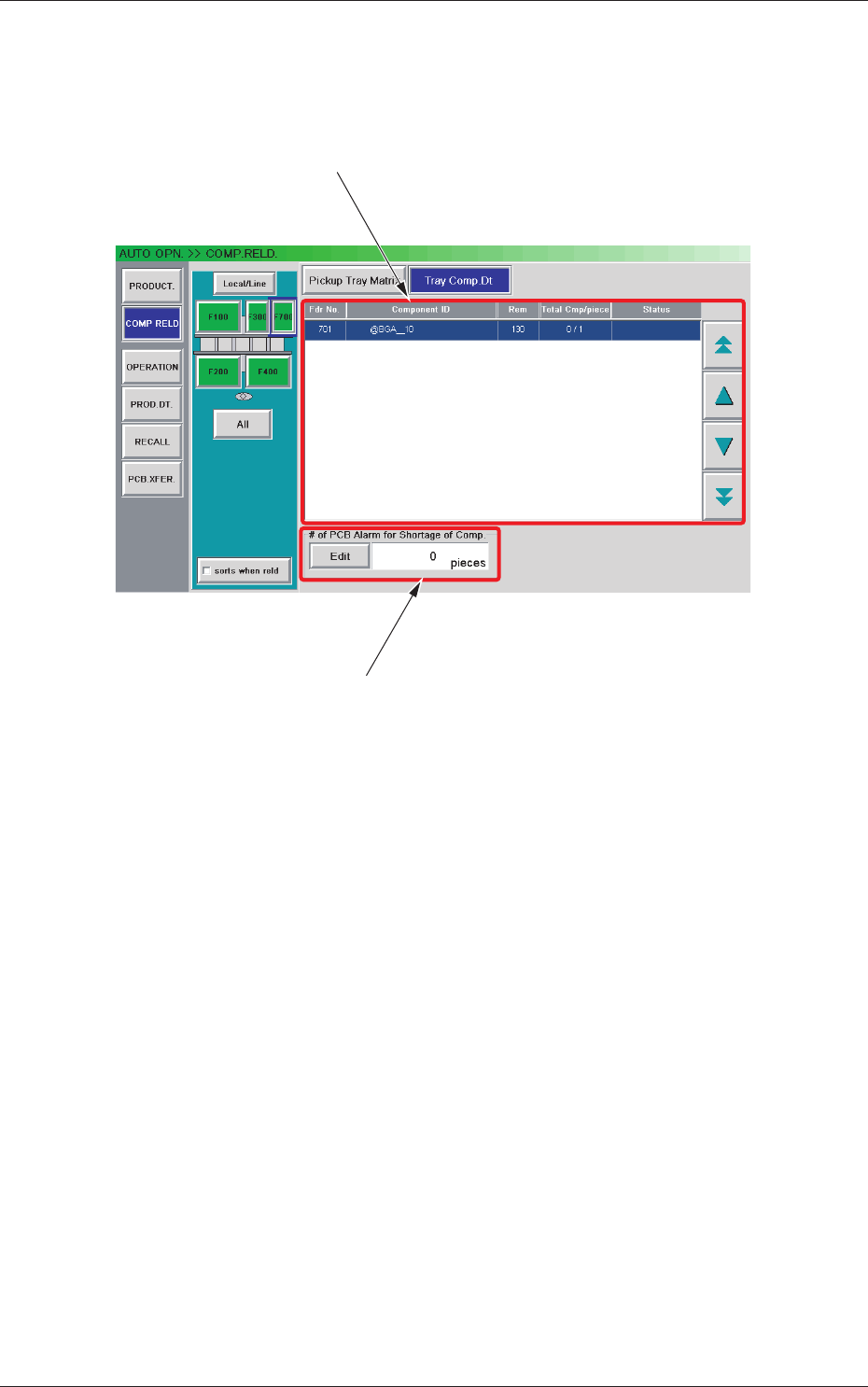
When the [Tray Comp. Dt] button is pressed in the "COMP. RELD."
window, the "Tray Comp. Dt" window appears.
[1]
[2]
Fig. B5 "Tray Comp. Dt" Window
[1] Information Display
Shown is the tray component data.
[2] "# of PCB Alarm for Shortage of Comp." Group Box
Set the number of PCBs to issue a component shortage alarm.
The [Edit] button can be used to set an arbitrary number of PCBs.
0707-001
2.2 Component Reloading

2-8
Tg1576-ID-SO
2.2.3 Single-transfer Tray Feeder Component Replenishment
Procedure
(1) When the component shortage occurs, the “Component
Replenishment” window is displayed and the supporting light is
turned on.
(2) Press the [Alm Release] button to cancel the alarm.
(3) The pallet xed onto the cylinder is automatically moved to the
component replenishment position and the cover lock for the
single-transfer tray is cancelled.
(4) The tray is replaced with a new tray
.
(5) Close the cover for the single-transfer tray and press the [TRAY
READY] button.
(6) The single-transfer tray cover will be locked and the
xed pallet
is moved to the component pick-up position.
(7) Set the replenished component quantity in the “Com
ponent
Replenishment” window.
2.2.4 Tape Feeder Component Replenishment
The procedure is the same as that for the usual component replenishment.
Note
In the case that the component shortage does not occur on the single-
transfer tray side, even when the feeder ready is cancelled, the xed
pallet for the single-transfer tray will not be returned to the component
replenishment position.
Reference
Refer to “2. Component Replenishment in Chapter 2 in Volume 1” in the
GXH series Instruction Manual for the component replenishment for the
tape feeder.
2.2 Component Reloading
0708-002