OM-1455-004_w.pdf - 第83页
3-18 Tg1576-ID-SO (2) T ray matrix reference setup Select "Right" or "Left" in the text box. (3) T ray matrix initialization mode Select "Standard", "Hold", or "Initialize&quo…
3-17
Tg1576-ID-SO
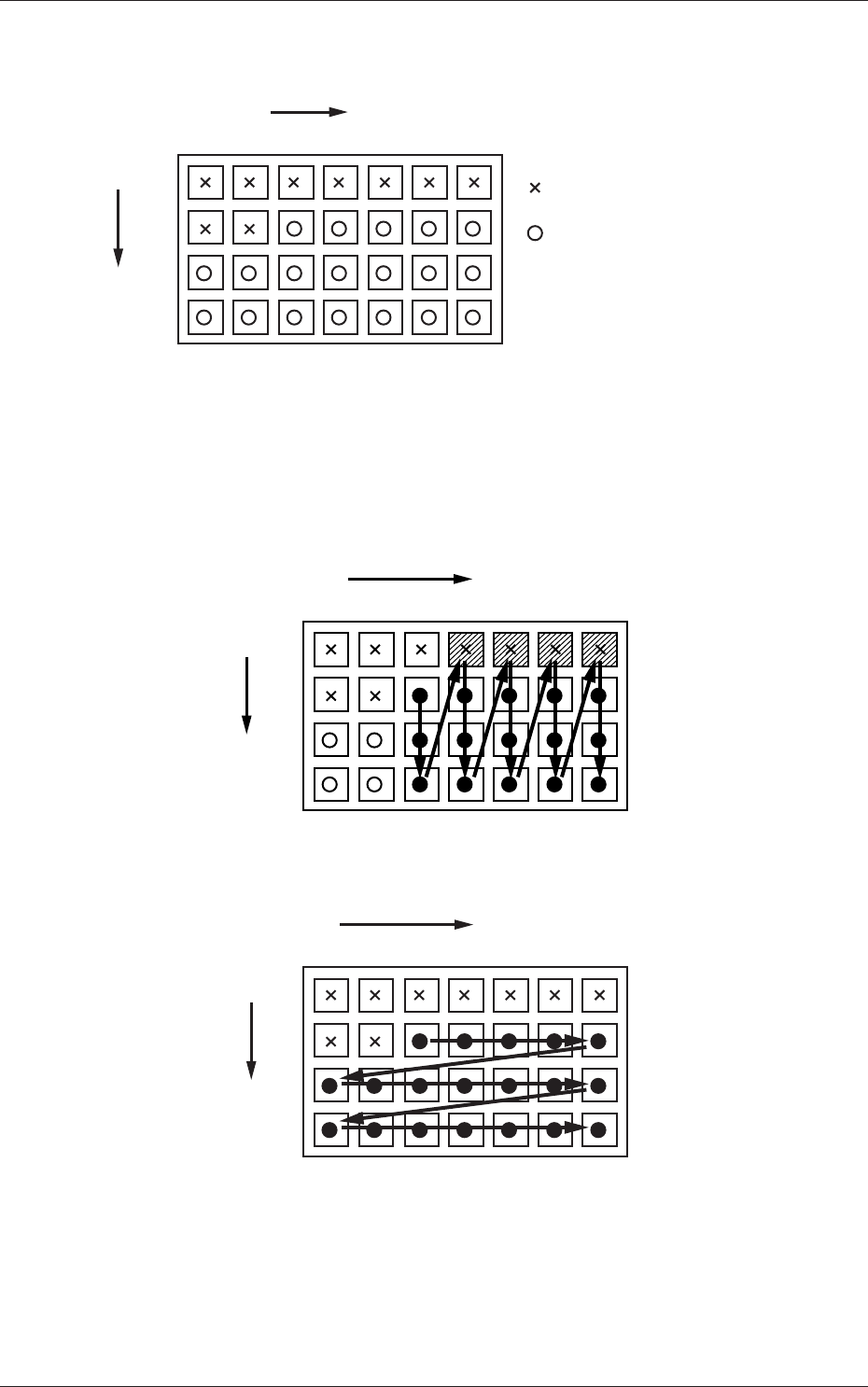
For example :
The tray is in the condition as shown in Fig. C11.
(Tray in Middle of Process)
1
1
2
99
2 3 99
X
Y
: No Component
(Taken Out)
: Component Existing
.
.
.
. . . . . .
Fig. C16
• The rst component pick-up position is assumed to be "X: 3, Y: 2".
: Component Picked Normally
: Component Left Behind
Shadowed : Mispick
1
1
2
99
2 3 99
X
Y
.
.
.
. . . . . .
Selection of "Y Direction"
Fig. C17
1
1
2
99
2 3 99
X
Y
.
.
.
. . . . . .
Selection of "Y Direction"
Fig. C18
0711-001
4.2 Auto Operation

3-18
Tg1576-ID-SO
(2) Tray matrix reference setup
Select "Right" or "Left" in the text box.
(3) Tray matrix initialization mode
Select "Standard", "Hold", or "Initialize" in the text box.
Standard :
When the tray matrix data is identical in its type or is not
used after a program change, it is not initialized.
When the ID is changed to a different one, the tray matrix
data is initialized to "0, 0".
Hold :
When the tray matrix data is identical in its type or is not
used after a program change, it is not initialized.
When the ID is changed to a different one, the tray matrix
data is initialized to "1, 1".
Initialize :
The tray matrix data used for the production model is all
initialized to "1, 1".
(4) Tray tall component mode
Set "Disable" or "Enable" in this text box.
0711-001
4.2 Auto Operation

4-A
Tg1576-ID-SO
0707-001
Chapter 4
Maintenance and Troubleshooting
This chapter describes periodic maintenance and
troubleshooting for those who are in charge of
maintenance work.
•
Maintenance Spots
•
Maintenance