00193826-01.pdf - 第123页
User Manual SIPLAC E CS 5 Oper ator, Line engineer, Service engineer Software vers ion SR.101.xx 06/ 2003 US Edition 5.9 Dock ing the component trolley in or out 123 W A RNING 5 Æ Never rea ch into th e gap be tween the …
5 Operator, Line engineer, Service engineer User Manual SIPLACE CS
5.9 Docking the component trolley in or out Software version SR.101.xx06/2003 US Edition
122
5.9 Docking the component trolley in or out
5.9.1 Safety instructions on docking and undocking the component trolley
5
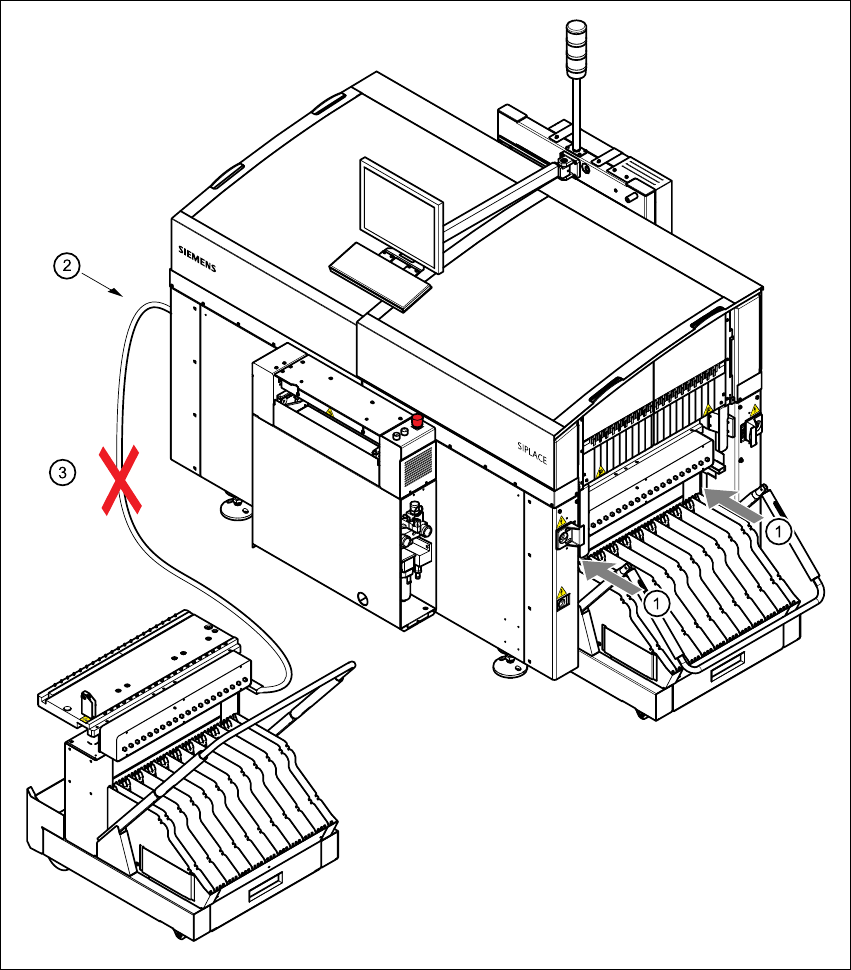
Fig. 5.9 - 1 Safety instructions on the component trolley
User Manual SIPLACE CS 5 Operator, Line engineer, Service engineer
Software version SR.101.xx 06/2003 US Edition 5.9 Docking the component trolley in or out
123
WARNING 5
Æ Never reach into the gap between the component trolley and the placement system frame
(item 1 in Fig. 5.9 - 1
).
Æ Always check that the component trolley is docked on the placement system before connecting
or disconnecting the power cable for the component trolley at the socket on the placement sys-
tem (item 25.9 - 1
).
Æ NEVER connect the connecting cable for the component trolley to the socket on the placement
system and then operate the component trolley outside the machine via the compressed air
control unit (item 3 in Fig. 5.9 - 1).
5 Operator, Line engineer, Service engineer User Manual SIPLACE CS
5.9 Docking the component trolley in or out Software version SR.101.xx06/2003 US Edition
124
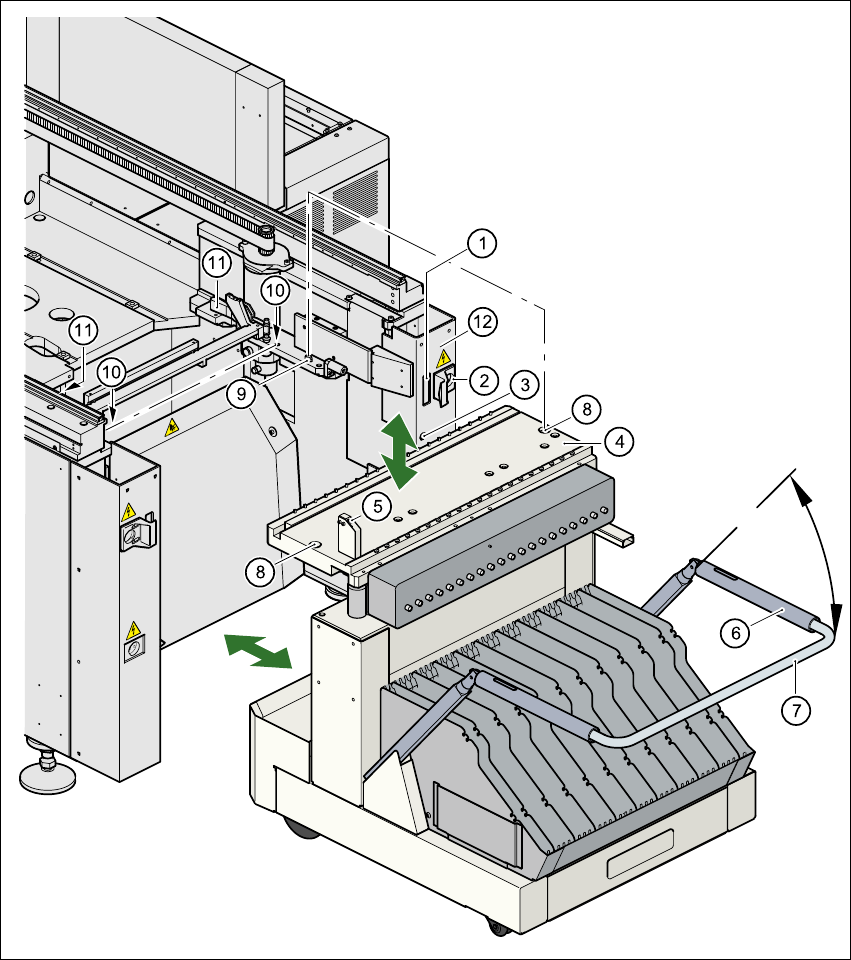
Fig. 5.9 - 2 Docking or undocking the component trolley
(1) Communication interface connector
(2) Power supply connector for the component trolley
(3) Compressed air connection
(4) Component table bed
(5) Button for raising and lowering the component table bed
(6) Actuating tube
(7) Fold-down bracket